Ansys Products

Ansys Products

Discuss installation & licensing of our Ansys Teaching and Research products.

APDL not opening

    • Krishna Prasath
      Subscriber

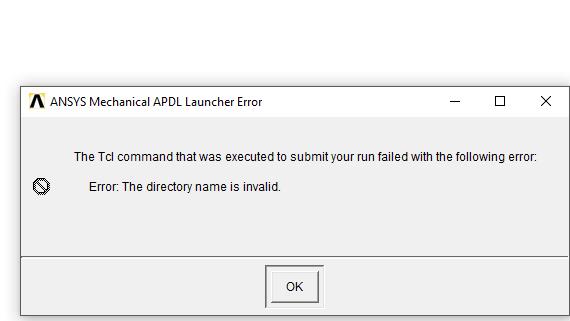
      Mechanical APDL is not opening. I am getting the following error,


      "The Tcl command that was executed to submit your run failed with following error


      Error: The directory name is invalid"


      It was working fine sometime before. All other modules are working fine.


      Thanks

    • tsiriaks
      Ansys Employee

      Hi Krishna,


      Launch 'Mechanical APDL Product Launcher' , then try changing the Working Directory.


      Thanks,


      Win

    • Krishna Prasath
      Subscriber

      Hi Tsiriaks,


      I have tried that. Still the same error. any other options?

    • tsiriaks
      Ansys Employee

      Can you post the screenshot of the entire error message ?


      Does your Working Directory contain any non-English letters ?

    • Krishna Prasath
      Subscriber

      I have attached screenshot of it. 


      No, I doesn't have any non-English letters


    • tsiriaks
      Ansys Employee

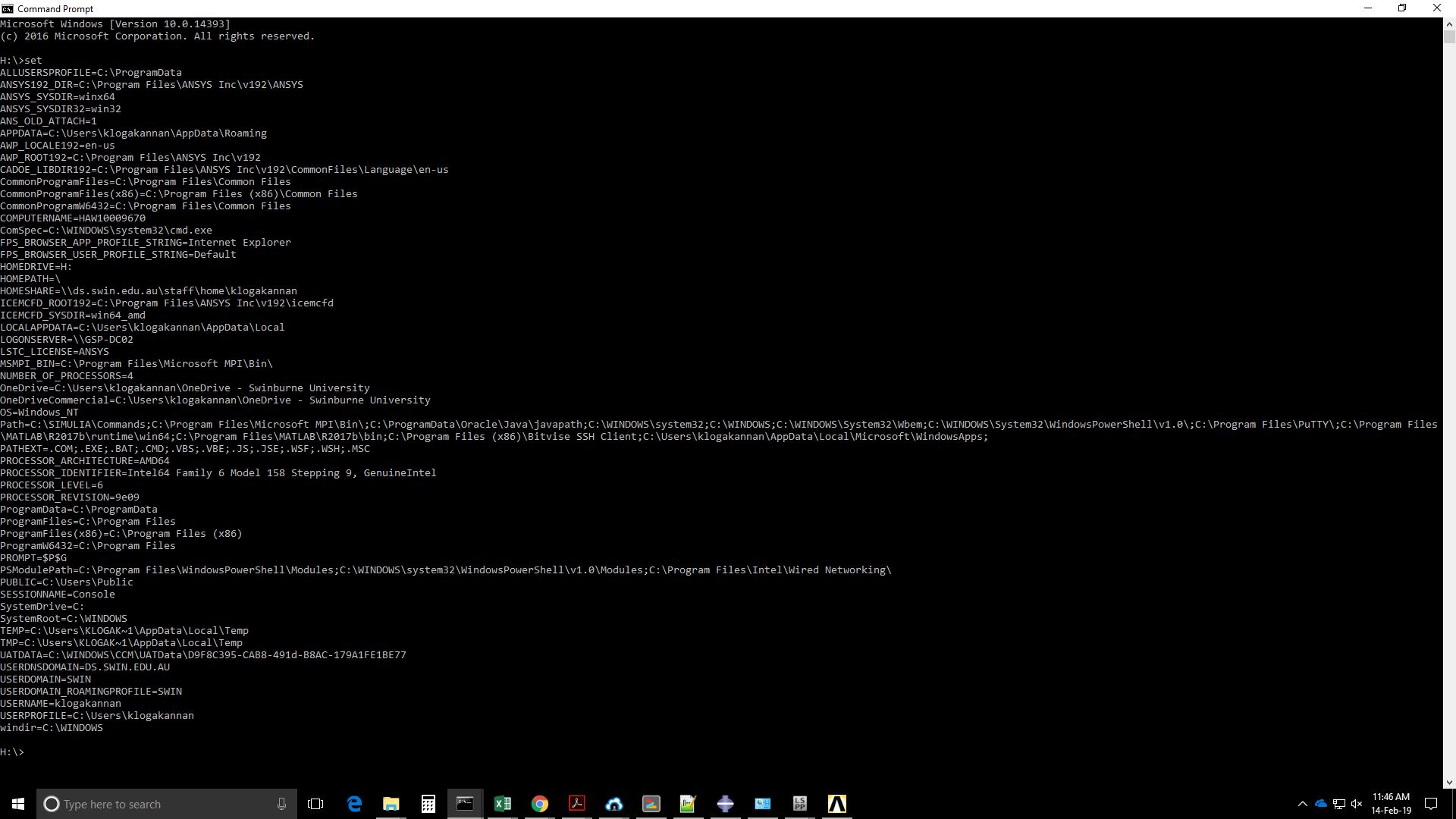
      Open up CMD Prompt, then issue the following command


      set


      and post the screenshot of the entire output of it.


      Thank you,


      Win

    • Krishna Prasath
      Subscriber

    • tsiriaks
      Ansys Employee

      Hi Krishna,


      Please try rearranging your Path environment variable so that 


      C:WINDOWSsystem32;C:WINDOWS;C:WINDOWSSystem32Wbem;… entries are in front of everything else.


      Also, I'm a bit concerned about your TEMP and TMP that have your username abbreviated, you can try changing this to be your full username.


      Thanks,


      Win

Viewing 7 reply threads
  • The topic ‘APDL not opening’ is closed to new replies.