-
-
January 8, 2019 at 10:37 am
Jamessmp23
SubscriberHi, I would like to know how to draw and define non-merge line on the fluent mesher software [Q - meshing ANSYS AUTODYN PrepPost] ?
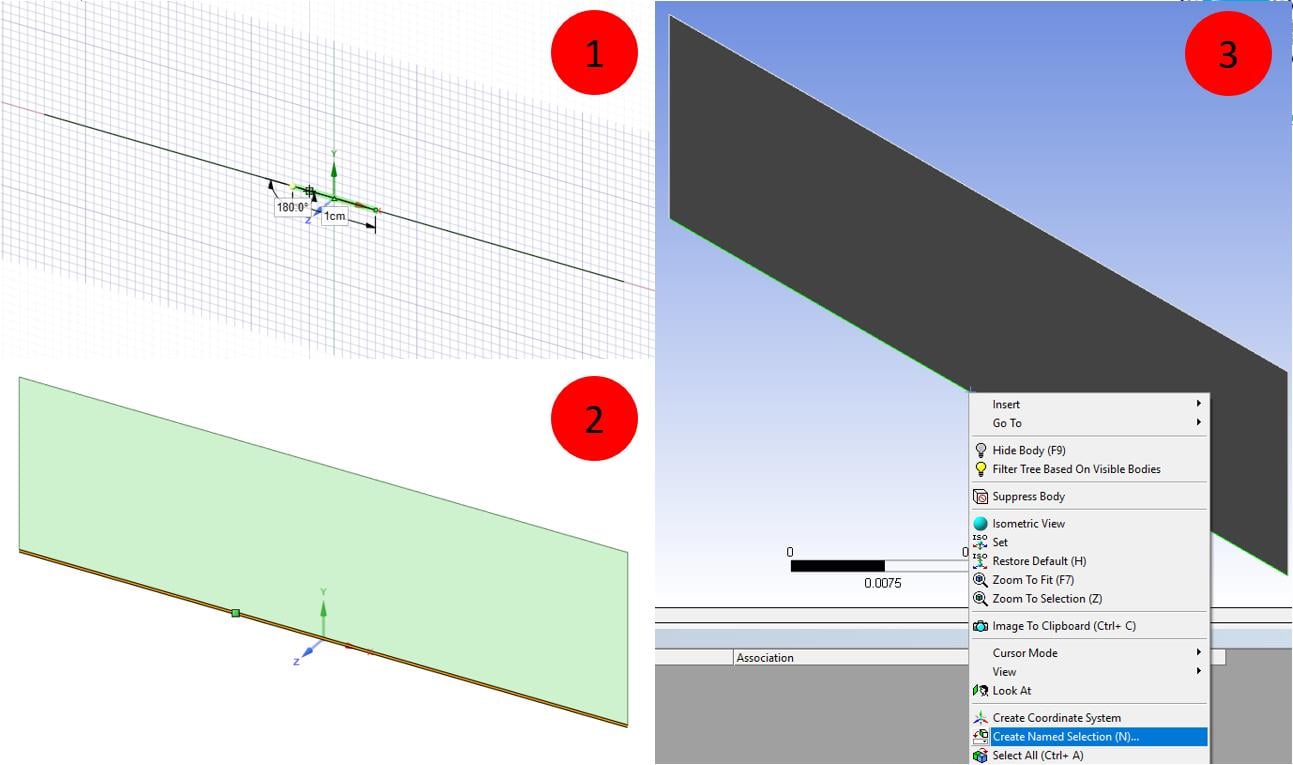
I tried to define the line in the middle section that I drew separately, but when I change it to 3D mode to go next step to the meshing procedure the line is auto merge.
Any advice ?Â
*When it's in the sketch mode you can see that the line is separate as picture 1.
I draw a geometry on the spaceclaim and use the fluent mesher.
Thank you,
Sumit
Â
-
January 8, 2019 at 1:38 pm
Rob
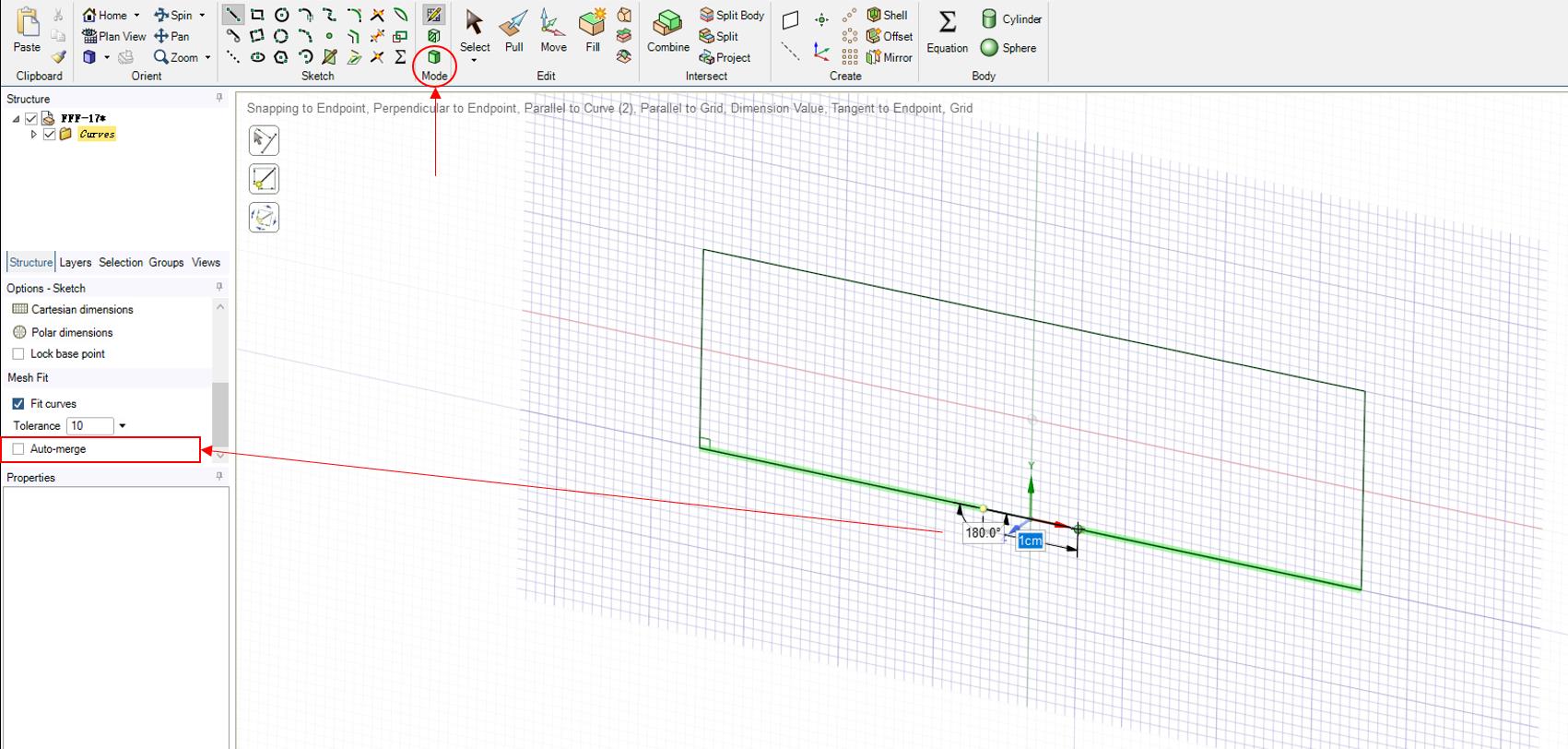
Forum ModeratorWhen you do the extrude operation there's an option to Merge Topology - make sure that's set as No.Â
-
January 9, 2019 at 1:12 am
-
January 9, 2019 at 10:40 am
Rob
Forum ModeratorI thought you were using DesignModeler which behaves differently.Â
Having had a look the quickest way is to create the shape as you've done so. Use "split" under the Intersect panel and you should be able to split at the vertex.Â
-
January 14, 2019 at 2:04 am
Jamessmp23
Subscribersorry for late reply, it's works. Thank you for the advice.Â
-
- The topic ‘How to draw and define non-merge line on the fluent mesher software ?’ is closed to new replies.

-
5139
-
1831
-
1387
-
1248
-
1021
© 2026 Copyright ANSYS, Inc. All rights reserved.