-
-
November 4, 2023 at 11:51 am
Mateusz Piecuch
SubscriberHi
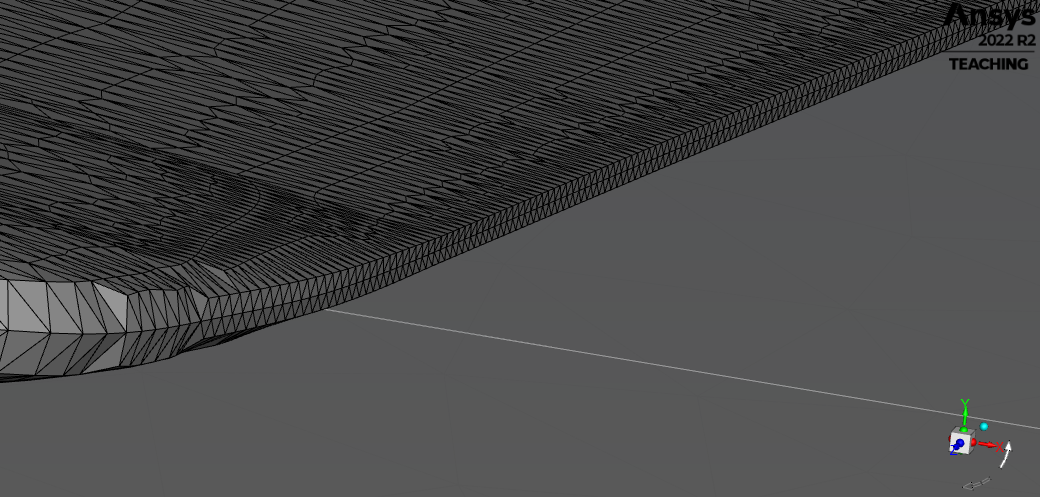
I am encountering a very strange ?bug? during the preprocessing stage of FSI simulations. My wing is cut into surfaces, which are used in ACP to assign different composite lay up properties. I have CFD (Fluent) and FEM (Mechanical) models prepared and working well separately. To achive coupling I have to define system coupling region in mechanical, where the problem is as follows:
I cannot select all surfaces of wing to one System Coupling Region. If I select all of them (doesnt matter if using geometry or named selection), "scope" is still yellow and there are "?" signs as shown in attached screenshot.
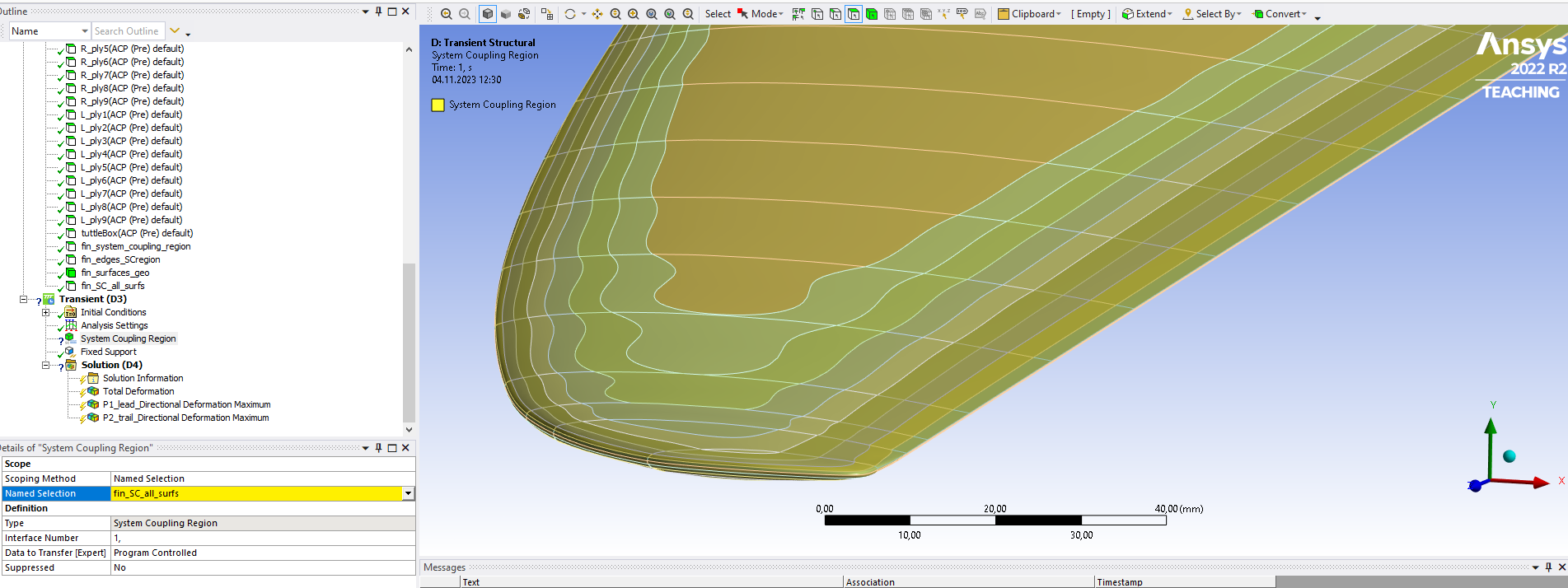
I thought it may be a result of poor surface quality near the tip and edge, but then I found out that I could select every surface if I seperate them in two System Coupling Regions: first for 1st layer surfs:
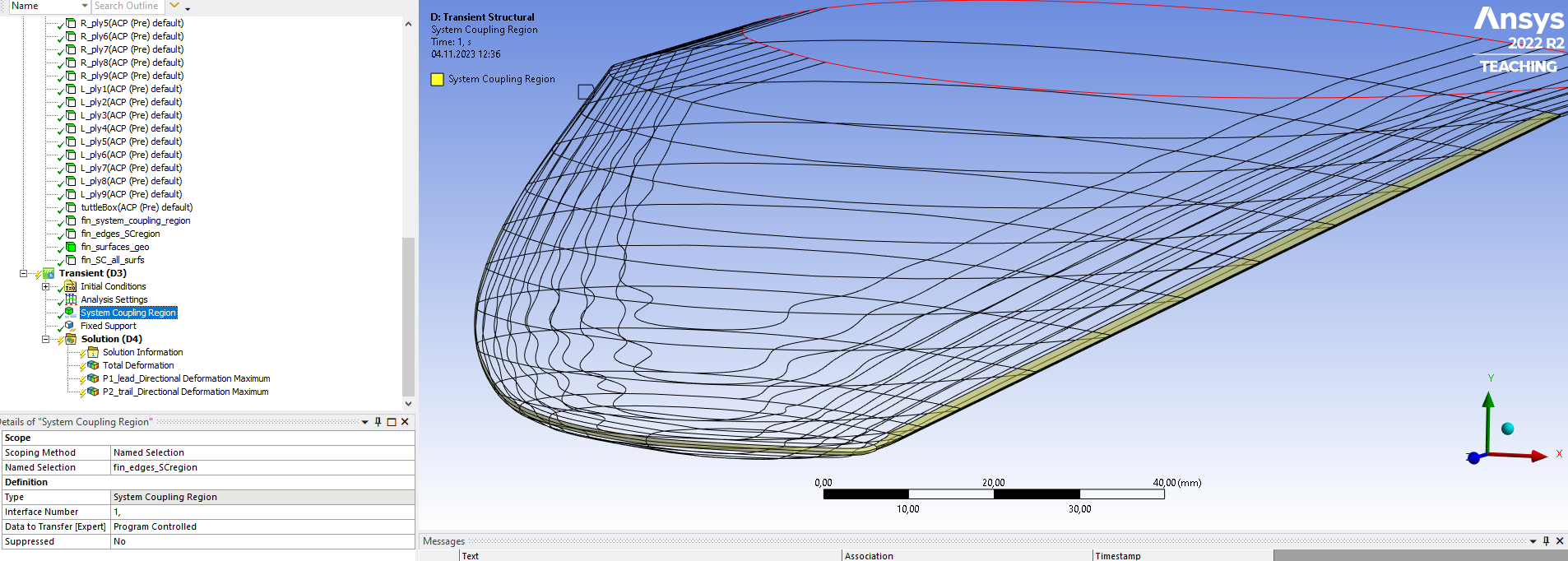
and second for all the rest:
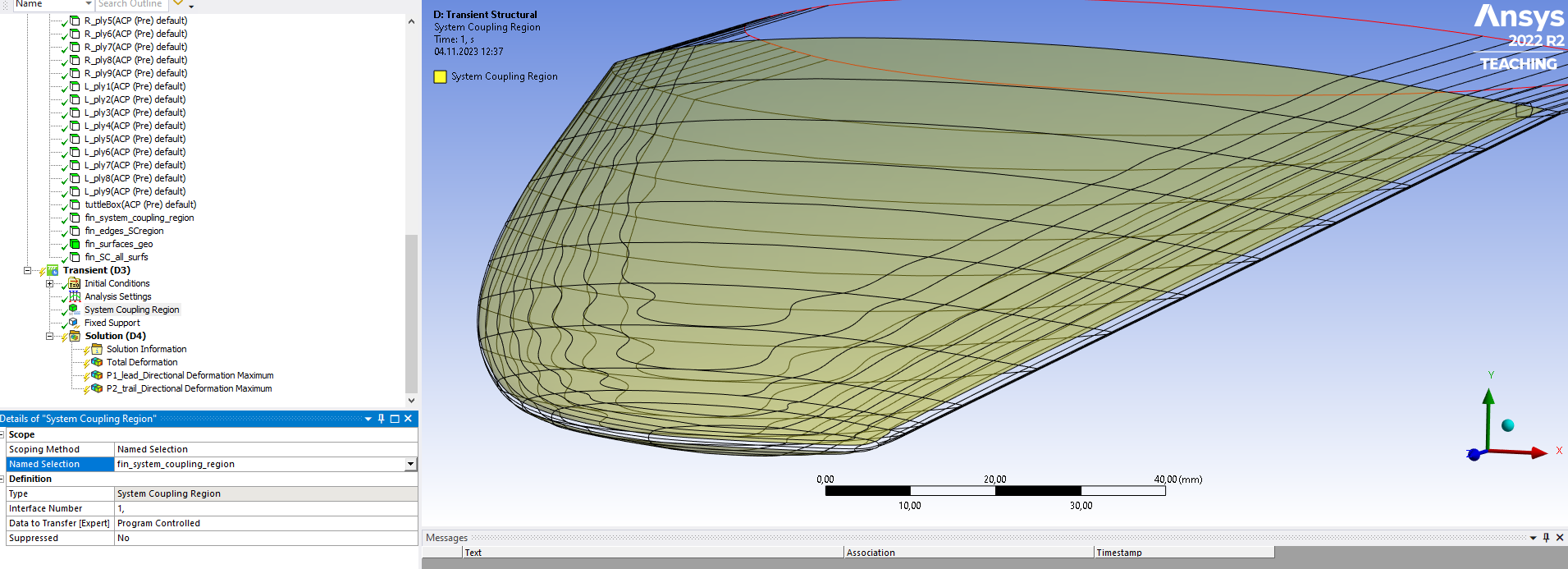
As you can see, there are no "?" signs if I select surfs separately. Unfortunately you have to have only one SystemCouplingRegion, otherwise there is an error in System Coupling module.
Looking forward for advice, as I've been struggling with consequences of this problem for some time.. I was able to temporarily overcome this issue as I decided to procceed, hoping that mapping will work well enough without this edge surfs selected in System Coupling Region, but during calculations, when displacements get bigger, the CFD mesh is getting coarse and negative volumes appear in this edge region, causing the analysis to diverge.
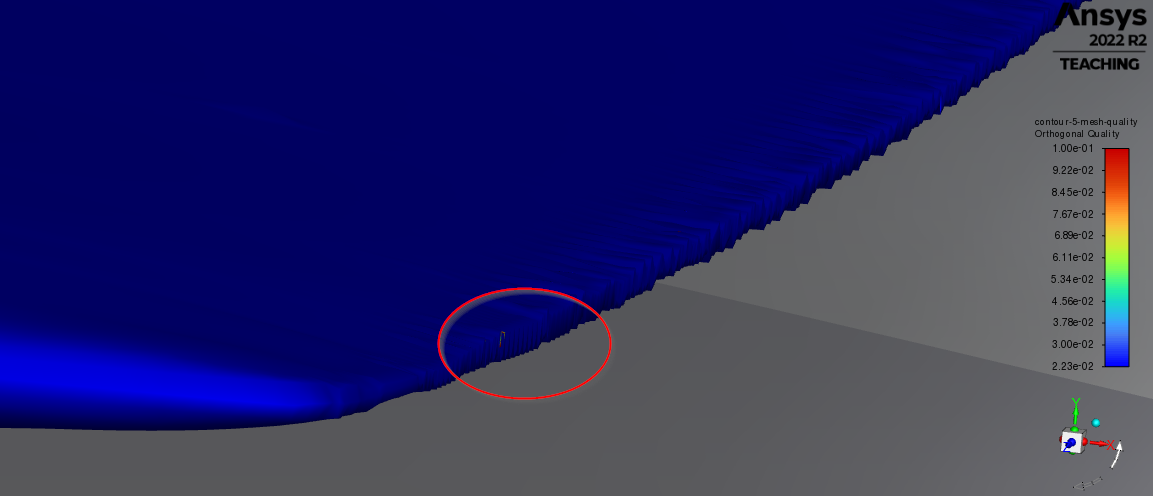
I suppose this is the result of uncomplete selection of this System Coupling Region, please tell me if I'm wrong.
Best RegardsMateusz
-
November 6, 2023 at 1:55 pm
Rahul
Ansys EmployeeHi Mateusz,
Yes, Mechanical participant only supports single System Coupling Region. Please create corresponding surface in Fluent to ensure good mapping and define multiple coupling interfaces in system coupling module.
And regarding solution divergence, Check whether the force sent to Mechanical was too large. This can happen if Fluent didn’t converge, or if there is an FSI instability due to similar densities between solid and fluid.Using under-relaxation on the data transfers can help here. This will make the solution more stable at the expense of more COUPLING ITERATIONS to reach convergence. Note that some cases can remain unstable even when under-relaxation is used; to stabilize these types of cases Solution Stabilization is available in Fluent in the Dynamic Mesh settings on the Solver Options panel.
Hope this helps!
-
November 6, 2023 at 3:01 pm
Mateusz Piecuch
SubscriberHi
Fortunately I was able to find a solution. I still consider described problem as a bug, because the workaround was to merge first two layer surfs (counting from edges – where was this problem with selecting faces). To make it more clear: then I had two surfaces which couldnt be added togather to system coupling region. Now, after merging these surfs I can add them to system coupling region and problem with mesh quality on trailing edge dissapeared because of improved mapping (was about 95%, now is 100%). Solution converges even when heavily loaded, with big displacements, of course using URF.
-
November 7, 2023 at 11:24 am
Mateusz Piecuch
SubscriberHello again
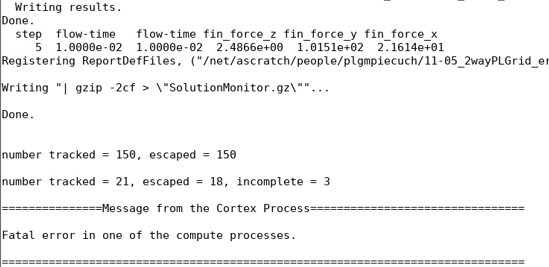
Everything works well on my local machine, but after exporting the same project to cluster, design points fail to update with errors:
Error occures just after completing calculations for current design point so it has to be something connected with update settings.
On the very end of solution.trn I found also this:
Other log files (mechanical, System Coupling) inform about well completed calculation.
I would really appreciate any help.
Regards
Mateusz
-
November 7, 2023 at 12:24 pm
Rahul
Ansys EmployeeHello
An error suggests that the solver has failed during the run in Fluent, please check the fluent transcript to see cause of failure.
-
November 7, 2023 at 12:31 pm
Mateusz Piecuch
SubscriberHello,
thanks for prompt reply.
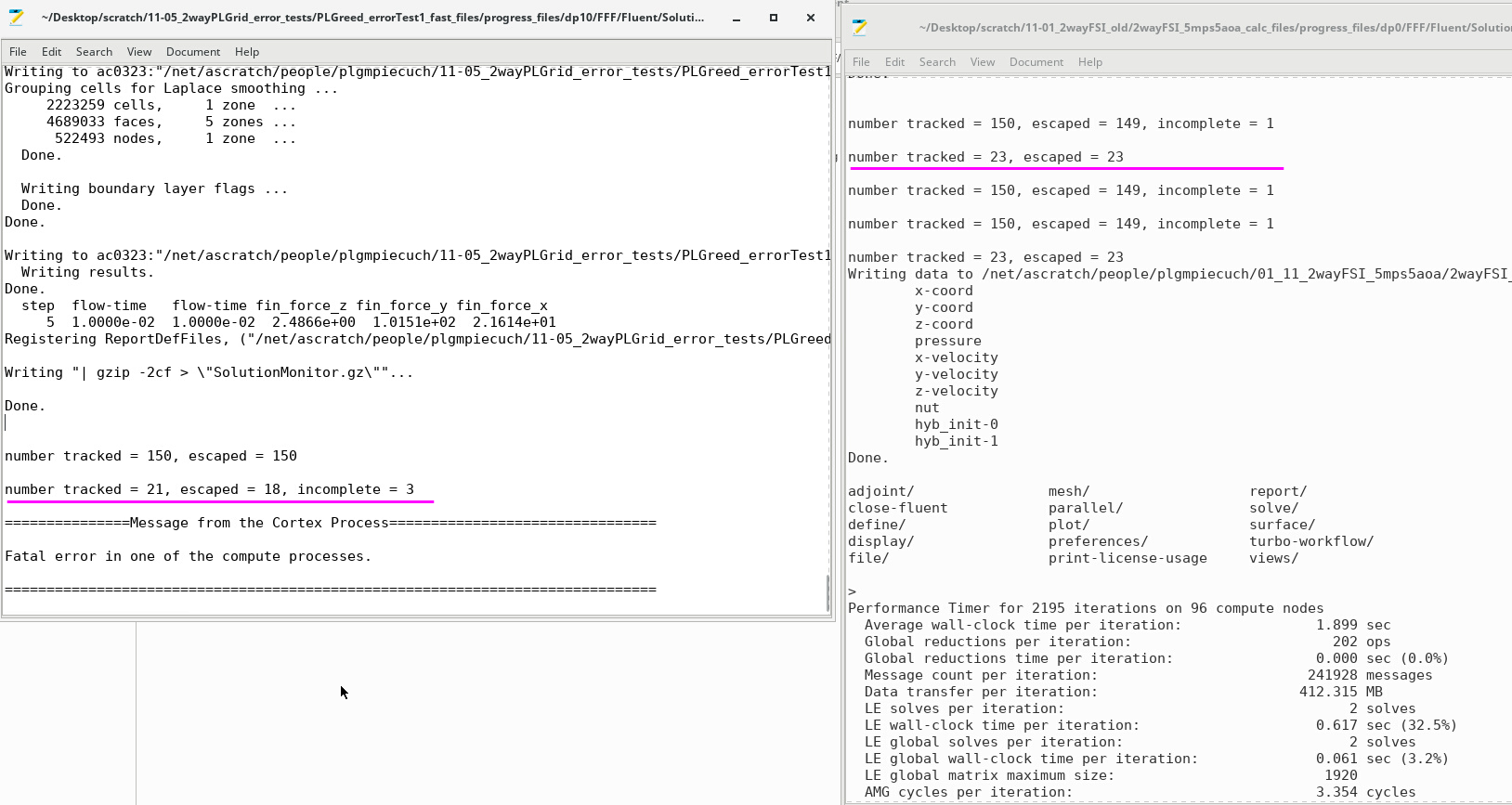
Please check my attached logs. On the left is log from current project which fails, on the right is one from the past which I use for comparison. This is the fluent solution.trn log part after calculations informing about writing results etc. Can you tell me what is this “number tracked” and what could cause the problem?
-
November 7, 2023 at 12:46 pm
Rahul
Ansys EmployeeThe error message is very generic. It is hard to know where it is coming from. It might be related to divergence occurring on one compute node or communication lost with a certain compute node or garbage collection has been kicked in and that is why some processes are shut down.
If you are solving the DPM model in fluent, please refer to user guide 23.10. Parallel Processing for the Discrete Phase Model (ansys.com)
I suggest you refer to the User's Guide, Discrete Phase Models, Postprocessing for the Discrete Phase, Reporting of Trajectory Fates: 23.9. Postprocessing for the Discrete Phase (ansys.com)
"Aborted'' trajectories are those that fail to complete due to roundoff reasons. You may want to retry the calculation with a modified length scale and/or different initial conditions.
"Trapped'' trajectories are those that terminate at a flow boundary where the "trap'' condition has been set.
"Incomplete'' trajectories are those that were terminated when the maximum allowed number of time steps--as defined by the Max. Number Of Steps input in the Discrete Phase Model panel--was exceeded. -
November 7, 2023 at 12:53 pm
Mateusz Piecuch
SubscriberOk so thats weird for me because I'm not solving DPM, just normal RANS model. Maybe it is something connected with pathlines postprocessing defined in fluent?
-
November 7, 2023 at 12:56 pm
Rahul
Ansys EmployeeTry running only fluent participant on cluster to see if it is happening due to system coupling inputs.
Please share a few more details about your Fluent setup to understand it better.
Yes, then this is due to path line visualization.
-
November 7, 2023 at 2:06 pm
Mateusz Piecuch
SubscriberI just managed to solve the problem, by removing postProcessing objects (pathlines, contours, animations) defined in Fluent. As I thought, the problem was connected with writing one of these objects, probably due to some cluster settings. After deleting these objects my case is working well on cluster.
Thank you very much for your help, your info guided me to the solution.
Best regards
Mateusz
-
- The topic ‘FSI of composite wing (Ansys ACP + Mechanical + Fluent + SystemCoupling)’ is closed to new replies.
-
5874
-
1906
-
1420
-
1306
-
1021
© 2026 Copyright ANSYS, Inc. All rights reserved.