Ansys Assistant will be unavailable on the Learning Forum starting January 30. An upgraded version is coming soon. We apologize for any inconvenience and appreciate your patience. Stay tuned for updates.
General Mechanical

General Mechanical

Topics related to Mechanical Enterprise, Motion, Additive Print and more.

How to export results from Ansys Mechanical

    • Davide Parlato
      Subscriber

      Hi everyone,

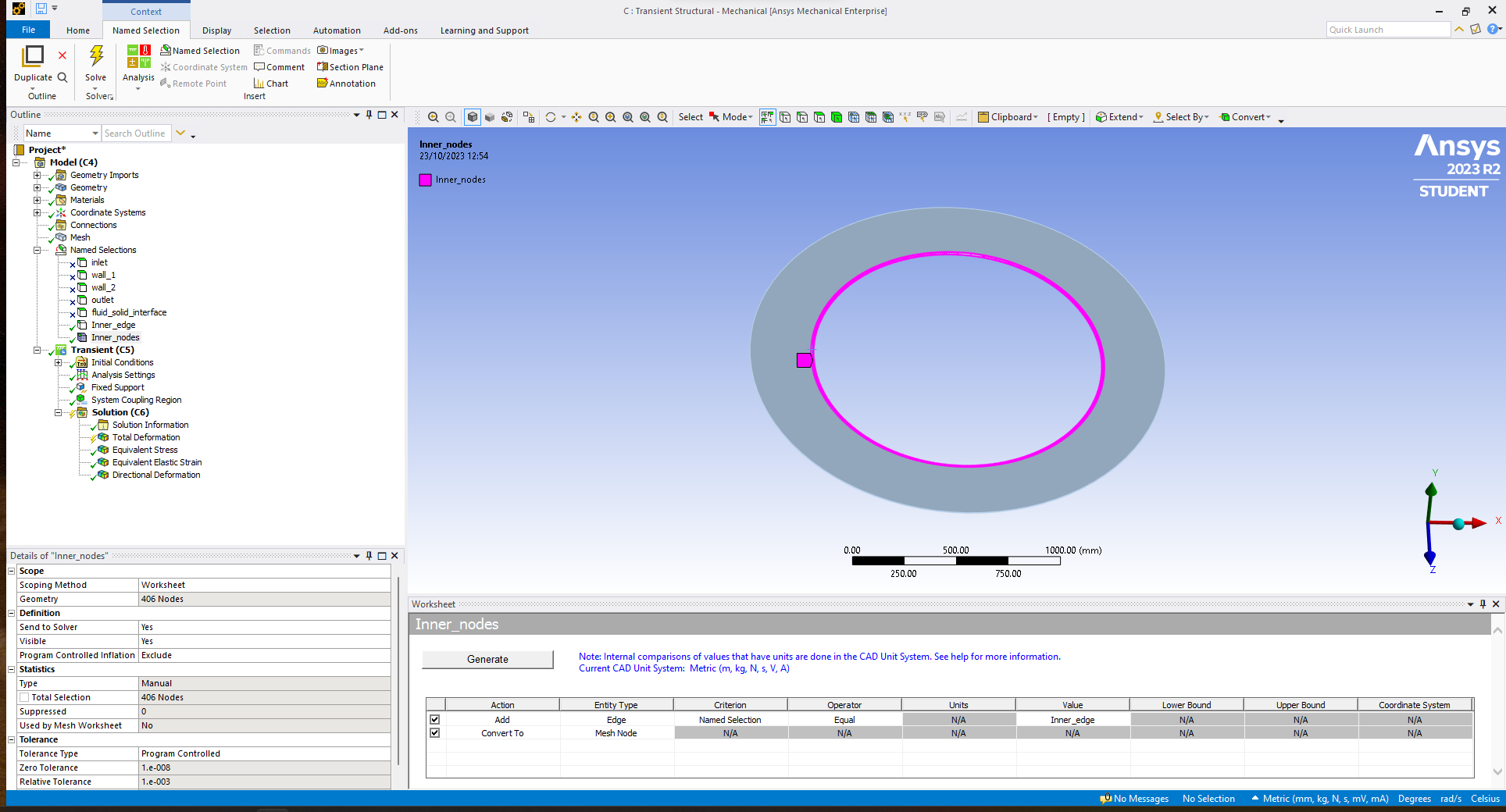
      I have done a two-way simulation coupling Fluent and Mechanical. Now I would like to export the results of displacements of the nodes in the "Inner_nodes" Named selection. I have tried to export the results from "Total Displacement" in the Solution tab but I get only the maximum displacements of each node in the last time step. I would like to obtain the displacements of each node for each time step. Is there a way to get these results?
      My final goal is to plot a diagram to show how the displacements in the inner edge vary along the curvilinear abscissa during the transient analysis.

      Thank you for the support.

    • ErKo
      Ansys Employee
      • Davide Parlato
        Subscriber

        Thank you for the help. I am new to Mechanical Scripting so I may have done something wrong. I have added a "Python Code" in the Solution tab and in the Transient tab with the script of the link above (changing just the number of the Named Selection), then I have re-launched the analysis but I don't get the .txt file. Can you please point me how to use that script? 

    • Davide Parlato
      Subscriber


    • ErKo
      Ansys Employee


      Hi

      The link I sent is a mechanical script which you can run from the mechanical scripting ui/console inside mechanical.

      See here for a course on mechanical scripting:

      https://www.youtube.com/watch?v=Q0MpwVSiFGs

      Thank you

      Erik


Viewing 3 reply threads
  • The topic ‘How to export results from Ansys Mechanical’ is closed to new replies.
[bingo_chatbox]