-
-
October 9, 2018 at 9:49 am
CatiaV5
SubscriberHi guys,
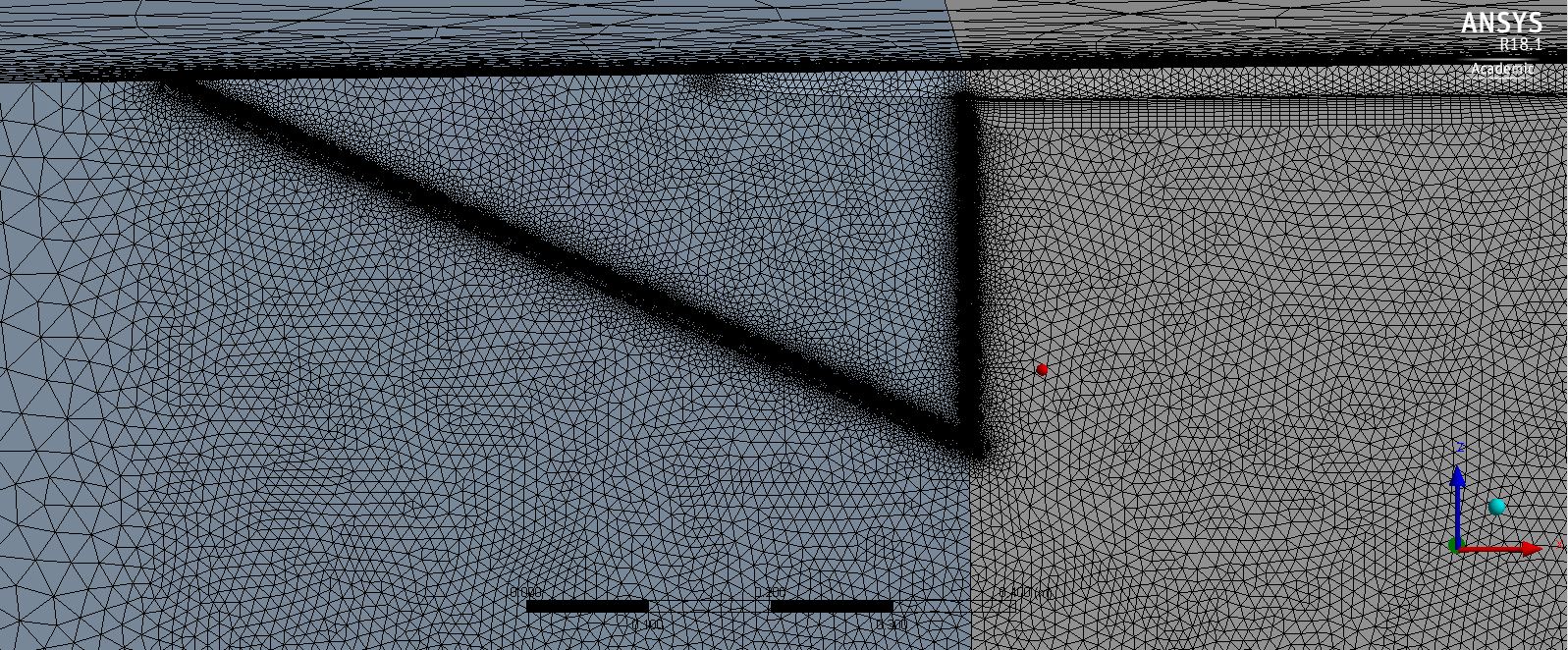
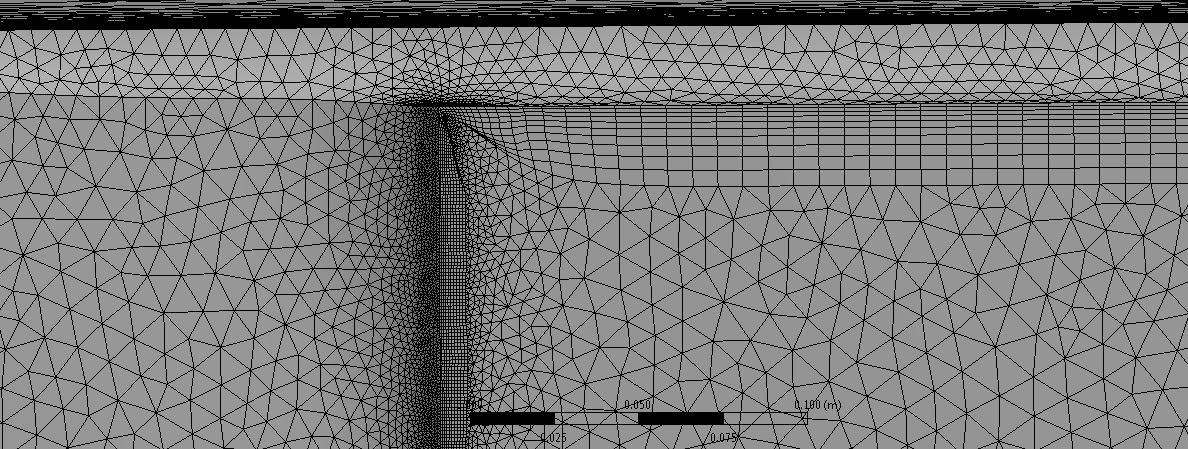
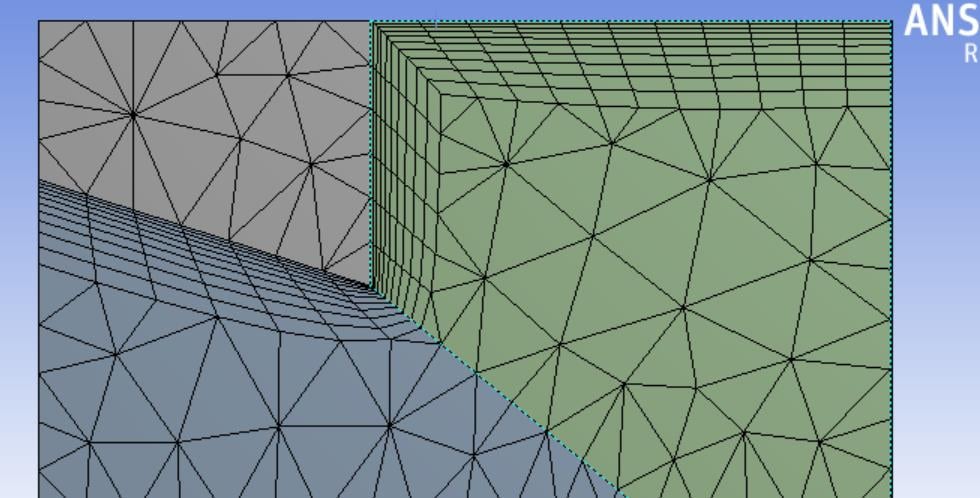
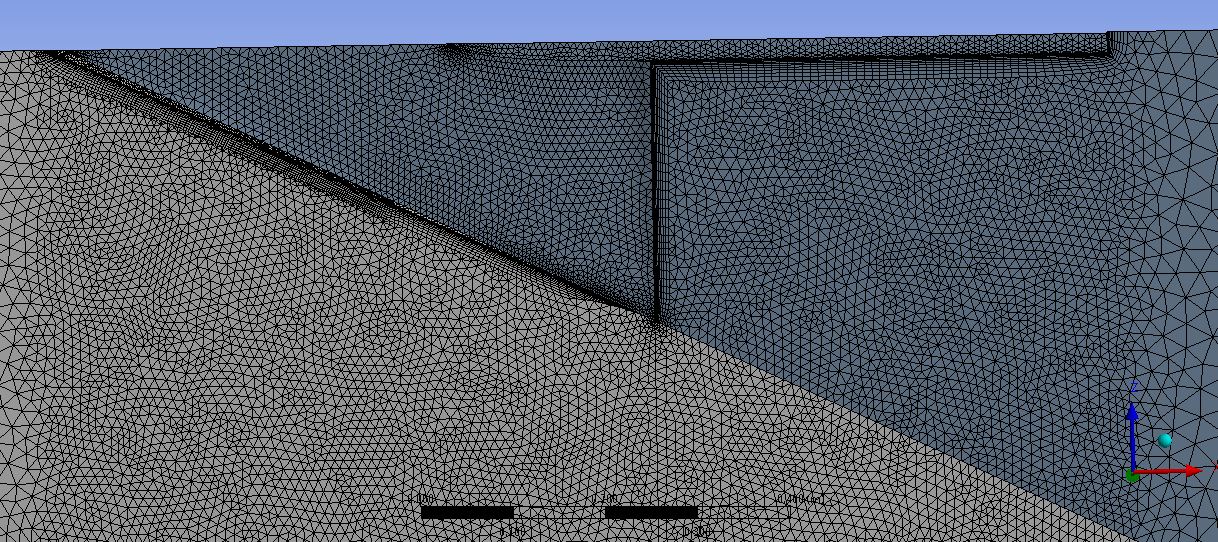
I try to generate a mesh around a delta wing (see attached picture). I sliced the geometry at the trailing edge (using Design Modeler as I find using SpaceClaim rather tricky) , however I'm still not able to get an inflation layer around the sharp edge as well as between the sting and wing connection. Is there anyone who could help me out please?
I have also tried to slice the geometry similar to how I would go about it in ICEM, but this approach also fails.
Thank you very much in advance for your help.
-
October 9, 2018 at 10:10 am
Naresh Patre
Ansys EmployeeHello CatiaV5,
Did you try increasing the "Maximum Angle" to 180 deg? This option is available when you enable advanced inflation options. See below snapshot.
-
October 9, 2018 at 10:32 am
-
October 9, 2018 at 10:43 am
Naresh Patre
Ansys EmployeeFrom the images, it appears that there are 2 bodies. Due to this, the inflation layers are not getting transferred from one body to other. You need to select the wing faces from both bodies on which you need to grow inflation layers. Also, make sure that you also select both bodies in Inflation settings.
I am not sure if there is any particular reason behind having 2 separate bodies. Can you try combining them into one and then try generating inflation on wing faces?
-
October 9, 2018 at 11:49 am
CatiaV5
SubscriberYeah, they are one body. But I gave them the same name "wing plus sting". And I picked this for the inflation layer on named selection. The only thing I did is that I have sliced the body as I was hoping this would resolve my issue. Which it didn't.
The mesh without the slice looks like below. You can see that the sharp corners are still causing an issue for the inflation layer
-
October 11, 2018 at 6:42 am
Naresh Patre
Ansys EmployeeHello CatiaV5
The mesh looks very fine near the walls in first picture. Can you try coarsening it which will help to improve the inflation in the corners?
-
October 11, 2018 at 12:35 pm
-
October 11, 2018 at 3:35 pm
Naresh Patre
Ansys EmployeeHello CatiaV5,
In Advance Inflation options (in Global Mesh settings) set "Collision Avoidance" to "Layer Compression" and "Maximum Angle" as 180 deg.
-
October 12, 2018 at 8:12 am
CatiaV5
SubscriberHi Nmpatre,
I have done this already. I get a warning that states that inflation created stairstep mesh at some locations
-
October 12, 2018 at 9:00 am
-
October 12, 2018 at 11:29 am
-
- The topic ‘Mesh Generation over delta wing with sharp edges (no inflation layer generated)’ is closed to new replies.

-
6319
-
1906
-
1457
-
1308
-
1022
© 2026 Copyright ANSYS, Inc. All rights reserved.