-
-
September 4, 2023 at 10:10 am
eibanez
SubscriberHello everyone,
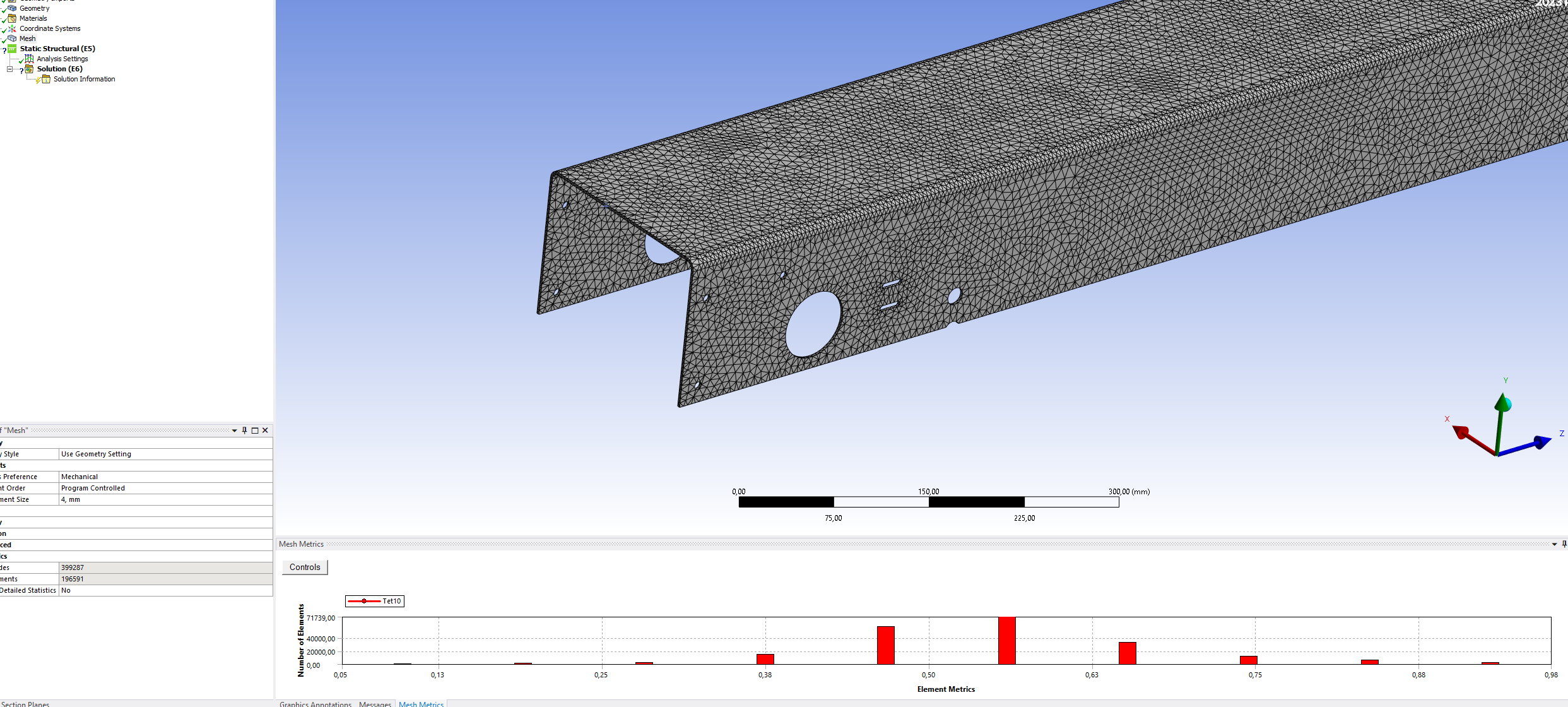
when meshing a 2,5 mm thick sheet metal part like the one shown in the screenshot I get a mesh quality of 0,55 (looking at the center of the gaussian distribution) with a mesh size of 4 mm and approx 0,8 quality with a mesh size of 2 mm but this increases greatly computational time.Â
Well aware that the ideal way to analyze this element would be as 2D shell element, I found the additional workload required to go down this route to be rather discouraging and too time consuming.
The basic question is if there are any methods/recommendations/tricks for a part like this to improve quality (let's say to at least 0,7) without decreasing element size but only improving the geometry of the elements?
(the body is not sweepable)
Thanks!
Emiliano
Â
-
September 5, 2023 at 11:10 am
Aniket Chavan
Forum ModeratorHave you tried thin sweep or Multizone mesh methods instead of tet? -Aniket How to access Ansys help links Guidelines for Posting on Ansys Learning Forum -
September 5, 2023 at 9:09 pm
mjmiddle
Ansys EmployeeMaybe you can create some planes down the length of this beam shape to split the body into sweepable and non-sweeapble parts. As you mentioned, the meshing and analysis will be a lot easier (and quicker) if you make midsurfaces from the sweepable sections.
If making midsurfaces is an untentable amount of time for you, maybe you can extract one side. You will have to make sure to specify the correct top or bottom offset in Mechanical for the geometry body properties, and contact setup will require specifying gap and pinball radius.
-
- The topic ‘Improve mesh quality without decreasing element size’ is closed to new replies.

-
5094
-
1829
-
1387
-
1248
-
1021
© 2026 Copyright ANSYS, Inc. All rights reserved.