-
-
August 5, 2023 at 3:35 pm
Johnny
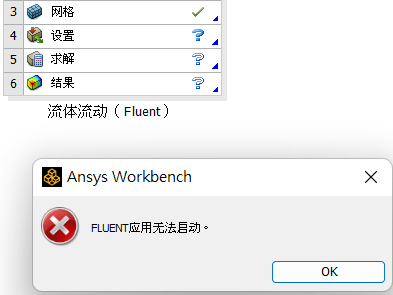
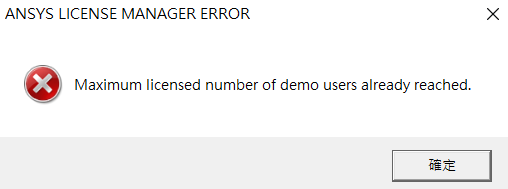
SubscriberI tried to run Fluid Flow with Fluent. But after I finished and updated the geometry and mesh, it just couldn't start. I saw a post that described the same issue, and tried uninstalling and deleting the original Ansys file in Progam Files and %APPDATA% as suggested. However it couldn't still run after reinstalling. I've tried three version of Ansys Student, including 2023R1, 2023R2, 2022R2.2. My OS is win11. I have completely no idea how to solve this... The license manager error happened once when I used 2023R1, but it never happened again in other two versions. Most of the time it just cannot start without any error information. I checked every time I finished installation, and one message said that RSS is disabled. Not sure if it caused the problem.
-
August 7, 2023 at 4:17 pm
Rajeshwari Jadhav
Forum ModeratorHi Johnny,
Can you please try below steps:
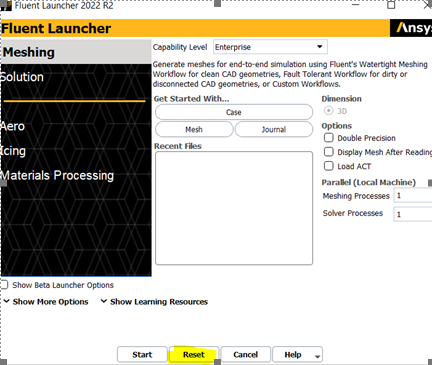
Can you click on reset and then try to launch the application?
- Check if you have an updated graphics card if not then update it from NVIDIA’s website, here is the documented list of tested and thereby supported graphics drivers for Ansys applications: Graphics Card Tested.
- Can you clear the cache (type %appdata% in the address bar) and rename the Ansys folder to Ansys.old, rename .cfx and fluent.conf folder(C:/Users/username) and relaunch the application.
- Check and make sure the working directory is somewhere short and local.
- Check if any 3rd party software or antivirus is blocking the application.
- Also, are you able to launch standalone fluent application?
-
August 18, 2023 at 2:02 am
Johnny
SubscriberThank you for replying.
I cannot launch Fluent either standalone or in the workbench.
The cache, graphics card driver, or antivirus issue has been excluded.
I gave up and try installing Ansys on win10 rather than win11, and then finally fixed the problem...
-
- The topic ‘Fluent application failed to start’ is closed to new replies.
-
4663
-
1545
-
1386
-
1230
-
1021
© 2025 Copyright ANSYS, Inc. All rights reserved.