Ansys Assistant will be unavailable on the Learning Forum starting January 30. An upgraded version is coming soon. We apologize for any inconvenience and appreciate your patience. Stay tuned for updates.
General Mechanical

General Mechanical

Topics related to Mechanical Enterprise, Motion, Additive Print and more.

GAP between midsurface and 3D part

    • mertturgut.senol
      Subscriber

      Dear All Experts;

      I am trying to make a structural analysis.

      There are reinforcements on the surface of a tank.

      I modelled the tank with midsurface. But I modelled the reinforcement on the surface of tank as 3D.

      when I connected the reinforcement to the tank I used bonded contact and MPC formulation.

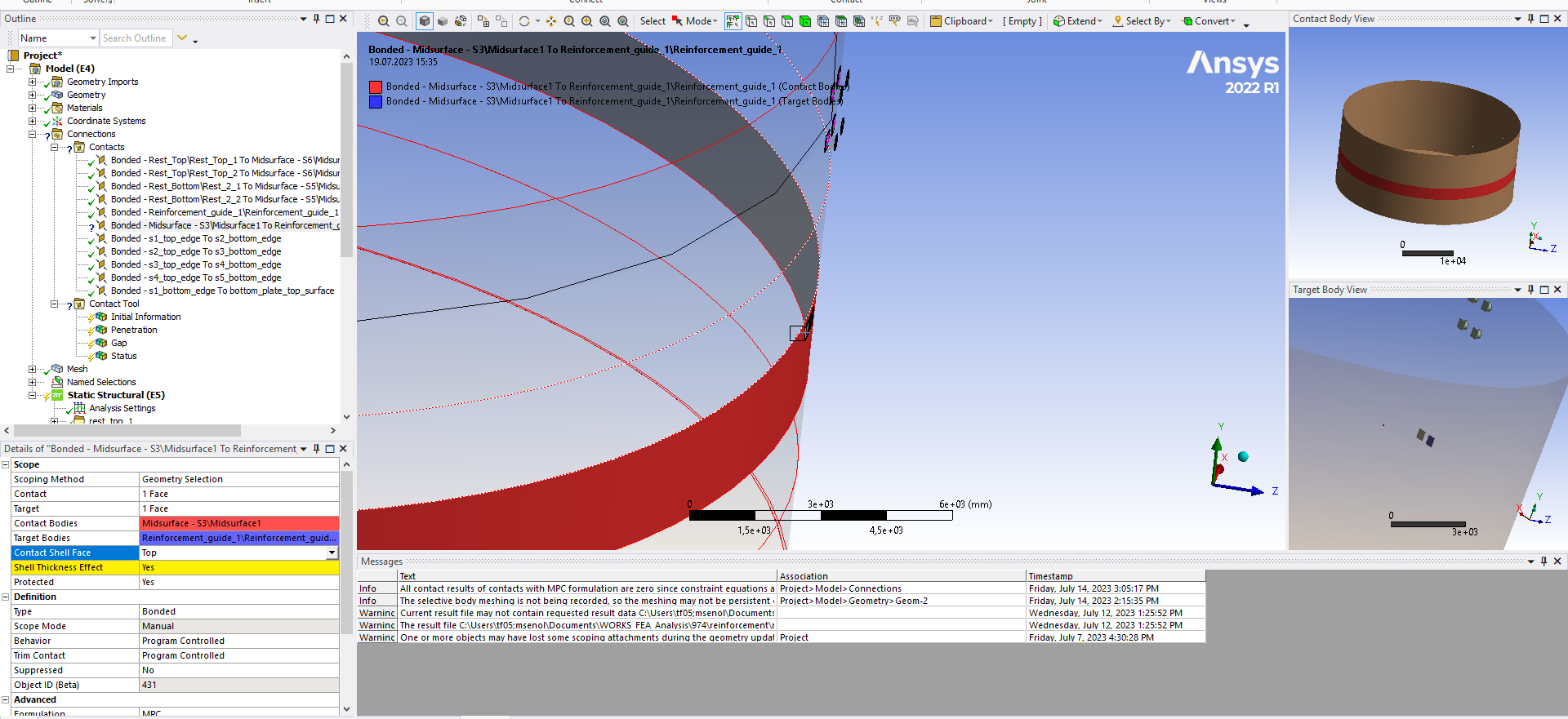
      There is gab between tank surface and 3D model. this gab is due to the thickness of the tank plate. I enclosed a photo showing this gab. I used pinball radius.

      contact initial information is like that;
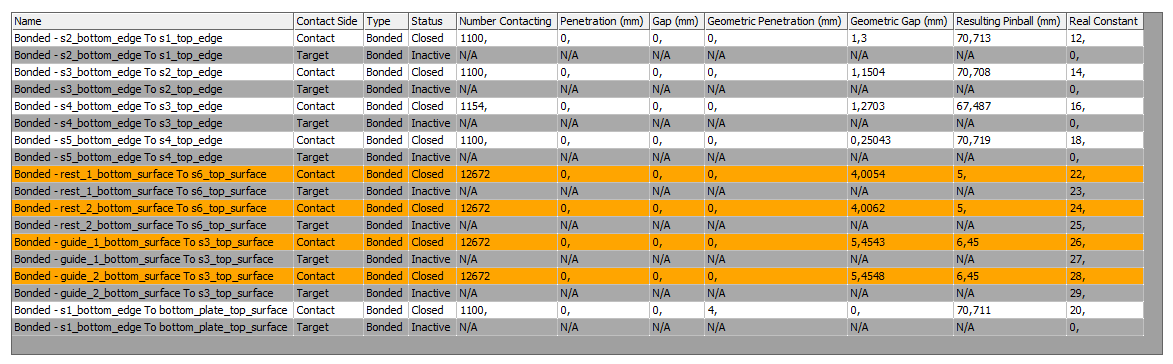
       

      there are some forces acting to the surface of reinforcement and I am trying to find out the deformation on the tank surface.

      I wonder that, this gab may affect my result?

      all comments and suggestioın will be appreciated.

      best regards.

    • Aniket Chavan
      Forum Moderator

      Please turn on the shell thickness effect in the contact.

      -Aniket

      How to access Ansys help links

      Guidelines for Posting on Ansys Learning Forum

      • mertturgut.senol
        Subscriber

        Dear Mr. Aniket;

        thank you for your reply.

        When I turn on shell thickness effect there is mark question, I think I should give a value but I do not know what it is.

        could you write what I am making mistake or missing.

        best regards.

    • Aniket Chavan
      Forum Moderator

      What error do you see when using the show errors button?

      -Aniket

      How to access Ansys help links

      Guidelines for Posting on Ansys Learning Forum

    • mertturgut.senol
      Subscriber

      Ok yes I solved this problem by viewing error message like you showed.

      I adjusted midsurface offset type to the top, it should be middle.

      when I changed offset type to the middle it is ok.

    • mertturgut.senol
      Subscriber

      Dr. Mr. aniket;


      thank you for your valuable suggestion.

Viewing 4 reply threads
  • The topic ‘GAP between midsurface and 3D part’ is closed to new replies.
[bingo_chatbox]