Ansys Learning Forum › Forums › Installation and Licensing › Ansys Products › ANSYS Licensing › Reply To: ANSYS Licensing
July 18, 2023 at 4:27 pm
 Rajeshwari Jadhav
Forum Moderator
Hi Feisal,
Are you able to launch the standalone fluent application if yes then please try the below steps:
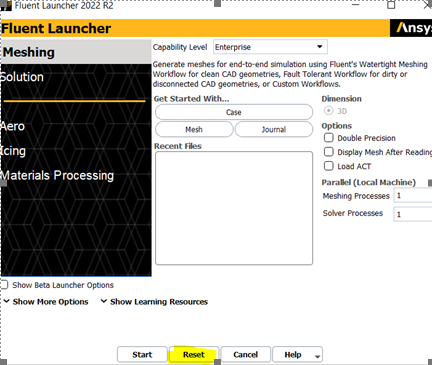
Can you click on reset and then try to launch the application?
- Check if you have an updated graphics card if not then update it from NVIDIA’s website, here is the documented list of tested and thereby supported graphics drivers for Ansys applications: Graphics Card Tested.
- Can you clear the cache (type %appdata% in the address bar) and rename the Ansys folder to Ansys.old, rename .cfx and fluent.conf folder(C:/Users/username) and relaunch the application.
- Check and make sure the working directory is somewhere short and local.
- Can you check if there is any Security software/ Antivirus blocking the Ansys application?
Let me know if any of the above methods work for you.

 You are navigating away from the AIS Discovery experience