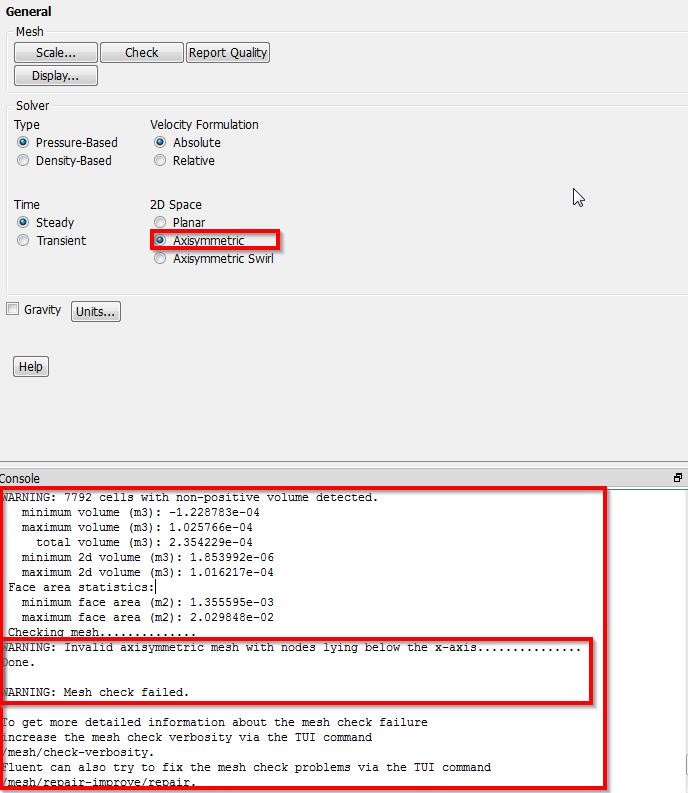
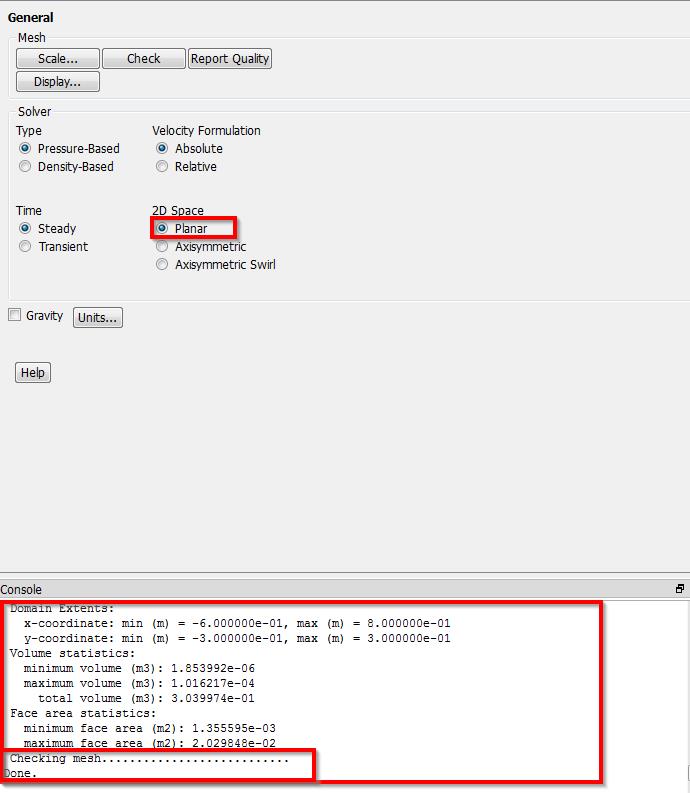
I think updating Mesh wasn't the problem as I have been making sure I updated Mesh then refreshed setup all along the way and it was giving me the same mesh check error (with my Setup options there). Yes it gives no check error before setting up the options of the Setup phase (with Setup options reset). After setting up the options of the "Setup" phase, and trying to check, it gives check errors.
I want to attach these two files: aaa2-f_test1.wbpz: My file making sure that Setup options I want to apply have been set. meshFix2D_test1.wbpz: Your file updated with the desired Setup options have been set.
Both files give check errors after setting these options up.
When I click Initialize, I get:
WARNING: Limited wall distance for 1 cells to 1.000000e-12.
And when I click calculate, I get:
Divergence detected in AMG solver: x-momentum
Which is most probably because mesh errors.


















 You are navigating away from the AIS Discovery experience