Ansys Assistant will be unavailable on the Learning Forum starting January 30. An upgraded version is coming soon. We apologize for any inconvenience and appreciate your patience. Stay tuned for updates.
Fluids

Fluids

Topics related to Fluent, CFX, Turbogrid and more.

How to plot wave surface elevation in ansys Aqwa GS

    • Nurhalim Dwi Putra
      Subscriber

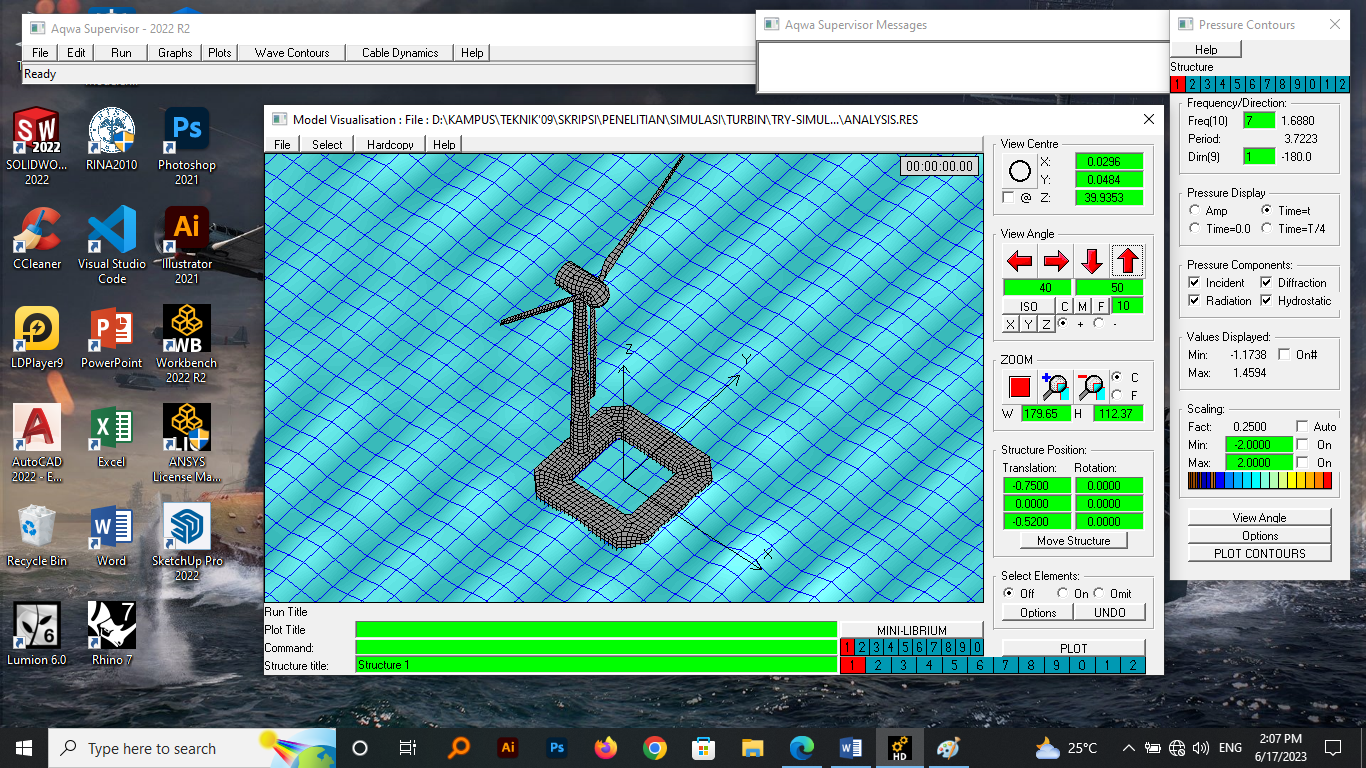
      Hello, i have done plotting for hydrodynamic diffraction simulation on ansys aqwa GS, but I can only see the plotting for "pressure". as shown below, the contour that appears is the pressure on the structure.

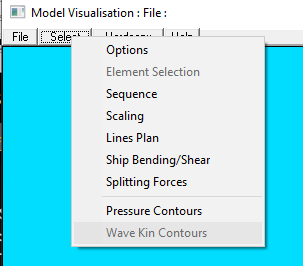
      how do I plot for "wave surface elevation" on programs ansys aqwa GS or how to display the wave height contour here?, I don't see this menu in the "Select" section.

      can anyone tell me how to do this properly? thanks


    • Ingrid M
      Ansys Employee

      Hello,

      have you tried the wave contour?

      6th from the left of the main menu. I hope this helps.

      Kind regards,

      Ingrid

      • Nurhalim Dwi Putra
        Subscriber

        thanks for your help, but how i plot my hull shape in 3D perspective in this feature? is the display only 2D and the overall shape of my model can't be displayed? or are there other settings that I have to do?

    • Ingrid M
      Ansys Employee

      You can either have a similar view as the one you have showed initially (from the pressure contour menu > options > diffracted wave surface).You will have a display of the wave elevaltion in 3D. Select time=t and then you can play an animation (select > sequence. Set the final time value and press record)

      If you want to get the range and a coloured-display of the wave elevation (and get the elevation at a given point), you'll have use the wave contour options.

      I hope this helps.

      Kind regards,

      Ingrid

Viewing 2 reply threads
  • The topic ‘How to plot wave surface elevation in ansys Aqwa GS’ is closed to new replies.

[bingo_chatbox]