Ansys Assistant will be unavailable on the Learning Forum starting January 30. An upgraded version is coming soon. We apologize for any inconvenience and appreciate your patience. Stay tuned for updates.
Preprocessing

Preprocessing

Topics related to geometry, meshing, and CAD.

Big Growth Ratio has more elements and nodes number than low Growth Ratio

    • MUHAMMAD AMIRUL HUSSEINI JOHAN
      Subscriber

      Hi, I'm new to Ansys and currently building a simulation about jet fire modelling. I have create a 3D geometry with 1.2 growth ratio. Then, I duplicated the same 3D geometry and changed its growth ratio to 1.5. However, I discovered the number of elements and nodes for 1.5 GR is bigger than 1.2 GR, which is supposedly smaller. Can anyone help me with this

    • Rob
      Forum Moderator

      How many cell zones are there, and did you mesh in the same order both times?  I agree that the larger growth rate should produce a lower cell count, but there are other factors to consider. 

      • MUHAMMAD AMIRUL HUSSEINI JOHAN
        Subscriber

        I think there are 2 cell zones which is an inlet and solid wall, and yes, I did the same mesh order by duplicate the first system (GR 1.2)

        • MUHAMMAD AMIRUL HUSSEINI JOHAN
          Subscriber

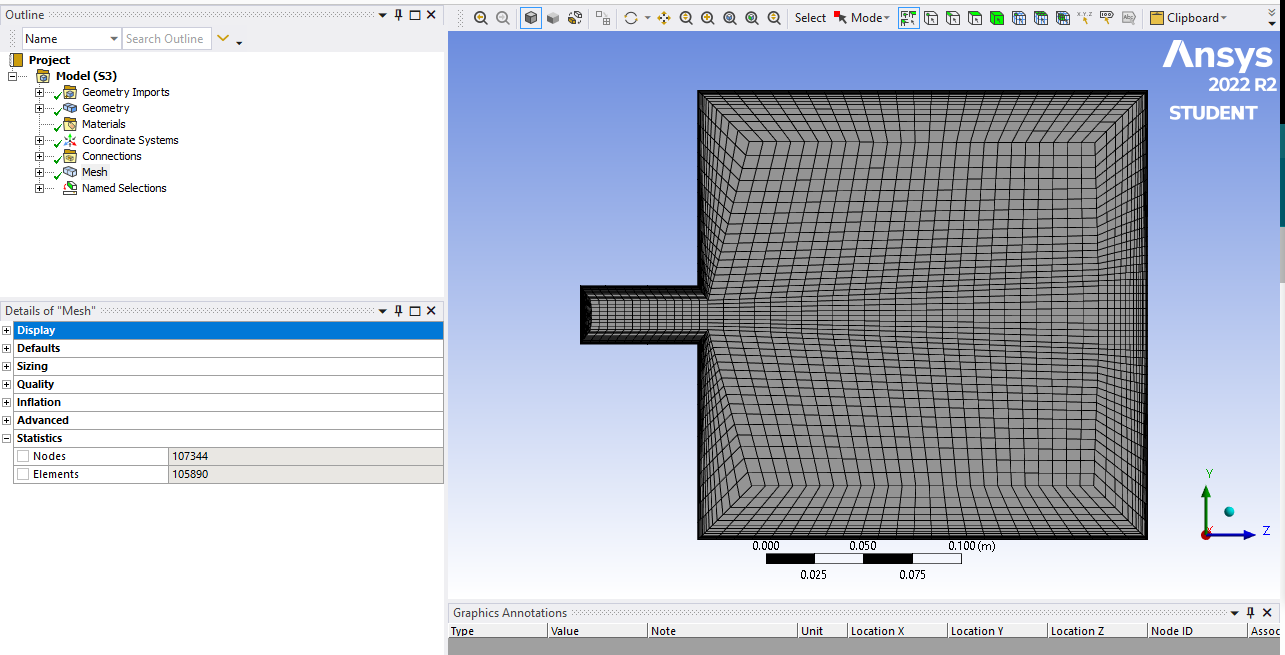
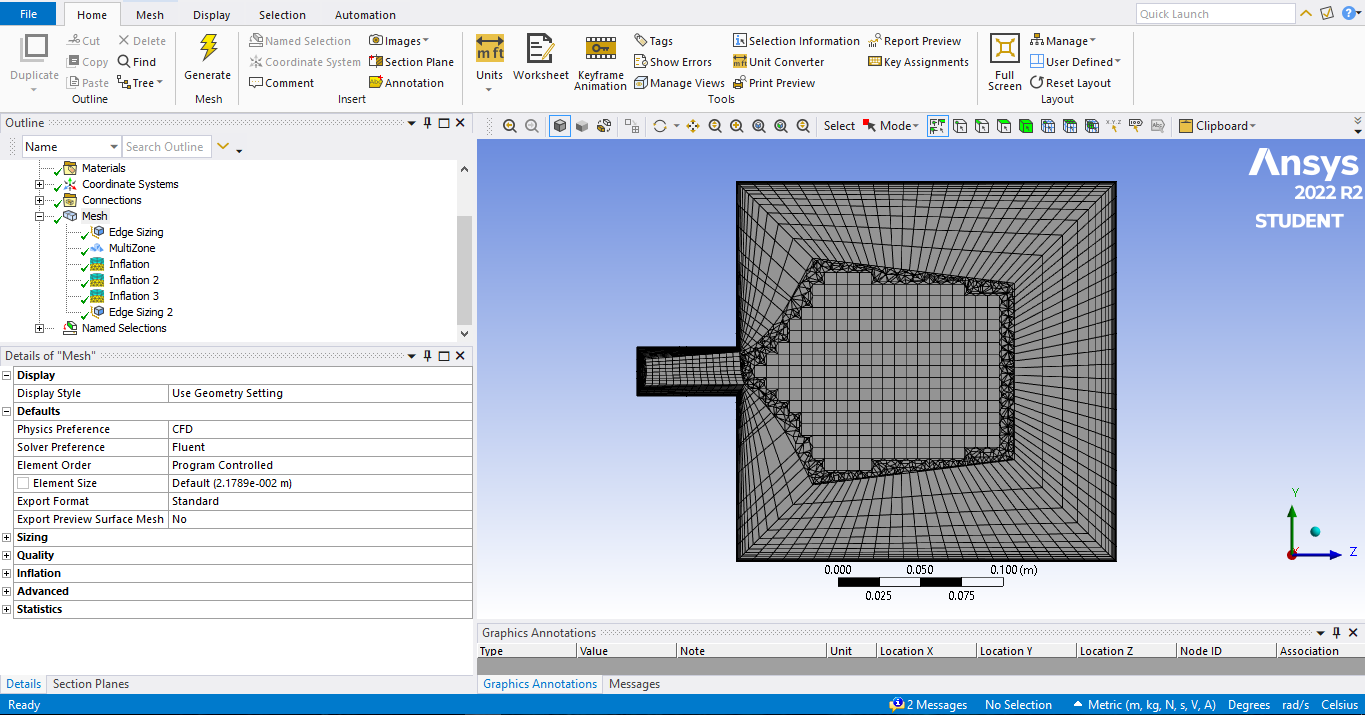
          For your reference, picture above is the mesh with GR 1.2

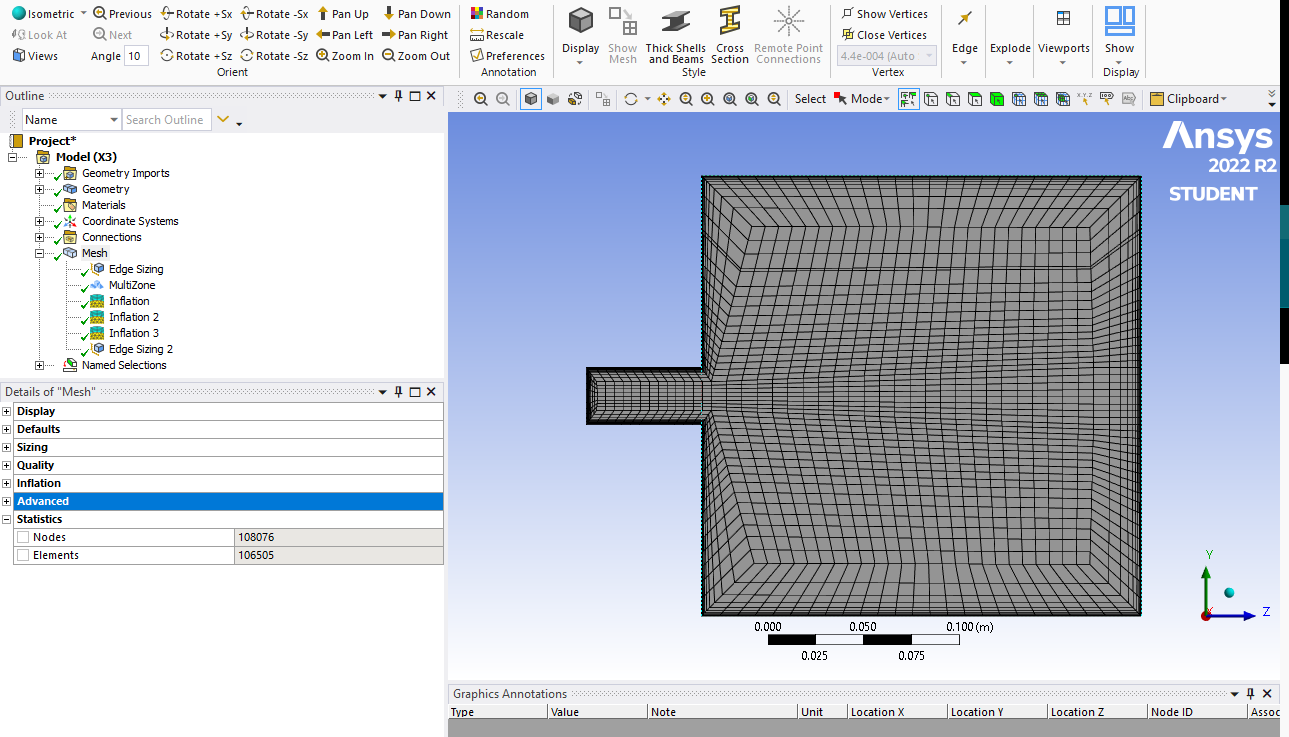
          And this is the mesh with GR 1.5

    • Rob
      Forum Moderator

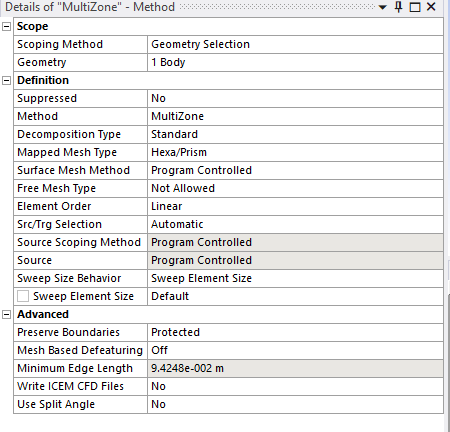
      You're limited by the free mesh type. As it's structured the growth rate may not allow the size change to occur. I'd not be happy with the results off either mesh. 

      • MUHAMMAD AMIRUL HUSSEINI JOHAN
        Subscriber

        Could you please provide me with some suggestions for improvement? I would appreciate it if you could give me some suggestions on how to improve.

        • MUHAMMAD AMIRUL HUSSEINI JOHAN
          Subscriber

          Is it the free mesh type option that I need to change?

    • Rob
      Forum Moderator

      You have a few options, but they may be solver dependent. Why are you avoiding free mesh and wanting hex?

      • MUHAMMAD AMIRUL HUSSEINI JOHAN
        Subscriber

        I'm avoiding free mesh because it will create irregular meshes. I'm wanting hex mesh because it is in my project requirement.

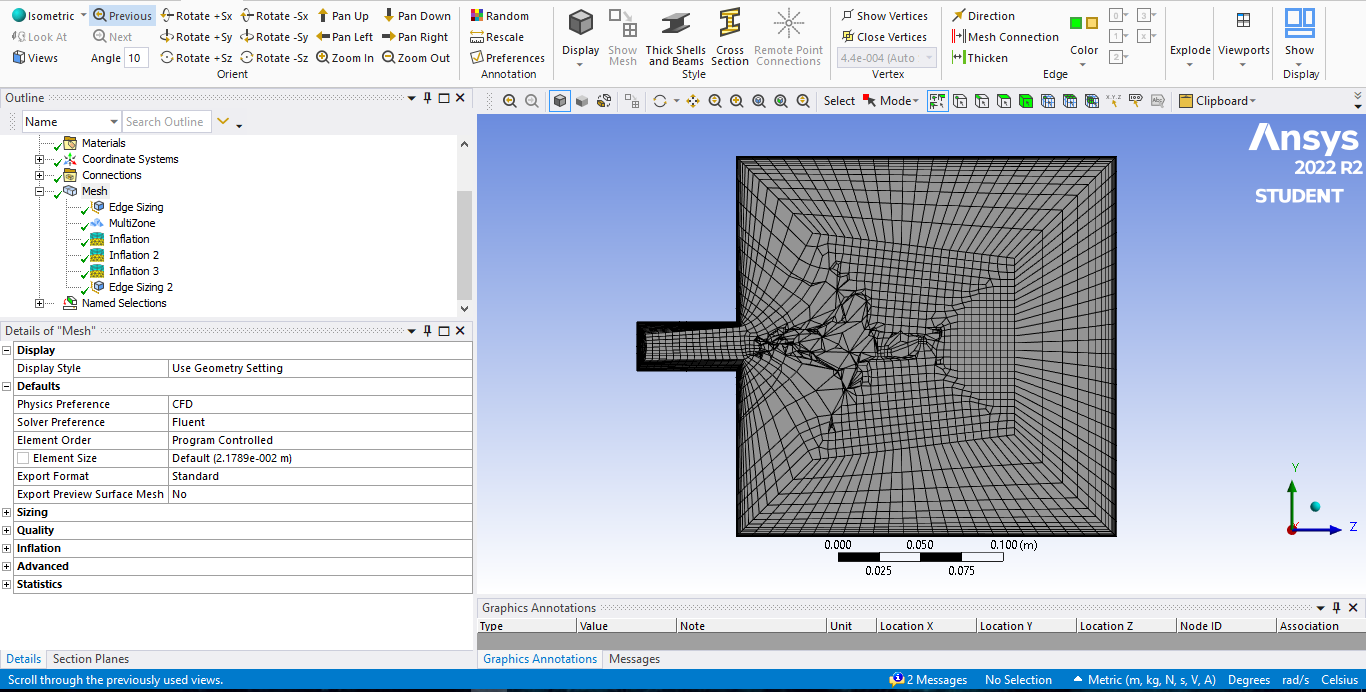
        This is the mesh generated when I chose "Hexa Dominant" in the Free Mesh Type

        This is the mesh generated when I chose "Hexa Core" in the Free Mesh Type

    • Rob
      Forum Moderator

      Hexa dominant is for Mechanical, it was never intended for CFD, and produces awful levels of skew. It's not supposed to work when CFD is selected in the meshing section but "free cell" may overwrite that setting. 

      If you want a pure hex mesh with good uniformity turn off inflation and see how that goes. You may need to decompose the domain further to get the mesh you want. We used to do this routinely, now we tend to use a mix of hex & tet with inflation or poly & inflation. 

Viewing 4 reply threads
  • The topic ‘Big Growth Ratio has more elements and nodes number than low Growth Ratio’ is closed to new replies.

[bingo_chatbox]