Ansys Assistant will be unavailable on the Learning Forum starting January 30. An upgraded version is coming soon. We apologize for any inconvenience and appreciate your patience. Stay tuned for updates.
Fluids

Fluids

Topics related to Fluent, CFX, Turbogrid and more.

Weird element at mesh

TAGGED: 

    • alinalarin
      Subscriber

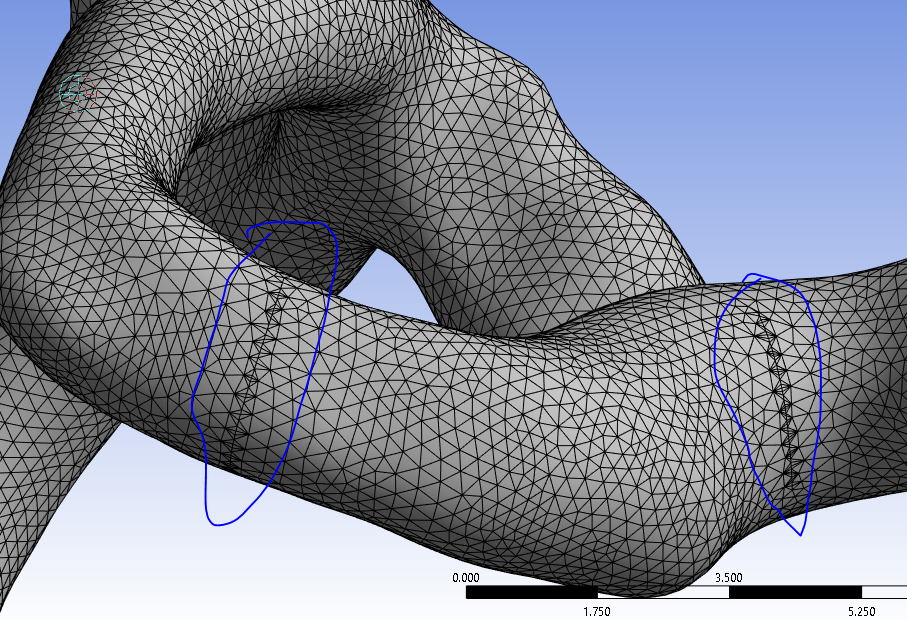
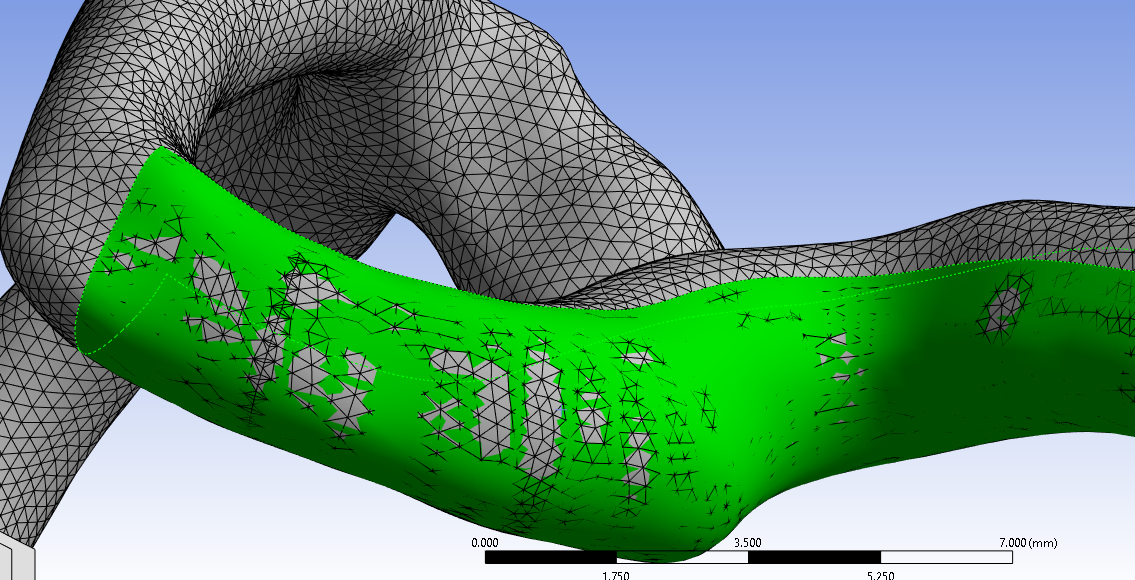
      I am trying to mesh an artery in Ansys Meshing and get this weirdly shaped elements. I have tried about everything, but nothing helps. Any ideas how to fix it?

    • NickFL
      Subscriber
      Have a look at your geometry there. One possible solution if you don't want to go back to DesignModeler / SpaceClaim is to use Virtual Topology to merge faces. My expectation is there are a couple of short edges or hard points there that you will want to remove.
    • alinalarin
      Subscriber

      Thank you for your fast reply. Actually there is no edges there. I just don't get it, why is this happening..

      • NickFL
        Subscriber

        There must be a folded face or hard points or something there. Otherwise, the Mesher would have nothing to seed. Another approach would be to use the Patch Independent tet mesh method. Are you familiar? Basically this will mesh the volume and then projects it to the surfaces. If you adjust the settings a bit, you should be able to have this ignore this thin line/point/whatever it is. To use it, add a Method with Type-> Tetrahedrons and then change the Algorithm from Patch Conforming to Patch Independent.

        • alinalarin
          Subscriber

          Thnk you very much. Yes I tried to use patch independent meshing, but every time I am trying the computer get stucked. I have returned to spaceclaim and splitted this face multiple times. And it helped!

    • Rob
      Forum Moderator

      Have a look for hard edges and/or a kink in the surface. The mesh thinks there is something there that needs resolving. 

      • alinalarin
        Subscriber

        Thank you you Rob. The face has indeed number of kinks. So I have splitted the face in Spaceclaim and it helped!

    • Rob
      Forum Moderator

      OK. If you're using Fluent also see if the geometry does the same in Fluent Meshing. Where did the geometry come from? It looks vaguely organic. 

      • alinalarin
        Subscriber

        It is CT scan of some vein. Originally the geometry was in STL format and I performed reverse engineering in SpaceCaim using Auto Skin.

        • NickFL
          Subscriber

          Yes STL sometimes will have floating triangles with incorrect outward pointing normals. They often require a lot of time to get cleaned up, although the aforementioned SpaceClaim makes it much better than it used to be.

    • Rob
      Forum Moderator

      It's sometimes better to talk to whoever did the segmentation of the MRI scan if you can. The two packages/developers that I'm aware of have surface remeshing options that may make life a little easier. 

      https://www.ansys.com/partner-ecosystem/technology-partners/materialise

      https://www.ansys.com/partner-ecosystem/technology-partners/synopsys

      • alinalarin
        Subscriber

        Thank you very much for your help! 

Viewing 5 reply threads
  • The topic ‘Weird element at mesh’ is closed to new replies.
[bingo_chatbox]