-
-
May 11, 2023 at 6:02 pm
sadati
SubscriberHi,
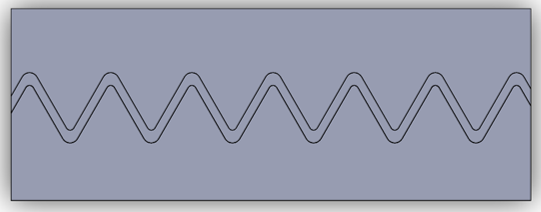
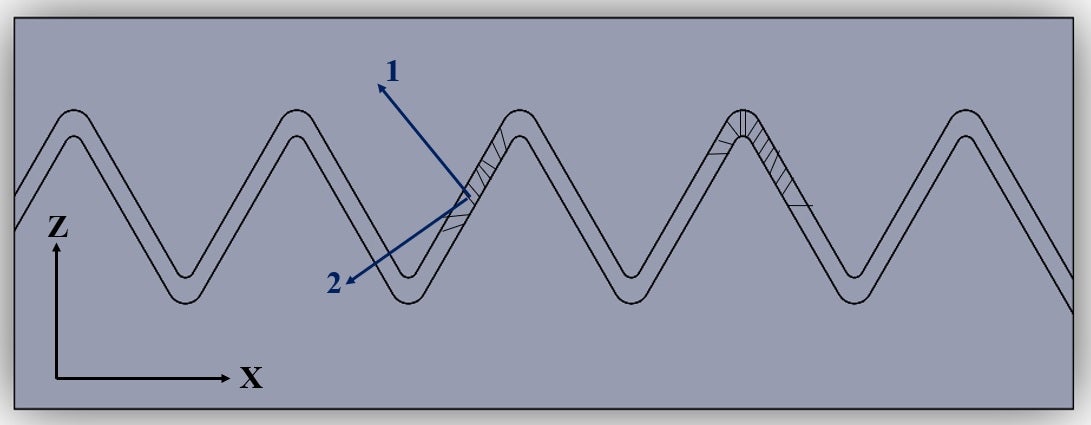
I have a 3D geometry I have attached here that has two parts of bone and suture. In the suture region in the middle part of it, it has transversley isotropic properties which change along length. Because the suture area has fibers that have different angles. So, they lead to changes in the material properties along length. I was wondering if there is a possibility that defines different material properties in Ansys Workbench or if should I use Matlab code and enter it in Ansys.
The boundary conditions are fixed support is one side and tensile force on the other side.
-
May 12, 2023 at 11:33 am
Aniket Chavan
Forum Moderatorare material properties different for each direction or are they changing along a single direction? In other words, if you take a very small sample, are the properties fixed along x direction or are they changing? I am assuming the material properties are same in y and z direction, and different in x direction, is that right? If yes, you can use orthotropic material properties, and use element orientations to define x y z directions at the element level to achieve this. https://ansyshelp.ansys.com/account/Secured?returnurl=/Views/Secured/corp/v231/en/wb_sim/ds_element_orientation.html
-Aniket
-
May 12, 2023 at 6:12 pm
sadati
SubscriberThe materials are transversely isotropic in local coordinate systems along the length as you can see in the picture, the material change by the angle of each line inside of geometry. but I use a rotation matrix to calculate the material properties in a global coordinate system. But I don't know how can apply these random material properties. Should I use Matlab code or name selection in Ansys? Can I use an automatically named selection? because manually take a lot of time

-
May 15, 2023 at 11:40 am
Aniket Chavan
Forum Moderatorhttps://ansyshelp.ansys.com/account/Secured?returnurl=/Views/Secured/corp/v231/en/wb_sim/ds_element_orientation.htmlÂ
Please check the link above and see if that helps.
The Element Orientation feature is used to define the orientations and alignments of elements/bodies for a given model. It enables you to define the coordinate system of one or more manually selected elements or each element of a specified body. As described below, there are two application methods for the Element Orientation feature: either the Surface and Edge Guide option which is the default, or the Coordinate System option. An example of each option accompanies the application steps. In addition, review the procedure used to generate orientations when using the Surface and Edge Guide options as well as the display options that enable you to change how you wish to view the orientation vectors in the graphics window.
-Aniket
How to access Ansys help links
Guidelines for Posting on Ansys Learning Forum

Â
Â
-
-
- The topic ‘Changing Material properties along length’ is closed to new replies.
-
5874
-
1906
-
1420
-
1306
-
1021
© 2026 Copyright ANSYS, Inc. All rights reserved.