TAGGED: Discovery AIM
-
-
February 25, 2019 at 9:00 am
pankaj.sharma
Subscriberthere is a message that the solution has stopped without meeting the convergence criteria. But the solution does not stop running for a long while now. even after hitting the stop button it is continuously simulating and not stopping.
Â
Please HELPÂ Â Â Â Â
-
February 25, 2019 at 10:42 am
Naresh Patre
Ansys EmployeeHello Pankajadgjmp
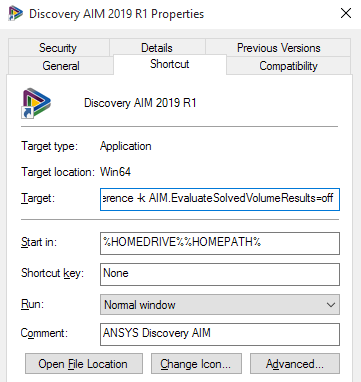
Unfortunately, it seems like you will have to kill the application which will result in loss of calculation. We are seeing similar issue (calculation not getting complete) due to the file being created for rapid results viewing. Go to Discovery AIM desktop icon, right click and open Properties panel. Add the following command at the end of target field (don't remove anything from this field)
-k AIM.EvaluateSolvedVolumeResults=offÂ
The target field will look as shown below.
Now launch Discovery AIM, open the project and rerun the calculation.
Please let me know if this helps to solve the issue. If not, then will it be possible for you to share the model for further investigation?
-
February 25, 2019 at 11:56 am
pankaj.sharma
Subscriber
-
-
February 26, 2019 at 5:36 am
Naresh Patre
Ansys EmployeeHello Pankajadgjmp
I modified the target field in properties panel as mentioned earlier and did not encounter any problem while solving. Can you cross check if you added the option correctly in target field?
If you are still facing issue, I will have to look at the project file. Can you please attach it here? If the model is confidential, I can send you a secure link for uploading. Please let me know.
-
February 27, 2019 at 8:27 am
pankaj.sharma
SubscriberNaresh Patre I have reset my simulation all from scratch, and this time i had it run upto 2000 iterations. How ever the simulation stopped at 1762 iteration completed with an error "temperature 1 in results conditionally updated". now if i delete the temperature contour, it does not allow me to do so and even if i want to delete the result tab it gives an error.Â
Sir, Can you please tell me ho do i read the partially solved solution to check my results? And how do i resolve the issue?
Â
ThanksÂ
-
-
February 27, 2019 at 10:02 am
Naresh Patre
Ansys EmployeeHello Pankajadgjmp
Can you right click on Physics task and select update option so that the solution gets partially updated? Once done, can you go to results task and view results?
Regarding the errors, I think I will have to look at the project file. Can you send the project file (archived) for further investigation? I will send you a secure transfer link through separate mail using which you can send the project file.
-
February 28, 2019 at 4:10 am
pankaj.sharma
SubscriberNaresh Patre I am also facing this error while saving the project "saving container Study: Error saving data objects 'SolvePhysics:SolvePhysics 1' from Study container".
-
February 28, 2019 at 4:16 am
pankaj.sharma
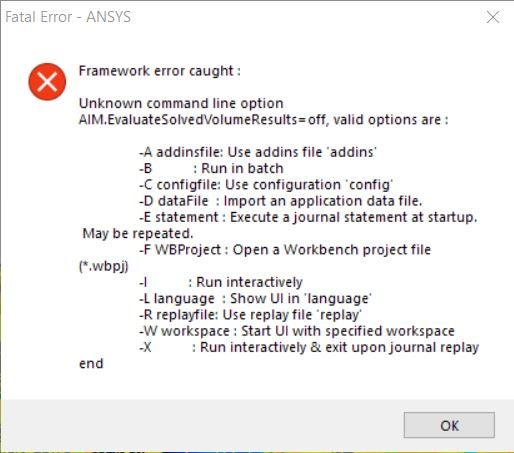
SubscriberNaresh Patre I had a converged solution , but while saving the solution it came up with an error to revert back to previously saved case or continue with partially saved. Now again after opening the project there is this message attached.
-
-
February 28, 2019 at 6:54 am
Naresh Patre
Ansys EmployeeHi Pankajadgjmp
Can you send the project file using the secure transfer link that I sent yesterday?
-
March 7, 2019 at 11:09 am
Naresh Patre
Ansys EmployeeHi Pankajadgjmp
Thanks for sending the file. I will look into it and get back to you.
-
March 7, 2019 at 11:56 am
pankaj.sharma
Subscriberwelcome Naresh PatreÂ
-
-
March 8, 2019 at 10:37 am
Naresh Patre
Ansys EmployeeHello Pankajadgjmp
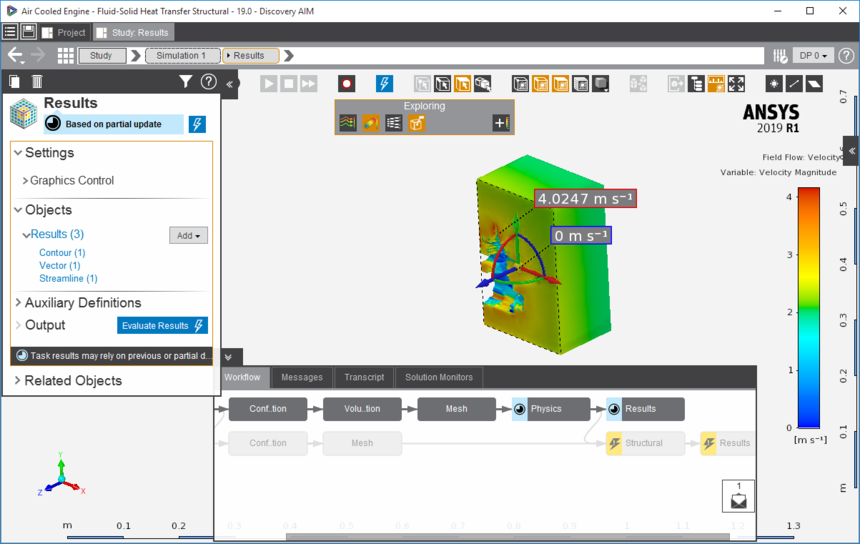
I ran the model at my end. It did not converge in specified iterations and hence I marked it as partially-up-to-date. Then I updated the results based on partial update. See below snapshot.
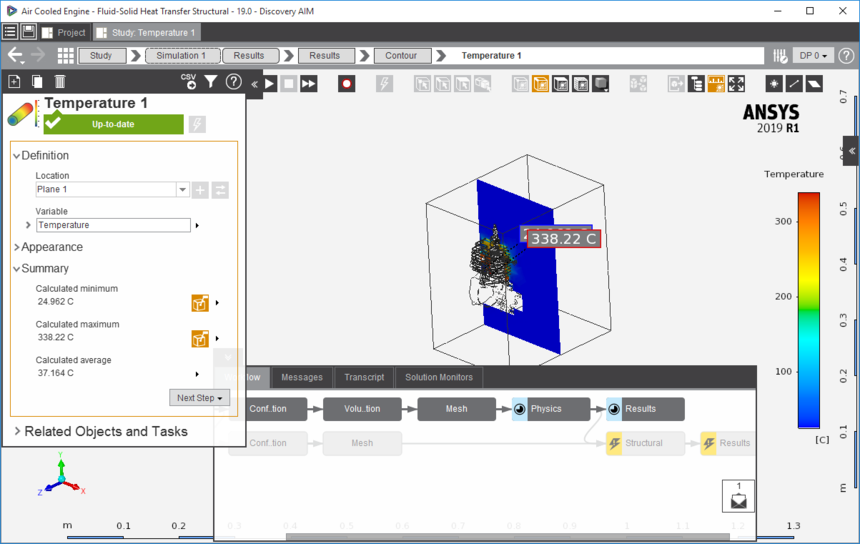
I then clicked one of the results and was able to view it as seen below.
Can you mark the solution as partially-up-to-date and then update the results based on partial data and view any of the results?
-
- The topic ‘Simulation not stopping’ is closed to new replies.
-
6379
-
1906
-
1457
-
1308
-
1022
© 2026 Copyright ANSYS, Inc. All rights reserved.