Ansys Assistant will be unavailable on the Learning Forum starting January 30. An upgraded version is coming soon. We apologize for any inconvenience and appreciate your patience. Stay tuned for updates.
3D Design

3D Design

Topics related to Ansys Discovery and Ansys SpaceClaim.

serious topology error

TAGGED: ,

    • Todd Roth
      Subscriber

      I cant figure out how to fix it ! help 

      🛈 This post originally contained file attachments which have been removed in compliance with the updated Ansys Learning Forum Terms & Conditions
    • subashni.satish
      Forum Moderator

      Hi Todd Roth

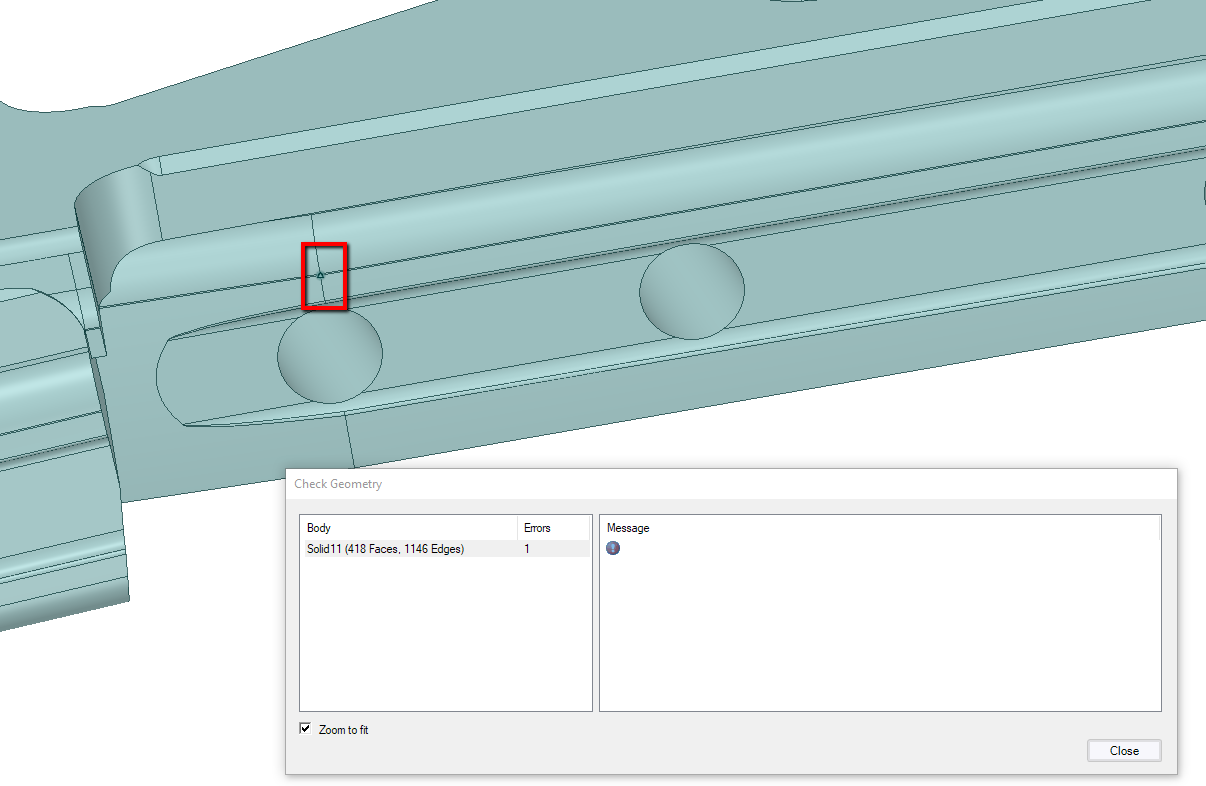
      Thanks for sharing the model. I performed the 'Check geometry' and encountered the error you mentioned. Using the 'Zoom to fit' option I found that SpaceClaim was highlighting one of the 'vertices'. 

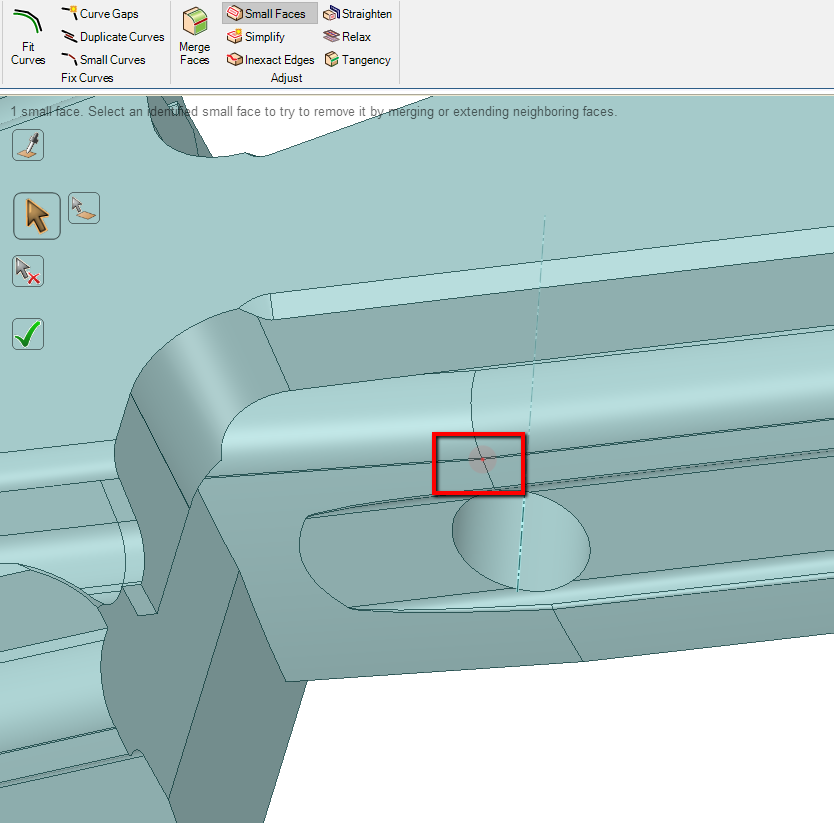
      Also, by using the 'Small Faces' tool from the 'Repair' tab, I could point out that there was some issue with the faces in that region. 

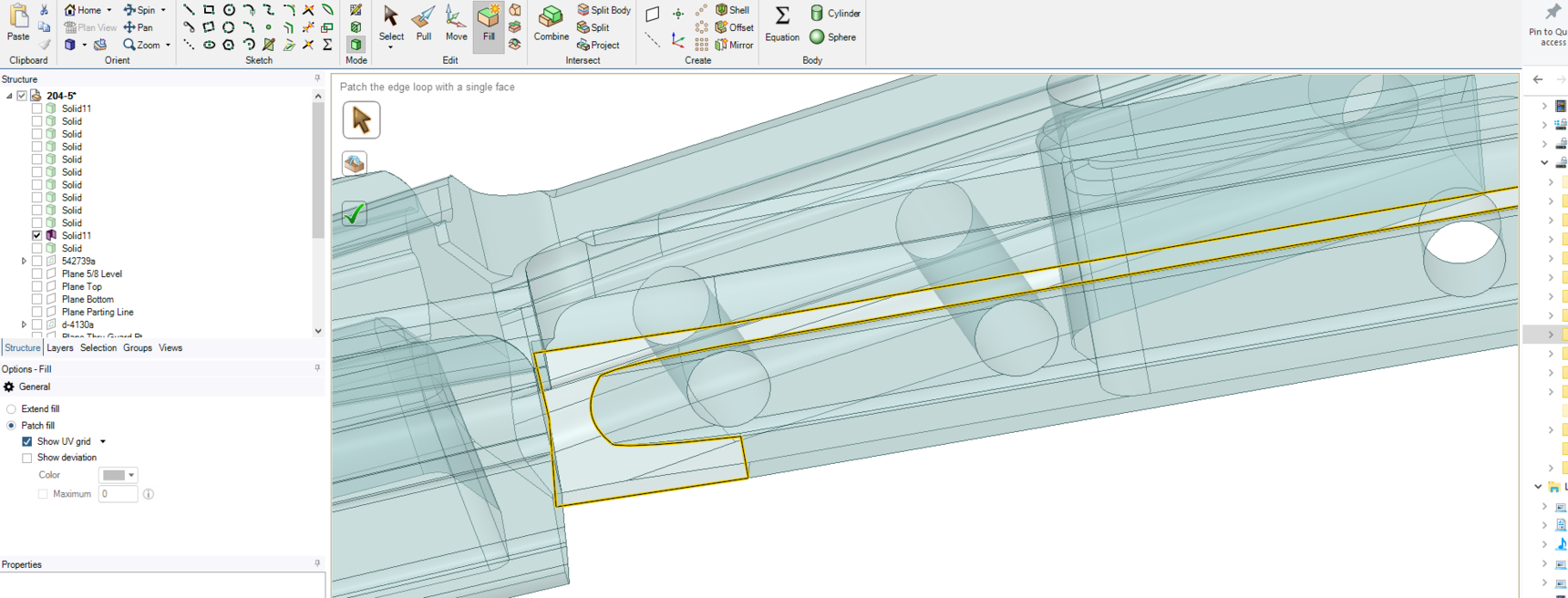
      Please refer attached images.

      I deleted the adjacent faces and used the 'Fill' tool (with patch fill checked) to re-create those faces. 

      Now, the model is free of issues.

      I could sometimes so happen that during import/export or some manual operations some small faces get created, thus corrupting the topology.

      Hope I have answered your query.
      • Ethan Geometry Rabinowitz
        Forum Moderator

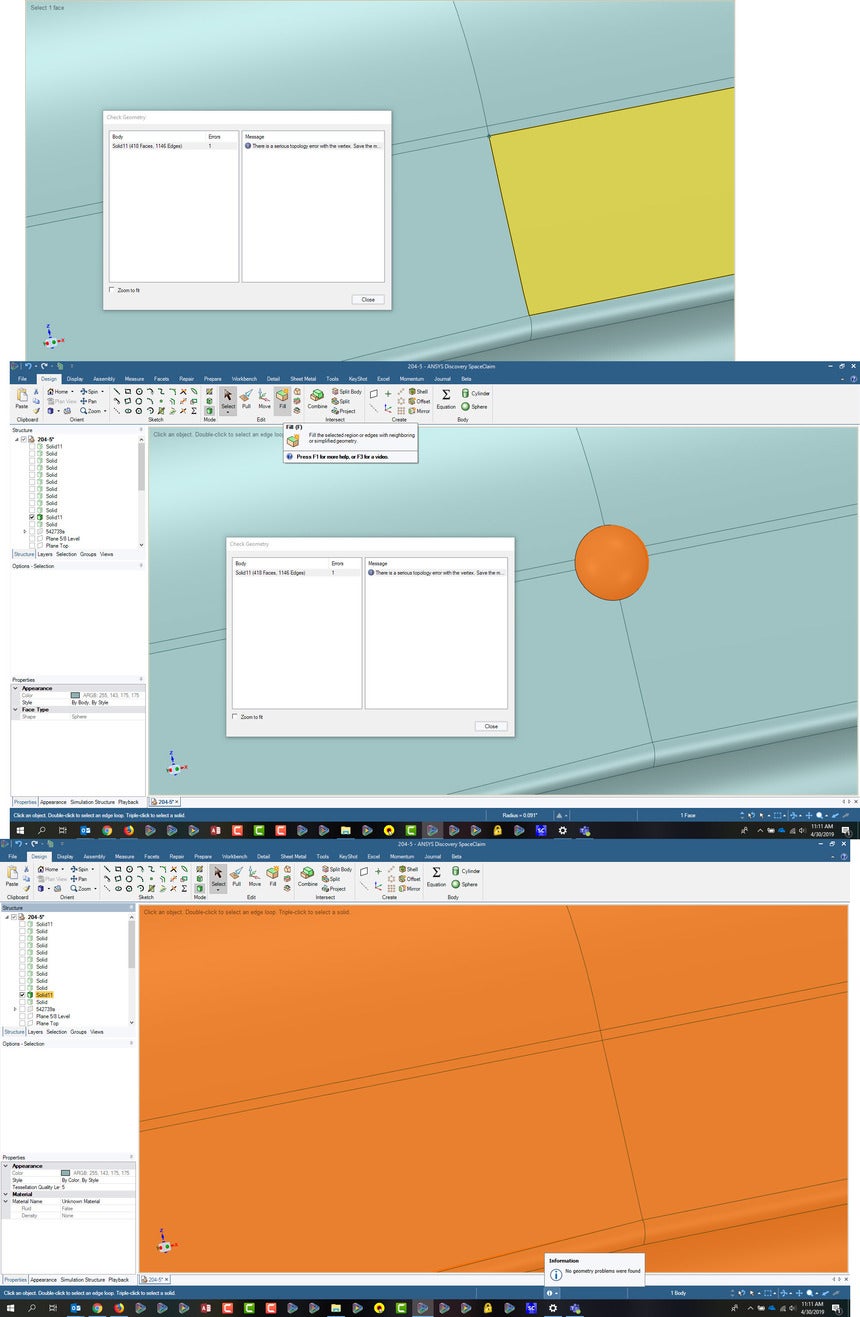
        Subashni  Todd Roth an alternative and preferred method that doesn't require deletion which could result in undesirable changes, is to add a sphere to that area with the sphere tool in the design tab.  It will automatically merge to this body, absorb and remove the corruption, then filling the sphere returns it to the original state, but without errors.


    • Todd Roth
      Subscriber

      Thanks Ethan I was concerned about geometry changing. Using the sphere works like a charm!

Viewing 2 reply threads
  • The topic ‘serious topology error’ is closed to new replies.
[bingo_chatbox]