Hello Roberto
Files can be autosaved by enabling the backup option located in SpaceClaim Options - Support FIles - Recovery Assistant. See below image. You can set the duration of backup and also the number of days to preserve the backup files.
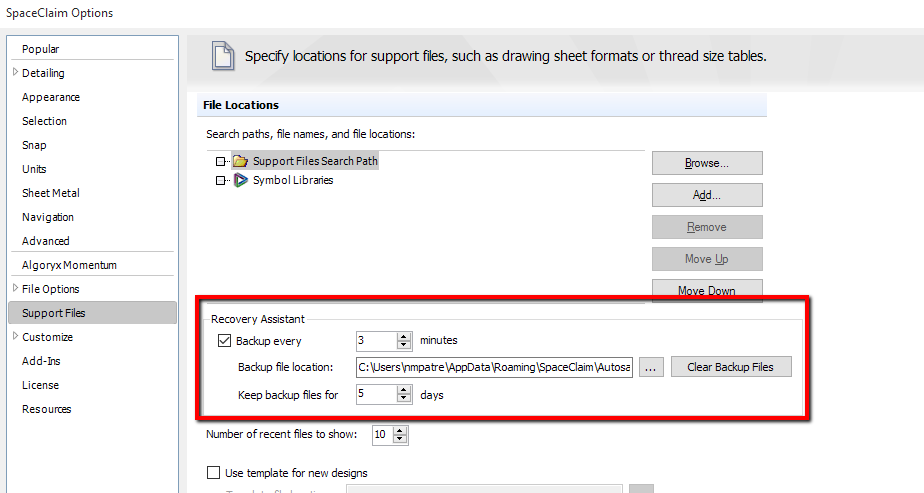
The files saved through the backup functionality are only recoverable when the system crashes. When you relaunch SpaceClaim after a crash, you get the option to retrieve the file which was autosaved before the crash, if you had enabled autosave option. These files can't be opened directly from the user interface. So the best option is to manually save the files periodically. In addition to saving files, you can also open the Autosave folder and remove the word "autosave" from the autosaved scdoc file name so that it doesn't get deleted automatically when you close your SpaceClaim session.


















 You are navigating away from the AIS Discovery experience