Ansys Assistant will be unavailable on the Learning Forum starting January 30. An upgraded version is coming soon. We apologize for any inconvenience and appreciate your patience. Stay tuned for updates.
3D Design

3D Design

Topics related to Ansys Discovery and Ansys SpaceClaim.

ANSYS Discovery SpaceClaim 2019 R3: Unable to rotate individual dimension annotation

    • junyi.lee
      Subscriber

      Hello,

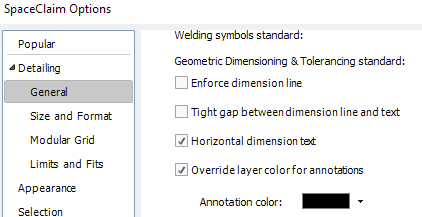
      A customer would like to have some dimension annotations in a drawing sheet be displayed vertically, while some remain horizontal. We are aware of the "Horizontal dimension text" annotation option in SpaceClaim Options. Unfortunately, this "global" setting does not provide the flexibility desired by the customer.

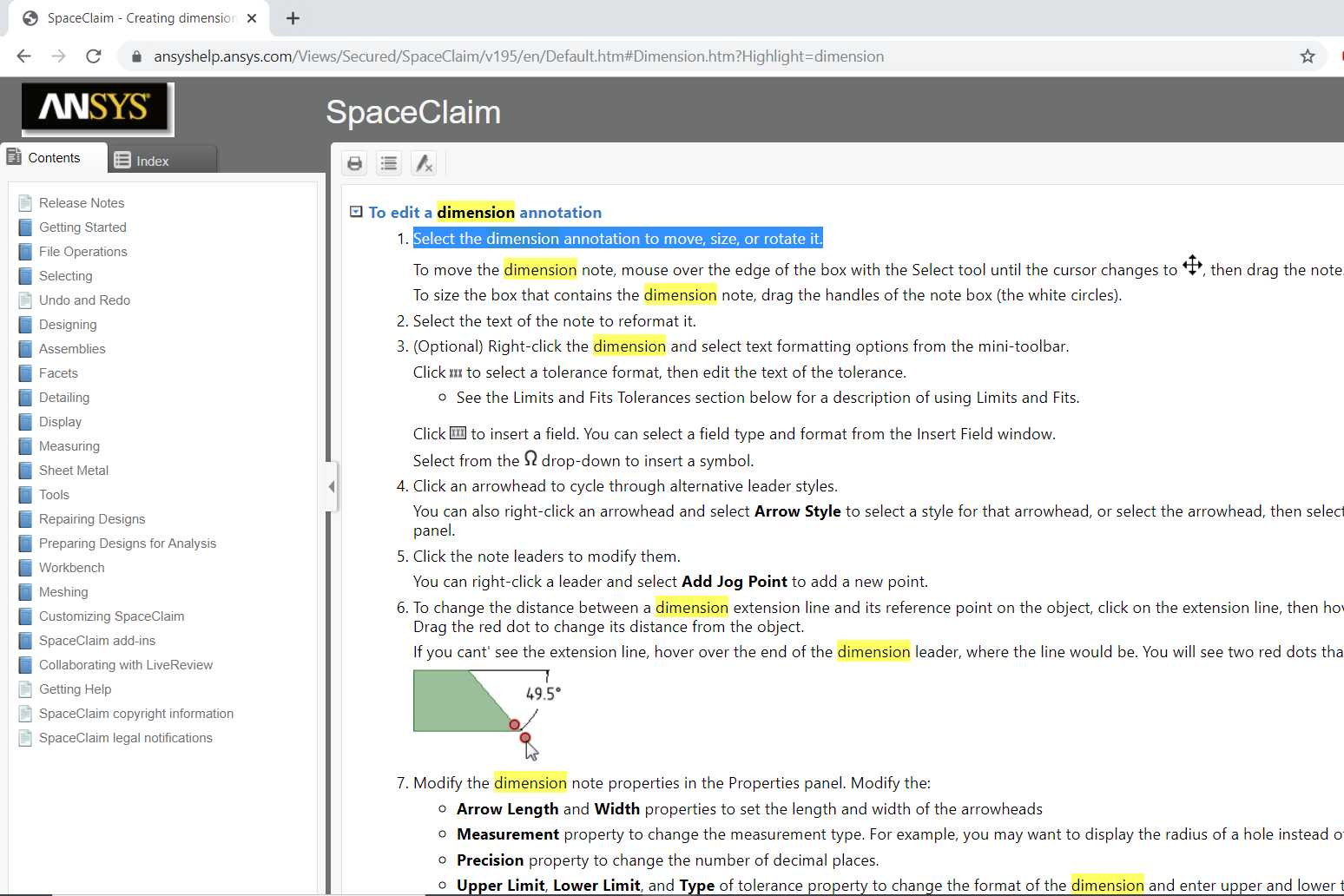
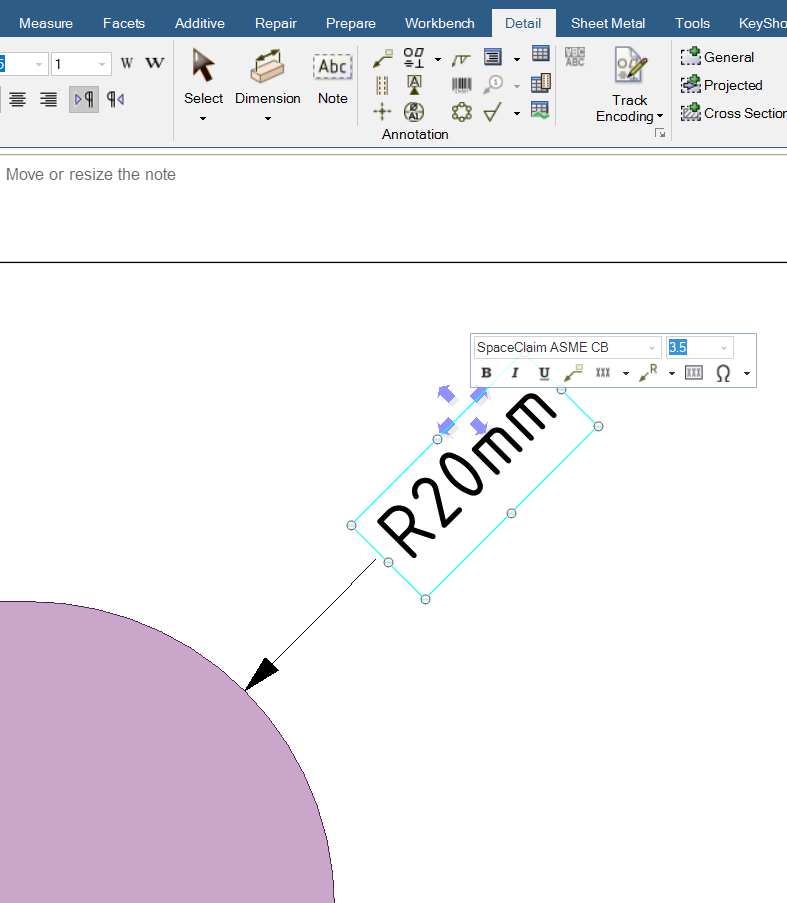
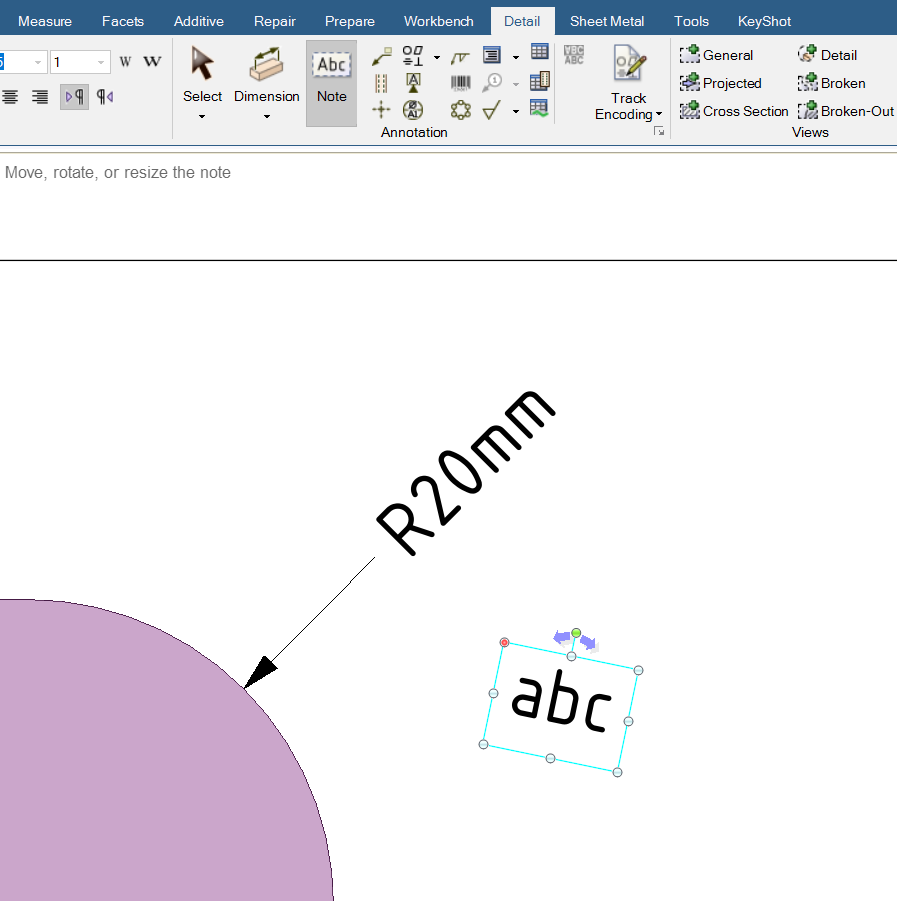
      According to ansyshelp.ansys.com, it says "Select the dimension annotation to move, size, or rotate it." However, with reference to the screenshots, it was not possible to rotate the dimension annotation, though it was possible to rotate a note.

      Could you please advise whether it is possible to rotate an individual dimension annotation? The customer claimed that this is easy to do in SolidWorks.

      Thank you,

      Jun

    • subashni.satish
      Forum Moderator

      Hello Jun

      You can change the dimension to horizontal alignment by checking 'Horizontal dimension text' from the SpaceClaim Options as shown in the image.


      The dimension text box cannot be rotated like the Note.

Viewing 1 reply thread
  • The topic ‘ANSYS Discovery SpaceClaim 2019 R3: Unable to rotate individual dimension annotation’ is closed to new replies.

[bingo_chatbox]