Ansys Assistant will be unavailable on the Learning Forum starting January 30. An upgraded version is coming soon. We apologize for any inconvenience and appreciate your patience. Stay tuned for updates.
3D Design

3D Design

Topics related to Ansys Discovery and Ansys SpaceClaim.

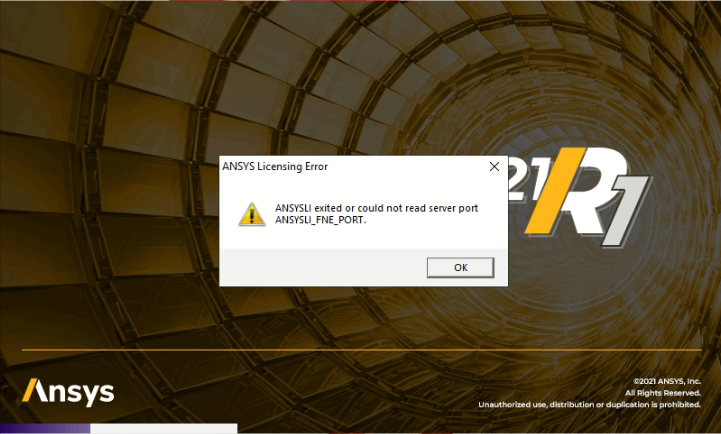
ANSYSLI Exited or could not read server port ANSYSLI_FNE_PORT

TAGGED: 

    • Andrea Ventura
      Subscriber
      Hello, I experienced errors during license activation. I have 2 different cases where the user launch Ansys SpaceClaim, try to login with email and password and it gives error   In both cases (2 different customers) in some PC it run without problems and in others it gives this error (the firewall it's the same for all PC) I tried to use your guide but without any resolution (I sent you an email)
    • subashni.satish
      Forum Moderator

      Hello DrkAngl

      Thank you for posting this issue on the Forum.

      I have received your email as well. I'm looking into the files shared on the email.

      I will get back to you soon.

    • subashni.satish
      Forum Moderator

      Hello DrkAngl

      Could you please try a complete uninstall and reinstall?
      In some previous cases similar to this a reinstall has resolved the issue.

    • Andrea Ventura
      Subscriber

      Thanks Subashni,
      this afternoon I'm trying to reinstall it.
      I'll inform you.

    • Andrea Ventura
      Subscriber

      I tried to uninstall and reinstall Ansys SpaceClaim in second customer's PC but it still not working.
      I add this information: a previous SpaceClaim (not Ansys SpaceClaim, but perpetual old serial number license) is installed, but I never had problems for this.

      I sent you additional email for second customer log files.

    • subashni.satish
      Forum Moderator

      Hello DrkAngl

      Thanks for sending the files again.

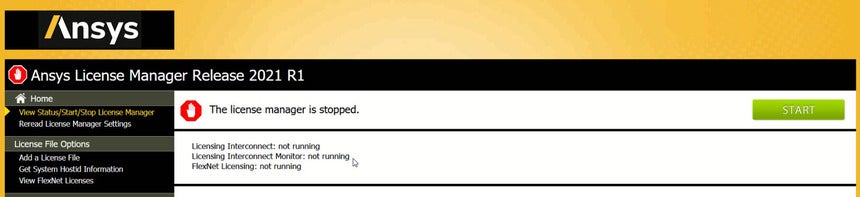
      Can you please check if the customer is using the latest version of the License manager? (2021 R1)

      In the meantime, let me check with my Licensing team as well.

    • Andrea Ventura
      Subscriber

      Hello Subashni,
      yes I can check it. How to find the License manager version number?

    • subashni.satish
      Forum Moderator

      DrkAngl
      When you launch the Ansys License manager from the start menu, you should be able to see the version once it's launched.

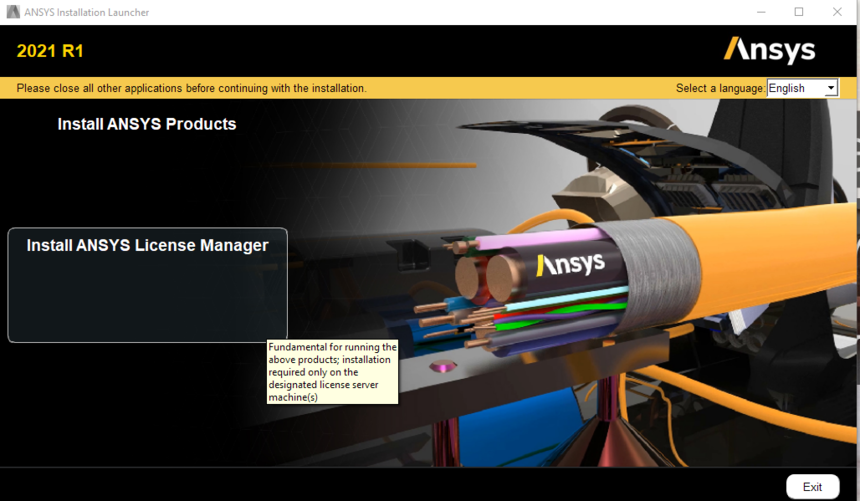
      To install the latest License manager, please launch the Discovery 2021 R1 Setup.exe.

      Once this is launched, you will see an option for installing License manager. 
       

    • Andrea Ventura
      Subscriber

      Normally I never install ANSYS License Manager (I use in most of cases ASC license). For this customer I tried to solve installing it (but this solution didn't work).
      As I said I installed his license in 2 different PCs. In the first one the license registration isn't working. In the other one yes. In the one with the problem I installed ANSYS license manager (but only after I saw the message error), in the other I didn't install License Manager (and it works).

      However I'm checking the ANSYS License Manager (but the installer version is the R1 on your website so should be the latest).

    • Andrea Ventura
      Subscriber

      I confirm the License Manager is the latest (I used 2021 R1 Installer)

    • Andrea Ventura
      Subscriber

      I found this file and the value is 0 (maybe it's helpful)

      However I followed this guide and I solved, now Ansys SpaceClaim ask me to login in less time and let me open SpaceClaim normally after the password validation: https://discoveryforum.ansys.com/t/x1asz0/faq-resolving-error-ansysli-exited-or-could-not-read-server-port-ansysli_fne_port I used the already installed ansysls_client.exe without downloading the attached one (was too old). I added a new environment variable ANSYSLS_CLIENT_USE_ALT_HOSITD_METHOD=1  and reboot Please check if this solution it's valid for future version and is reliable. Thanks
    • subashni.satish
      Forum Moderator

      Hello DrkAngl

      I was not sure if that was reliable and hence I didnt suggest that to you.

      I'm checking on this with my team now.

    • subashni.satish
      Forum Moderator

      Hello DrkAngl

      I checked with the licensing team and they will require some additional diagnostic files. Please follow below steps and send it to us via email.

      1. Launch the ‘ANSYS Client Licensing Settings’ as the user experiencing the problem.

      2. Click ‘Gather Diagnostics’

      3. Click ‘Generate’

      4. In the screen it will indicate a zip file being created. Please email it to us

      • Andrea Ventura
        Subscriber

        Subashni I just sent you the test results (the second customer) via email

    • Andrea Ventura
      Subscriber

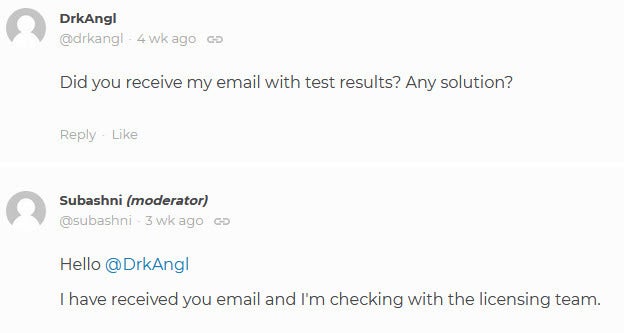
      Did you receive my email with test results? Any solution?

    • subashni.satish
      Forum Moderator

      Hello DrkAngl

      I have received you email and I'm checking with the licensing team.

    • Andrea Ventura
      Subscriber

      I have another (the 3RD) customer with the same problem.

    • Andrea Ventura
      Subscriber

      I solved again using Windows Enviroment Variable. If you never experienced the same problem I guess the problem is localized in Italy for some reason. However I saw Windows Firewall asked me to deny or allow internet access to Ansys SpaceClaim only when Windows Enviroment Variable was set (before with the error it didn't ask),

    • Andrea Ventura
      Subscriber

      I had another customer (the 4th) with the same problem. I solved following the FAQ procedure.

    • subashni.satish
      Forum Moderator

      Hello DrkAngl

      Apologise for the late response. My colleague Matt, had requested you some License Diagnostic files via email. Have you reponded to that?

      Is this issue resolved? If not, please share the License Diagnostic files as mentioned below:

      CLIENT:
       

      For Versions 2021R1 and Newer:


      1. Launch the ‘ANSYS Client Licensing Settings’ as the user experiencing the problem.


      2. Click ‘Gather Diagnostics’


      3. Click ‘Generate’


      4. In the screen it will indicate a zip file being created. Please email it to me.


      For Versions 2020R2 and Older:


      1. Launch the Client ANSLIC_ADMIN Utility as the user experiencing the problem.


      2. Click View Status/Diagnostic Options

      3. Click Gather Diagnostic Information

      4. Select Yes when prompted

      5. If you would like to specify the directory of the diagnostic files, select Yes. If not, select No (there will be a pop-up window displaying the location of the diagnostic files once it’s finished gathering the files)

      6. Please zip the entire diagnostic directory and email it to me

      Please refer to this Animated Tutorial for assistance with how to obtain the diagnostics on the Client side and for license servers running Version 15 or earlier version of the ANSYS Inc. License Manager.

      Gathering Client-Side Diagnostics for ANSYS

      http://youtu.be/9CcJMhtim9Q

    • Andrea Ventura
      Subscriber

      Hello Subashni,
      I sent that zip file 23/04/21 and you answered me your team received it via email.
      Can you check?

      Here your answer:
       

Viewing 19 reply threads
  • The topic ‘ANSYSLI Exited or could not read server port ANSYSLI_FNE_PORT’ is closed to new replies.
[bingo_chatbox]