TAGGED: How To, spaceclaim
-
-
May 15, 2022 at 11:38 pm
sam
Subscriber

Hi,
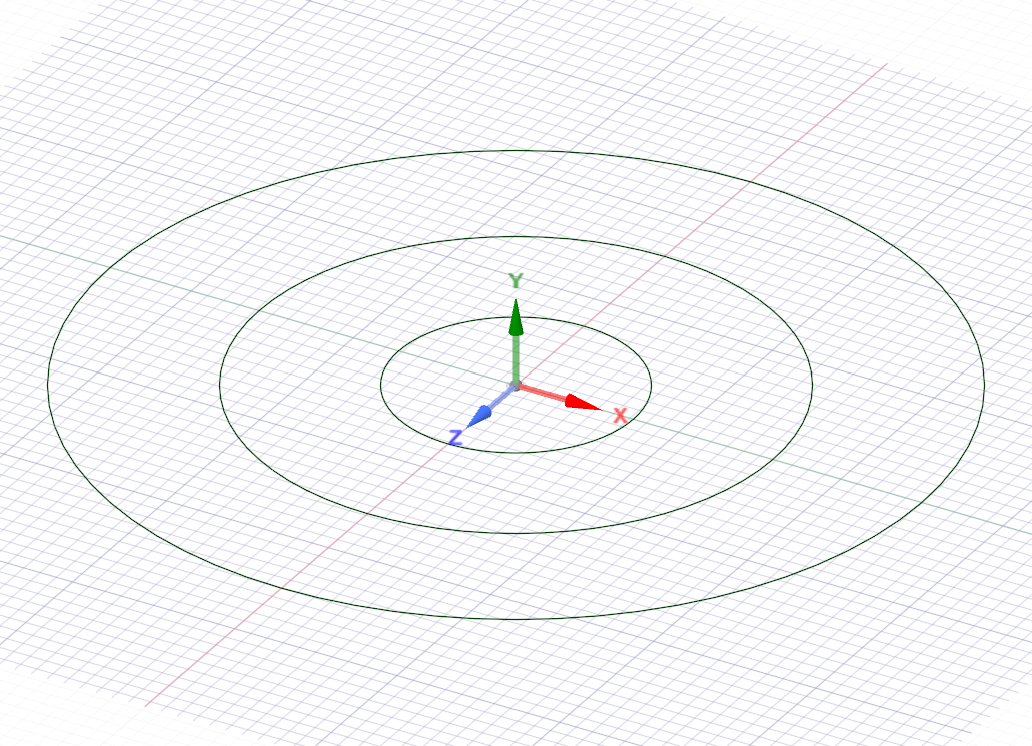
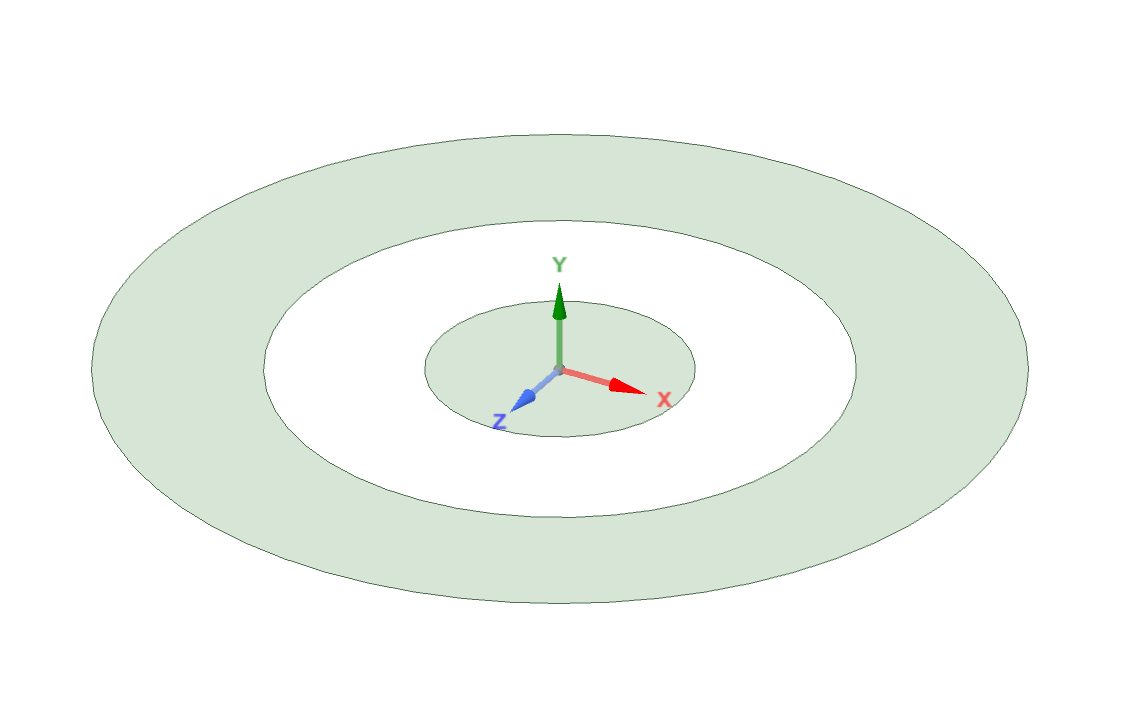
In sketch mode, when drawing a circle within two larger circles, the surface between them is lost and seemingly no way to draw a circle and get that surface.
For example, draw 3 circles one inside of the other - large to small.
You end up with an outer ring, and an inner circle, but the middle ring has no surface. Trying to draw further circles to 'fill' the blank ring does not work, the only way to get a surface on it is to extrude one of the others first.
In this example I am trying to work on the inner ring first, I want to extrude that (the bit it has not put a surface on) to leave an outer ring, and an inner circle both flat.
How do I get it to fill/surface the bit it's excluding?
Thanks
-
May 16, 2022 at 4:48 am
Devendra Badgujar
Forum ModeratorHi Sam Whitney
Let me check and get back to you.
-
May 16, 2022 at 7:36 am
Devendra Badgujar
Forum Moderator🛈 This post originally contained file attachments which have been removed in compliance with the updated Ansys Learning Forum Terms & Conditions
Hi Sam Whitney
You will have to create the middle circle again to get the surface for that and then you can extrude that keeping other surfaces flat.Â
Please check the attached video demonstrating the process for you. Let me know if you have any further questions on it.
Regards.
-
June 15, 2022 at 7:16 pm
sam
SubscriberThanks for the reply Devendra, sorry I did not see the notification until just now.
When I draw the new circle, it does not fill in the surface, no matter how many I draw (your last one) the inner ring is 'empty'.
-
June 17, 2022 at 2:11 pm
-
June 17, 2022 at 2:41 pm
sam
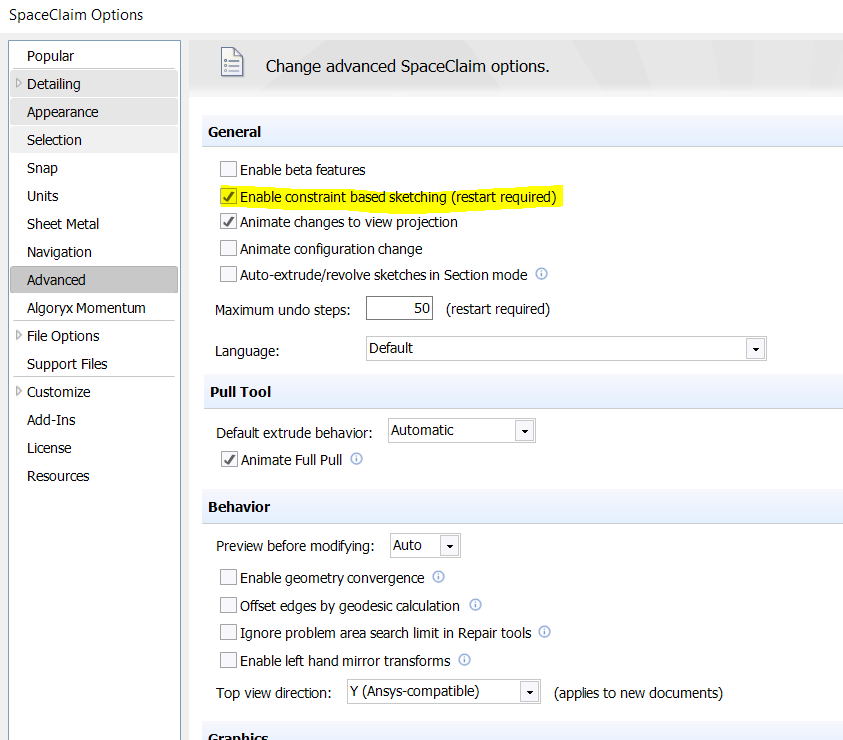
SubscriberDevendra Badgujar I had that originally but found it really cumbersome for me, so I turned it off and it makes SpaceClaim much easier to use as I tend to draw on and faces.
-
-
June 17, 2022 at 1:44 pm
Roberto
Subscriber🛈 This post originally contained file attachments which have been removed in compliance with the updated Ansys Learning Forum Terms & Conditions
Hello Devendra Badgujar
Isn't it possible by changing an option to be able to draw like in the old versions of SpaceClaim? I am attaching a video as an example.
-
June 17, 2022 at 2:12 pm
Devendra Badgujar
Forum ModeratorRoberto Sam Whitney
Let me check and get back to you.
-
October 28, 2022 at 5:26 am
Roberto
SubscriberDevendra Badgujar HelloÂ
I have not received any response
Regards
-
-
January 11, 2023 at 7:29 am
Devendra Badgujar
Forum ModeratorHello Sam Whitney
Just wanted to update you regarding this query, I found that there is an Option to change this behavior.
When in Sketching mode, right click sketching plane and untick ''Remove Interiors'' Option and you will get the same behavior as previous versions of SpaceClaim.Â
Regards.Â
-
January 16, 2023 at 11:04 am
sam
SubscriberDevendra Badgujar thank you for replying on this. Sounds good, please could you clarify how to set this, as I'm not sure what you mean by right click on 'sketching plane'. In the side bar, there isn't an option for 'Remove Interiors' and when I right click having drawn a circle, I can't see any options for that. Thanks
-
January 16, 2023 at 11:23 am
Devendra Badgujar
Forum ModeratorSam WhitneyÂ
Please check the attached image for more information:
-
-
January 16, 2023 at 12:07 pm
sam
SubscriberAh thank you! That is really helpful, thank you very much indeed - makes sketching a lot easier again.
-
- The topic ‘Drawing circles inside circles’ is closed to new replies.
-
5849
-
1906
-
1420
-
1305
-
1021
© 2026 Copyright ANSYS, Inc. All rights reserved.