Ansys Assistant will be unavailable on the Learning Forum starting January 30. An upgraded version is coming soon. We apologize for any inconvenience and appreciate your patience. Stay tuned for updates.
Ansys Free Student Software

Ansys Free Student Software

Topics cover installation and configuration of our free student products.

Fluent Meshing Error (Scope To: edges/faces and edges)

TAGGED: 

    • Jacopo Boscariol
      Subscriber

      Hi everyone, i am a new user of Ansys Fluent Meshing and i am trying to mesh the geometry of a rocket. I have different named selections for which i want to use the Add Local Sizing tool. Everything seems to work fine until for a certain named selection i use Proximity and Scope To: faces and edges, as i get a red warning message: ---- Warning--- Note that size controls based on edges cannot be used in a Size Control File. In particular, i have noticed that this warning appears everytime i use Scope To: edges/faces and edges, so basically everytime edges are involved. When i complete the Add Local Sizing process and i try to generate the surface mesh i get this error:

      Error: Scoped sizing controls for (boat_edges), does not evaluate to valid zone(s).

      Error Object: #f

      in which boat is one of the named selections in which i selected Scope To: edges/faces and edges. Eventually the mesh does not generate. I hope someone can help me, thank you.


    • Rob
      Forum Moderator

      Can you post an image of the geometry and highlight where the edges are? Also, can you confirm https://ansyshelp.ansys.com/account/Secured?returnurl=/Views/Secured/corp/v231/en/flu_ug/tgd_user_workflow_guided_tasks_local_sizing.html has been followed, Number 3, first bullet. 

      • Jacopo Boscariol
        Subscriber

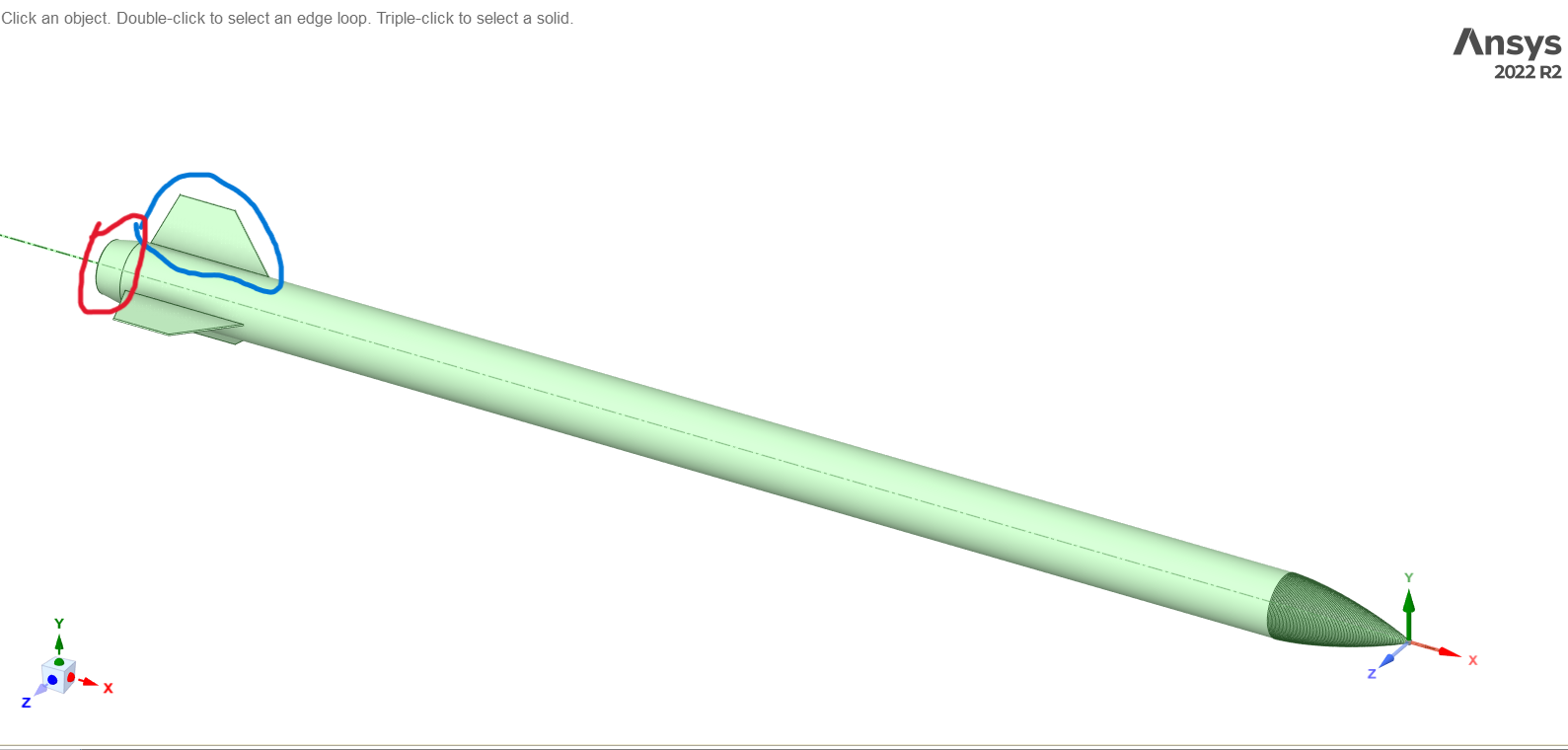
        Hi, thank you for answering. Yes i am pretty sure i followed correctly the steps in the link, i am attaching the image of the geometry and of the named selections:

        in red I highlighted the fins (name selection: fins) in which I later use Proximity, Scope To: edges while in blue I highlighted the boat-tail (name selection: boat) for which I use Proximity, Scope To: faces and edges.

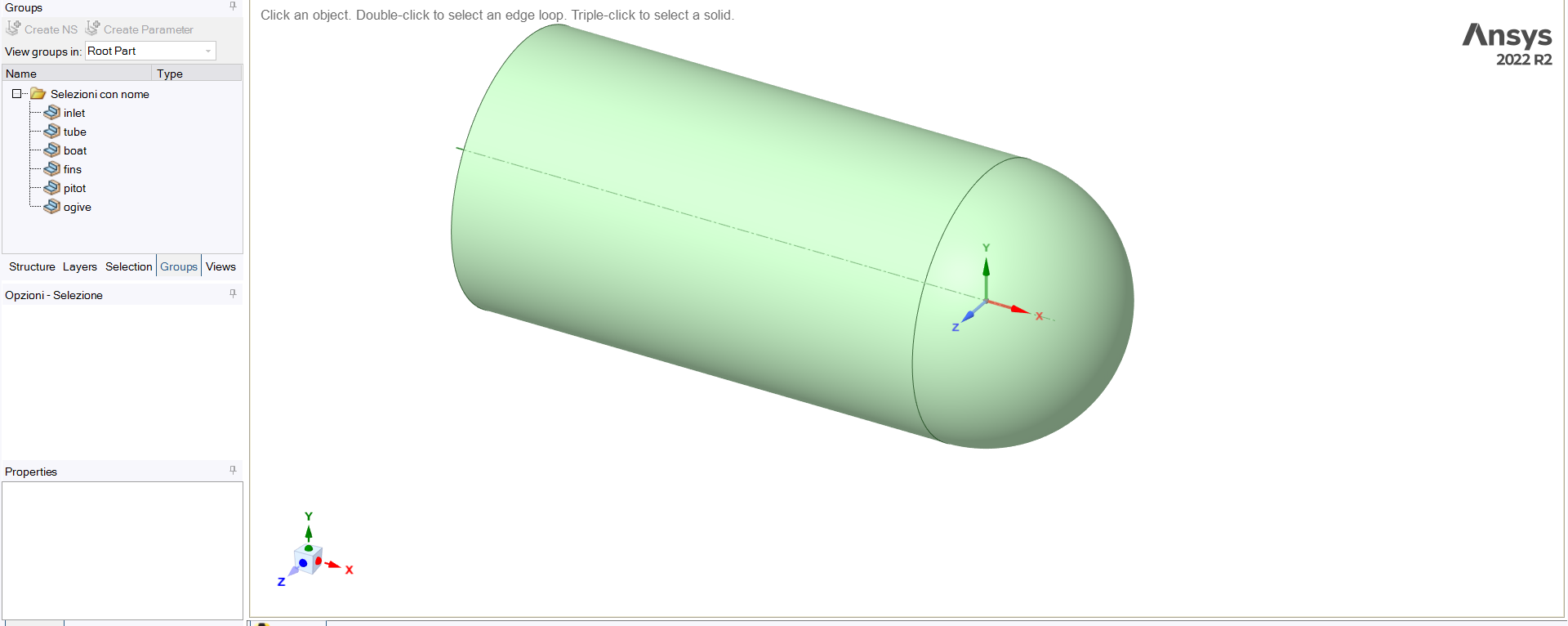
        Here is an image of the bullet enclosure and the named selections:

        tell me if you need anything else.

    • Rob
      Forum Moderator

      Not sure, if the tip of the fin is a single edge proximity won't do much though. 

Viewing 2 reply threads
  • The topic ‘Fluent Meshing Error (Scope To: edges/faces and edges)’ is closed to new replies.
[bingo_chatbox]