I'm trying to resolve a problem I keep having with my submodels no matter what I try.
As you can see overall my displacement looks pretty good. My boundaries do not though upon closer inspection and my stress is often 20-40MPa off during my initial run when I don't modify the mesh or anything else.
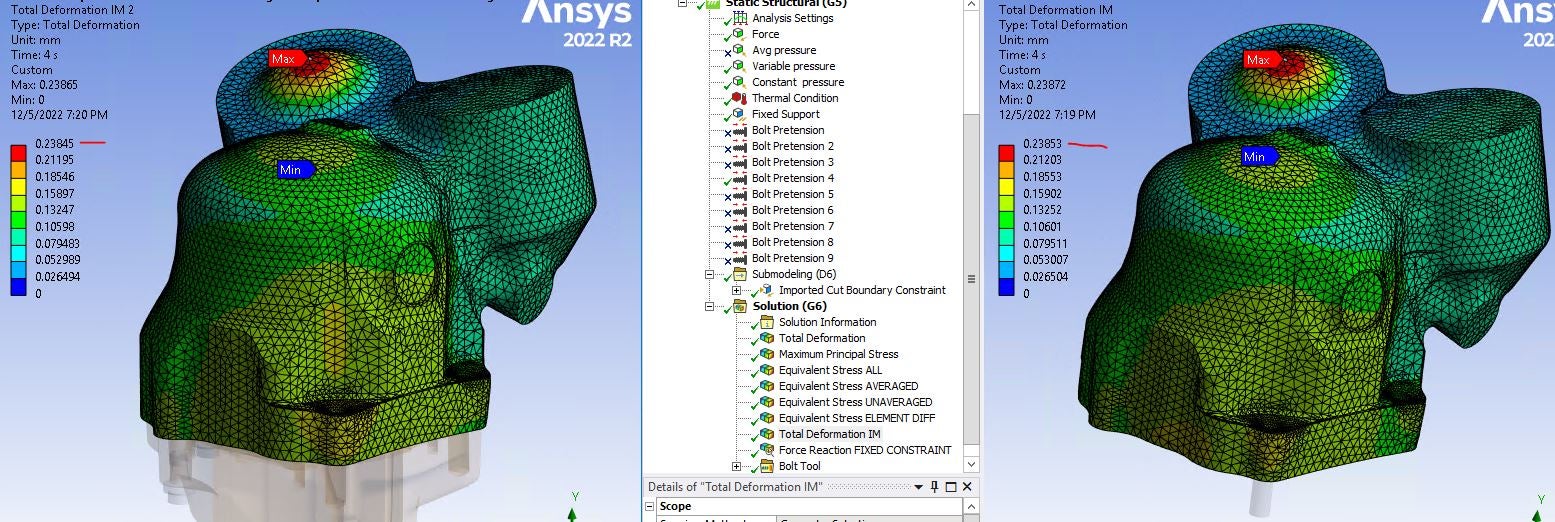
All of the surfaces I have selected as boundary conditions stretch in weird ways.
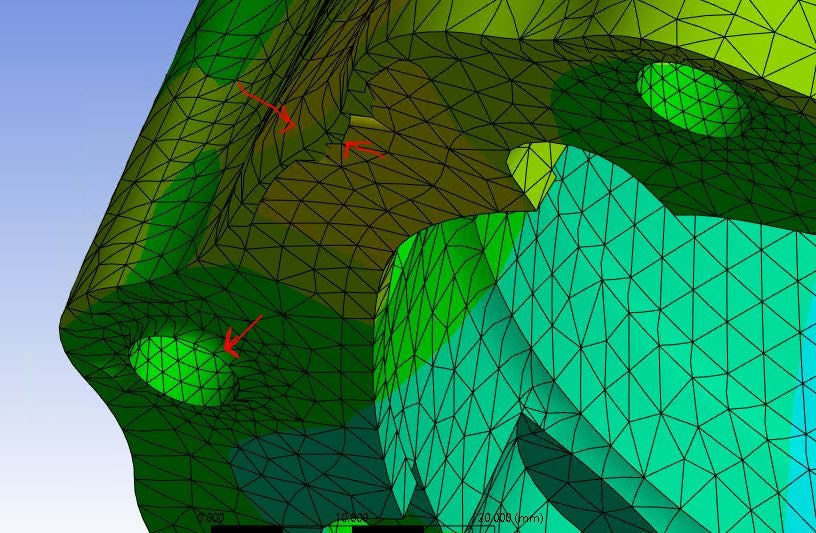
You can see below the surface on the left deformed naturally which has the bolt included in the submodel. The surface on the right does not have the bolt included and I selected the contact as the boundary condition.

What am I doing wrong? My process is to duplicate a succesful assembly, suppress all the parts I don't want which suppresses all the related contacts and loads, and import all for "source time". I don't want to do all, I'd like to only look at the displacement at the last step but I can't get it to work right either way. I don't change any of the other loads, temps, or pretensions and let it run through all of the load steps.
TIA


















 You are navigating away from the AIS Discovery experience