-
-
November 22, 2022 at 3:22 am
thospe
SubscriberHello,
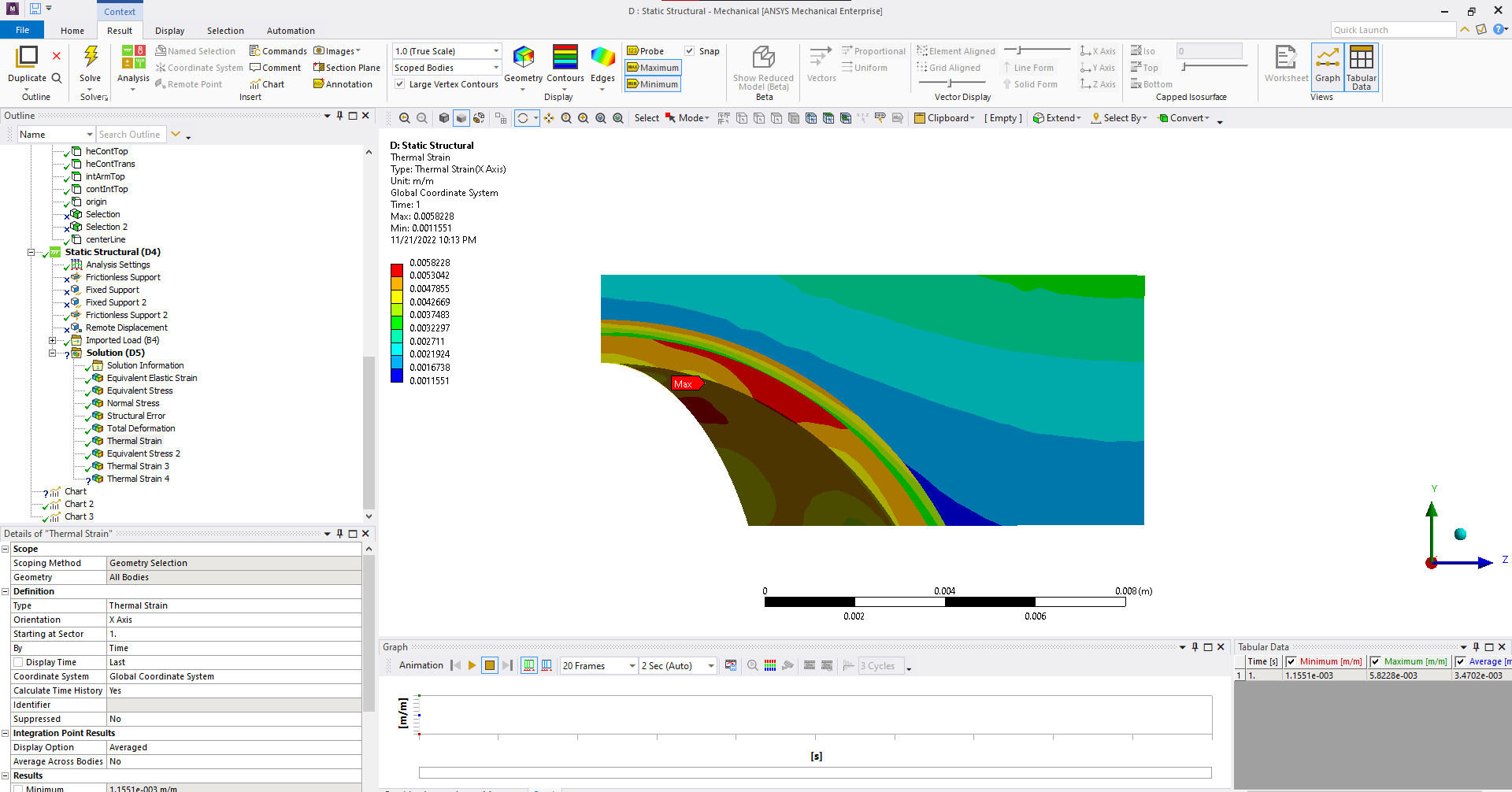
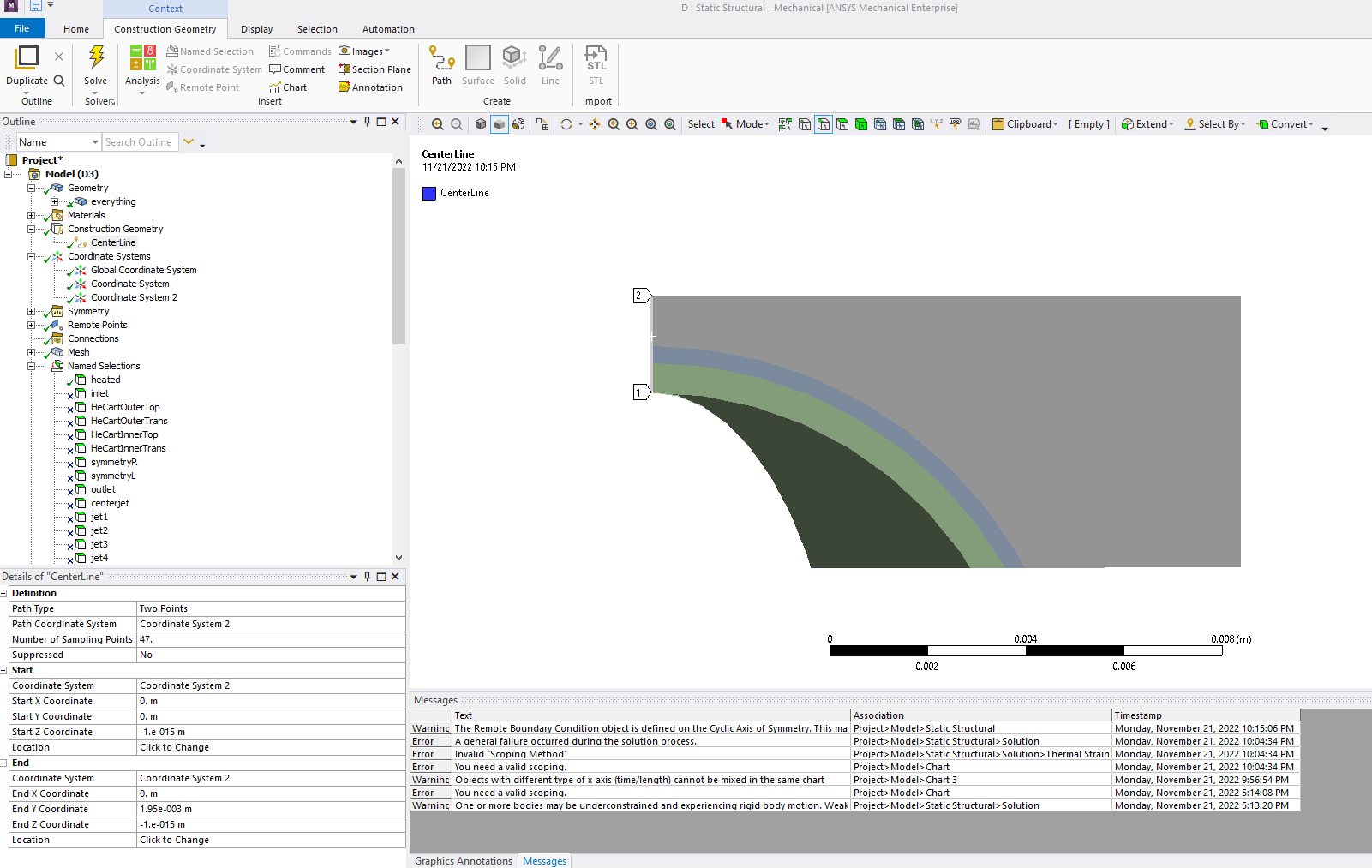
I have calculations of thermal strain (first image) and would like to plot the results along a pre-defined line. I have created a construction geometry path along the desired line (second image). However, when I click on "scoping method" in my thermal strain solution object, my only options are Geometry Selection, Named Selection, Result File Item, and Surface Coating. There is no "path" option, which is how I've seen this done in tutorials. I can right-click on it and select "convert to path result" and select my path, but if I do this the "scoping method" field is yellow and it will not solve. I am given the error message "invalid scoping method".Â
Is this functionality not available in student edition or removed in an update or am I doing something wrong?
- SpencerÂ
-
November 22, 2022 at 9:44 am
ErKo
Ansys EmployeeThat should work - at least it does on my side for 2022 R2.
Erik
-
November 23, 2022 at 9:04 am
Esmond Chan
SubscriberThe path has to lie within the data point domain, try to select the node as your start and end point
-
December 16, 2022 at 9:56 am
bhagwantP
Ansys EmployeeThanks Esmond for your comment.
This should work.
@ thospe will you please try this one.
Â
-
-
December 16, 2022 at 8:18 pm
thospe
SubscriberI have tried both defining the path by setting the start and end points as nodes, and also by defining an edge type path and selecting the edges themselves. I also used the "snap to mesh nodes" context option on the paths.
In either case, I get the same problem - I do not get "path" as an option as a scoping method. If I right-click on my solution results objects (like thermal strain) and click "convert to path result", it changes the scoping method option to "path" and creates a new path, presumably corresponding to the existing geometry selection. "Path" is highlighted yellow, and clicking on the scoping method field does not offer path as an option. I am able to choose any path, but it does not solve and does not produce an error message. I will try this again in the 2022 version and see if the issue persists.
Is there an option to plot across the length of an edge defined by a named selection? The only chart option I see is over time and while picking an edge will show the color localized to a line in the viewport, it is not very useful for extracting actual data.

-
December 16, 2022 at 11:06 pm
thospe
SubscriberJust wanted to remark that updating to R2022 resolved the issue. Thank you for your assistance.
-
December 21, 2022 at 1:35 pm
bhagwantP
Ansys EmployeeThanks thospe for the confirmation.
-
-
- The topic ‘Plotting stress/strain results along a path. Invalid scoping method’ is closed to new replies.
-
5069
-
1771
-
1387
-
1248
-
1021
© 2026 Copyright ANSYS, Inc. All rights reserved.