-
-
October 19, 2022 at 9:03 am
kokiabe
SubscriberHello.
I want to run script file to calclate band structure, and I want to do it without opening CAD.
I have been running simulation without opening CAD using Comand Prompt, by changing the directory, and writing the code <"C:\Program Files\Lumerical\v221\bin\fdtd-run-local.bat" -n 16 *.fsp>
How can I do the same thing and run a script with a certain file, without opeing CAD?
Thankyou

-
October 19, 2022 at 4:49 pm
Lito
Ansys Employee@kokiabe,
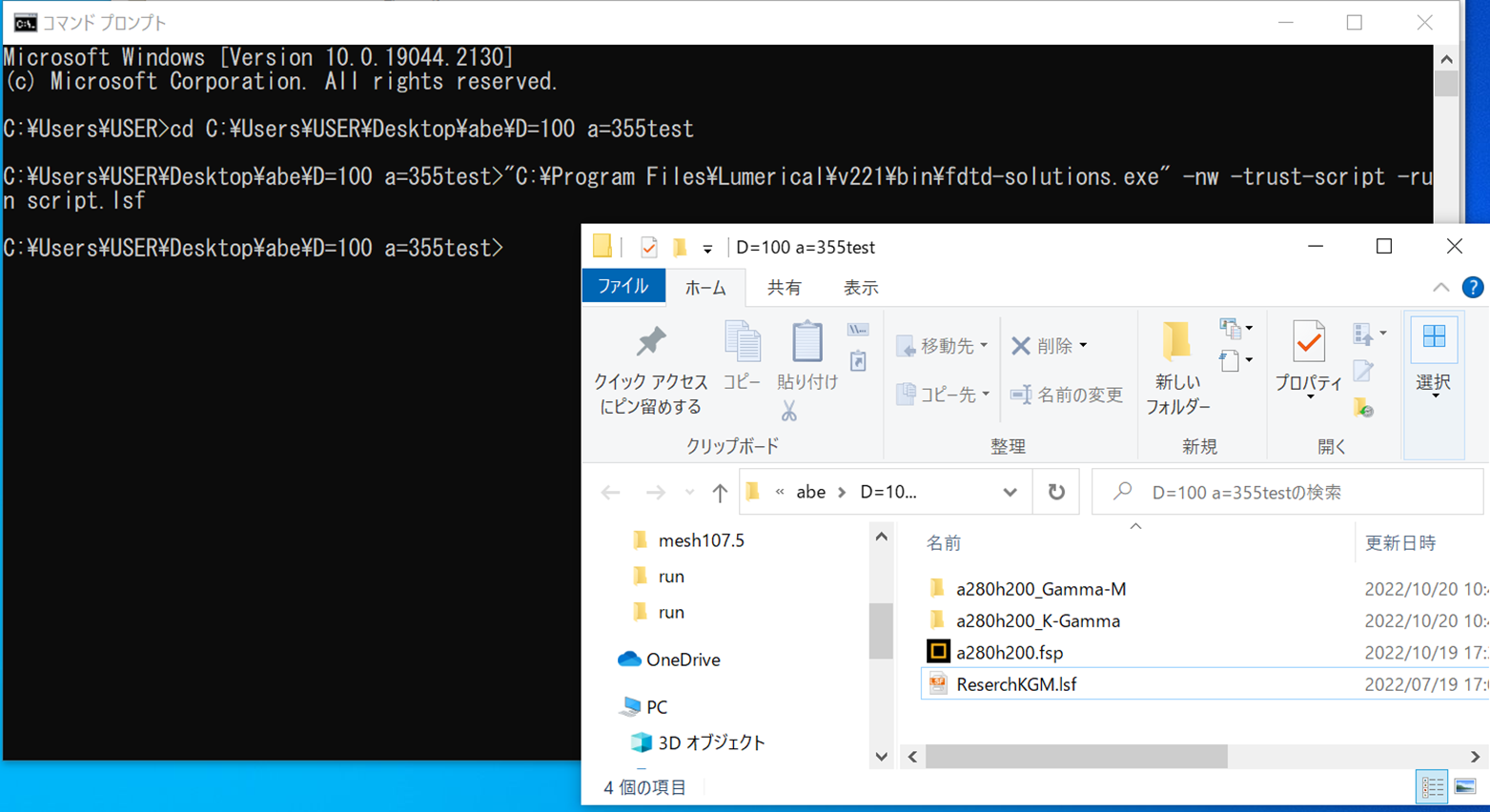
Run the script with the script with the CAD/GUI executable on the Windows command prompt as shown in our KB.
> https://optics.ansys.com/Running-simulations-using-the-Windows-command-prompt
So your command will be something like: (using 2022 R1 as per your message/example)
"C:\Program Files\Lumerical\v221\bin\fdtd-solutions" -nw -trust-script -run scriptfile.lsfNote that the script is part of the CAD/GUI and will always take up a GUI license and will run using the available cores on your computer. See our KB for more information on our product components and licensing.
> https://optics.ansys.com/Lumerical-product-components-and-licensing-overview
-
October 20, 2022 at 1:44 am
kokiabe
SubscriberThankyou for the reply.
>>Note that the script is part of the CAD/GUI and will always take up a GUI license and will run using the available cores on your computer. See our KB for more information on our product components and licensing.
So does this mean that it is not possible to run the script without opeing the CAD?
-
October 20, 2022 at 2:38 am
Lito
Ansys Employee@Kokiabe,
As mentioned, you can run the script without opening the CAD/GUI using the command line. With the -nw/-hide argument, this will hide the CAD/GUI from being displayed/shown in your desktop.
Just wanted to let you know that when running scripts it will always "checkout or take up" a GUI license. If you want to avoid "checking out or using a GUI license" to run the script, this is not possible.
-
October 20, 2022 at 3:00 am
-
October 20, 2022 at 8:17 pm
Lito
Ansys Employee@kokiabe,
Are you trying to run your script file, “ResearchKGM.lsf”? Then change directory to the location of your script file. And use the script filename with your command.
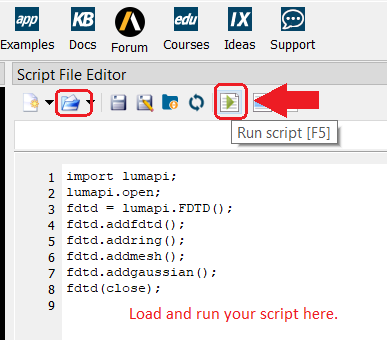
"C:\Program Files\Lumerical\v221\bin\fdtd-solutions" -nw -trust-script -run ResearchKGM.lsfYou will have to "load" the simulation file on your script and the run the loaded simulation file on the script. Why do you want to run the script in command prompt? You are on a Windows PC. Any reason why you are not running your script from the CAD/GUI script editor window with your simulation file?
-
October 21, 2022 at 1:21 am
kokiabe
Subscriber@Lito Yap
Due to limited number of licence(1CAD at time) I was thinking about running the script file without opening the CAD.
It worked with running the simulation with comand prompt without opening the CAD, so I was wondering if I can do the same thing with script file, but I assume that it's not possible due to running the script will always check out the GUI.
-
October 21, 2022 at 2:26 pm
Lito
Ansys Employee@kokiabe,
Yes, as I mentioned, running the script from the command line will always check out the CAD/GUI license. It will not free up your GUI license using this workflow.
>https://optics.ansys.com/Lumerical-product-components-and-licensing-overview
Please run your script using/from the GUI. Otherwise, if more users are running Lumerical/FDTD, obtain additional FDTD licenses.
-
- The topic ‘Runinng Script file WITHOUT opening CAD’ is closed to new replies.
-
6014
-
1906
-
1425
-
1308
-
1021
© 2026 Copyright ANSYS, Inc. All rights reserved.