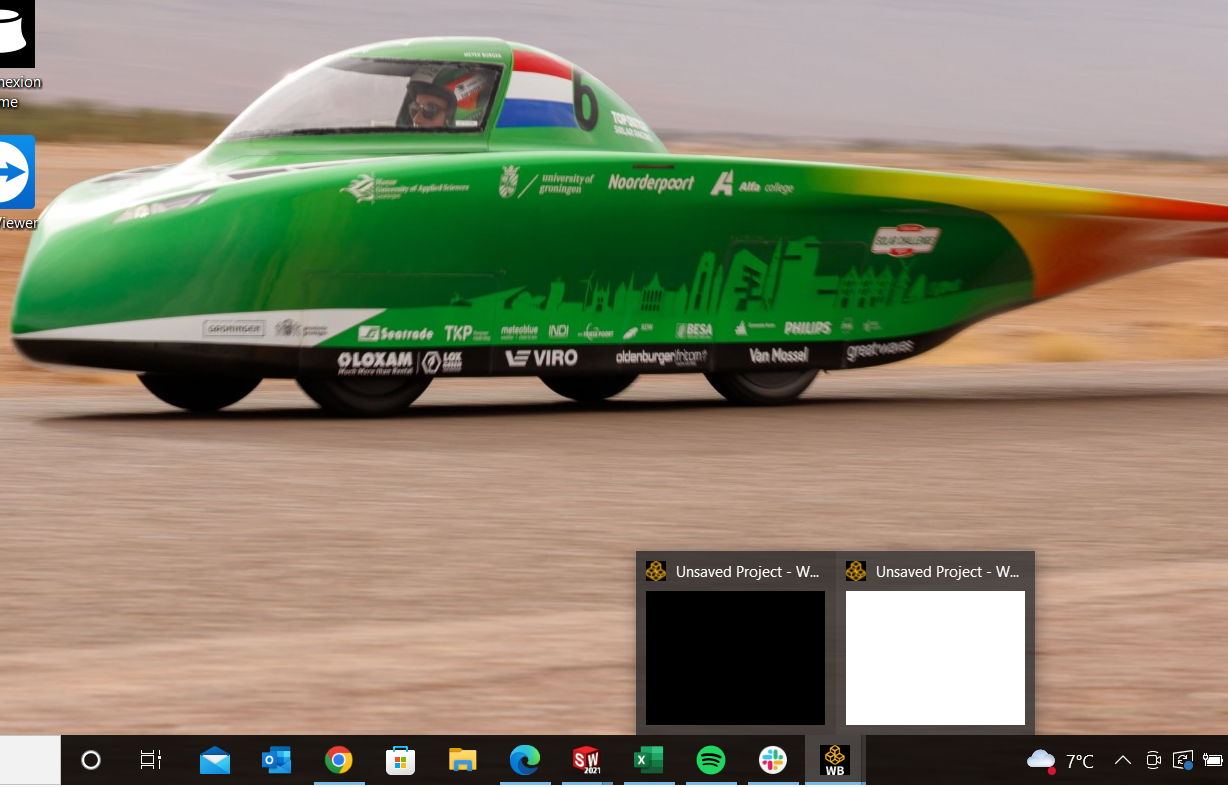
-
-
September 28, 2022 at 7:14 pm
Ayzo Wiertsema
Subscriber -
September 29, 2022 at 10:02 am
Rob
Forum ModeratorDoesn't open, or seems to open but you can't see it?Â
-
September 29, 2022 at 11:56 am
Ayzo Wiertsema
SubscriberIt seems to open, but I can't see it
-
September 29, 2022 at 12:26 pm
Rob
Forum ModeratorHover the mouse over the toolbar icon, then right click on the panel bit that appears above it. The window is probably being displayed on a missing second monitor.Â
-
September 29, 2022 at 1:16 pm
Ayzo Wiertsema
SubscriberThanks for the tip, I tried that, but then the same happens it starts up and it seems to open, but it does not actually open
-
September 29, 2022 at 3:25 pm
Rob
Forum ModeratorOdd. Have you rebooted? Sorry, it's the usual IT solution to most things! Did you extract the downloaded zip then install as Admin onto C: ?
-
Viewing 5 reply threads
- The topic ‘Ansys Workbench student version does not open’ is closed to new replies.

Innovation Space
Trending discussions
Top Contributors
-
6104
-
1906
-
1436
-
1308
-
1021
Top Rated Tags
© 2026 Copyright ANSYS, Inc. All rights reserved.
Ansys does not support the usage of unauthorized Ansys software. Please visit www.ansys.com to obtain an official distribution.