

TAGGED: ansys-mechanical, contact, transient-analysis
-
-
May 12, 2022 at 11:47 am
SpeedyG
SubscriberHey all,
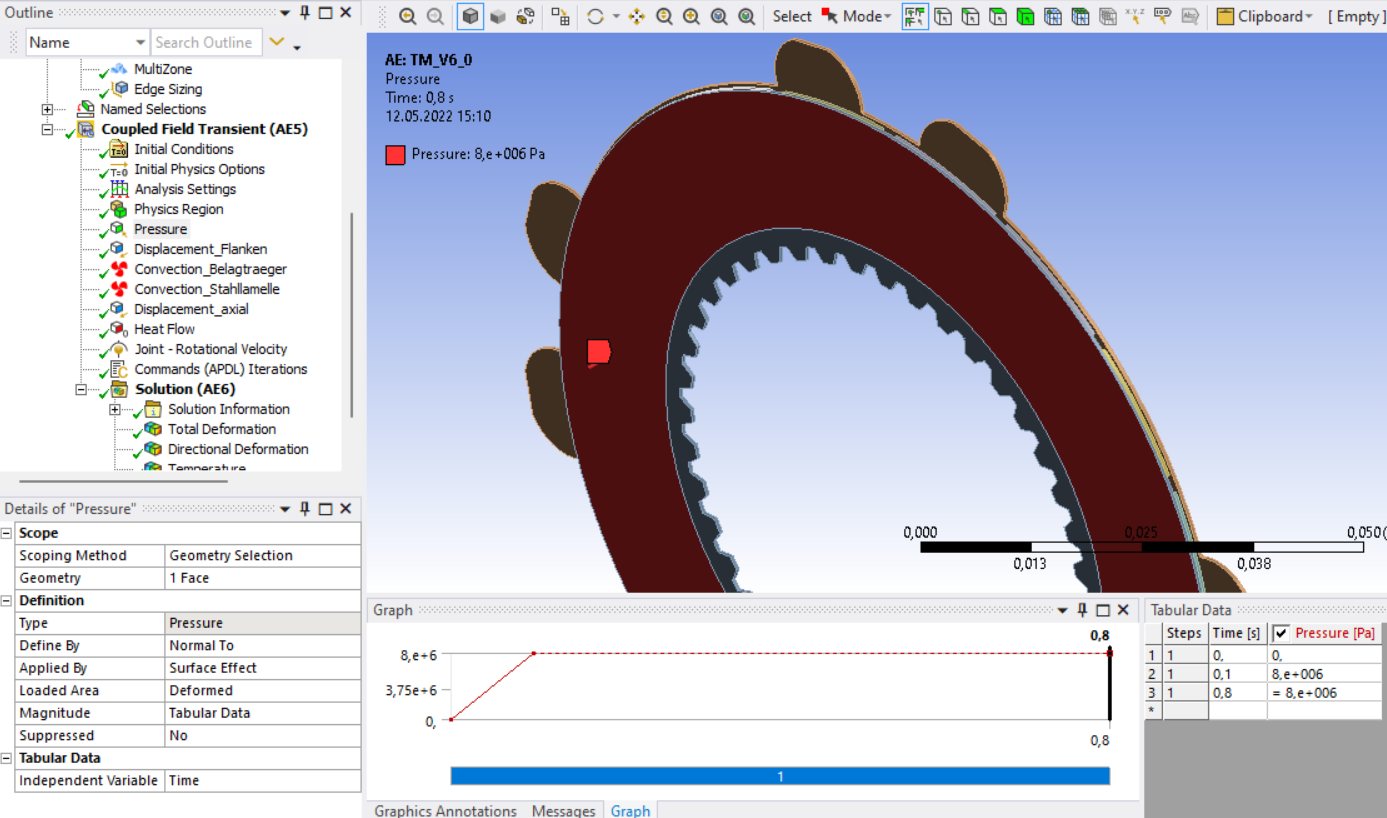
i'm running a coupled-field transient (structural/thermal) simulation in Ansys Mechanical Workbench. The model consists of two discs that rotate in relation to each other. The one disk is given a rotation and additionally a pressure is applied. Heat is thus generated in the frictional contact.
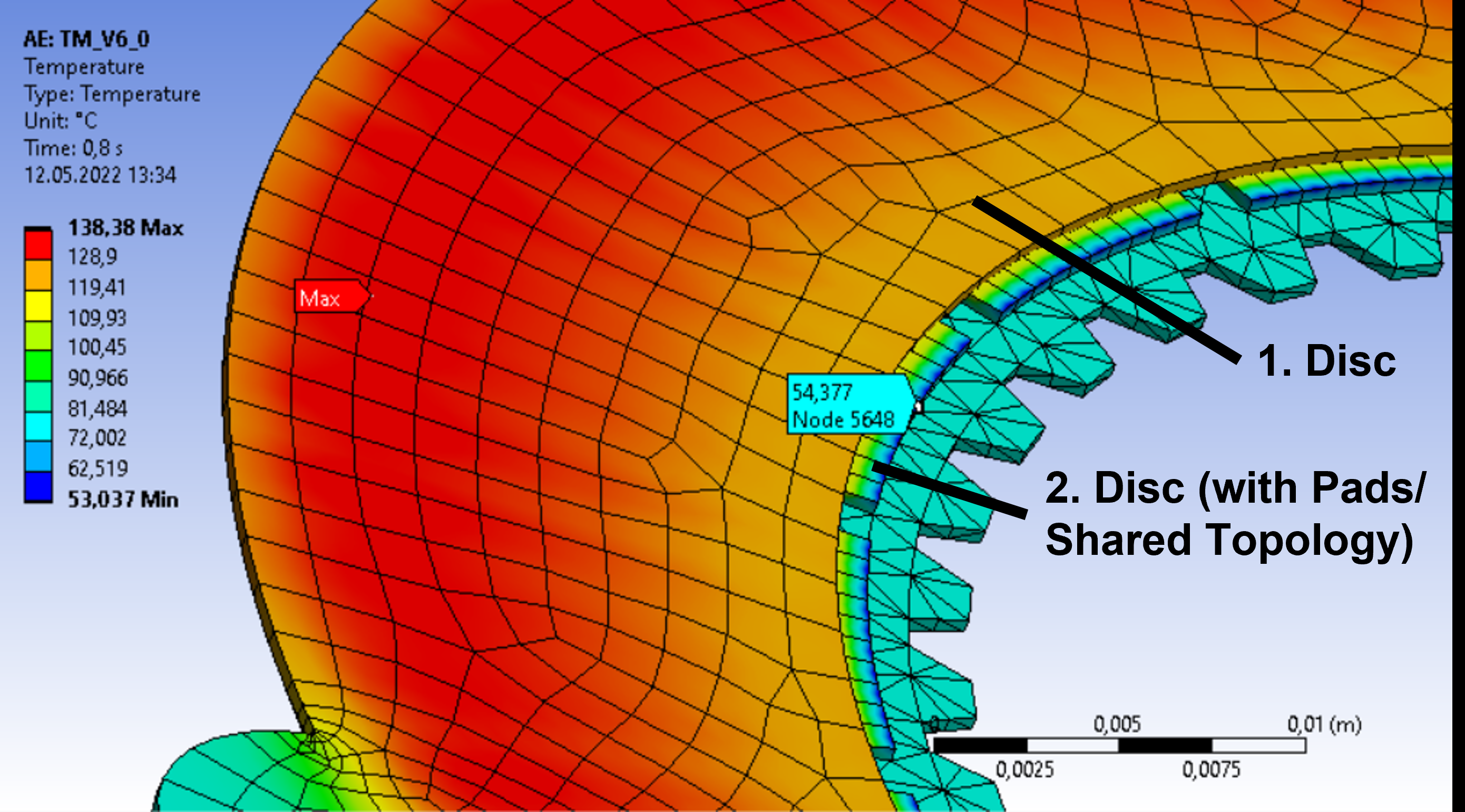
I have run the simulation and it has been completed. However, the results show temperatures that are below the ambient temperature (80°C). Has anyone ever encountered a similar problem or has an idea for a solution?
If any more model details are needed, please just let me know.
May 12, 2022 at 12:09 pmErKo
Ansys Employee
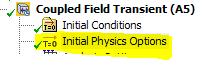
Your initial conditions (Initial temperature value) in Initial Physics Option (see image below) are probably set to below your 80 degrees - so if you part starts from 80 degrees then you need an initial condition (Initial temperature value) of 80 and not 22 which is the default.
 All the best
Erik
May 12, 2022 at 12:17 pmSubscriber
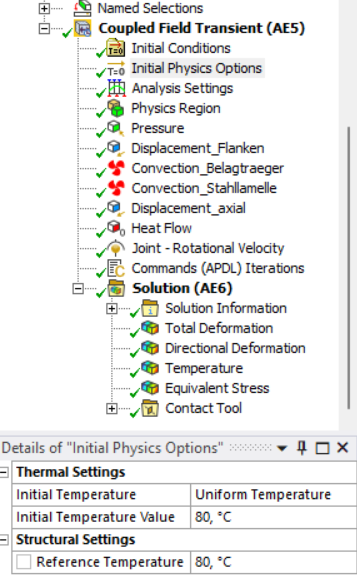
thanks for your answer. Unfortunately, this is not the case. My initial temperature is 80┬░C (see picture).
May 12, 2022 at 12:22 pmAnsys EmployeeHi
What are the BC on that face (show details e.g., ambient temp there) and why do you have a command snippet.
Erik
May 12, 2022 at 1:23 pmSubscriberHi Erik that face has no BC. It is only defined as an asymmetric frictional contact face. The target face is on the 1. Disc (see image from first post).
The command snippet only contains the following command: NEQIT,140 (to increase the number of iterations).
I will post some images so you can get an overview of all the boundary conditions.
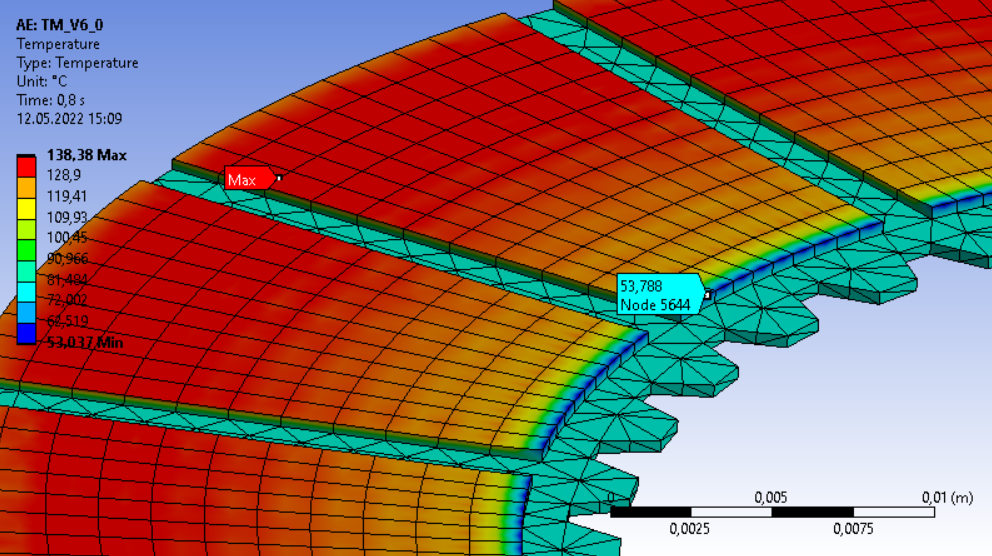
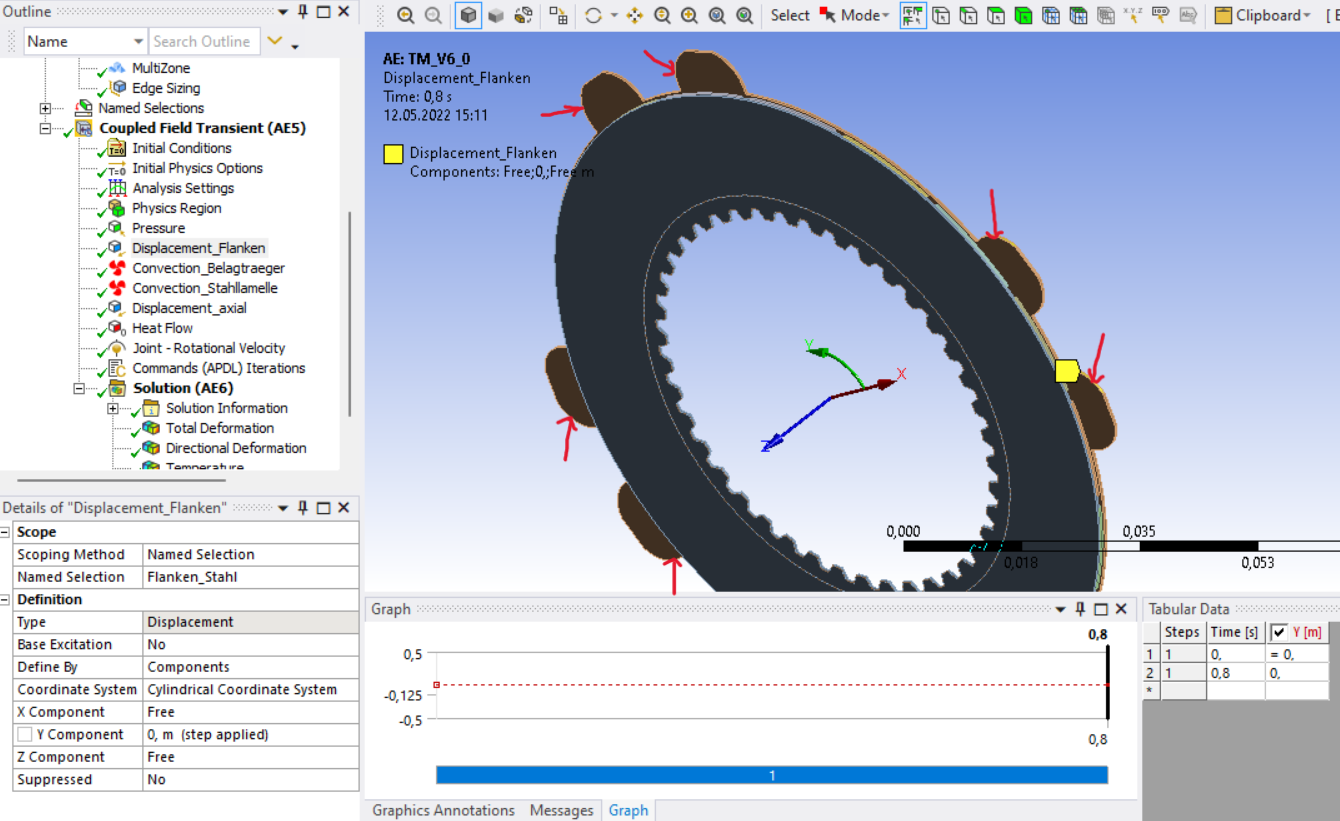
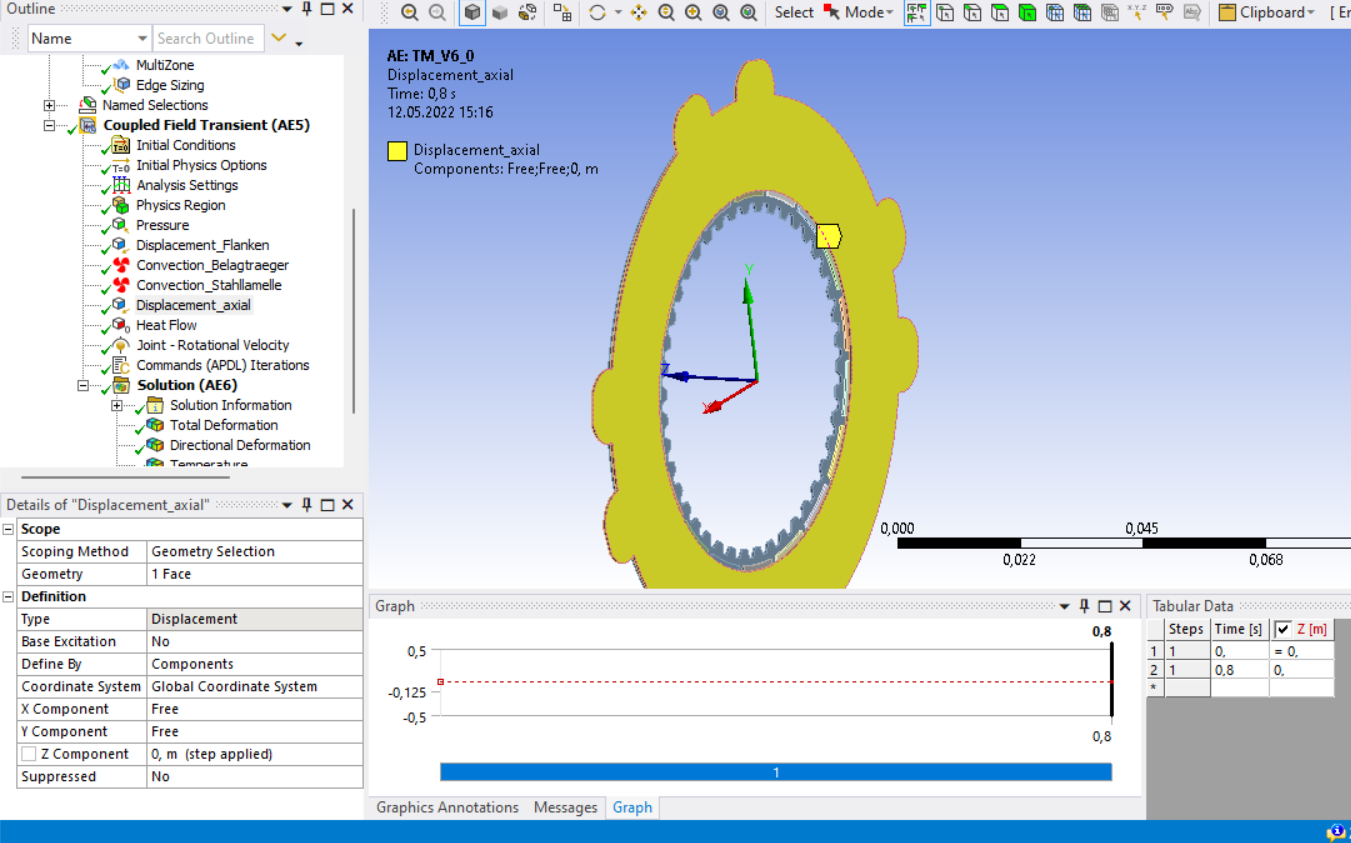
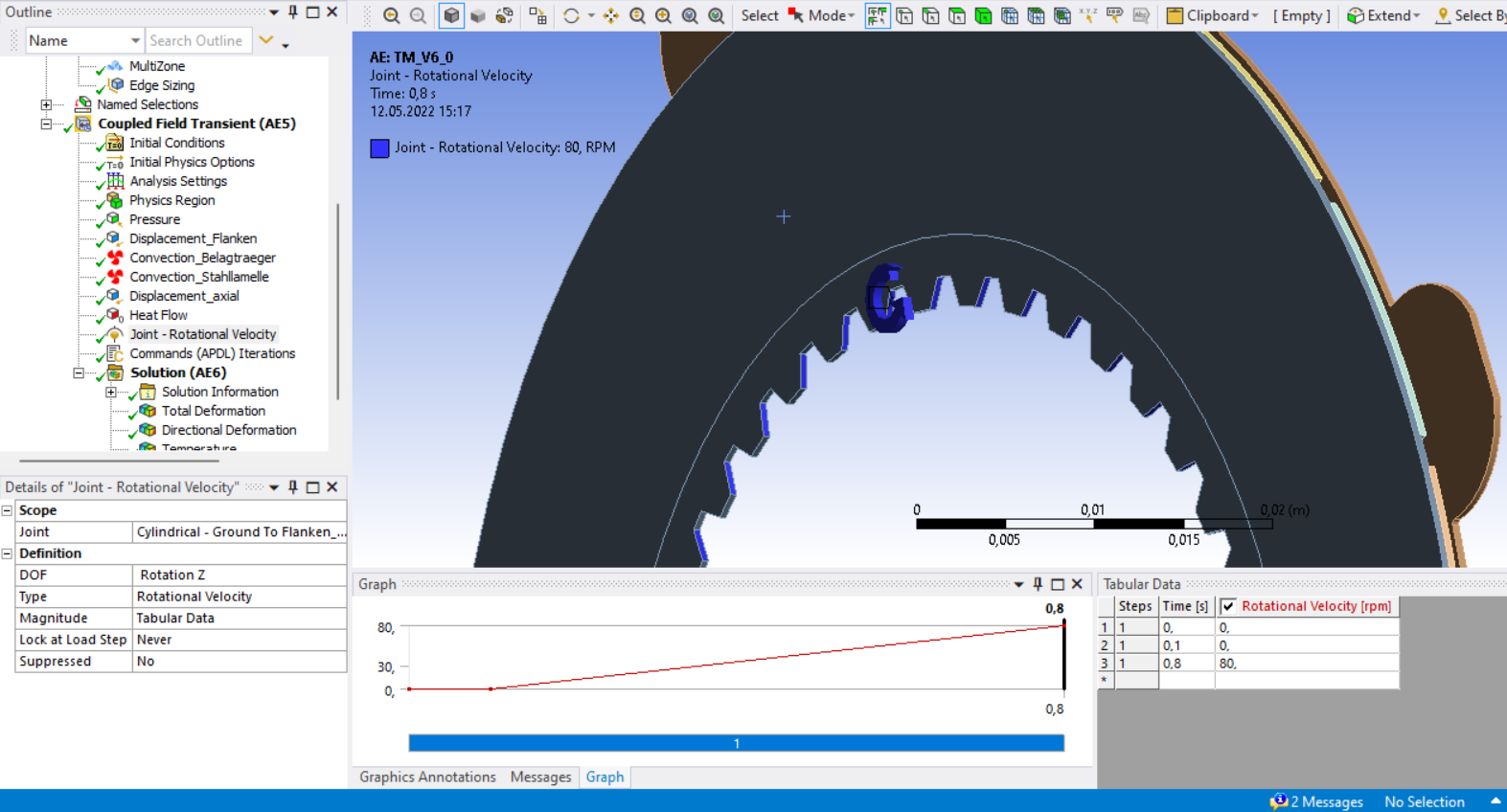
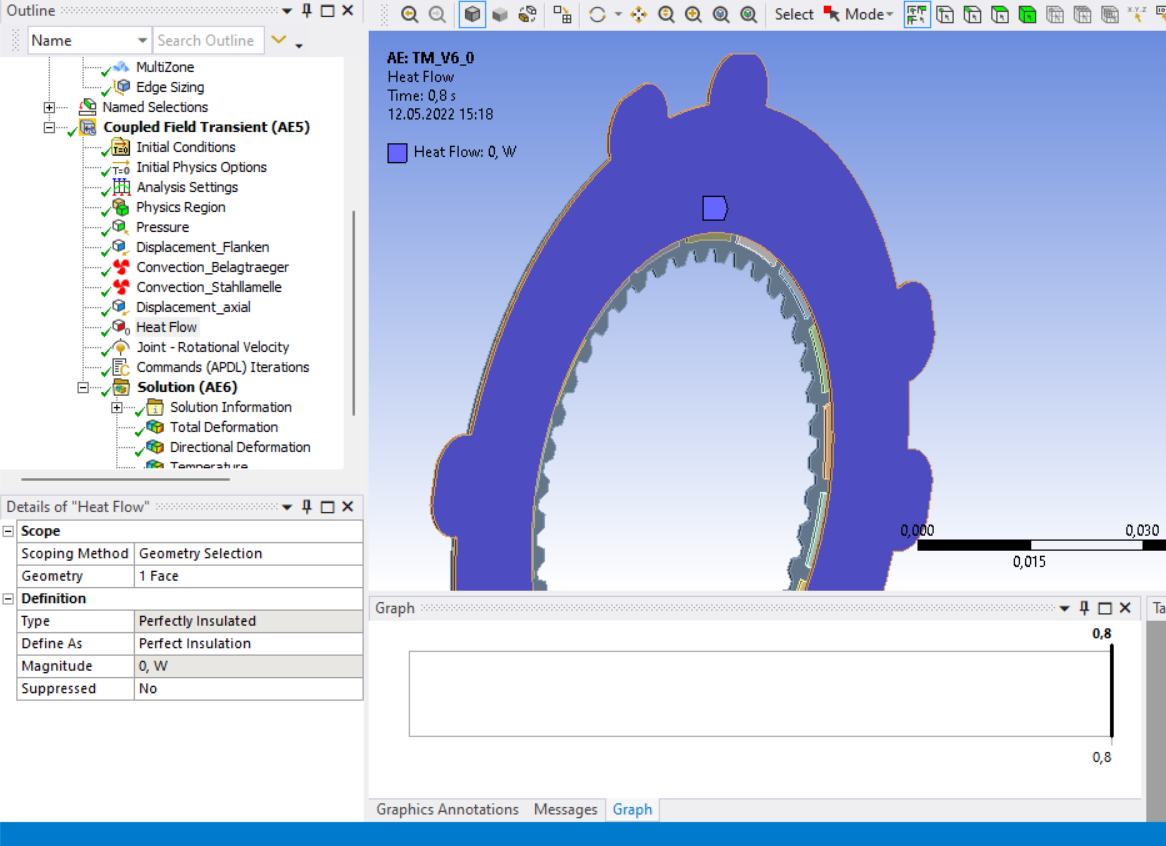
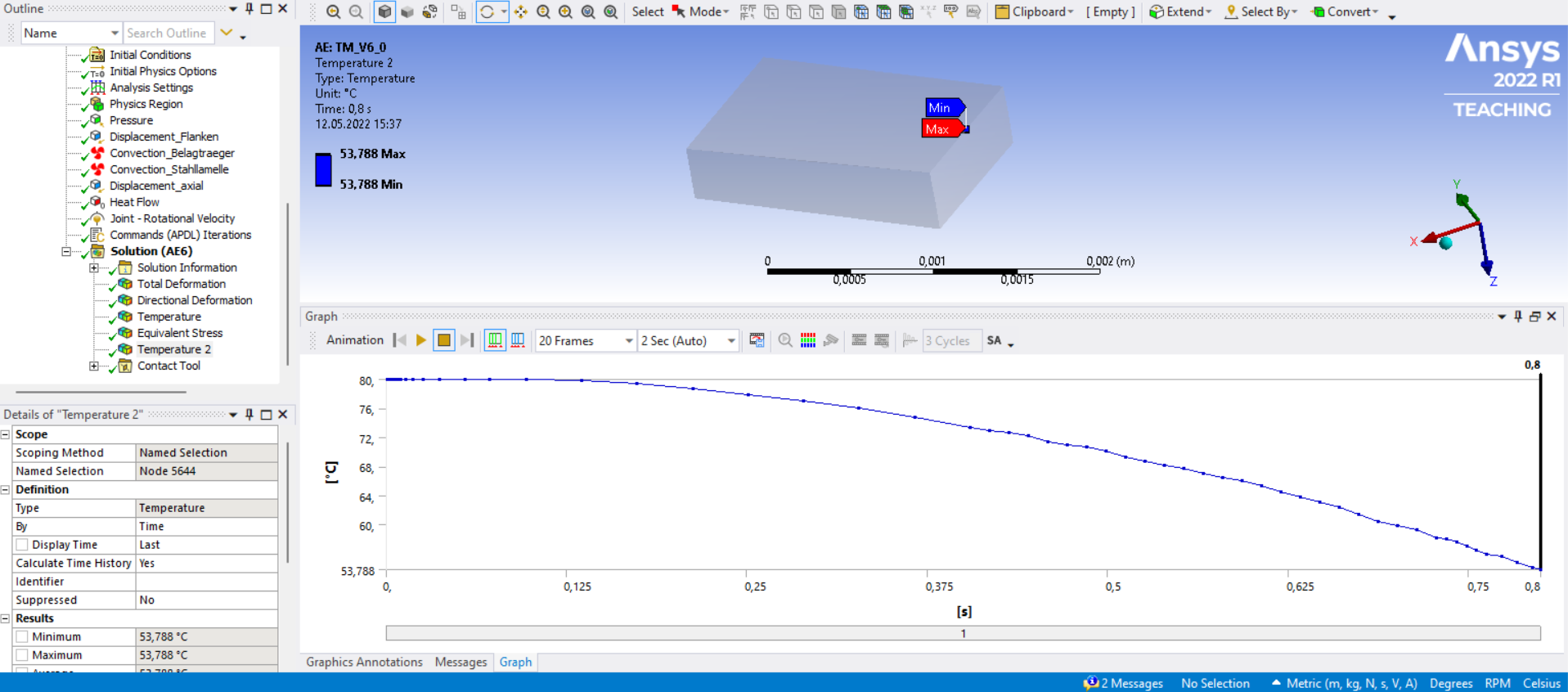
May 12, 2022 at 1:31 pmAnsys EmployeeHi Can you also show the temperature graph of a node on that edge that has a low temp. (say 55 degrees) to see how it evolves during the entire simulation.
Erik
May 12, 2022 at 1:39 pmSubscriberSure, the following image contains the temperature graph of the Node 5644 (see above).
May 17, 2022 at 10:33 amAnsys EmployeeHi
I can see that it starts at 80 which is good, but then it goes down which is less good.
So this could be an undershoot problem with higher order elements.
Try this :
Mesh with linear elements - set it in the Mechanical User INterface, under Mesh settings/Element order -> Linear.
All the best
Erik
Viewing 7 reply threads- The topic ‘Temperature drops below ambient temperature’ is closed to new replies.
Innovation Space Trending discussions
 Top Contributors
-
peteroznewman
 6455
6455 -
scabo
 1906
1906 -
Dennis Chen
 1457
1457 -
javat33489
 1308
1308 -
Shyam Prasad V Atri
1022
Top Rated Tags
© 2026 Copyright ANSYS, Inc. All rights reserved.
Ansys does not support the usage of unauthorized Ansys software. Please visit www.ansys.com to obtain an official distribution.
-


The Ansys Learning Forum is a public forum. You are prohibited from providing (i) information that is confidential to You, your employer, or any third party, (ii) Personal Data or individually identifiable health information, (iii) any information that is U.S. Government Classified, Controlled Unclassified Information, International Traffic in Arms Regulators (ITAR) or Export Administration Regulators (EAR) controlled or otherwise have been determined by the United States Government or by a foreign government to require protection against unauthorized disclosure for reasons of national security, or (iv) topics or information restricted by the People's Republic of China data protection and privacy laws.

 You are navigating away from the AIS Discovery experience