

-
-
December 15, 2021 at 2:42 pm
assemkhaled
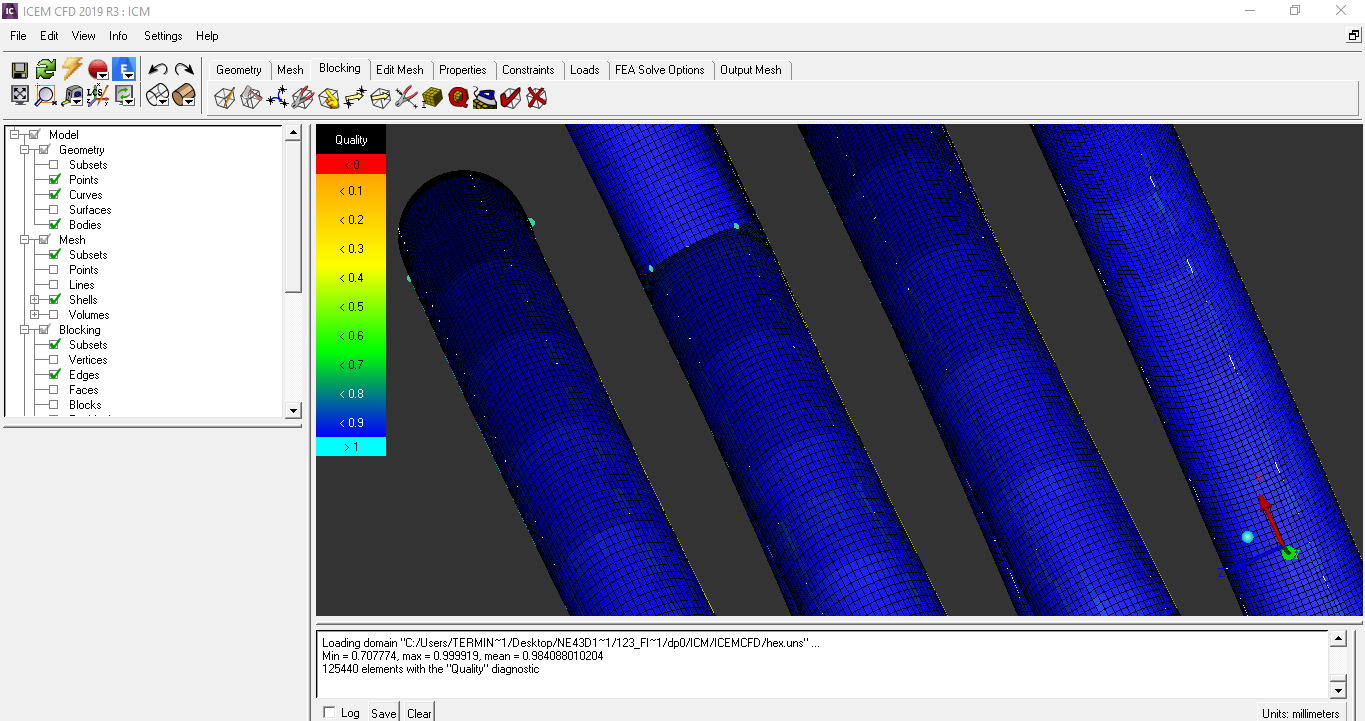
Subscriberwhy the mesh looks like not smooth in the picture ?
like a wavy mesh !
any solution to make it cylindrical shape mesh
December 15, 2021 at 4:03 pmai0013
SubscriberCoould you please turn off the shells and display the blocks only?
December 15, 2021 at 4:11 pmSubscriber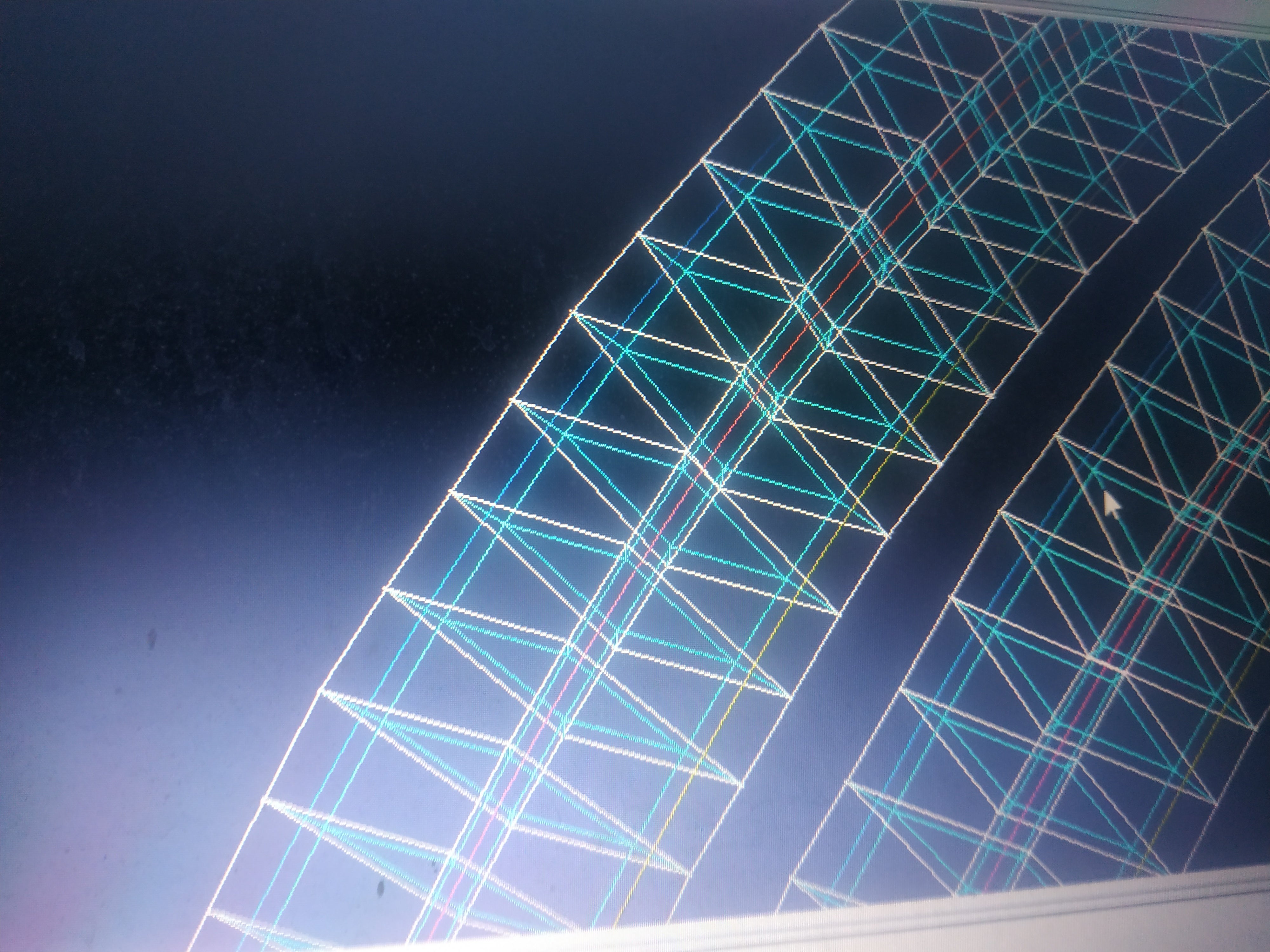
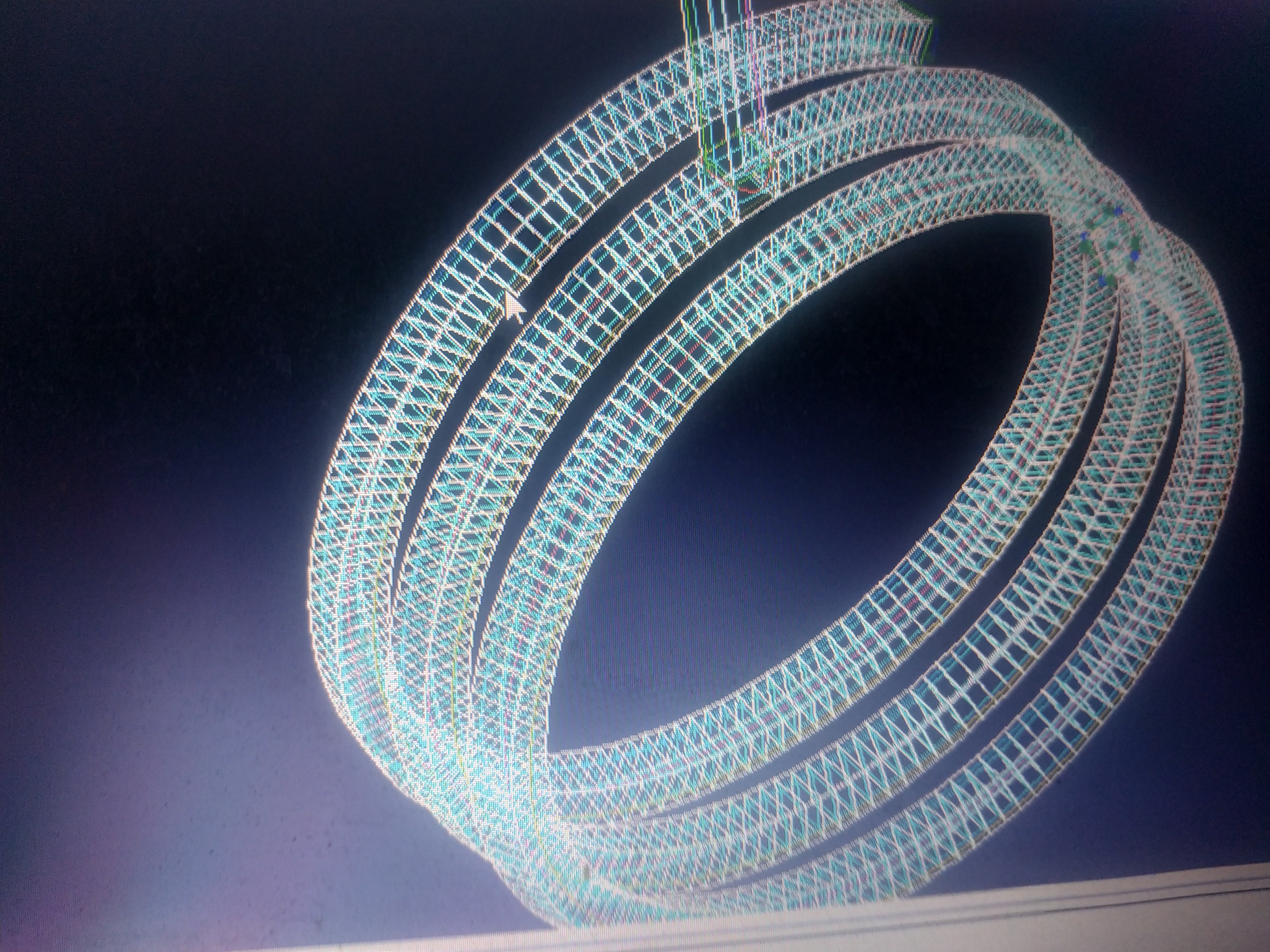 I made a very tight blocking about 500 layers and tried to change the number but nothing changed
December 15, 2021 at 10:21 pmSubscriberWell, from the console I see that your quality is quite good! min = 0.7. The wavy appearance could be due to the fact that each one of the 500 splits has no curve entitity to be associated with. ICEM is simply projecting the edges of each split to the nearest surface, causing the non-smooth appearence of the shell elements. However, if you still want to fix the appearance (and perhaps gain a bit of quality) you can:
1) Introduce a few circles (curve entities) along the helix, starting at one of the ends, perhaps 4 or 5. Associate with the corresponding edges and see if the mesh appearance improves.
2) If so, then you can do the same for the other 495 circles. Perhaps you want to draw the circles in an external CAD software and then import the .tin file to the actual project.
Also, at least visually it looks like each split is equally spaced. Is that the case? And the number of nodes along the helix is equal for each split?
December 16, 2021 at 12:39 pmSubscriberThank you so much for your help
It is equally spaced and same nodes for each split
I'm not sure how to do your advice but I'll try .
Viewing 4 reply threads- The topic ‘ICEM smoothing mesh’ is closed to new replies.
Innovation Space Trending discussions
 Top Contributors
-
peteroznewman
 5969
5969 -
scabo
 1906
1906 -
Dennis Chen
 1420
1420 -
javat33489
 1307
1307 -
Shyam Prasad V Atri
1021
Top Rated Tags
© 2026 Copyright ANSYS, Inc. All rights reserved.
Ansys does not support the usage of unauthorized Ansys software. Please visit www.ansys.com to obtain an official distribution.
-


The Ansys Learning Forum is a public forum. You are prohibited from providing (i) information that is confidential to You, your employer, or any third party, (ii) Personal Data or individually identifiable health information, (iii) any information that is U.S. Government Classified, Controlled Unclassified Information, International Traffic in Arms Regulators (ITAR) or Export Administration Regulators (EAR) controlled or otherwise have been determined by the United States Government or by a foreign government to require protection against unauthorized disclosure for reasons of national security, or (iv) topics or information restricted by the People's Republic of China data protection and privacy laws.

 You are navigating away from the AIS Discovery experience