

TAGGED: fluent, Fluent-boundary-conditions, interior
-
-
November 29, 2021 at 6:48 pm
inouzil
SubscriberHi all,
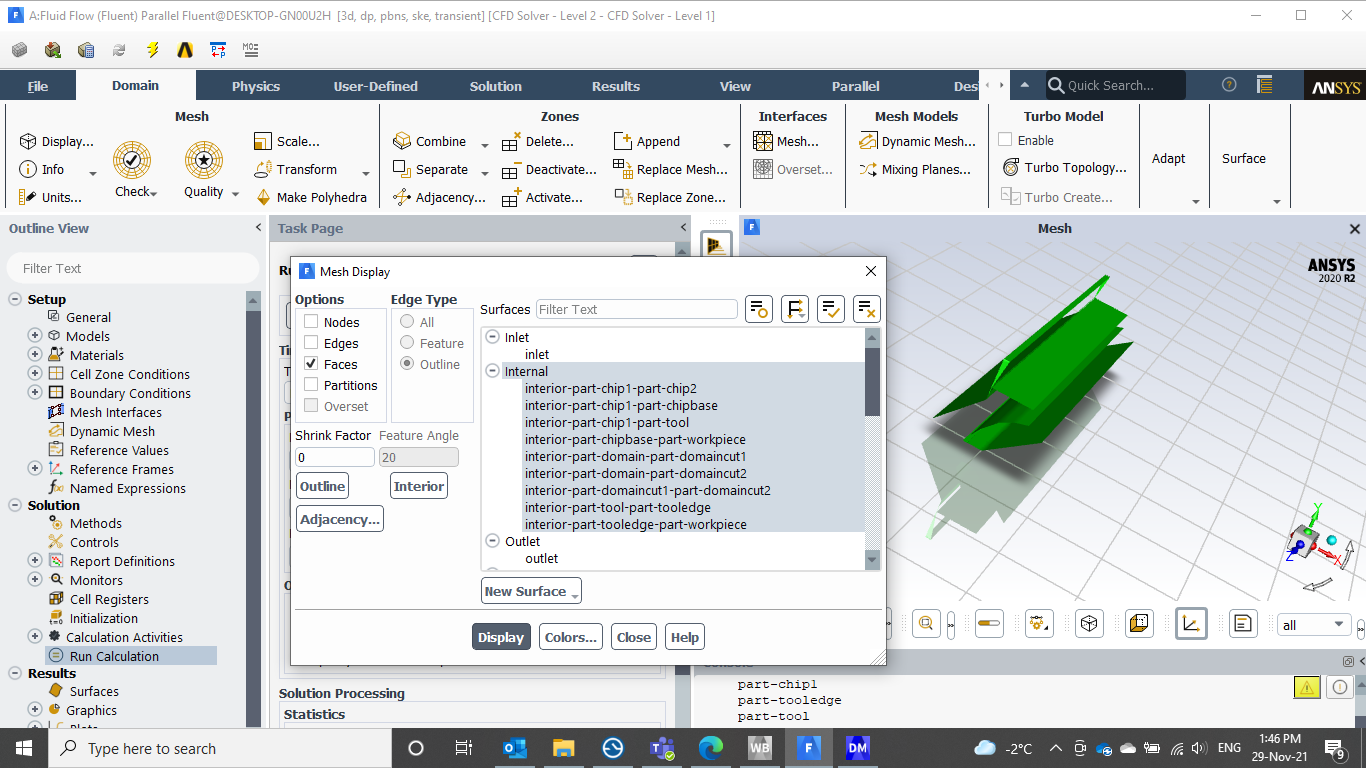
I recently started using ANSYS 2020R2 and am confused about how it identifies interior zones. Previously, the number of cell zones was equal to the interior zones identified in the boundary conditions panel. But now it shows surfaces instead of the interior zone. Below is a picture of my part and the interior zones identified by fluent.
November 30, 2021 at 3:46 pmKarthik Remella
AdministratorHello This is not necessarily true. Fluent will also assign a face zone as an "interior" condition when two different cell zones that have the same material are separated by a surface. In your simulation, are there any zones that are incorrectly assigned?
Karthik
Viewing 1 reply thread- The topic ‘Fluent 3D – Interior Boundary conditions’ is closed to new replies.
Innovation Space Trending discussions
 Top Contributors
-
peteroznewman
 5069
5069 -
scabo
 1771
1771 -
Dennis Chen
 1387
1387 -
javat33489
 1248
1248 -
Shyam Prasad V Atri
1021
Top Rated Tags
© 2026 Copyright ANSYS, Inc. All rights reserved.
Ansys does not support the usage of unauthorized Ansys software. Please visit www.ansys.com to obtain an official distribution.
-


The Ansys Learning Forum is a public forum. You are prohibited from providing (i) information that is confidential to You, your employer, or any third party, (ii) Personal Data or individually identifiable health information, (iii) any information that is U.S. Government Classified, Controlled Unclassified Information, International Traffic in Arms Regulators (ITAR) or Export Administration Regulators (EAR) controlled or otherwise have been determined by the United States Government or by a foreign government to require protection against unauthorized disclosure for reasons of national security, or (iv) topics or information restricted by the People's Republic of China data protection and privacy laws.

 You are navigating away from the AIS Discovery experience