

TAGGED: 3D-room-meshing
-
-
November 7, 2021 at 6:19 pm
cherlene
SubscriberHi, guys.
I met a problem when I was about to make the mesh. I want to build a 3D room where has some devices.
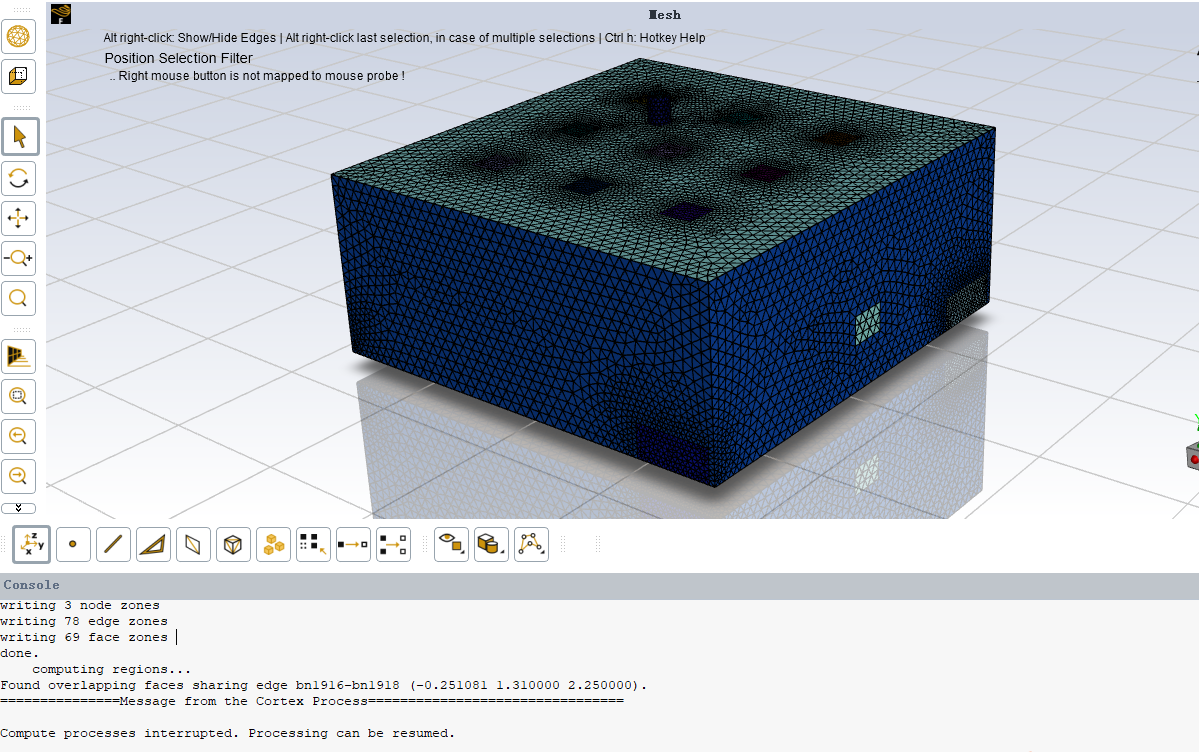
But in the create regions step, it always shows error: found overlapping faces sharing edge. I dont know how to slove that.
Thank you in advance
November 8, 2021 at 3:46 pmRob
Forum ModeratorDid you do share topology in SpaceClaim? It's possible you have duplicate faces which won't be handled in the Watertight Workflow.
November 9, 2021 at 2:38 pmSubscriberNo, I havent. I met this problem several time. I dont know how to share topolopy.
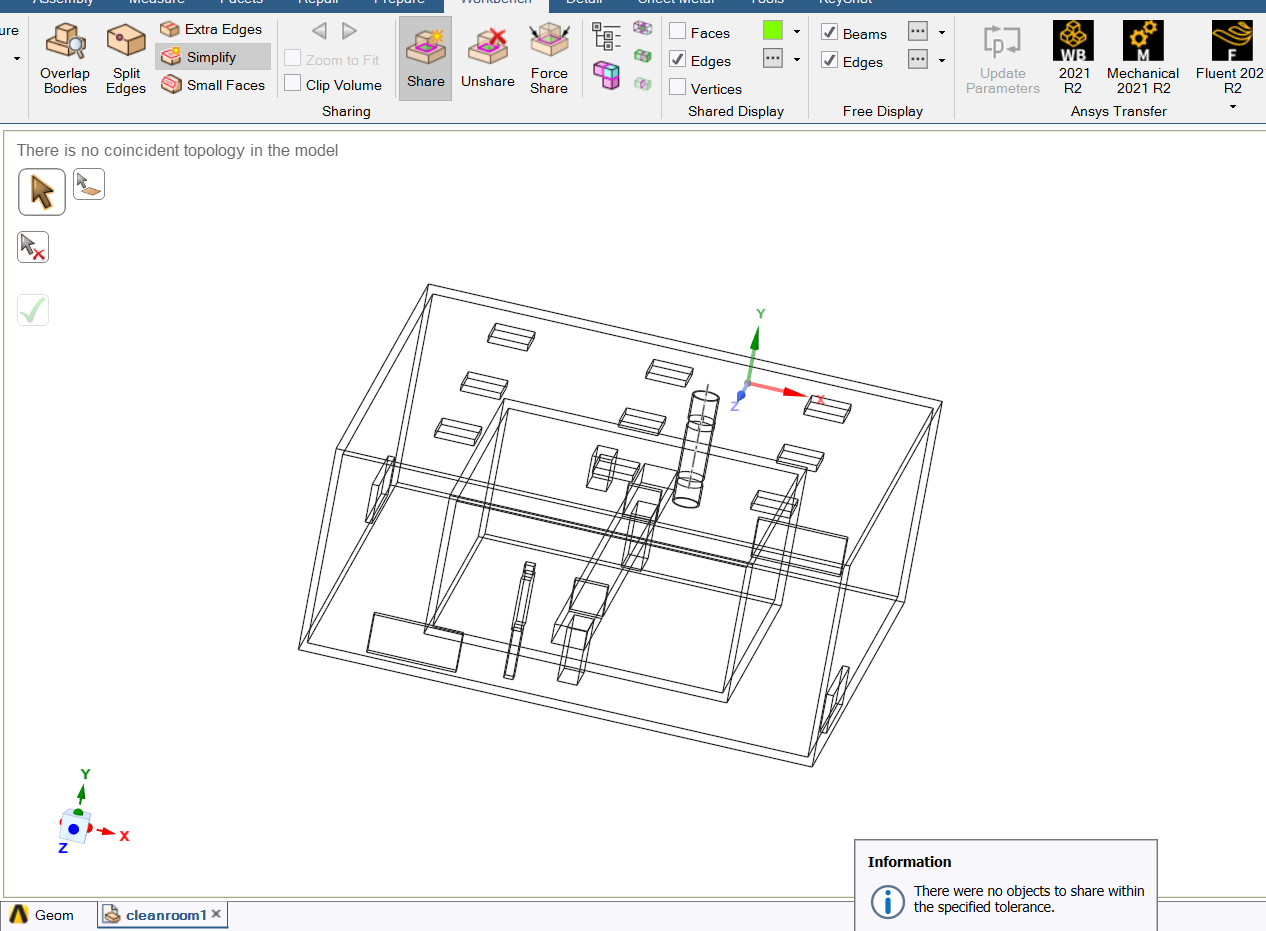
When I clicked this, it shows there is no objects to share.
November 9, 2021 at 4:03 pmForum ModeratorWhy are you modelling the walls like that? We just need the fluid region. Please can you show the component list?
November 9, 2021 at 9:55 pmSubscriberI am a Fluent beginner. I just follow the video to model a room.
This is a room, the ceilling has nine air supplyers, and in four walls there are four air exhaust vents. In this room, there is a medium box, on the top of the medium box there is an exhaust chamber which **** air outside the room, and a conveyor belt pass thought medium box, and two small openings beyond conveyor little bit which allow air go inside the medium box. In the meduim box, there is a box whose bottom generates harmful gas. At first, I used Desgin modeler to model this room, but I still have problem with Fluent meshing, so I changed to Solidworks, that's why my walls like this, since I followed online video.
Thank you in advance, I have been stuck on this issue for many days, totally have no idea how to solve the problem.
November 10, 2021 at 11:54 amForum ModeratorPlease show the tree, and also check you have a CAD volume for the main fluid region. A common error is to build the solid bits that we don't need and not build the volumes where the fluid will be.
November 10, 2021 at 3:35 pmSubscriberHi, Rob
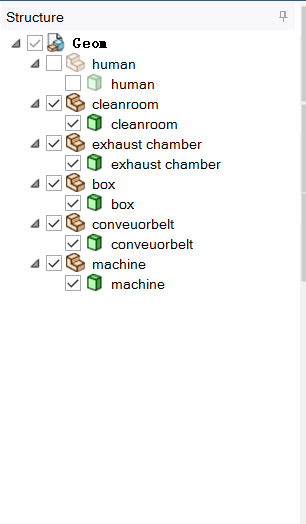
The structure tree is like this. Yeah, I understand that the fluid is the important part. but can I only build the solid bits and using fluent meshing cap function and choose the geometry only has the solid? I thought that after capping, the fluid is the space that enclosed by the solid bits.
November 10, 2021 at 3:35 pmSubscriber
November 10, 2021 at 4:50 pmForum ModeratorSort of, but if you read in the solids and have overlaps it gets messy. Go back to geometry and build a "solid" that is the fluid region. The naming convention in CAD is such that a volume is a "solid" but in Fluent we don't follow that convention as we have "fluid" and "solid" depending on what we're doing.
Viewing 8 reply threads- The topic ‘question about making mesh’ is closed to new replies.
Innovation Space Trending discussions
 Top Contributors
-
peteroznewman
 6485
6485 -
scabo
 1906
1906 -
Dennis Chen
 1458
1458 -
javat33489
 1308
1308 -
Shyam Prasad V Atri
1022
Top Rated Tags
© 2026 Copyright ANSYS, Inc. All rights reserved.
Ansys does not support the usage of unauthorized Ansys software. Please visit www.ansys.com to obtain an official distribution.
-


The Ansys Learning Forum is a public forum. You are prohibited from providing (i) information that is confidential to You, your employer, or any third party, (ii) Personal Data or individually identifiable health information, (iii) any information that is U.S. Government Classified, Controlled Unclassified Information, International Traffic in Arms Regulators (ITAR) or Export Administration Regulators (EAR) controlled or otherwise have been determined by the United States Government or by a foreign government to require protection against unauthorized disclosure for reasons of national security, or (iv) topics or information restricted by the People's Republic of China data protection and privacy laws.

 You are navigating away from the AIS Discovery experience