

-
-
October 8, 2021 at 1:54 am
Laure
SubscriberHello all,
I just started using Fluent (student version) in my research laptop and the display is quite messy because of the text size. I checked the options in "Preferences..." but can't find anything to improve visualization. I'll appreciate it if you could share any idea. Thanks in advance.
October 11, 2021 at 10:32 amKeyur Kanade
Ansys EmployeePlease change your screen resolution.
Regards Keyur
How to access Ansys Online Help Document
Guidelines on the Student Community
October 11, 2021 at 10:06 pmSubscriberHi Keyur Thanks for your reply. The screen resolution is ok. In fact, the rest of Ansys packages have an appropriate aspect ratio. See below the ratio comparison between Mechanical, Workbench and Fluent. Any other idea??
October 13, 2021 at 10:16 amAnsys EmployeeAs Ansys Staff, we can not download attachments. Please upload images using upload image functionality.
Changing screen resolution is the option which helps here. You can also search forum for similar posts.
Regards Keyur
How to access Ansys Online Help Document
Guidelines on the Student Community
October 13, 2021 at 11:12 amSubscriberSorry for the inconvenience. Find image attached.
Best regards Laureano
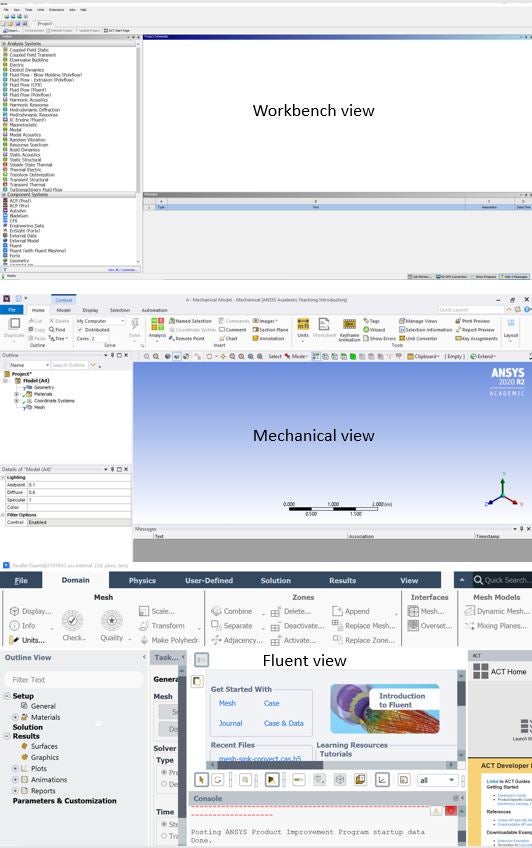
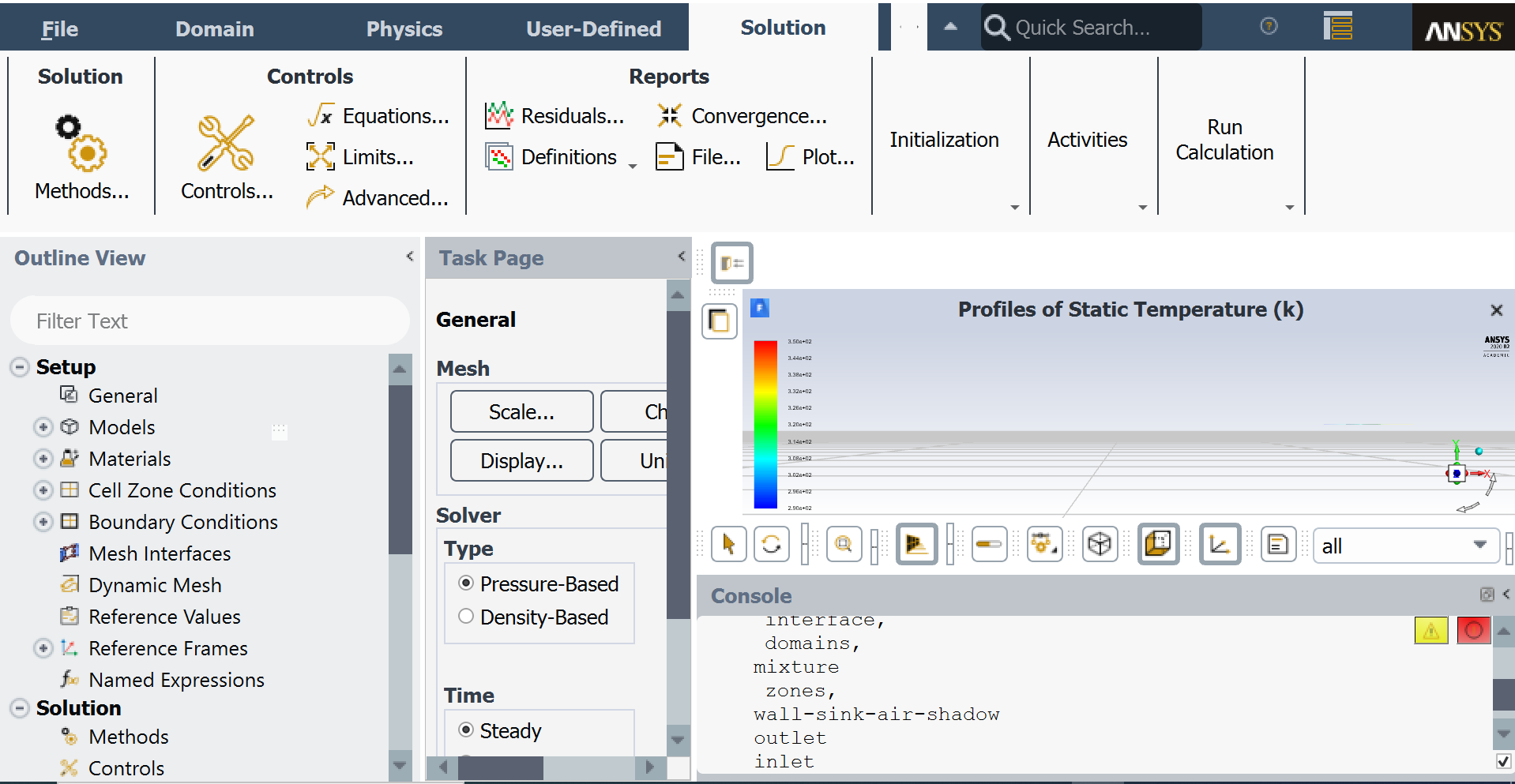
October 13, 2021 at 11:19 amSubscriberHi Keyur It worked, thanks. However, I need to change the resolution depending on the application Fluent / Workbench.
Regards Laureano
Viewing 5 reply threads- The topic ‘How to change text size in Fluent?’ is closed to new replies.
Innovation Space Trending discussions
 Top Contributors
-
peteroznewman
 5834
5834 -
scabo
 1906
1906 -
Dennis Chen
 1420
1420 -
javat33489
 1305
1305 -
Shyam Prasad V Atri
1021
Top Rated Tags
© 2026 Copyright ANSYS, Inc. All rights reserved.
Ansys does not support the usage of unauthorized Ansys software. Please visit www.ansys.com to obtain an official distribution.
-


The Ansys Learning Forum is a public forum. You are prohibited from providing (i) information that is confidential to You, your employer, or any third party, (ii) Personal Data or individually identifiable health information, (iii) any information that is U.S. Government Classified, Controlled Unclassified Information, International Traffic in Arms Regulators (ITAR) or Export Administration Regulators (EAR) controlled or otherwise have been determined by the United States Government or by a foreign government to require protection against unauthorized disclosure for reasons of national security, or (iv) topics or information restricted by the People's Republic of China data protection and privacy laws.

 You are navigating away from the AIS Discovery experience