

-
-
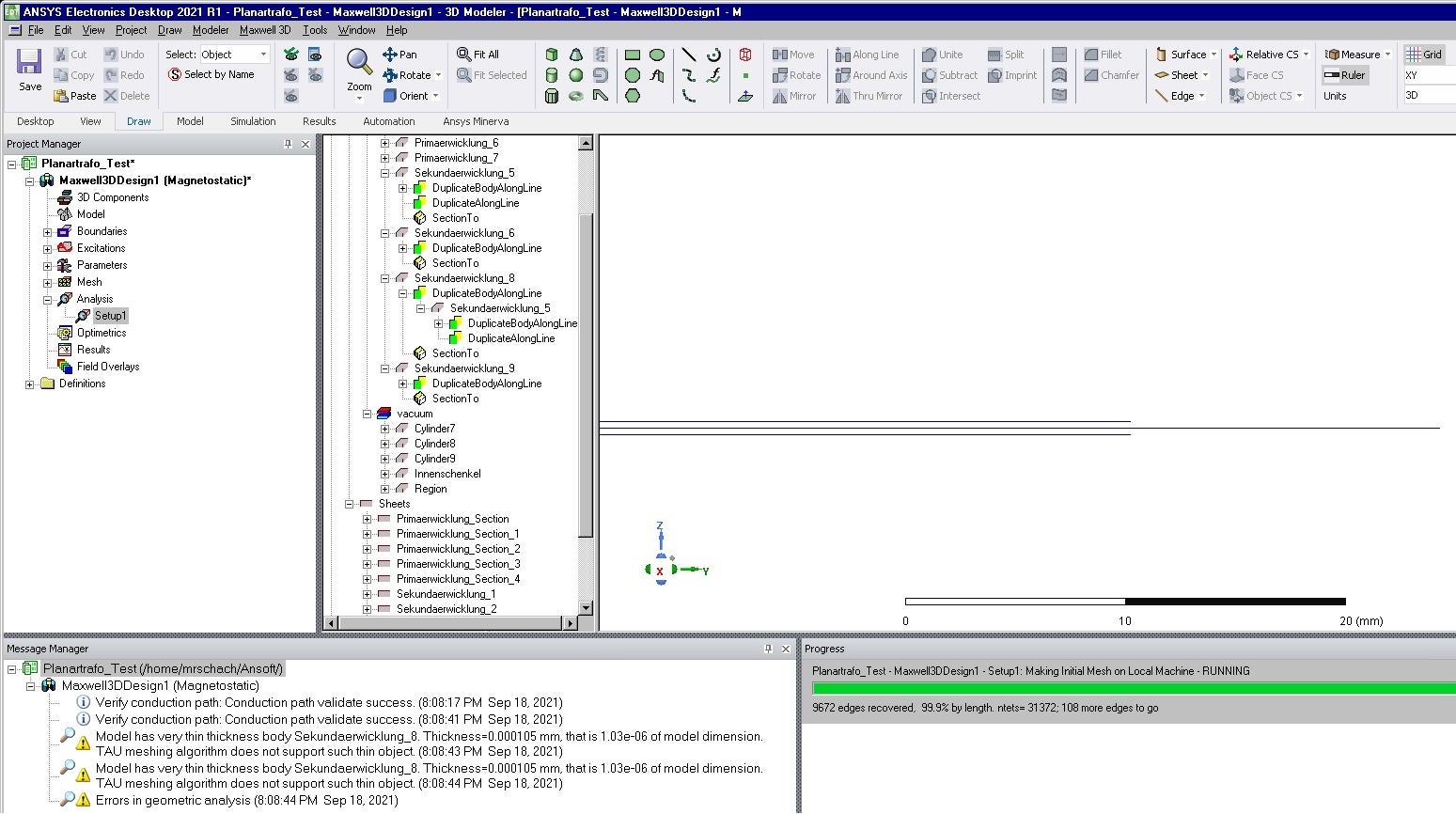
September 18, 2021 at 6:24 pm
Michael93
SubscriberSeptember 21, 2021 at 11:00 amNKC
Forum ModeratorHi @Michael93 Have you tried with just the default initial mesh settings with the TAU mesh algorithm?
If not, remove all the manual mesh refinements settings you have and just run with default initial mesh settings with TAU mesh algorithm.
Regards Navya
September 21, 2021 at 11:35 amSubscriberYou mean that i should replace all skin depth mesh elements by "assign mesh operation>on selection>lenght based" or what do you mean by manual mesh refinements? I tried some settings in the initial mesh settings like chosing the classic Mesh Method but because it did not solve the problem i replaced them by the old settings.
September 21, 2021 at 12:28 pmForum ModeratorNo, Just delete all manual mesh settings you created under the " Mesh in Project manager window" and go with default initial mesh settings and TAU.
Regards Navya
September 21, 2021 at 2:32 pmSubscriberI deleted all assigned meshes and unfortunately the same problem occurs
Viewing 4 reply threads- The topic ‘TAU meshing algorithm does not support such a thin object’ is closed to new replies.
Innovation Space Trending discussions
 Top Contributors
-
peteroznewman
 5159
5159 -
scabo
 1836
1836 -
Dennis Chen
 1387
1387 -
javat33489
 1249
1249 -
Shyam Prasad V Atri
1021
Top Rated Tags
© 2026 Copyright ANSYS, Inc. All rights reserved.
Ansys does not support the usage of unauthorized Ansys software. Please visit www.ansys.com to obtain an official distribution.
-


The Ansys Learning Forum is a public forum. You are prohibited from providing (i) information that is confidential to You, your employer, or any third party, (ii) Personal Data or individually identifiable health information, (iii) any information that is U.S. Government Classified, Controlled Unclassified Information, International Traffic in Arms Regulators (ITAR) or Export Administration Regulators (EAR) controlled or otherwise have been determined by the United States Government or by a foreign government to require protection against unauthorized disclosure for reasons of national security, or (iv) topics or information restricted by the People's Republic of China data protection and privacy laws.

 You are navigating away from the AIS Discovery experience