

-
-
August 29, 2021 at 4:34 pm
ShiSSLSSL
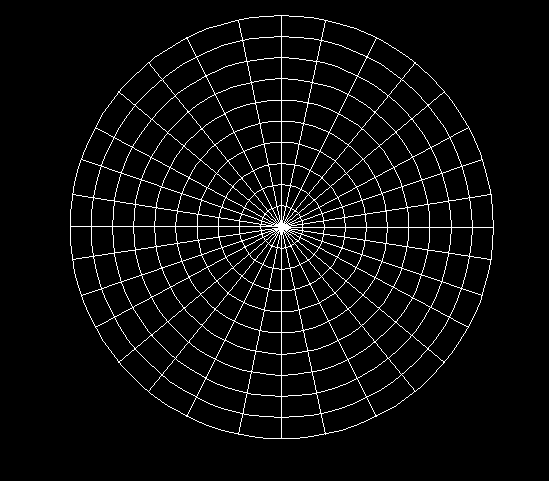
SubscriberI made a model of cylinder/column within APDL (with Solid65). how can I meshing this column as same as pictures? Is it compatible this method with solid65?
August 30, 2021 at 7:35 amErKo
Ansys EmployeeThat can be done with eextrude,axis command (see apdl command reference for more info on that), but
I do not recommend this mesh since one gets wedge/prism elements (@ cylinder centre) that are not great -
Use swept mesh from one face to the other:
See this example below where this is done.
All the best
Erik
June 19, 2023 at 6:30 pmS M Nizam Uddin
SubscriberI have facing a problem while trying to do the mapped among a cylinder and blocks in ansys mechanical apdl.I used solid186 as mapped brick meshing.in the error file it is showing invalid topology for mapped brick meshing.looking forward to getting some ideas how to fix this problem.
Thanks in advance. #APDL
Regards,
Nizam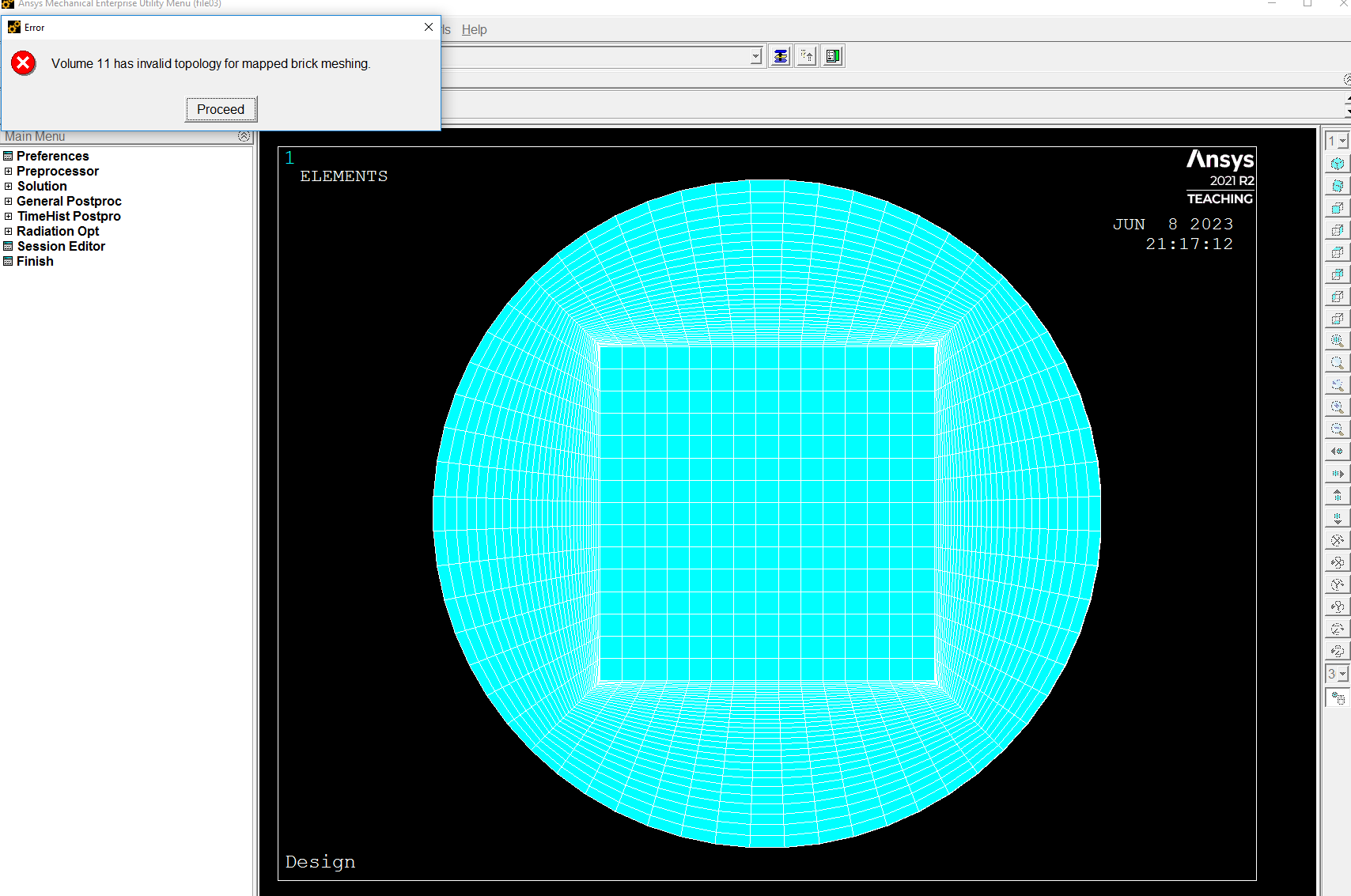 June 19, 2023 at 6:31 pmSubscriber
I have facing a problem while trying to do the mapped among a cylinder and blocks in ansys mechanical apdl.I used solid186 as mapped brick meshing.in the error file it is showing invalid topology for mapped brick meshing.looking forward to getting some ideas how to fix this problem.
Thanks in advance. #APDL
Regards,
Nizam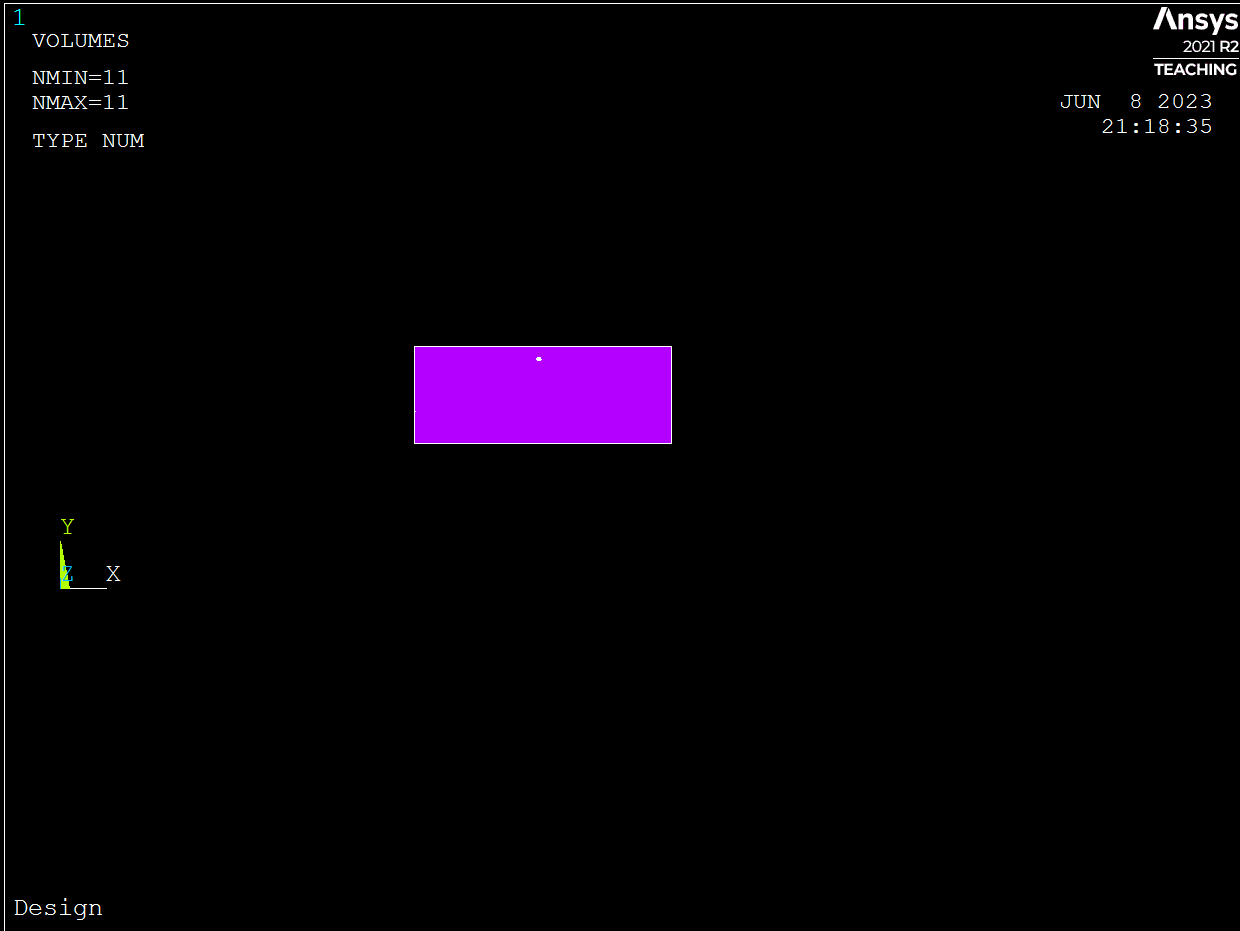 Viewing 3 reply threads
- The topic ‘How can I meshing a circular shape column or cylinder in APDL?’ is closed to new replies.
Innovation Space Trending discussions
 Top Contributors
-
peteroznewman
 5899
5899 -
scabo
 1906
1906 -
Dennis Chen
 1420
1420 -
javat33489
 1306
1306 -
Shyam Prasad V Atri
1021
Top Rated Tags
© 2026 Copyright ANSYS, Inc. All rights reserved.
Ansys does not support the usage of unauthorized Ansys software. Please visit www.ansys.com to obtain an official distribution.
-
Ansys Assistant will be unavailable on the Learning Forum starting January 30. An upgraded version is coming soon. We apologize for any inconvenience and appreciate your patience. Stay tuned for updates.


 You are navigating away from the AIS Discovery experience