

TAGGED: command-snippet, reinforced-concrete, solid185, type
-
-
August 13, 2021 at 9:03 pm
MickMack
SubscriberHi Guys,
I am trying to develop a concrete model with steel reinforrcement. A significant amount of the existing research uses SOLID65 elements and REINF265, but i note that this solid has been archived and ANSYS2021R1 has the new feature to assign a Model Type = Reinforcement for a beam element.
To develop my understanding i tried to follow the workflow provided by @ekostson (/forum/discussion/26384/how-can-we-model-failure-in-reinforced-concrete-rc-slabs). I used as much informationas i could from this and anything missing, such as the dimensions i took from Technology Showcase Example 49 .
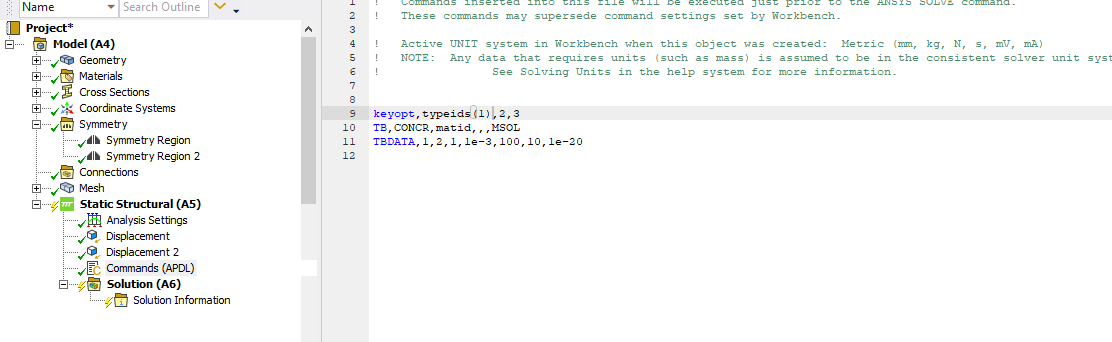
I think my issue is with my command snippet but would appreciate some advice. I include the snippet and the errors below.
Thanks,
Michael
August 15, 2021 at 6:58 pmRohith Patchigolla
Ansys EmployeeHello Please enter the shown commands in a command object under a particular body (RMB on a body --> insert --> command).
When you enter a command under Static Structural, they will be under /solu, hence the warnings, since these commands are valid under /prep7.
Also, please note, typeids(1) and matid are unique specific to each body.
Hope this helps.
Rohith
August 15, 2021 at 9:43 pmSubscriber
That worked pefectly and i was able to get the model to run, i include a snippet for anyone elses reference. Thanks for your assistance it is much appreciated.
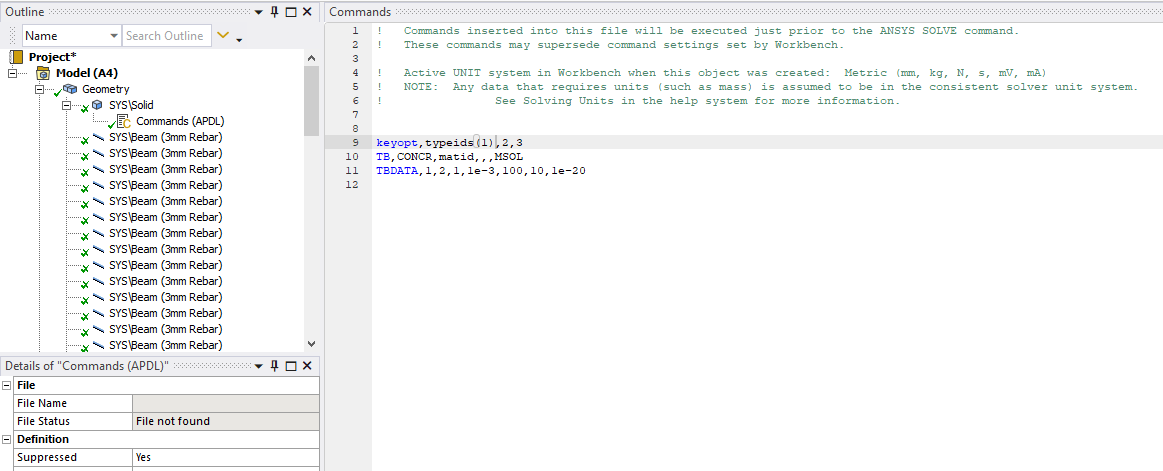
While the model is now running it won't converge, if anyone can assist. My first actionwas to insert command NEQIT,1000 beneath the analysis settings. This allowed the model to bisect to the minimum substep size, where it converged after iteration 776. It failed to converge after this.
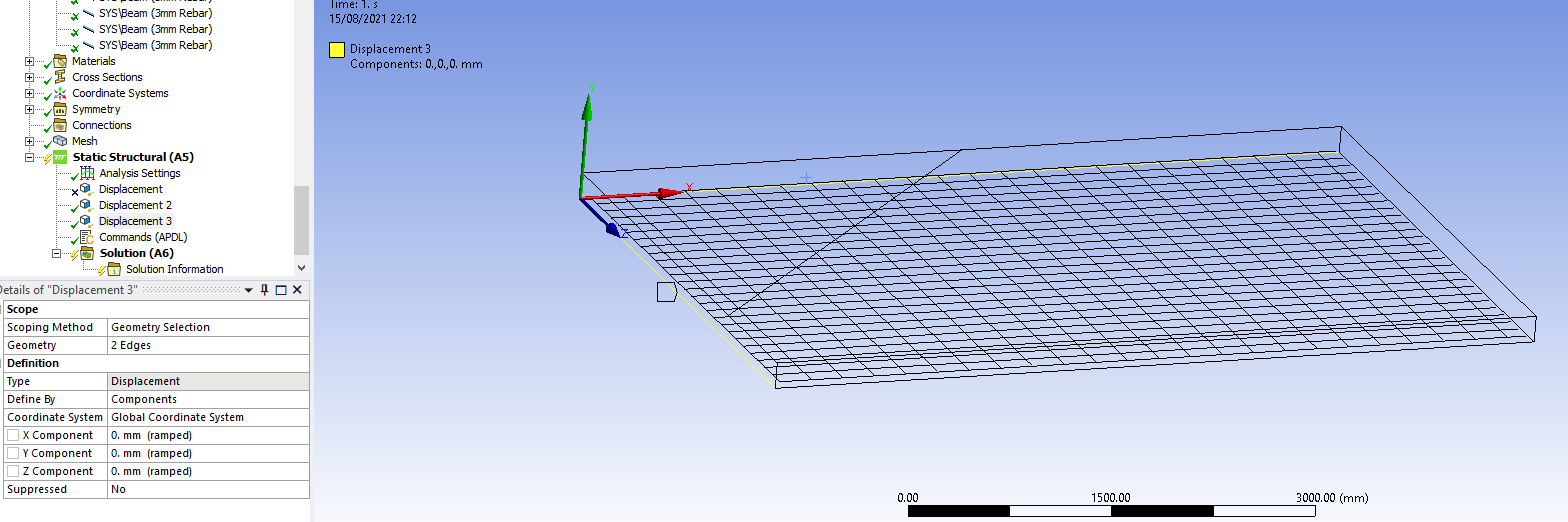
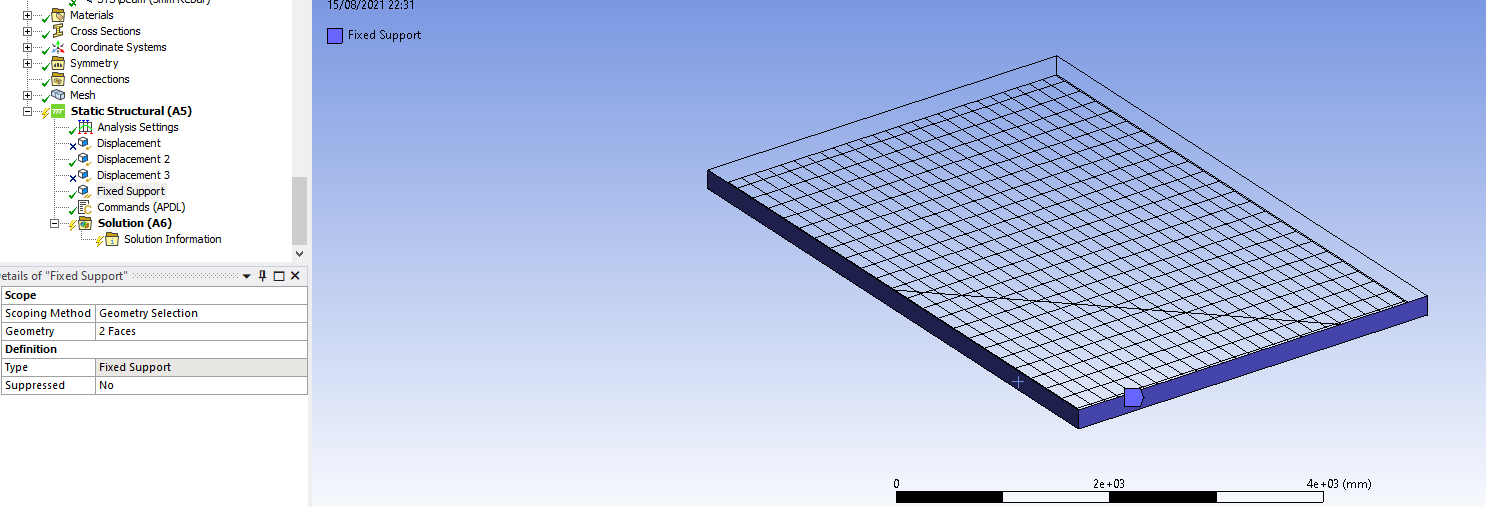
To help the model converge i first fixed two edges of the slab in the X,Y and Z directions , as shown below but this failed to converge. I subsequently used a fixed support on the full face of the same two edges as shown in the second image, and i was surprised that the model did not converge.
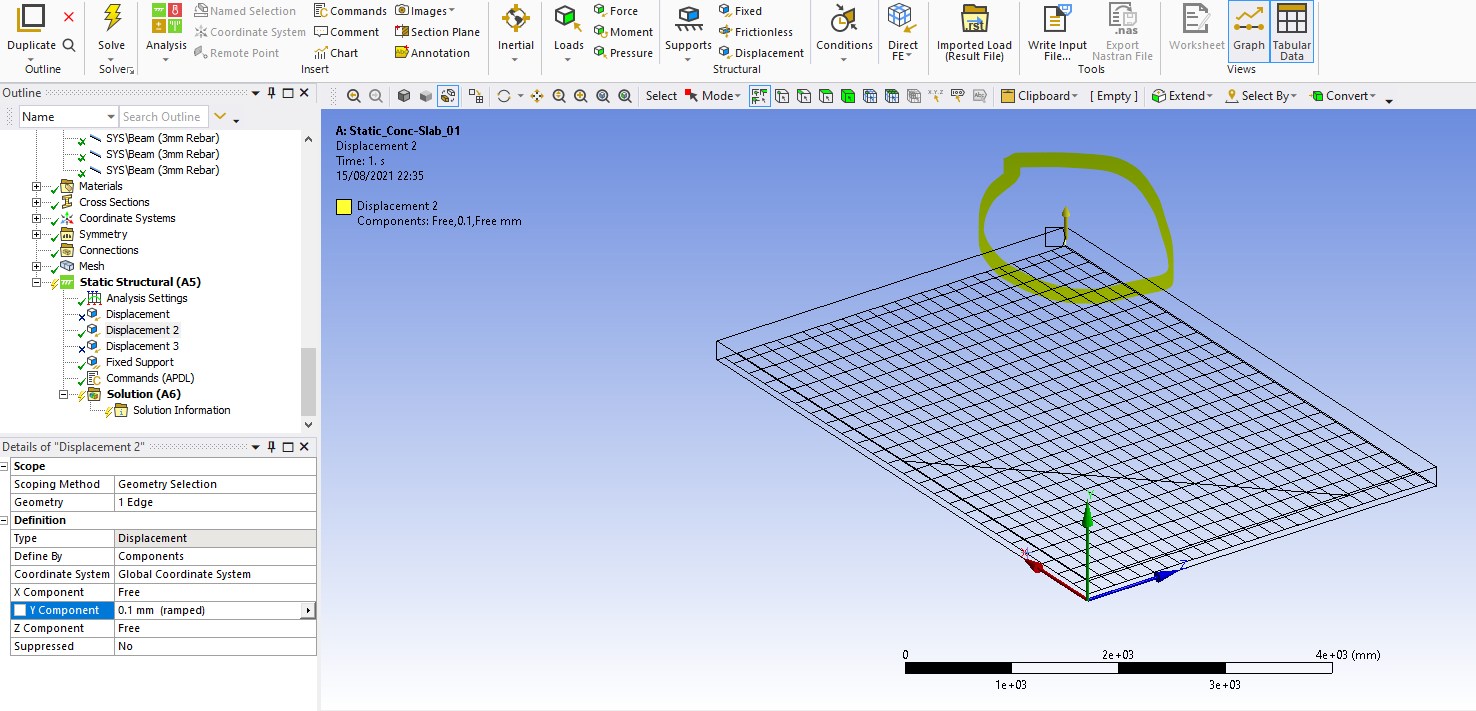
Given the level of restraint i presume the issue is with the reinforcement as the load acting on the slab is only a displacement of 0.1mm as indicated below, i also tried 10mm of displacement.
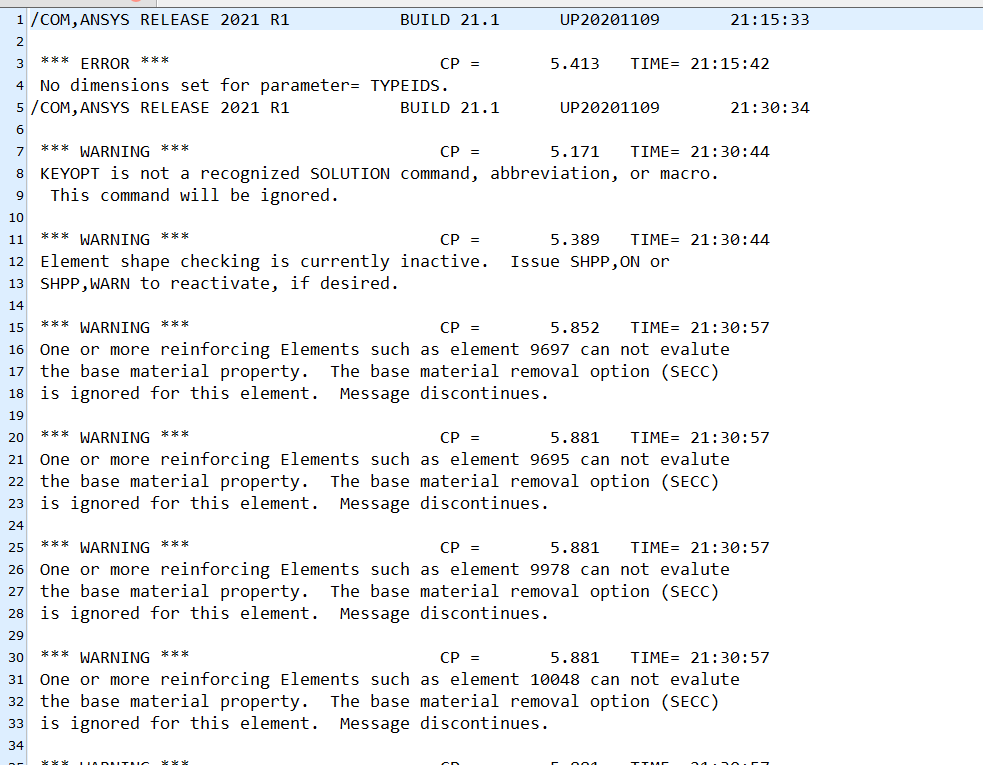
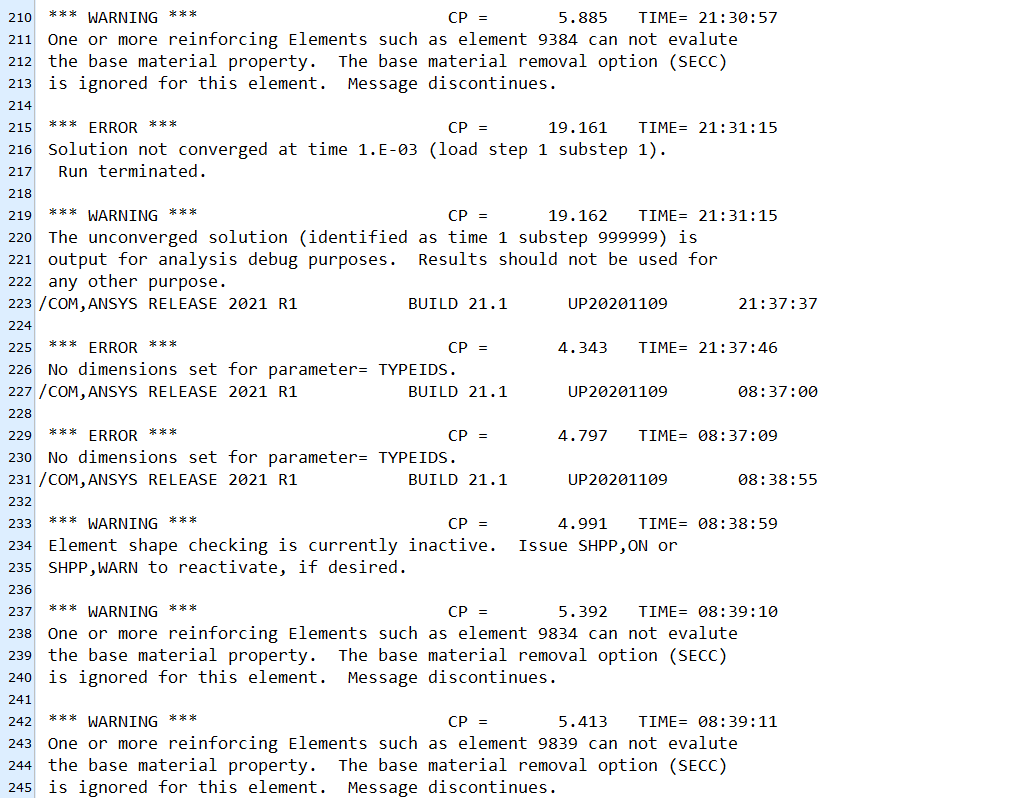
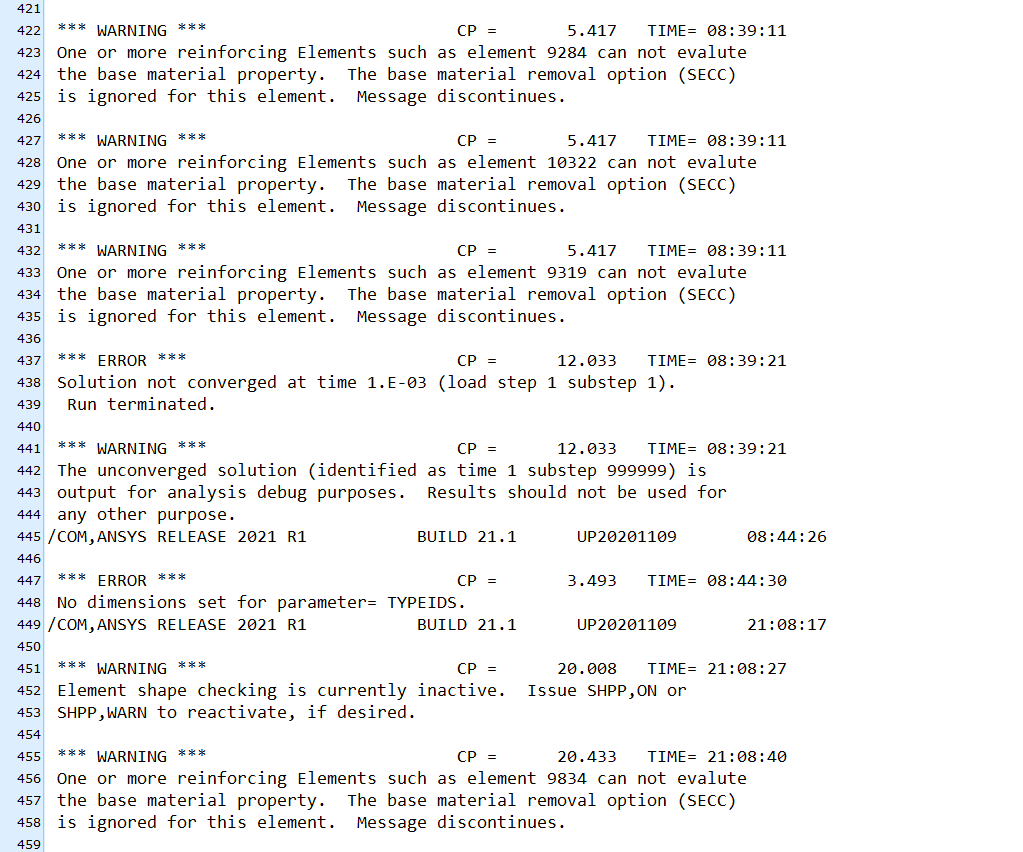
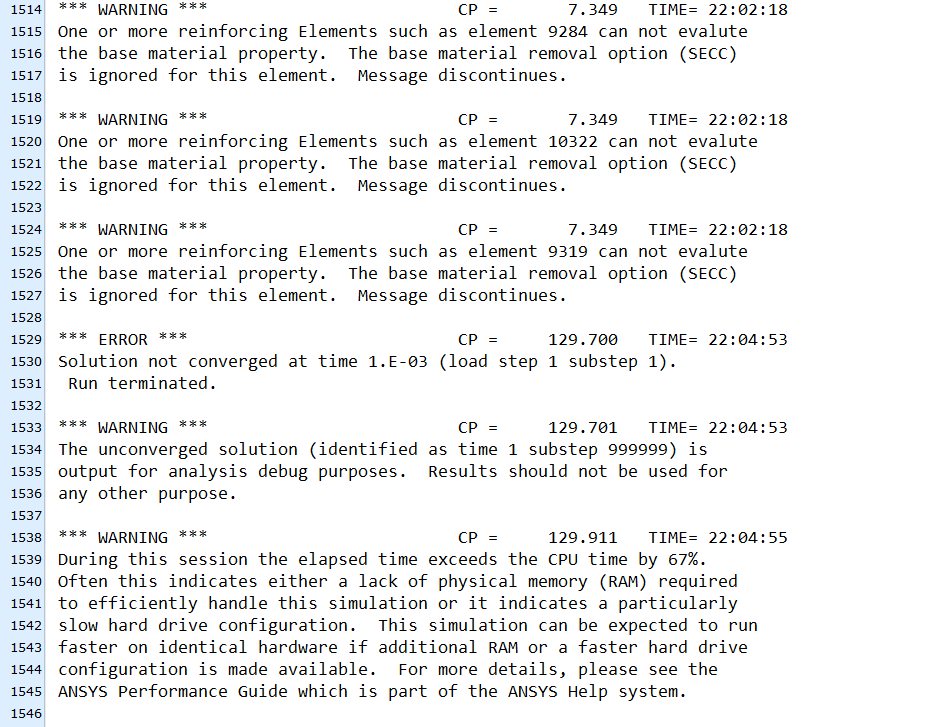
I include below some of the errors which i have received. My primary motivation is to develop an understanding of how to model the concrete and the reinforcement, i believe this is most likely my problem with the model.
Any assistance would be greatly appreciated.
Thanks Michael
August 16, 2021 at 1:55 pmSubscriber
Could you assist me with my model of the concrete slab and reinforcement. I was using the workflow you provided as the basis of my approach and i have detailed the problems i encountered above. I think the issue is that the reinforcement cannot evaluate the base material, as shown in the error messages.
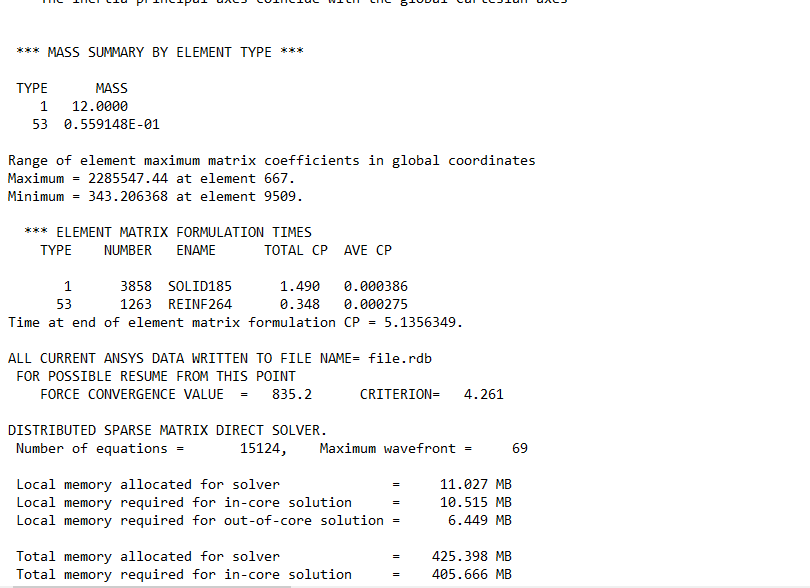
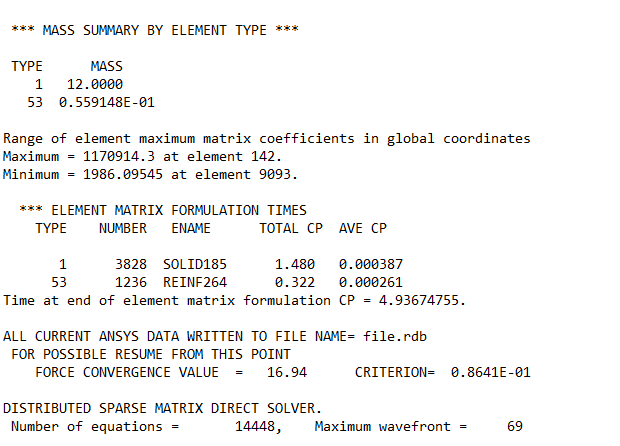
I include the command snippet being used below, and some data on the elements being used incase it is relevent
Thanks Michael
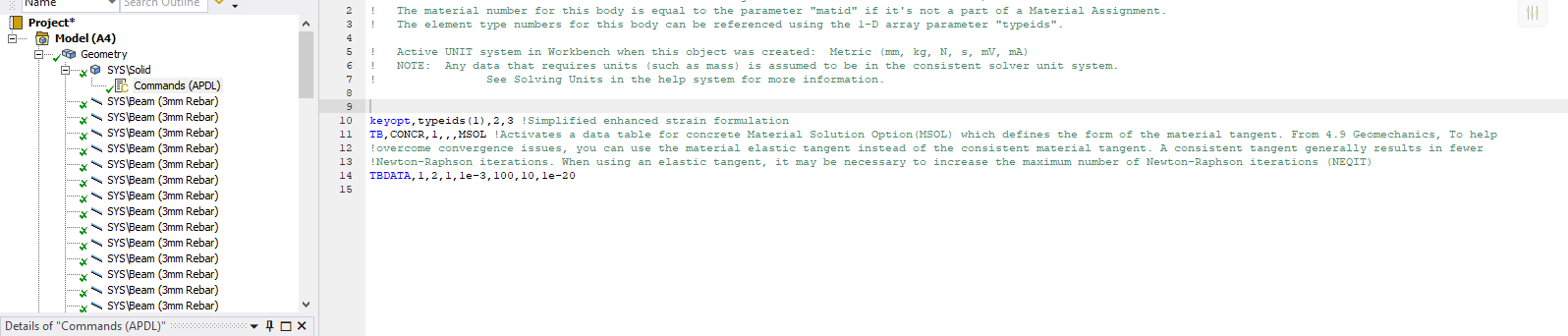
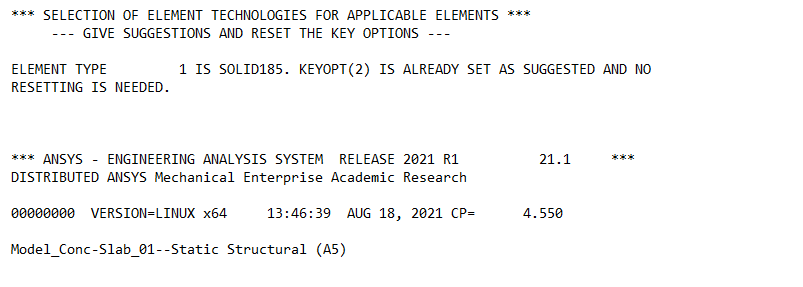
The keyopt appears to be working as shown in the image below, but i do not know why there is not a line of zeros indicating the different keyopts and obviously i would expect a 3 beneath keyopt(2)
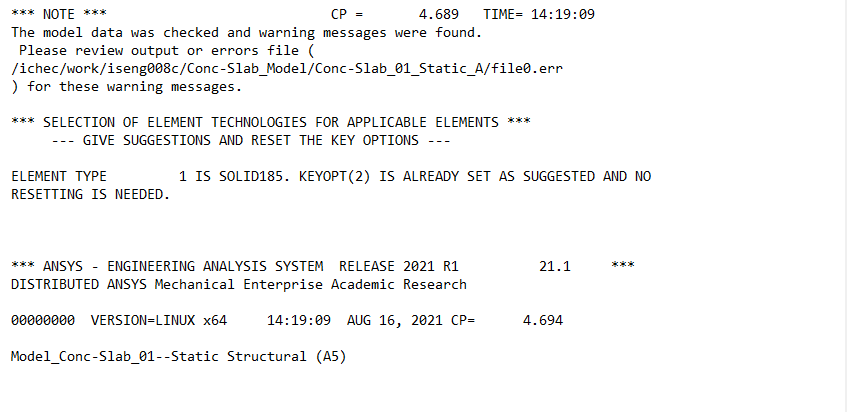 It also appears the correct element is being used for the reinforcement REINF264
August 18, 2021 at 10:11 amSubscriberHi Guys
I would appreciate any advice with this issue as i am stuck on the modelling of the concrete and reinforcment.
Thanks Michael
August 18, 2021 at 10:26 amErKo
Ansys Employee
Have not written since I do not know what is going on here.
THe model shown in the sample workflow I created worked fine so again I do not know what the issue is - again I can appreciate that you are modelling something else.
Have in mind that the sample workflow is just a sample and nothing else (it does not guarantee that this workflow is always working and that one will not encounter any issues (concrete modelling can be very hard in terms of getting convergence), furthermore I provided the workflow but it does not mean that I will resolve any issues on any models that use this, it is just to highlight a possible way which I have found works good for RC structure).
What I would suggest though is to remove that diagonal edge you have since you do not need (in my example it is there because of the BC which were aligned like that across the slab) - also make sure you use 2021 R1 or R2.
That is all I can add and suggest (if this does not work I can not help anymore).
Also if not removed, remove the command snippet, from the solution (as mentioned before the keyopt, and tb commands go under the concrete slab part in the geom tree, just as you have done - if it contains neqit command that is not really needed, at least I did not use it in the example).
Thank you and all the best
Erik
August 18, 2021 at 1:23 pmSubscriberHi Erik
Thanks for getting back to me, i do appreciate it, as there appears to be minimal information available on using/problem solving the reinforcement, under the 'Model Type' feature in geometry.
I am using ANSYS2021 R1, i have removed the diagonal line and also removed the command snippet, with NEQIT, beneath the analysis settings. Unfortunately i still received the same warning and error messages as above.
I also changed the fixed supports so that the four sides are fully fixed and i applied a gravity load, but the errors/warnings are still the same. The errors/warnings are shown below if anyone can assist me with addressing these individually it may help find a solution.
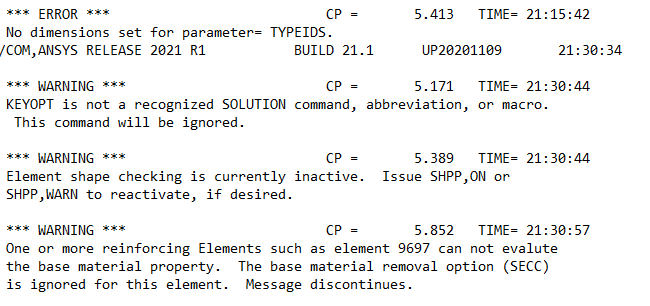 My concern is the last warning where the 'reinforcing Elements such as element 9155 can not evalutethe base material property.'. The concrete is a SOLID185 and the reinforcement is REINF264, so if anyone has any suggestions please feel free to post them below.
Thanks Michael
August 18, 2021 at 2:34 pmAnsys EmployeeHello,
Regarding the error on typeids (i.e. No dimension set for parameter= TYPEIDS) appearing in the solver output file, it looks like you have the command object still active under Static Structural. So, from my understanding you have command object both under Geometry and also under Static Structural.
This is also indicated with the second warning message on KEYOPT (i.e. KEYOPT is not a recognized SOLUTION command).
Please delete this command object you have under Static Structural and try solving again. Please also share the pictures of the entire Mechanical Tree, if it still giving the same errors.
Also, please use typeids(1) or matid, when defining both the keyoptions (KEYOPT command) and materials (TB command), to assign it to elements corresponding to the body. In your script, in TB command, material ID is given as 1, which is okay for this case, since the geometry is at the 1st position in the tree and its material or type id is 1.
Also, please note that, you don't need any additional KEYTOPT command to set Keyopt(2) --> 3, as it is default for SOLID185. You can simply remove the KEYOPT command, and you can then see which KEYOPTION was set from the solver output file. You can also add an ETLIST command under Static Structural, to force the keyoption settings listing again in the solver output file.
Also, I would suggest, first to try modelling a simple Uniaxial test case (simple cube - unreinforced), with the material you want to use, to see if you could get the proper stress/strain curves, to gain some confidence.
Regarding the second issue, reinforcement element cannot evalue the base material, generally, if you have reinforcement elements, solver automatically removes the base material from the space occupied by the reinforcing fibers. However, if the base material is for example Drucker Prager, it is a limitation that the base material will not be removed. Hence the warning message that base material removal option is ignored. This is okay. You can ignore this message.
From Ansys Help: Reinforcement Specification Using Mesh-Independent Method --> Requirements and Limitations
"If you have assigned a material to the base body that does not support a 1D stress state, such as Drucker Prager, the application does not remove the base material in the space occupied by reinforcing members that have uniaxial stress state."
Hope this helps.
Best regards Rohith
August 18, 2021 at 10:15 pmSubscriberHi Erik,,your work flow worked perfectly, i made a mistake with the units for the compressive and tensile strenght for the concrete and it appearsto have resolved the situation, i was able to get a model to converge.
Hi Rohith, thank you very much for the detailed response. I followed your advise and created a simple model and discovered a unit error in the materials properties. Also i have been having other issues with KEYOPTS in a different model and the ETLIST command has worked perfectly, so thanks again.
Interestingly most of the errors still remain eventhough i have a new clean model with the commands in the geometry tree and i am using a Menetry-William model. I am still trying to develop the model so if i find a solution i will revert back
Thank you both for your guidance and assistance with this matter.
Michael
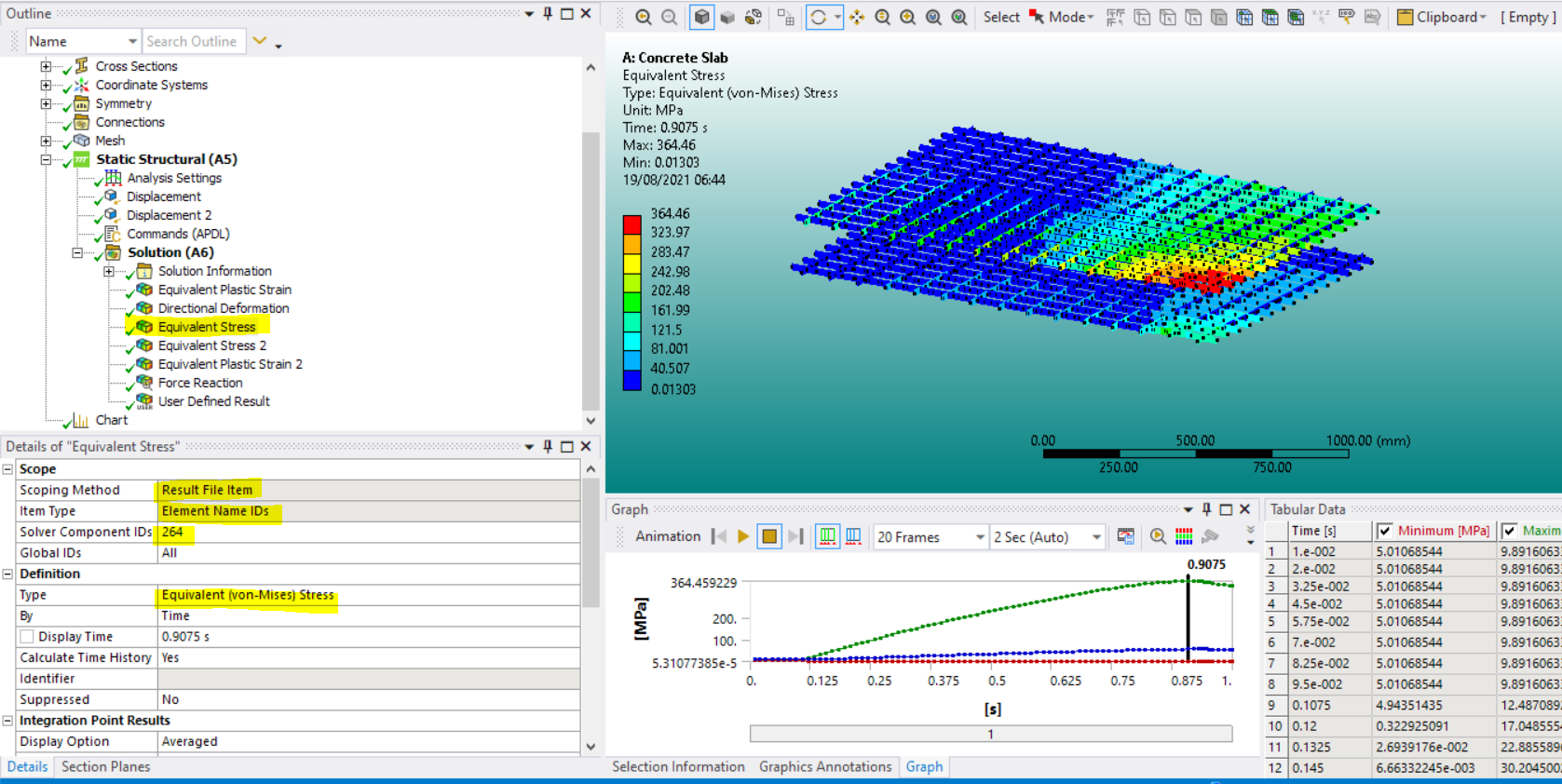
PS. Do either of you have any advice on developing outputs from the reinforcement. I have seen some commands for generating graphical outputs, but have not started useing them, are they inserted beneath analysis settings?
August 19, 2021 at 5:47 amAnsys EmployeeHI
That is good news - yes, units can cause convergence errors - an indication of this issues is if we see that the structure can not even take a tiny load/displacement (in the sample model we used mm so MPa - generally recommended to use mm T ...).
As for the reinforcement stresses, we can output them as shown below (no commands needed):
All the best
Erik
Viewing 9 reply threads- The topic ‘Modelling Concrete with Reinforcement using New Feature’ is closed to new replies.
Innovation Space Trending discussions
 Top Contributors
-
peteroznewman
 6379
6379 -
scabo
 1906
1906 -
Dennis Chen
 1457
1457 -
javat33489
 1308
1308 -
Shyam Prasad V Atri
1022
Top Rated Tags
© 2026 Copyright ANSYS, Inc. All rights reserved.
Ansys does not support the usage of unauthorized Ansys software. Please visit www.ansys.com to obtain an official distribution.
-


 You are navigating away from the AIS Discovery experience