

-
-
August 3, 2021 at 11:37 am
caligula
SubscriberHi, I have analysed a frame structure with two configuration and I want to compare them to see the effect of the difference I made. CFD-Post works just perfect with other analyses that were done with 3D bodies but when I try to do the same with the analyses with line bodies, CFD-Post opens blank and gives error. How can I compare line body analysis results? Thank you.
----
August 3, 2021 at 6:56 pmSubscriberUp. Any comment?
August 4, 2021 at 9:03 amSubscriberUp.
August 4, 2021 at 12:45 pmRob
Forum ModeratorTry plotting the data on one of the models and see if it works. If both work re-connect to a single results tool and see if a refresh (right click on the green circle) works.
As an aside, we have a check tool to try and avoid missing topics. Because you bumped it, you reset the timer. The second bump disables the checks.
August 4, 2021 at 1:00 pmSubscriberHello Rob, thank you for your response. It does not work one by one neither. Gives the same error.
And thank you for letting me know about that tool.
Sincerely C
August 4, 2021 at 2:33 pmForum ModeratorWhat do you see in the Mechanical Results?
August 4, 2021 at 2:44 pmSubscriberI see everything in Mechanical. Direct stress and deformation are the ones I look for.
August 4, 2021 at 3:26 pmForum ModeratorBeam, shell or solid elements?
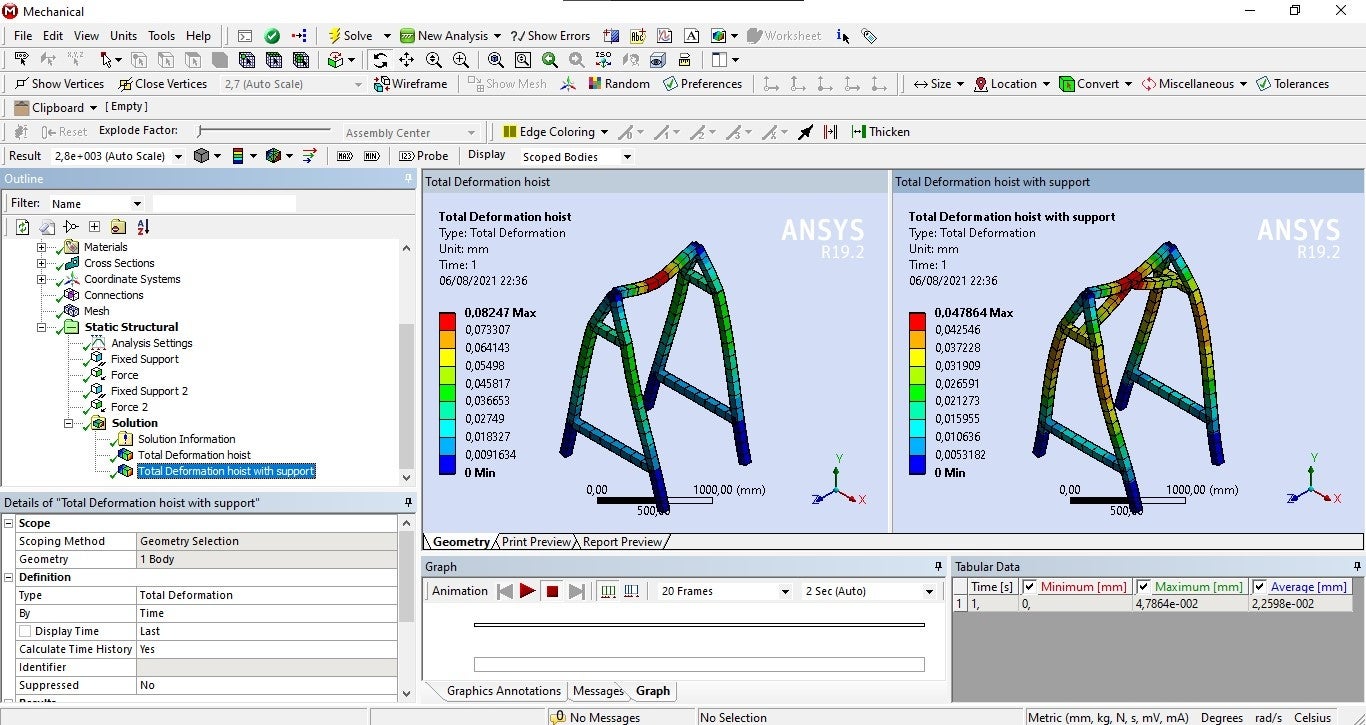
August 4, 2021 at 3:51 pmSubscriberIt consists of 1 dimensional bodies with rectangular tube cross section. Do we call them beams? If so, yes, they're beams and I can see them when I activate Thick Shells and Beams view option. I tried transferring the solution into CFD-Post with that option deactivated but it did not help. I'm attaching some of the views and plots I can get in Mechanical.
Kind regards C
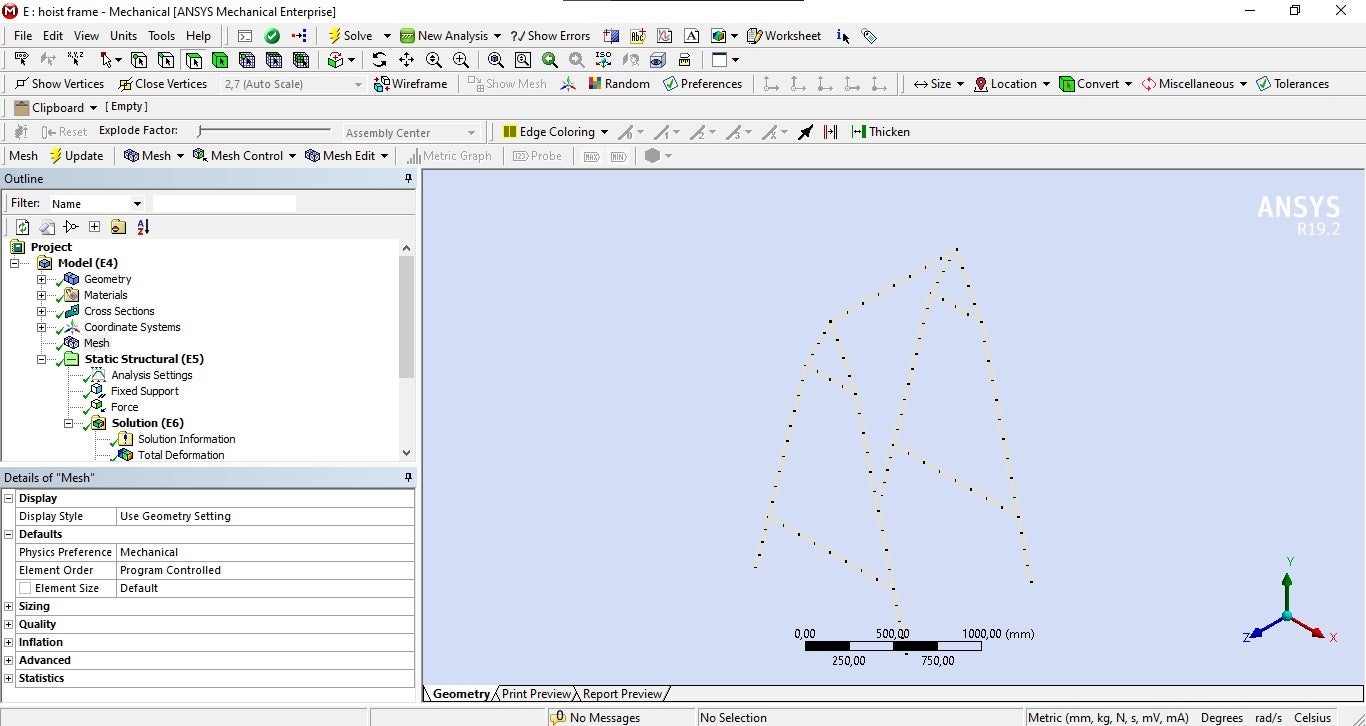
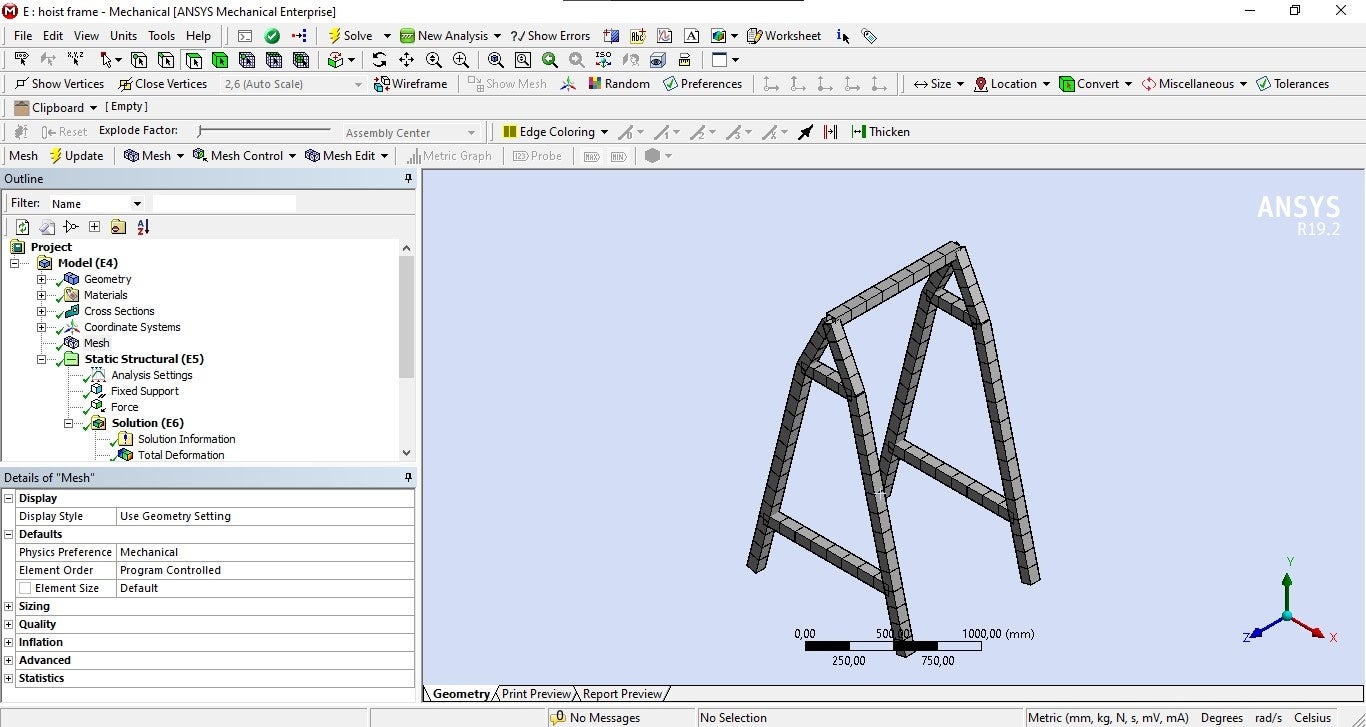
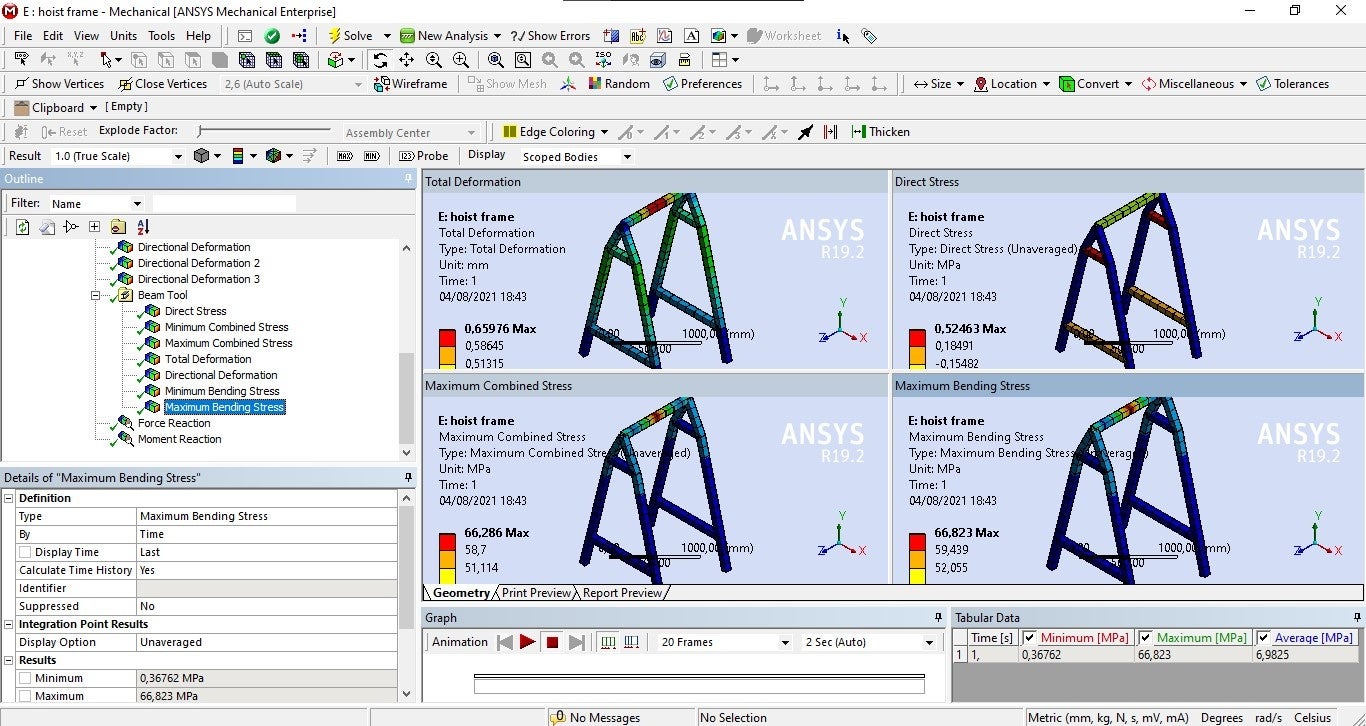
August 5, 2021 at 11:52 amForum ModeratorThat might explain it: the CFD solvers don't use bodies like that so they might not register. may be able to confirm.
August 6, 2021 at 12:19 pmSubscriberThank you Rob. So, is there a way to make this comparison in ANSYS?
August 6, 2021 at 1:17 pmForum ModeratorDon't think CFD Post will do it. Does Mechanical have a comparison option? or may know.
August 6, 2021 at 2:32 pmpeteroznewman
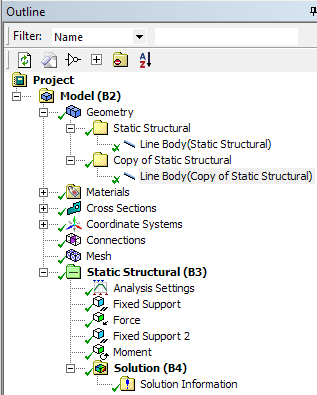
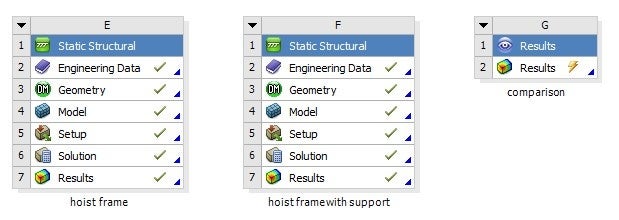
SubscriberI generally just compare results between design options by copy/paste images from each model into PowerPoint. If you really want to overlay the two models, you can do it as shown below.
Drag out another Static Structural analysis.
Drag and drop the Model cell from each of the existing models.
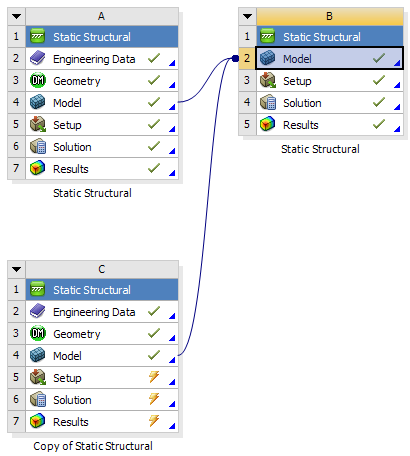 Open the new Model. You will have to reapply loads and supports to each model. After you solve, all the models will be in the same space and you can hide the ones you don't want to see.
 August 6, 2021 at 3:09 pmForum ModeratorThanksAugust 6, 2021 at 7:42 pmSubscriberOkay , I got it. Thank you both very much for your help. If we come across one day, I will buy you beer.
Sincerely C
Viewing 14 reply threads- The topic ‘How to compare line body analysis results in CFD-Post?’ is closed to new replies.
Innovation Space Trending discussions
 Top Contributors
-
peteroznewman
 5824
5824 -
scabo
 1906
1906 -
Dennis Chen
 1420
1420 -
javat33489
 1305
1305 -
Shyam Prasad V Atri
1021
Top Rated Tags
© 2026 Copyright ANSYS, Inc. All rights reserved.
Ansys does not support the usage of unauthorized Ansys software. Please visit www.ansys.com to obtain an official distribution.
-


The Ansys Learning Forum is a public forum. You are prohibited from providing (i) information that is confidential to You, your employer, or any third party, (ii) Personal Data or individually identifiable health information, (iii) any information that is U.S. Government Classified, Controlled Unclassified Information, International Traffic in Arms Regulators (ITAR) or Export Administration Regulators (EAR) controlled or otherwise have been determined by the United States Government or by a foreign government to require protection against unauthorized disclosure for reasons of national security, or (iv) topics or information restricted by the People's Republic of China data protection and privacy laws.

 You are navigating away from the AIS Discovery experience