Ansys Assistant will be unavailable on the Learning Forum starting January 30. An upgraded version is coming soon. We apologize for any inconvenience and appreciate your patience. Stay tuned for updates.
Fluids

Fluids

Topics related to Fluent, CFX, Turbogrid and more.

display mesh and hide another mesh

    • manelaero2020
      Subscriber

      Hi friends;


      I am meshing a wing of an aircraft inside its fluid domain. I have done the mesh (in Ansys Meshing), all the bodies have BEEN meshed. I want to see my mesh only on the wall of the wing, I have hidden the inlet and outlet of the fluid domain, but when I click on the wing, all fluid domain is displayed another time, and I fail to see what is happening only at the walls of the wing.


      Have you some idea (or video) about how to do this, please?


      tHANK YOU VERY MUCH

      best regards

    • Emperor
      Subscriber
      Maybe you can try a cutaway of your domain to see what's on the boundary layer. I think this could be a solution,

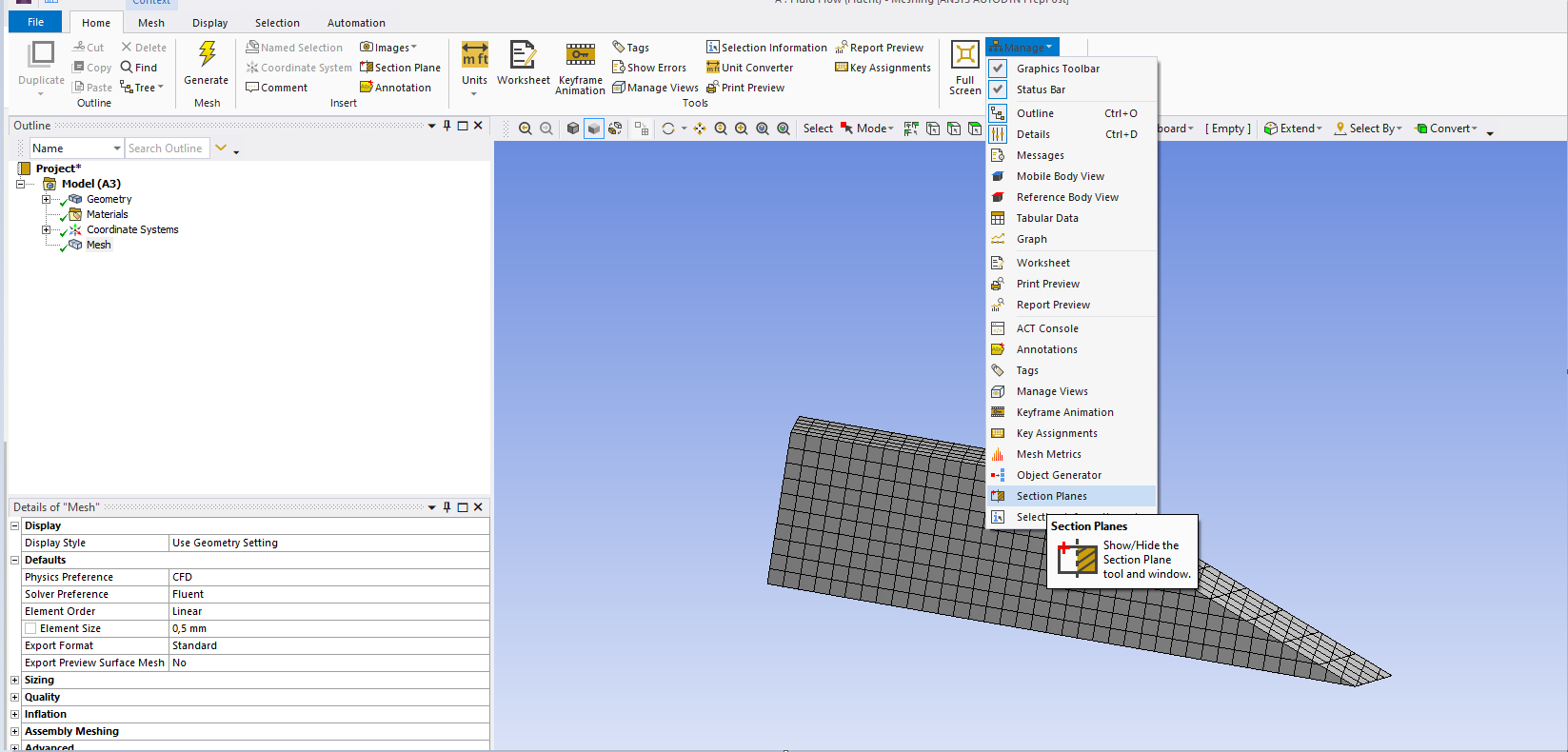
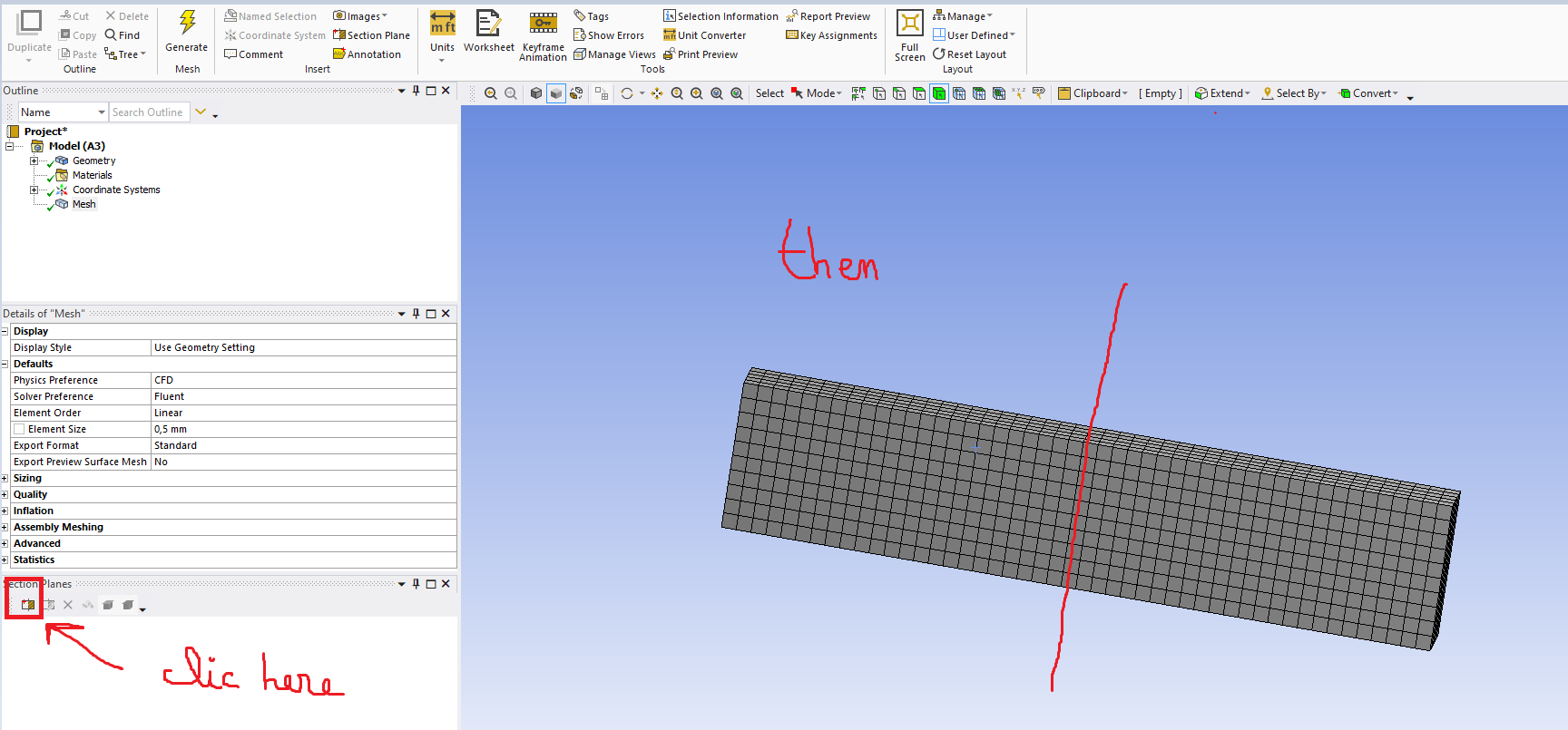
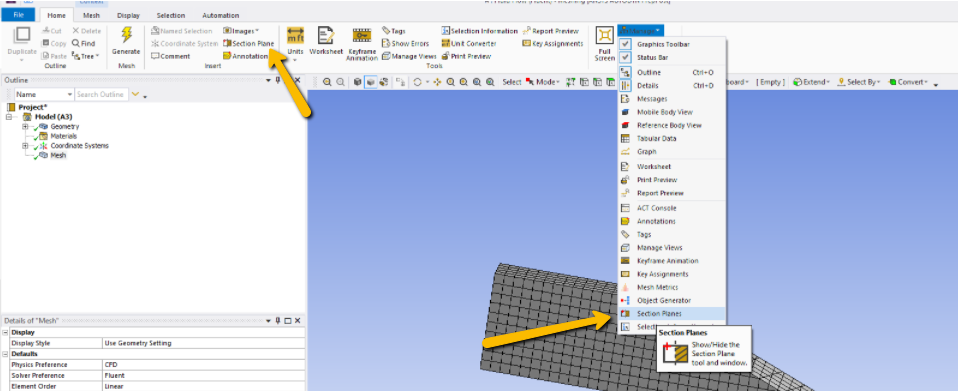
      to do this: click on manage and then on flat section, you can then draw a line on the section plane you want, a quick example below:

      I hope this helps
    • Karthik Remella
      Administrator
      Hello Quick comment: The Section Plane is also available in the 'Insert' tab.

      Karthik

    • monica.kerr
      Subscriber
      Create a named selection of your fluid domain, just like you did with the inlet and outlet, then right click 'hide'.
    • manelaero2020
      Subscriber
      Thank you freinds ok
Viewing 4 reply threads
  • The topic ‘display mesh and hide another mesh’ is closed to new replies.
[bingo_chatbox]