

TAGGED: mechanical-apdl, missing-menu-item
-
-
May 20, 2021 at 11:56 am
Ankanish
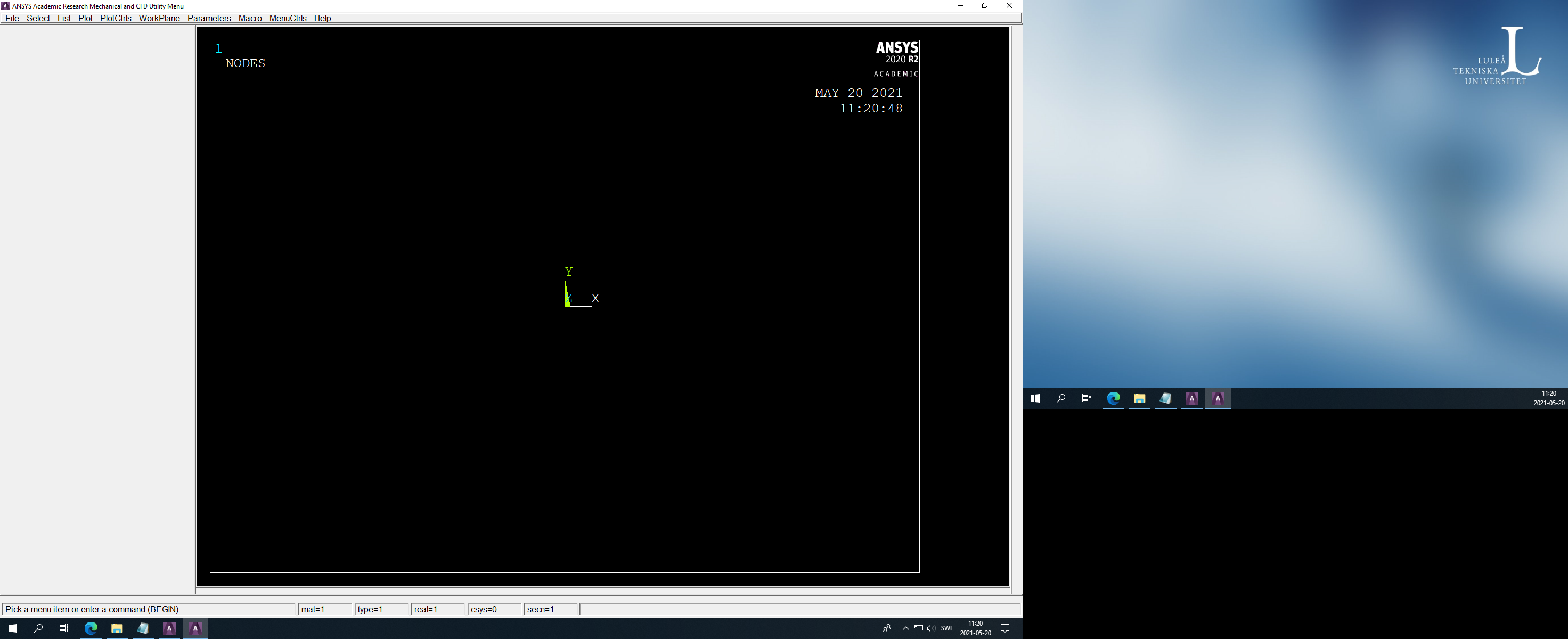
SubscriberHi there, I am using Mechanical APDL on a university desktop. When I open the GUI, I cannot see the main menu or command line. I don't know the exact reason but the previous user may have disabled them. My question is, how to get the main menu and default GUI back? I have attached a screenshot for reference. Thanks, Ankanish.
May 21, 2021 at 7:29 am1shan
Ansys EmployeeCould you open workbench and go to tools>options>Mechanical APDL and click restore defaults.
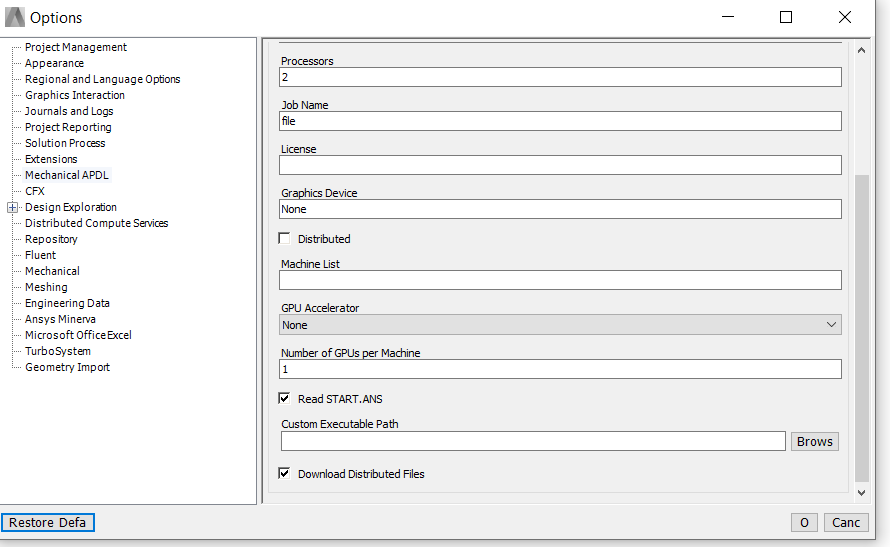
Regards Ishan.
May 21, 2021 at 11:33 amSubscriber
Thanks for your kind reply. I tried what you suggested, but I am afraid it is not working. I also tried logging into the same system with other account, and checking the GUI. But still I am having the same problem. Is there any other solution.
Thanks, Anish.
May 21, 2021 at 12:34 pmAshish Khemka
Forum Moderator
Try the following:
Go to Menu Toolbar : PlotCtrls>Windows Controls> Reset Windows Options
Please see if this helps.
Regards Ashish Khemka
May 21, 2021 at 2:20 pmSubscriber
Thanks for your kind reply. Sadly, this solution also does not work.
Regards Anish
May 21, 2021 at 3:52 pmForum Moderator
This looks like an installation issue. I will move this post to the installation.
Regards Ashish Khemka
May 21, 2021 at 4:03 pmSubscriber
Thanks for your help. Much appreciated!
Regards Anish Kulkarni
November 22, 2022 at 11:14 pmYassine el qamch
SubscriberPlease did you figured out the source of the issue?
Viewing 7 reply threads- The topic ‘Mechanical APDL GUI not showing Main Menu’ is closed to new replies.
Innovation Space Trending discussions
 Top Contributors
-
peteroznewman
 6625
6625 -
scabo
 1906
1906 -
Dennis Chen
 1469
1469 -
javat33489
 1311
1311 -
Shyam Prasad V Atri
1022
Top Rated Tags
© 2026 Copyright ANSYS, Inc. All rights reserved.
Ansys does not support the usage of unauthorized Ansys software. Please visit www.ansys.com to obtain an official distribution.
-


The Ansys Learning Forum is a public forum. You are prohibited from providing (i) information that is confidential to You, your employer, or any third party, (ii) Personal Data or individually identifiable health information, (iii) any information that is U.S. Government Classified, Controlled Unclassified Information, International Traffic in Arms Regulators (ITAR) or Export Administration Regulators (EAR) controlled or otherwise have been determined by the United States Government or by a foreign government to require protection against unauthorized disclosure for reasons of national security, or (iv) topics or information restricted by the People's Republic of China data protection and privacy laws.

 You are navigating away from the AIS Discovery experience