

TAGGED: revolute, revolute-joints
-
-
May 11, 2021 at 10:31 am
MT_97
SubscriberHello!
I am very new to ANSYS so I have one (probably) beginner problem.
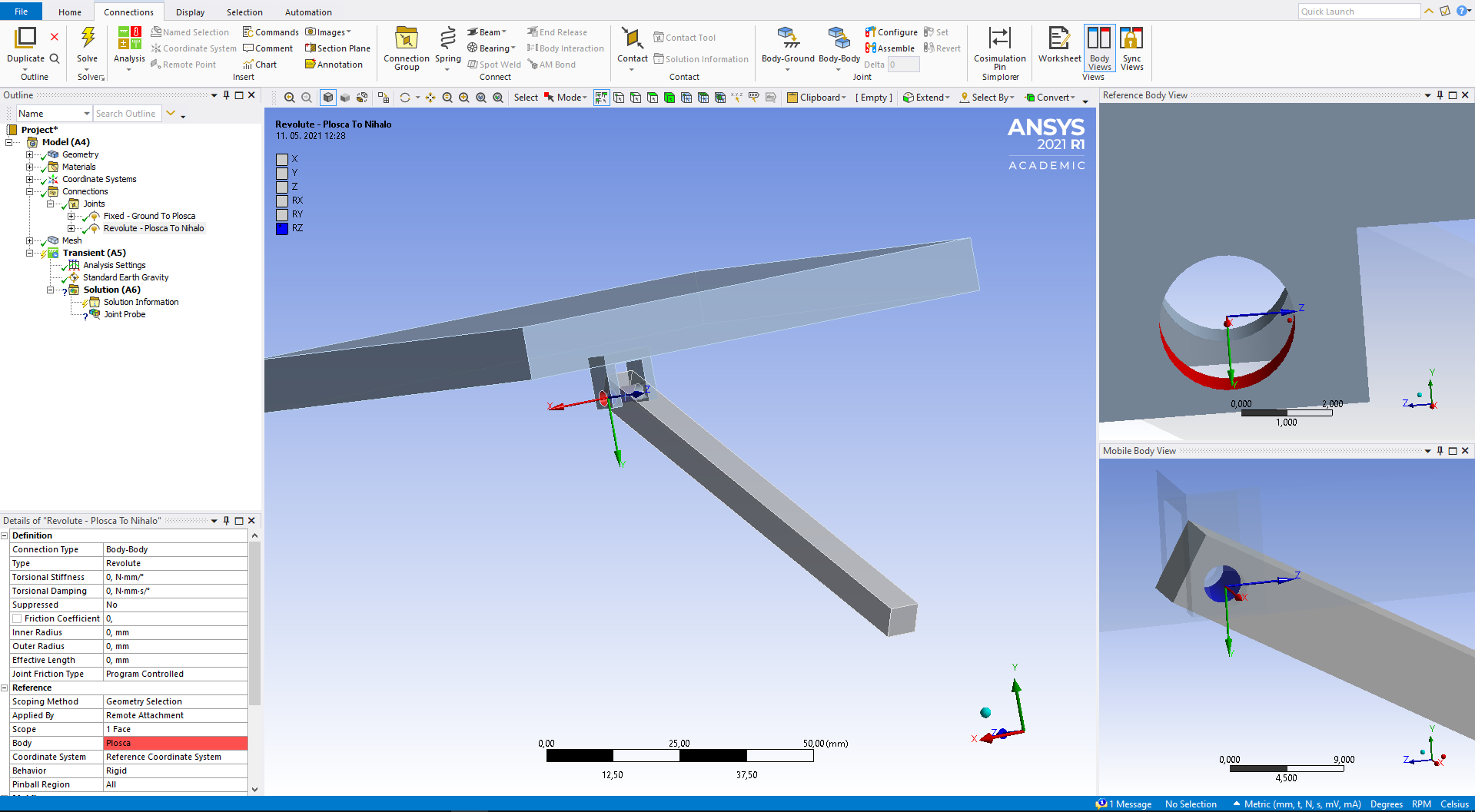
I am trying to simulate a swinging of a pendulum and when I try to define a Revoulte Joint from Body - Body, the spinning axis is wrong - the axis should be Z but it becomes X.
Why is that and what should I do to repair this problem?
Thanks in advance.
May 11, 2021 at 10:54 amErKo
Ansys EmployeeIt should pick the correct axis in general not sure why you got this - anyhow. In order to modify and do what you want:
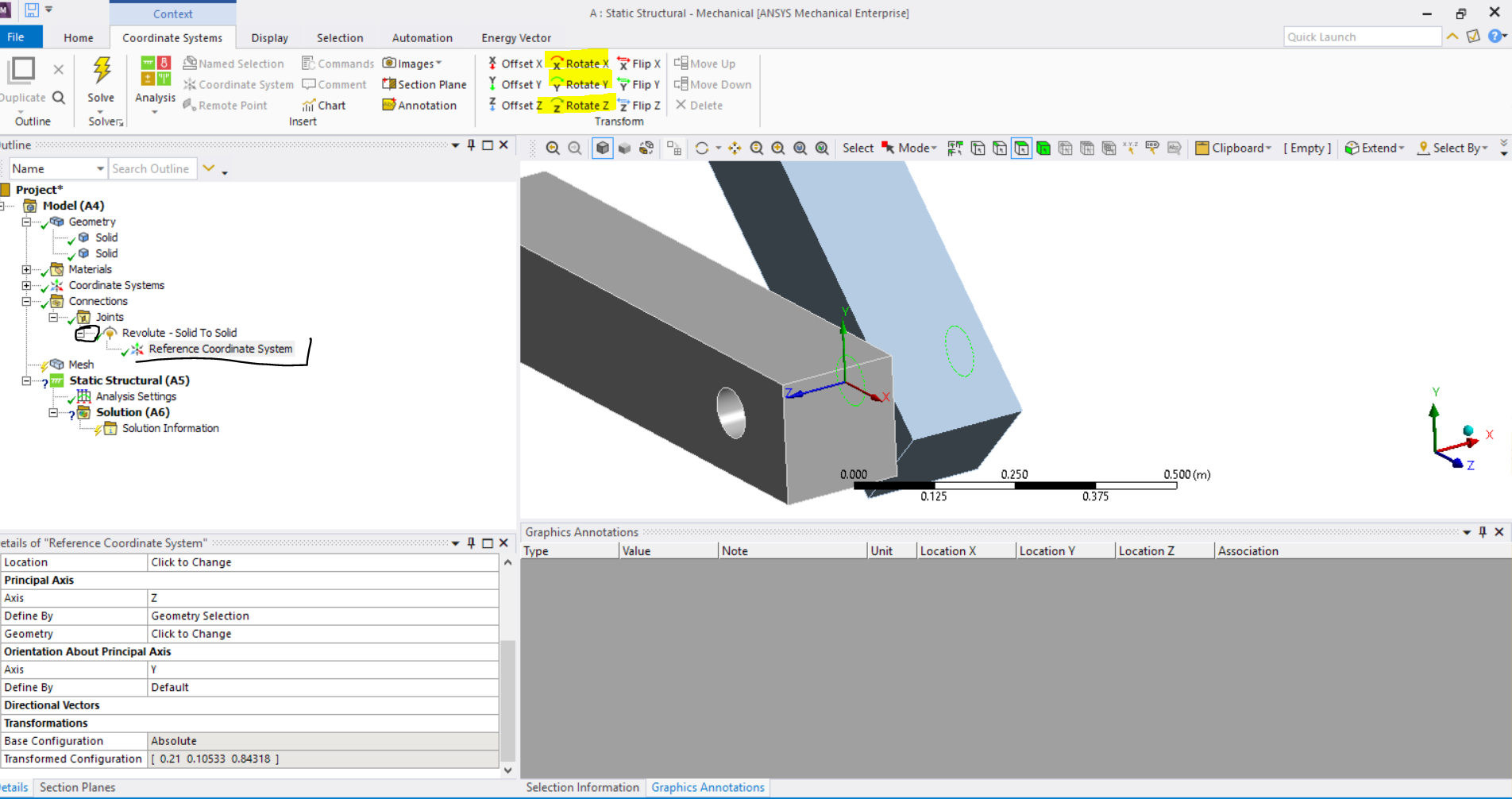
Expand (revolute tree item) as shown and look on the ref. coordinate system as shown below - one can then modify it using the marked transform buttons (yellow marking). You would need to rotate about Y 90 degrees.
 All the best
Erik
May 11, 2021 at 11:10 amSubscriberThank you.
I have absolutely no idea, why it would rotate the coordinate system in a wrong way.
Is it possible that it's because I have imported geometry?
May 11, 2021 at 11:11 amAnsys Employeenot sure, but at least now you know how to rotate it and resolve this :).
Thank you
May 11, 2021 at 11:28 amAnsys Employeenot sure, but at least you managed to rotate now :).
All the best
Viewing 4 reply threads- The topic ‘Wrong Orientation of Revolute Joint Axis’ is closed to new replies.
Innovation Space Trending discussions
 Top Contributors
-
peteroznewman
 6219
6219 -
scabo
 1906
1906 -
Dennis Chen
 1457
1457 -
javat33489
 1308
1308 -
Shyam Prasad V Atri
1022
Top Rated Tags
© 2026 Copyright ANSYS, Inc. All rights reserved.
Ansys does not support the usage of unauthorized Ansys software. Please visit www.ansys.com to obtain an official distribution.
-


The Ansys Learning Forum is a public forum. You are prohibited from providing (i) information that is confidential to You, your employer, or any third party, (ii) Personal Data or individually identifiable health information, (iii) any information that is U.S. Government Classified, Controlled Unclassified Information, International Traffic in Arms Regulators (ITAR) or Export Administration Regulators (EAR) controlled or otherwise have been determined by the United States Government or by a foreign government to require protection against unauthorized disclosure for reasons of national security, or (iv) topics or information restricted by the People's Republic of China data protection and privacy laws.

 You are navigating away from the AIS Discovery experience