-
-
May 3, 2021 at 3:15 pm
zzzzz146
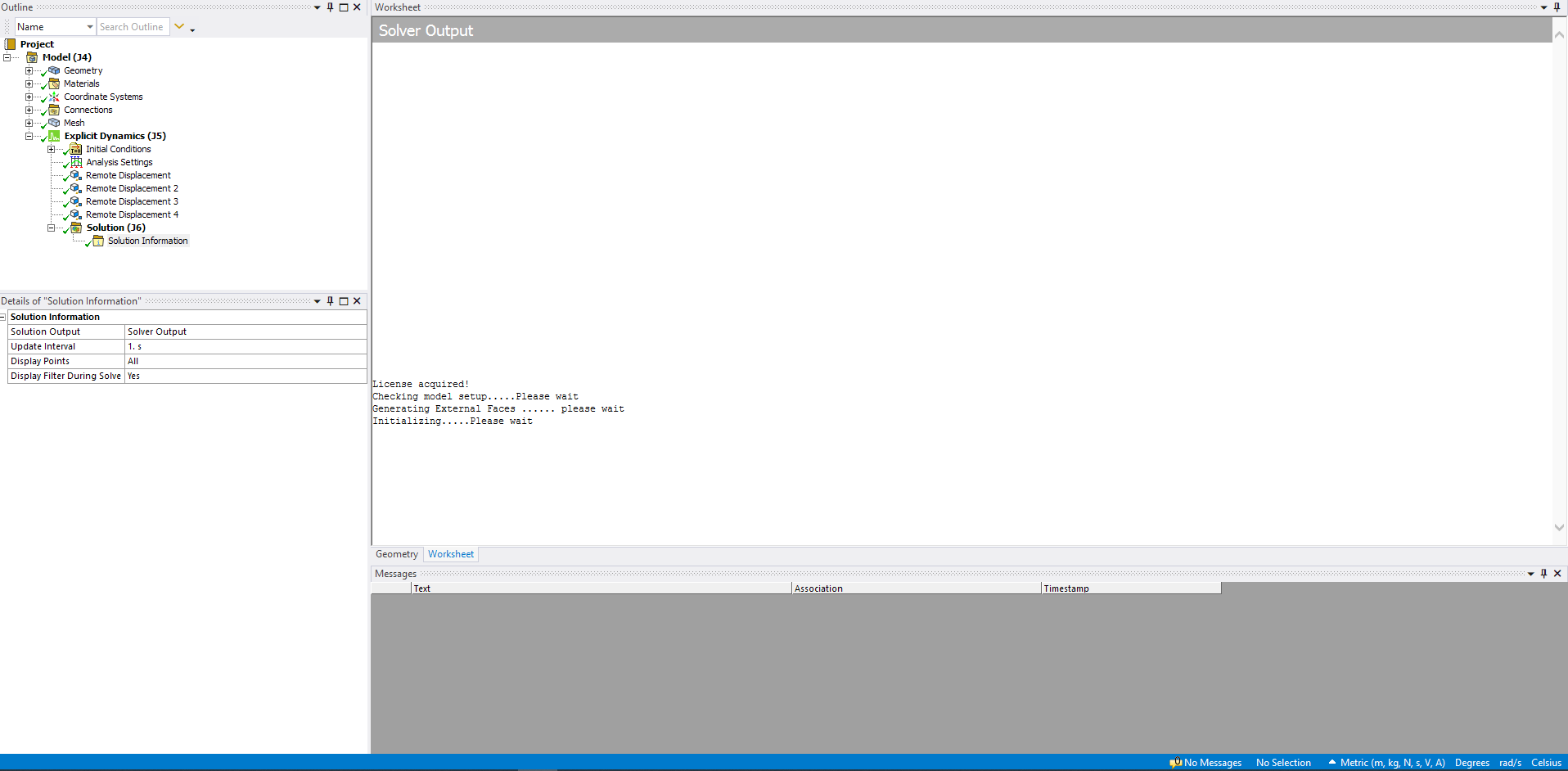
Subscribersee this pic, it says like this and nothing more
May 3, 2021 at 5:33 pmRam Gopisetti
Ansys EmployeeAs ANSYS employees we are not allowed to open any files of any sort unless they are posted inline in your post. I suggest you to post any images in inline of your post. For better help, you can say what you want to achieve and apart if you are new to explicit i suggest you to go through the course tailored by our experts.
Cheers, Ram
May 3, 2021 at 6:41 pmSubscriberok fine, I will send all the pics u need
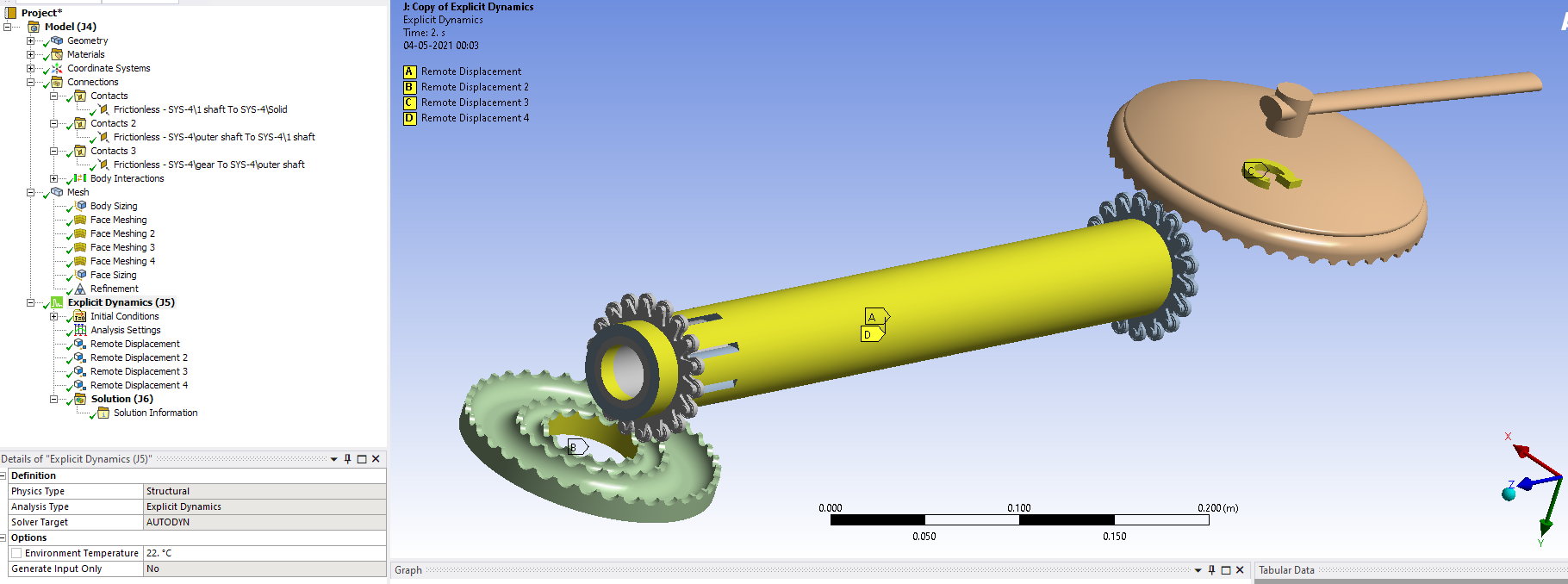
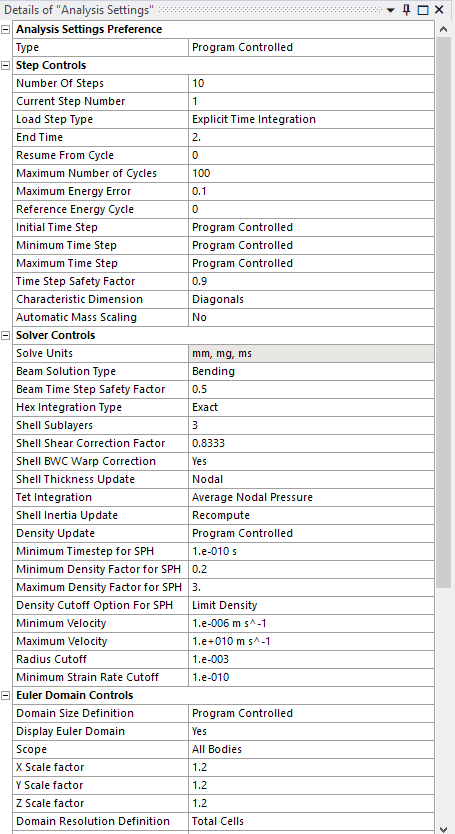
in analysis settings, I have only changed the number of steps, end time, max number of steps
then the solution gets a green tick Ô£ö as u can see in the first pic and the last pic but when I click on solution information - solver output, I can see this
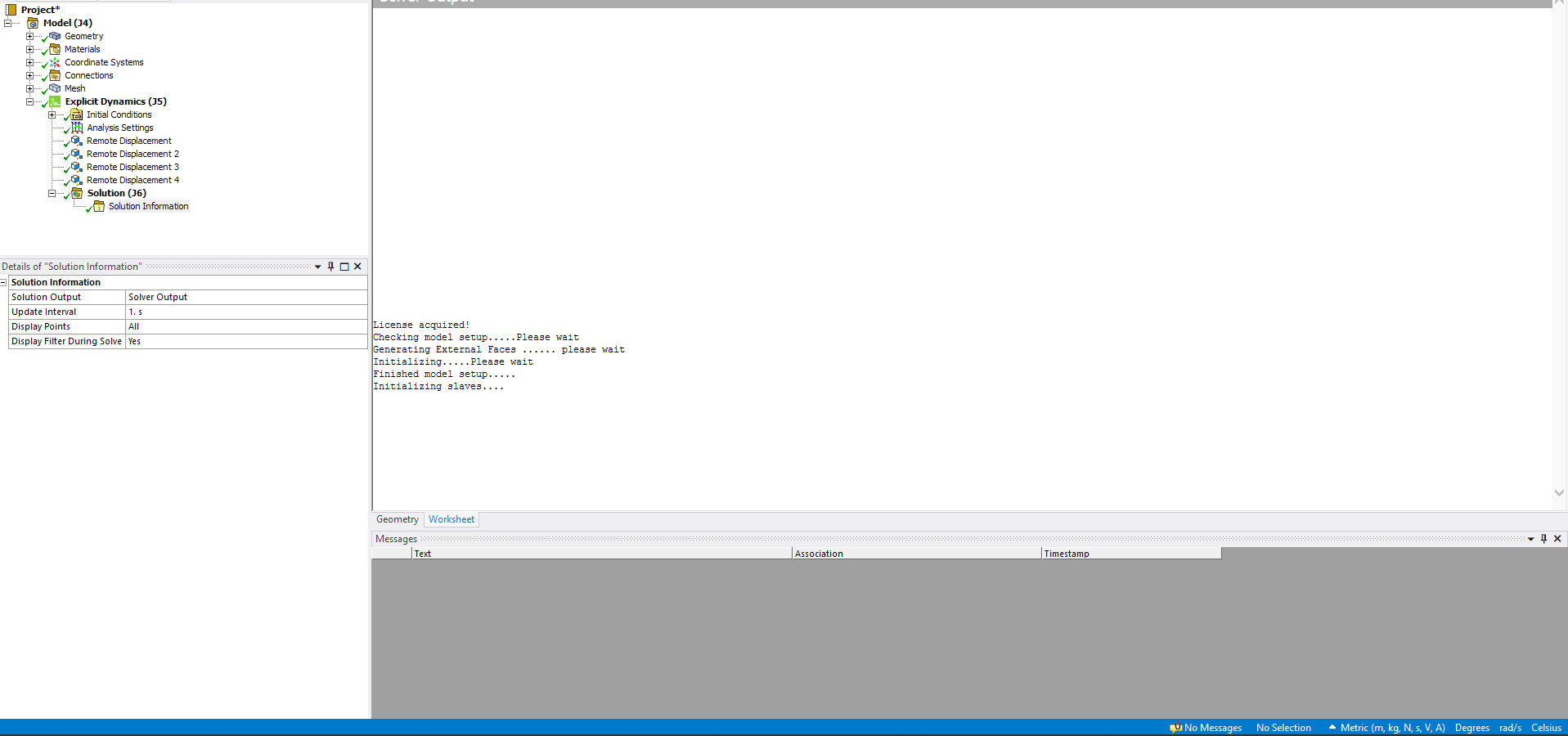 it doesn't move at all, it just stays like that.
what to do? please help me.
I will also drop u my pc specs
processor: i7 10th gen with 6 cores up to 5GHz
ram: 32GB DDR4
the file is saved in D drive
C drive free space: 273GB
May 3, 2021 at 6:45 pmSubscribercourse? could u please send me the link so that i can refer to the course.
May 3, 2021 at 8:17 pmAnsys EmployeeBased on your images it is clear that you want to know the behaviour of chain less transmission.
1) Why have you opt for explicit dynamics ? Any specific reason ?
Besides you have Static and transient systems to solve or Rigid dynamics and ansys Motion designed to deal with this kind of cases.
2) Why havenÔÇÖt you considered joints to model why only Remote displacements? Any reason?
3) Why have you reduced the cycles ? and how fine is your mesh size any chance that you can post it?
Cheers, Ram
May 4, 2021 at 12:56 pmStefan1
Subscriberram_gopisetti I have the same issue with zzzzz146 I design a Reinforce Concrete Frame as Solid body and Reinforcement as Line body in SpaceClaim 2021 . In mechanical I investigating the dynamic response of RC. When Line bodies exceed some number, without warning solver don't even start and a green tick Ô£ö appear. I am using version 2021 R1 (Academic and Student ). I try 2020 R2 (Student) and everything work fine. I want to know when you will fix this issue in 2021 R1.
Thank you for your time.
May 4, 2021 at 1:35 pmSubscriber1) I chose explicit dynamics was because it has body interactions. I am actually trying to a simulation of them moving.
I could have chosen rigid dynamics but it doesn't have body interactions
2) I considered it remote displacement than the joints is because I saw a video on youtube that did an analysis of bevel gears and the animation came out perfectly
3) I have reduced the cycles is because the values don't matter right now, I just wanted the animation, I will drop the pic
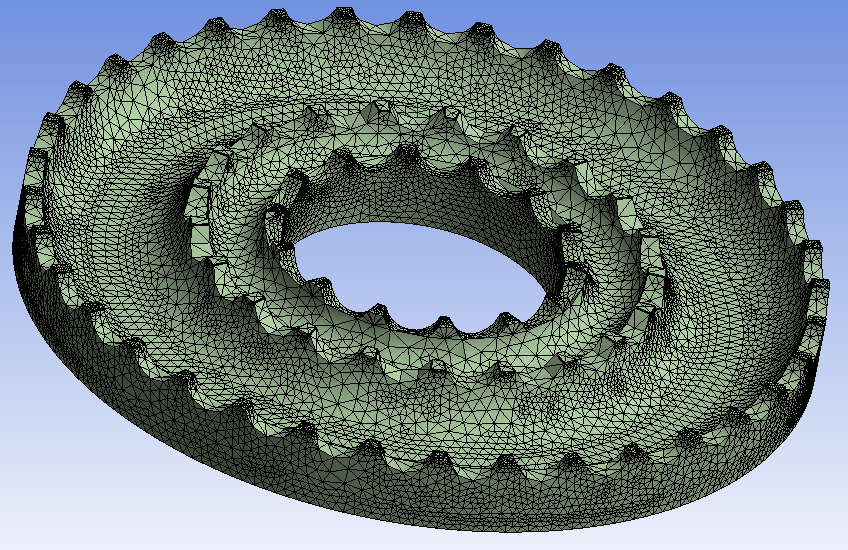
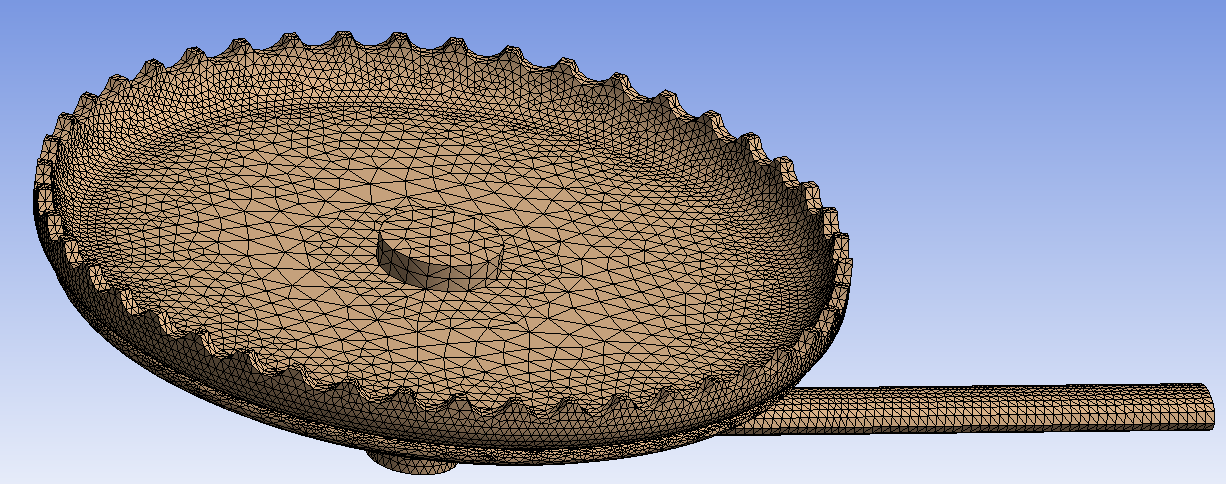
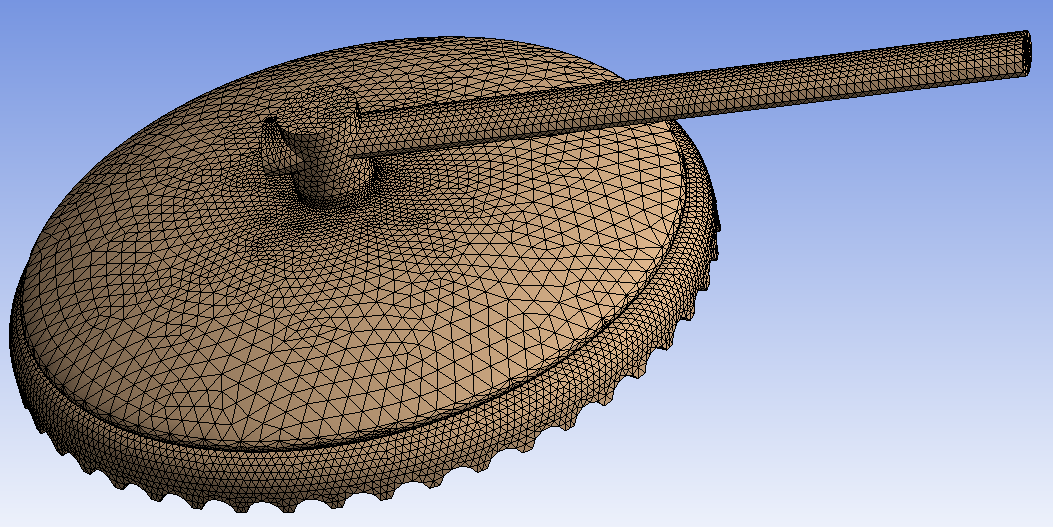
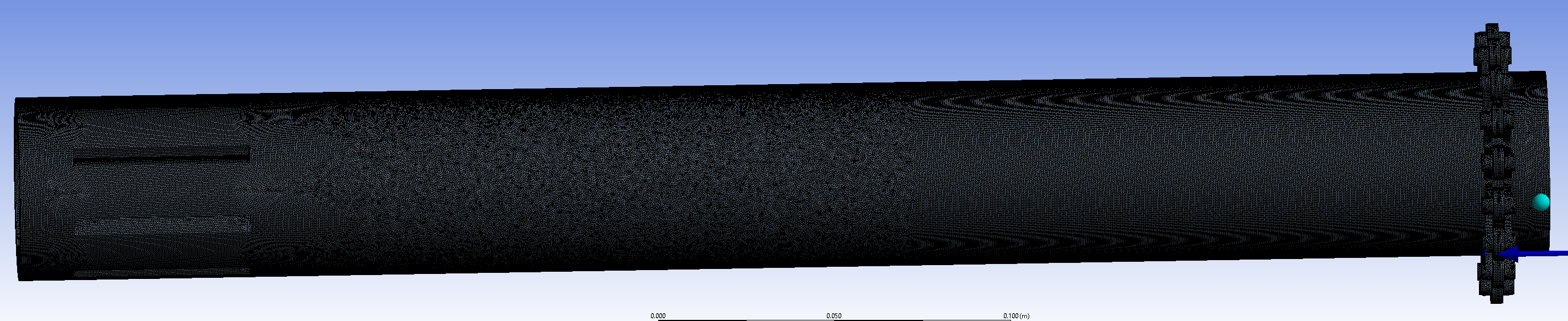
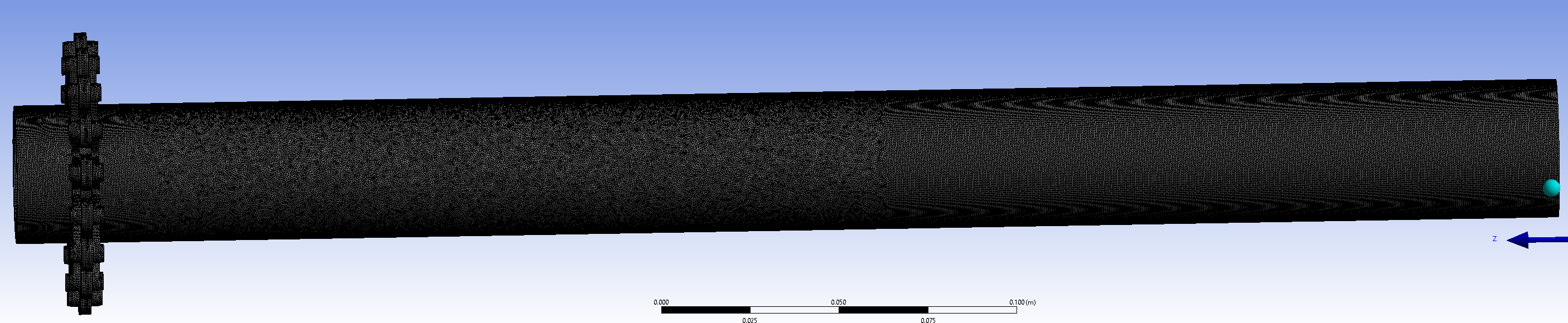 I had to use two screen length to get a screenshot of shafts because, with one screen, it's like BLACK
mesh - elements: 43737010
I couldn't increase the mesh quality of the brown one as it leads to MESH ERRORS
anyway, I did with rigid dynamics (with joints) and another problem popped up
the message says "although the solution failed to solve completely at all time points, partial results at some points have been able to be solved. refer to troubleshooting in the help system for more details"
I got some random results but I can't get the animation, nothing is moving
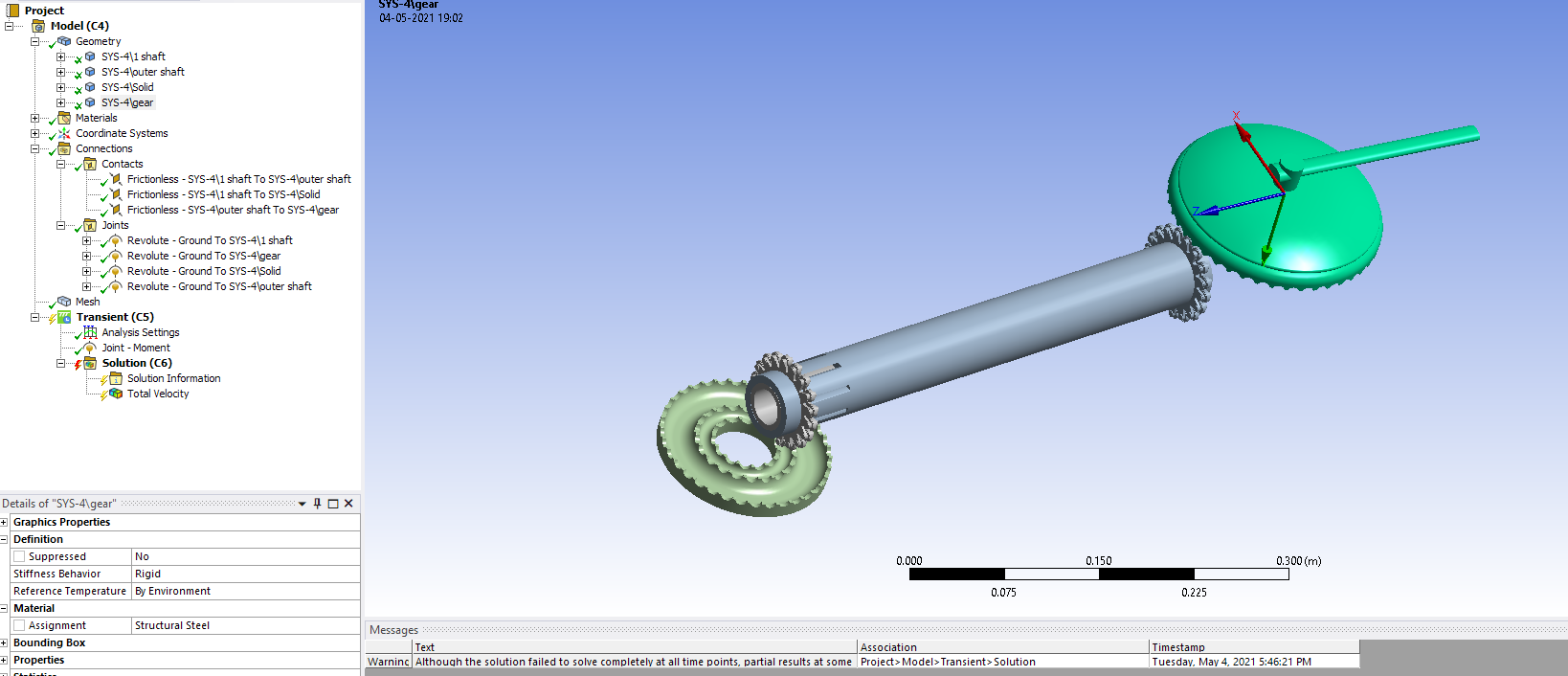
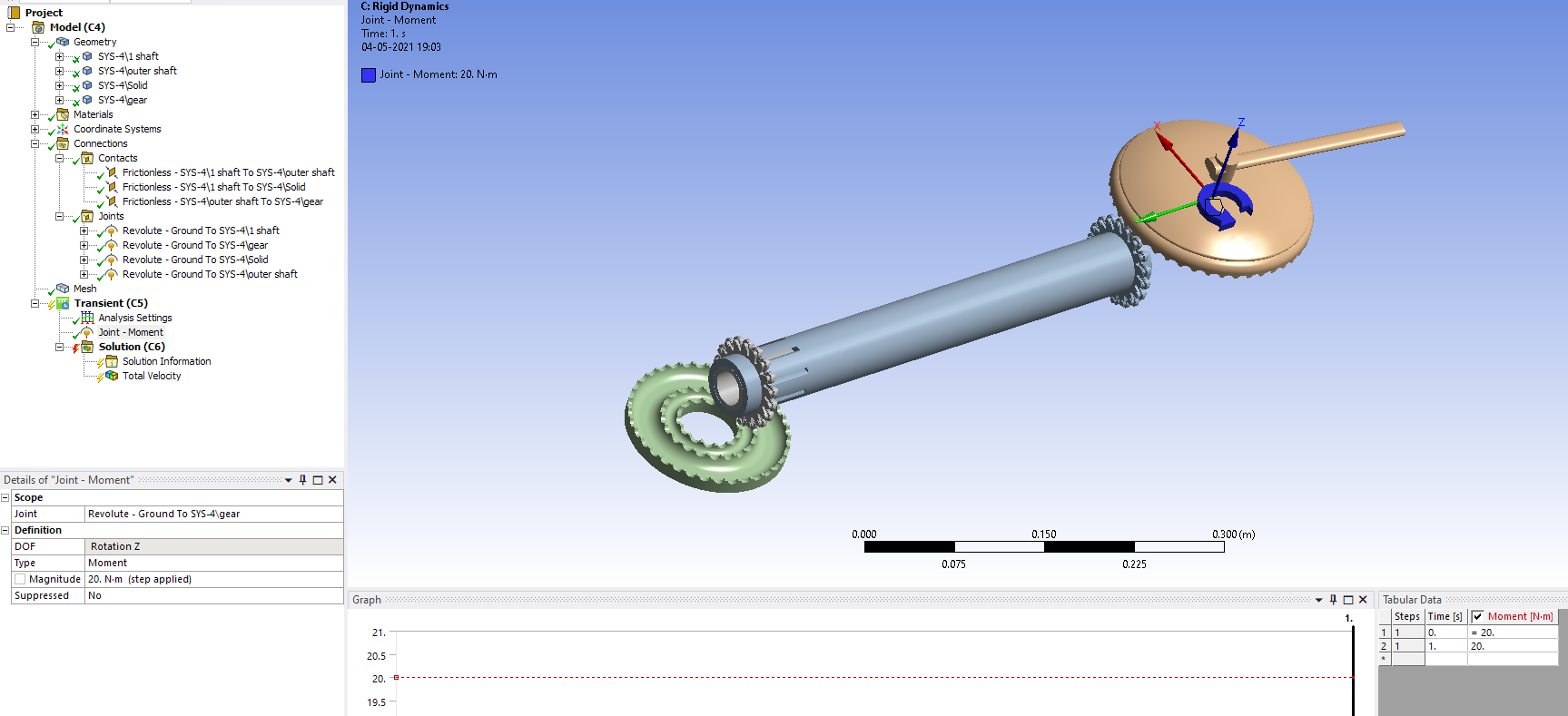 I have tried with both moment and the rotational velocity but still am not getting any results...........
May 5, 2021 at 3:36 ampeteroznewman
SubscriberSince your main interest is in generating an animation of the motion, I suggest you use Rigid Dynamics. That will let you input the motion of each part independently, without using any contact. You know the angular velocity of each part based on the radius of the teeth. Don't use any contact. Simply use a Revolute Joint to ground for each part and assign a Joint Load of angular velocity and type in the values that you hand calculate for each part.
May 5, 2021 at 6:19 amAnsys Employee
1) For rigid dynamics, the mesh is overrated, here you are not calculating any of the stiffness or deformation terms to yield any stress unless they are flexible, try to decrease the time step size or increase number of steps to increase the stable solution.
2) As per your context, you are interested to know the motion of the bodies, i suggest you go with the suggestion, Try to load realistically, 20 Nm is a lot to take.
3) I doubt that the mesh is not generated by the academic version of ANSYS , usually, you would might get mesh limitation error.
Comment down your response for further help.
Cheers, Ram
May 5, 2021 at 9:48 amSubscriberactually, i am using one of my friend's account of ansys which has a full version bought by his university. thats why i asked.
the mesh keeps failing
can u please help me with it
here i will drop u the STEP 214 protocol
please try meshing of this model with rigid, transient and static. idk why it doens't mesh
its inside the rar. please help me with this. I have been trying to mesh it for past 2 days
May 6, 2021 at 10:04 pmSubscribersee this
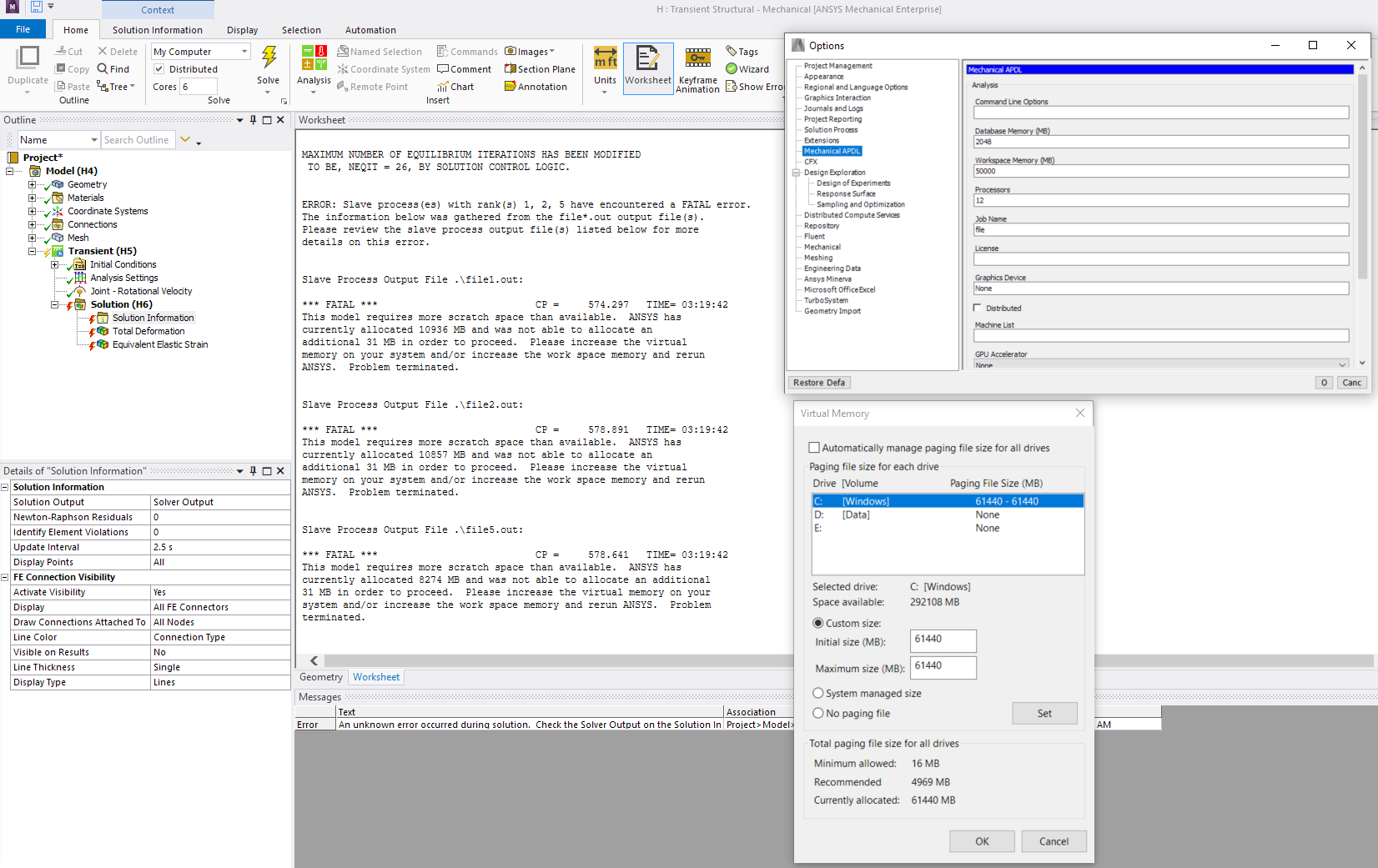
i meshed it anyway while solving it keeps showing me an error
so i increased my virtual ram from 12000 (approx) to 61000(approx)
also i increased the workspace memory
still its showing error
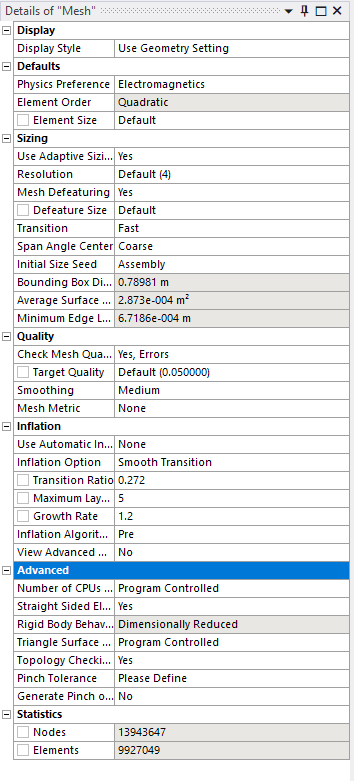
May 7, 2021 at 5:10 pmSubscriberI opened the STP file and sliced out two roller teeth on the gear shaft to show you the kind of work that can be put into the geometry to simplify it.
On the left is the original tooth, meshed with default parameters. It has 5727 nodes and 3110 elements. The simplified tooth on the right has 2114 nodes, so less than half the nodes and only 1064 elements, or about 1/3 of the elements.
Another advantage of simplified geometry, the element quality improves. The minimum element quality in the original tooth was down to 0.14, but the minimum element quality in the simplified tooth went up to 0.31, about twice as good.
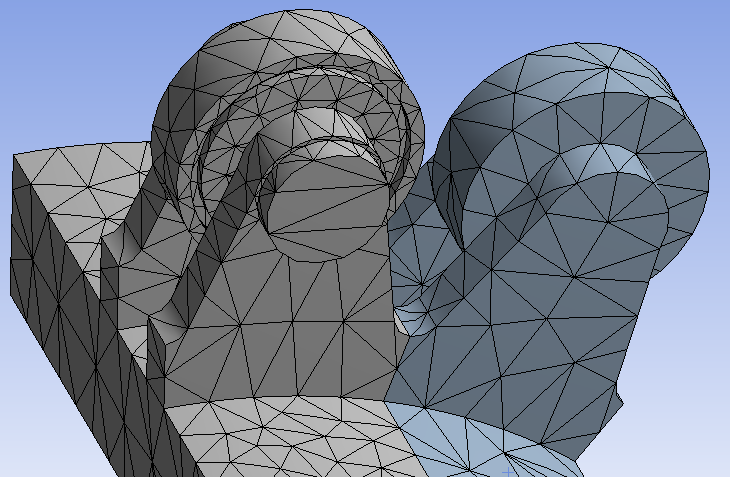 You can do this kind of improvement over the entire model and get down to a mode that might run.
May 7, 2021 at 7:01 pmSubscriberit worked when I reduced the number of elements but I want to know why it was failing even after I provided more virtual ram and also more workspace memory.
May 7, 2021 at 9:55 pmSubscriberthanks for telling me that
anyway I reduced it to 100k and it worked
,I did what u asked me to do but the thing is that I am not getting proper animation in transient and also error is coming when i am evaluating results
i cant upload it directly with all the mesh and generated data.
i will type what it says and also i will drop the files, u can just click GENERATE MESH and SOLVE
1ST ERROR
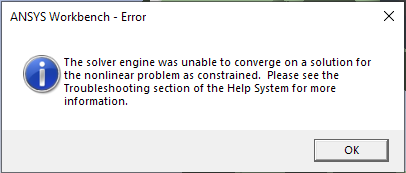
2nd ERROR -
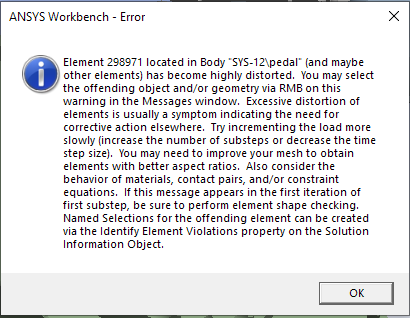 WARNING -
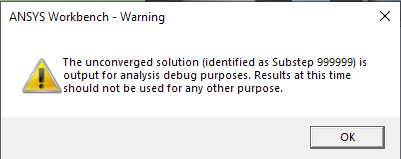 now i will drop the file
i am not deleting the method of my mesh and other stuff, just the mesh data and the results data so the file size would be small
please check the model and tell me what i am doing wrong
Viewing 13 reply threads- The topic ‘my solution wont proceed’ is closed to new replies.
Innovation Space Trending discussions
 Top Contributors
-
peteroznewman
 4904
4904 -
scabo
 1588
1588 -
Dennis Chen
 1386
1386 -
javat33489
 1242
1242 -
Shyam Prasad V Atri
1021
Top Rated Tags
© 2026 Copyright ANSYS, Inc. All rights reserved.
Ansys does not support the usage of unauthorized Ansys software. Please visit www.ansys.com to obtain an official distribution.
-


The Ansys Learning Forum is a public forum. You are prohibited from providing (i) information that is confidential to You, your employer, or any third party, (ii) Personal Data or individually identifiable health information, (iii) any information that is U.S. Government Classified, Controlled Unclassified Information, International Traffic in Arms Regulators (ITAR) or Export Administration Regulators (EAR) controlled or otherwise have been determined by the United States Government or by a foreign government to require protection against unauthorized disclosure for reasons of national security, or (iv) topics or information restricted by the People's Republic of China data protection and privacy laws.

 You are navigating away from the AIS Discovery experience