Ansys Assistant will be unavailable on the Learning Forum starting January 30. An upgraded version is coming soon. We apologize for any inconvenience and appreciate your patience. Stay tuned for updates.
FIRST Robotics Competition
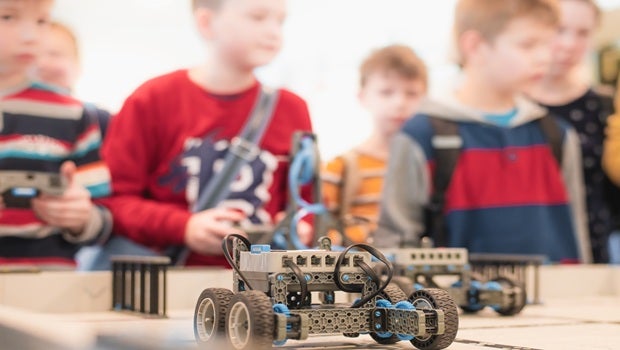
This learning track is designed specifically for students participating in the FIRST Robotics Competition. Through a curated selection of essential lessons from five key courses, you will gain practical knowledge of physics and engineering simulation to support your robot design process. The track begins with foundational concepts in Ansys Mechanical™ structural finite element analysis software, including geometry, connections, contacts and joints, boundary conditions, a brief introduction to meshing, and post-processing techniques. The track concludes with an introduction to Ansys Motion™ multibody dynamics simulation software, focusing on modeling rigid and flexible bodies, as well as utilizing joints and boundary conditions within the powerful Ansys Motion solver. The Learning Track consists for following courses:
- Getting Started with Ansys Mechanical Software
- Stress Analysis in Solid Mechanics
- Contact Mechanics (Only Lesson 1 is necessary)
- Structural Boundary Conditions (Only Lessons 1 & 2 are necessary)
- Intro to Ansys Motion Software
1

Innovation Course
Getting Started with Ansys Mechanical
When working with any computer-aided engineering software, it is important to understand its workflow and user interface so you can be more productive and efficient when performing your analysis in the software. In this course, you will get familiar with the ...Read more
2

Innovation Course
Stress Analysis in Solid Mechanics
Stress analysis is a very important task for engineers in civil, mechanical, aerospace and many other subjects. Although it is called stress analysis, it looks for both stress and strain over the structure so that to determine the condition of a structure under external loads. S...Read more
3

Innovation Course
Contact Mechanics
The study of the mechanical interaction of structures at their surfaces is essential in many applications. An accurate understanding of stress and deformation arising from contact is critical for the design of reliable, efficient and safe products such as disc brakes, gears and ...Read more
4

Innovation Course
Structural Boundary Conditions
For any finite element analysis, boundary conditions are a critical piece to set up simulations properly. This is because boundary conditions represent the effect of other parts or structures not directly modeled in our analysis. If inappropriate boundary conditions...Read more
5

Innovation Course
Intro to Ansys Motion
This course introduces Ansys Motion™ multibody dynamics simulation software. A quick presentation of the procedure is explained. Followed by the illustration of some features needed in the Ansys Motion software procedure. We will have a quick look at the solution settings an...Read more