Hello
I am having trouble generating a mesh for a multibody part. After some time I got a decent mesh, however some elements are distorted and do not follow the geometric boundaries. Here is a picture of the mesh:
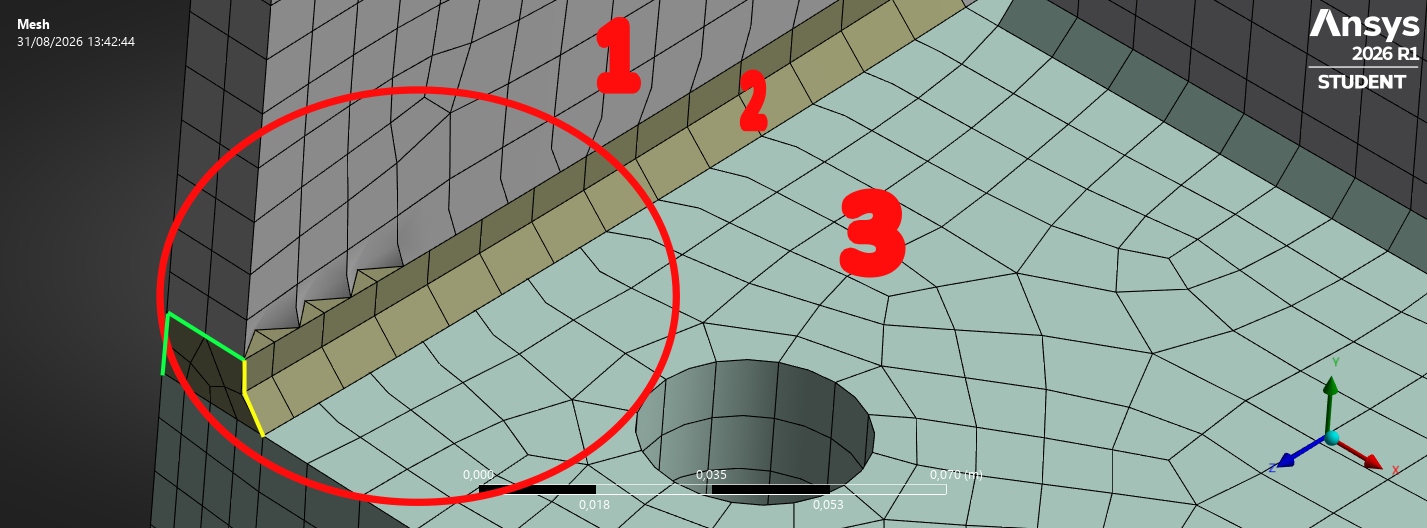
I labeled each body with different numbers for easier reference. As you can see, some corner nodes are connected to midside nodes between bodies. Which as I understand, should not be possible by default. This next image provides a cloer look at the issue.
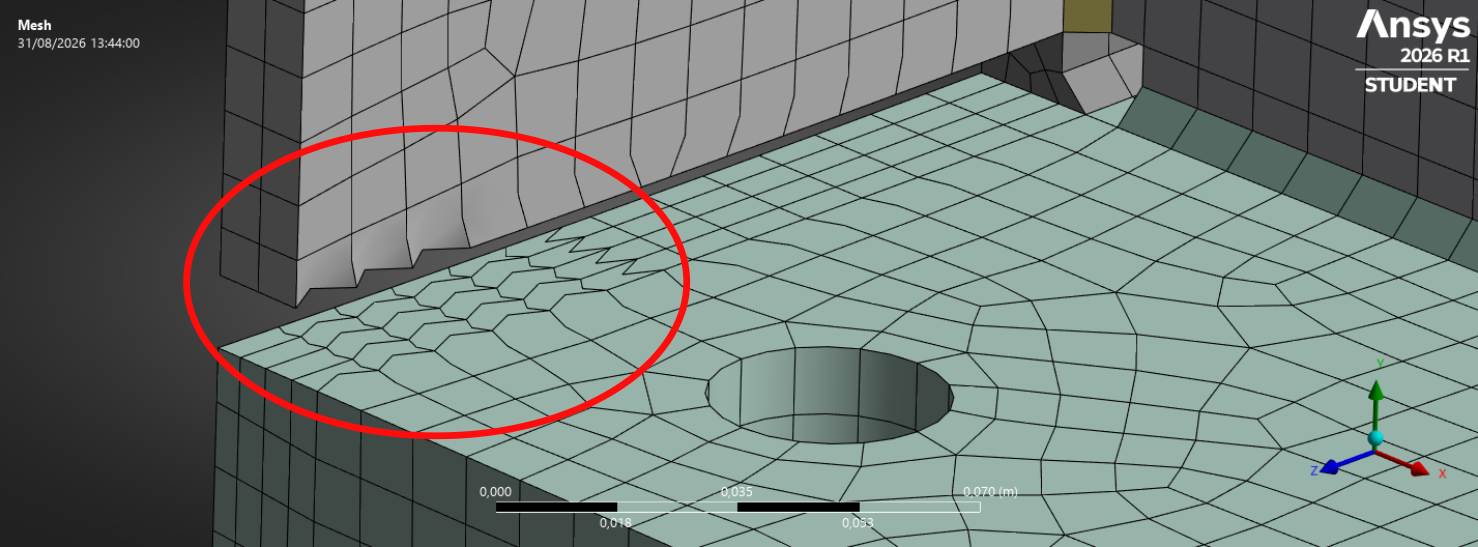
This is a multibody part so I expect a conformal mesh. I am also trying to get a structured hexahedral mesh. I made some splits in CAD which result in the different bodies that you see in the pictures. This simulation also utilizes cyclic symmetry. The mesh controls I applied where the following:
- Multizone (Standard decomposition) with a Split Angle of 60º for Body 1
- Same as before for Body 3
- Multizone (default settings) for Body 2
- Face meshing for the bigger face of Body 1
- Hard Edge Sizing: 2 divisions on green edges
- Hard Edge Sizing: 1 division on yellow edges
Why are the shown elements distorted and how can I avoid that? This is part of a parametric study.If possible ,a non mesh-specific solution is desirable. If additional information is needed I am happy to provide it.





















 You are navigating away from the AIS Discovery experience