Ansys Assistant will be unavailable on the Learning Forum starting January 30. An upgraded version is coming soon. We apologize for any inconvenience and appreciate your patience. Stay tuned for updates.
Fluids

Fluids

Topics related to Fluent, CFX, Turbogrid and more.

How to write particle data every time step in DPM

    • aniruddhabose96
      Subscriber

      Hi

      I have a pipe flow with solid DPM particles. I want to get the particle x, y, z position for all particles in seperate files at each time step while the simulation is running. How can i do that? Otherwise it is not possible to save .dat file every time step and open each file seperately.

      thanks

    • Rob
      Forum Moderator

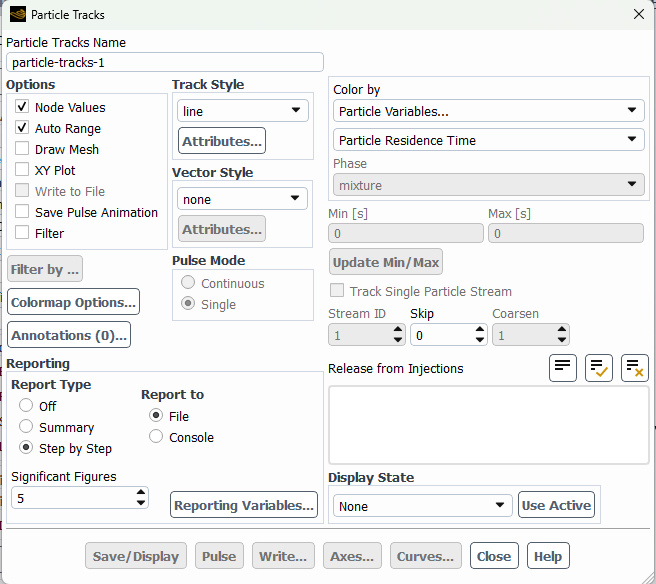
      Have a look at the Report options in Particle Tracking. You may need to use TUI Execute Commands, but I'm not sure you'll get a separate file for each step. 

    • aniruddhabose96
      Subscriber

      No i was saying the file will remain same but they must be updated each time step only with the x, y, z positions of all the particles and not with anything else. Normally we get the particle dat file but it contains everything so cant save them every time step as will lead to huge data. SO do I have to use TUI command for this?

    • Rob
      Forum Moderator

      In which case have a look at a custom DPM out file if you want to reduce the amount of saved data. I'd question why every time step, but that's for you to determine. 

    • aniruddhabose96
      Subscriber

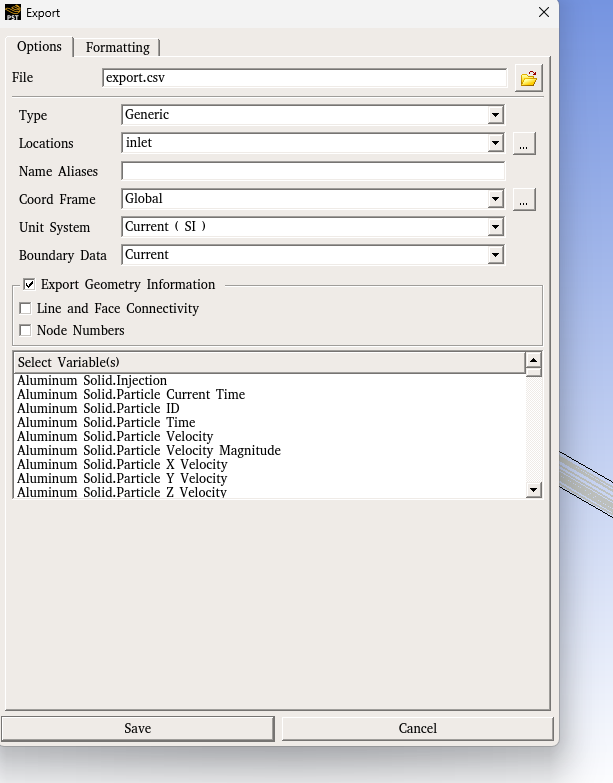
      Actually in the file>export>part history data, there is no option to choose the particle positions as variable but there are other variables available to select. So, is there a method I can save the particle positions every time step in a seperate file and update the file continously? The .dat file has all the variables but too costly to save at every time step. Also I want to plot the dispersio func (which depends on part positions) with time which should be a continous graph-so need to save at every time step.

    • Rob
      Forum Moderator

      I think the positions are included automatically? Did you try it to see? 

    • aniruddhabose96
      Subscriber

      Hi. I have exported the part hist file in CFD-Post format. When i open the part hist.xml file in CFDPost, it does not show particle position variables. Please see attached screenshot. When i scroll down there are no variables for particle positions, therefore i think they cannot be exported in the part hist file. Do I have to export it in some other format?

    • Rob
      Forum Moderator

      Open the file you saved in a text editor - why would the export contain field variables but not position? 

      Or use Fluent's DPM Reporting


    • aniruddhabose96
      Subscriber

      DPM reporting is fine but if I want the positions every time step, then i cant manually open the reporting every time. For that I need to save the file in the directory.

    • Rob
      Forum Moderator

      Please rephrase. If you run the equivalent report as an Execute Command it should dump the data out into a file. 

    • aniruddhabose96
      Subscriber

      Okay i need to see the execute command now

    • Rob
      Forum Moderator

      Unless it's just a GUI function as I can't see it. You may just need to use the CFD Post or another output and do some editting afterwards. 

    • aniruddhabose96
      Subscriber

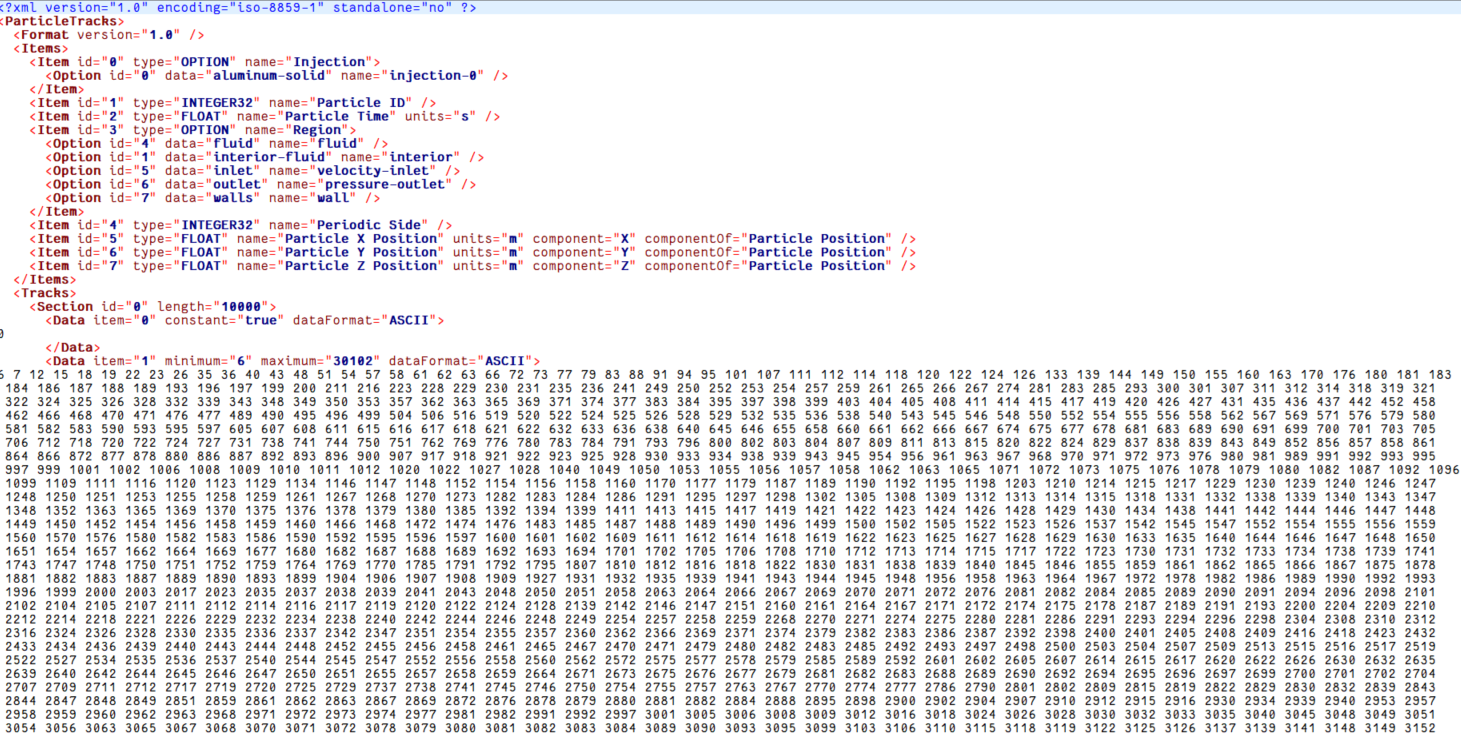
      Hi After I open the .xml file using a text editor it is showing the following picture:Here it is very confusing to know which data indicates particle position and which data indicates time. Also there are some Ascii things written if i scroll down so very confusing to clearly understand this file. Any suggestions?

    • Rob
      Forum Moderator

      Compare blocks of text with what you know. Ie is it a block of IDs, then something else? 

    • aniruddhabose96
      Subscriber

      Hi-Still it is not quite understable as X position etc should be in decimal right? but i am seeing everything as integer in this text file.

    • Rob
      Forum Moderator

      What does the rest of the file look like? 

    • aniruddhabose96
      Subscriber

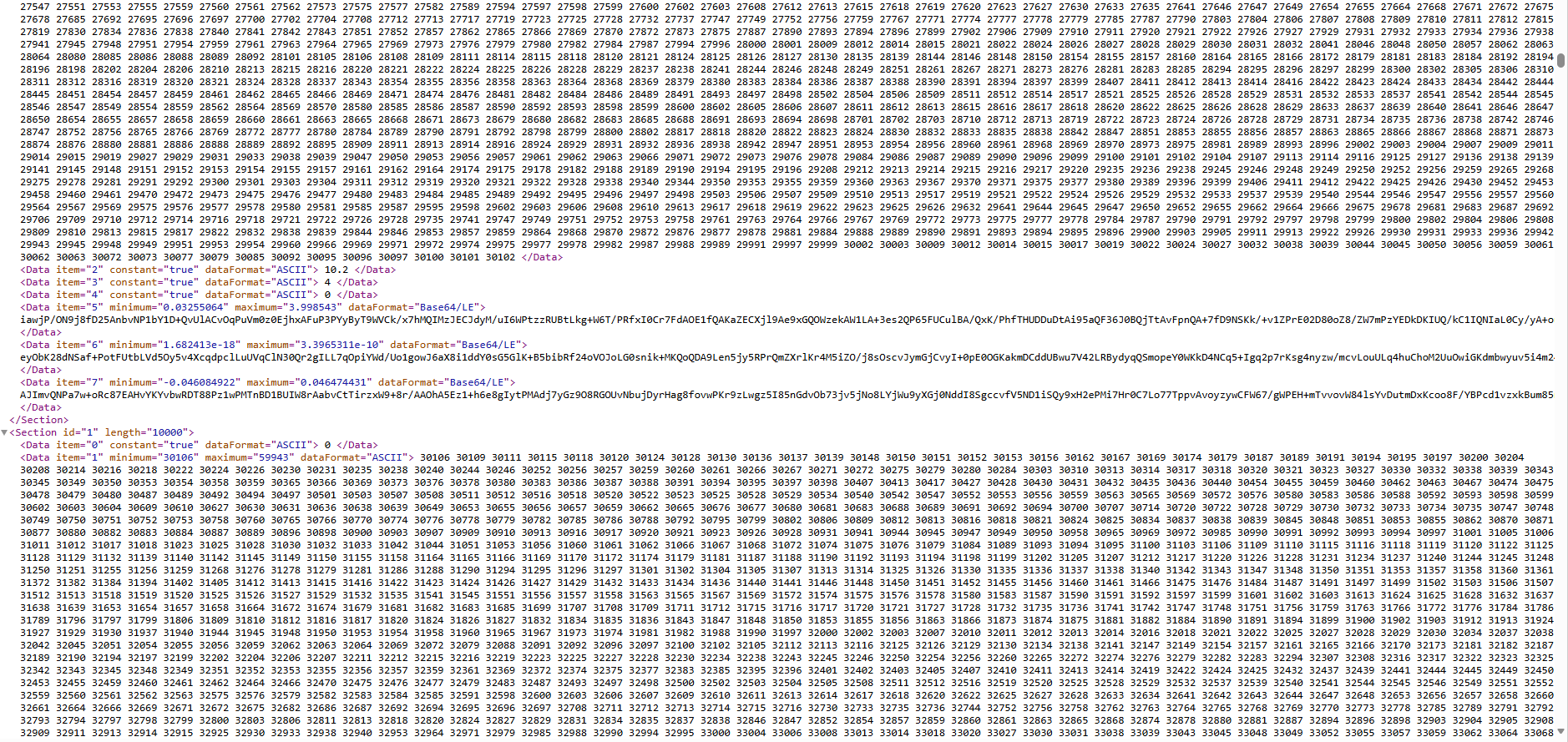
      It contains only integer values in large blocks and some headings in between like thisIs it not possible to only save variables of interest in a text file seperately like one does in in-house codes?

    • Rob
      Forum Moderator

      Yes, which are then interpreted into the next Ansys package. Yes it is possible, have a look at the other format options, failing that it's a UDF or some additional work on whatever output you get or on the data sets. 

Viewing 17 reply threads
  • You must be logged in to reply to this topic.
[bingo_chatbox]