Ansys Assistant will be unavailable on the Learning Forum starting January 30. An upgraded version is coming soon. We apologize for any inconvenience and appreciate your patience. Stay tuned for updates.
Fluids

Fluids

Topics related to Fluent, CFX, Turbogrid and more.

Error when following 2-way FSI tutorial for oscillating plate

    • paula.dreiner
      Subscriber

      Hi everyone, 

      I'm trying to get into Fluent, specifically for 2-way FSI later on (for reference, I'm using R2025.2 with an academic license).

      I've been following this tutorial (as seen in the picture) https://innovationspace.ansys.com/knowledge/forums/topic/tutorial-system-coupling-tutorial-oscillating-plate-with-two-way-fluid-structure-interaction-using-fluent-r17-2/ /

      and have ran into some issues when starting the solution. 

      The System Coupling Element is awaiting connection from the participants and then throwing an error:

      "System coupling solution stopped before all participants connected. A
      solver failure occurred during the run in the Fluid Flow (Fluent) system"   

      Beforehand, these are the warnings I'm getting:

      | Warnings were found during data model validation.                                      
      +------------------------------------------------------------------------------------------+
      | Warning: Participant Fluid Flow (Fluent) (Solution) has the                           
      | ExecutionControl 'Option' set to 'ExternallyManaged'. System Coupling   
      | will not control the startup/shutdown behavior of this participant.              
      | Warning: Participant Transient Structural (Solution 1) has the              
      | ExecutionControl 'Option' set to 'ExternallyManaged'. System Coupling   
      | will not control the startup/shutdown behavior of this participant.     
      | Warning: Unused input variables ['Force_Density'] (FDNS) on region FSIN_1   
      | for Transient Structural (CouplingParticipant:Solution 1).              

      I'm not quite sure how to fix this. So far, I've tried changing from Fluid Solid Interface to System Coupling Region and turning off the license sharing. Neither changed anything. Grateful for any help.

      Cheers 
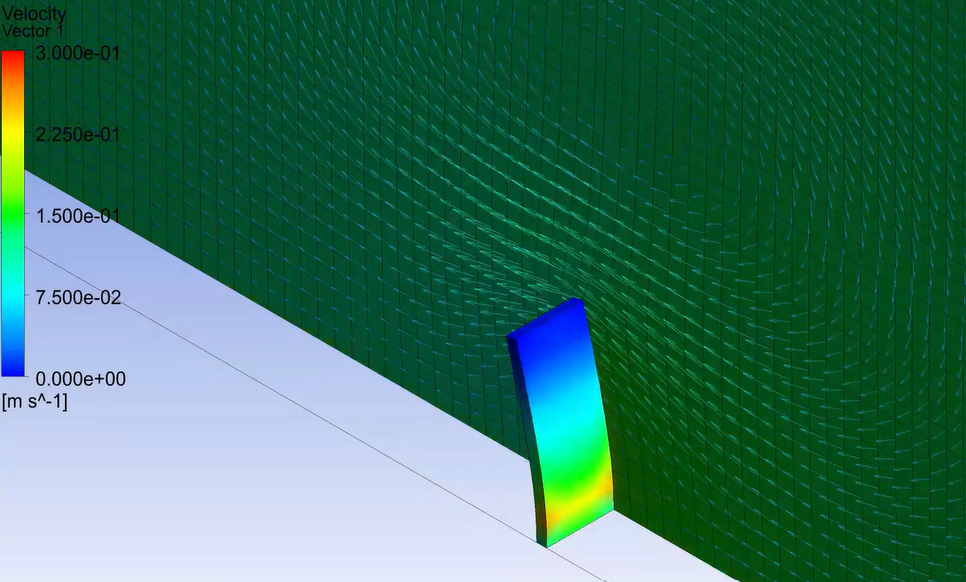
    • Federico
      Ansys Employee

      Hello, 

      this System Coupling error message only states that the failure occurred in Fluent. In that case, you should look at the Fluent transcript (.trn file) to understand the specifics of this error.

    • paula.dreiner
      Subscriber

      Hi Federico,

      there was no .trn file in any of the directories but while looking into how to generate one, the coupling was suddenly successful. However, I'm confronted with a new issue originating from Transient Structural now:

      |                           COUPLING ITERATION = 2                            
      +-----------------------------------------------------------------------------+
      | Transient Structural           |                                       
      |   Interface: interface-1       |                                       
      |      Data Transfer 2             |         Not yet converged           
      |        RMS Change              |     4.28E-01          5.07E-01   
      |        Sum x                         |     1.14E+05          1.16E+05        
      |        Sum y                         |     5.80E+05          6.20E+05        
      |        Sum z                         |     2.78E+06          2.82E+06        

      +-----------------------------------------------------------------------------+
      | Participant Solution 1 encountered a fatal error. Message: Element 9 (type  
      | = 1, SOLID186) (and maybe other elements) has become highly distorted.  
      | Excessive distortion of elements is usually a symptom indicating the need   
      | for corrective action elsewhere.         

      I didn't change anything, only clicked the "Write Transcript" in the Fluent GUI. Not sure how to proceed.                                  

Viewing 2 reply threads
  • You must be logged in to reply to this topic.
[bingo_chatbox]