Ansys Assistant will be unavailable on the Learning Forum starting January 30. An upgraded version is coming soon. We apologize for any inconvenience and appreciate your patience. Stay tuned for updates.
General Mechanical

General Mechanical

Topics related to Mechanical Enterprise, Motion, Additive Print and more.

Error Regarding Doing Static Structural with Steady State Thermal

    • marshal.andreas.pub
      Subscriber

       The problem is I can do Static Structural on its own, but i don't know why it just can't when i Imported  Temperature from Steady State Thermal. Help me guys 
      the error message is follwong guys:

      *** ERROR ***                           CP =    8227.219   TIME= 20:39:50

       The value of UY at node 479015 is 423481388.  It is greater than the   

       current limit of 1000000 (which can be reset on the NCNV command).     

       This generally indicates rigid body motion as a result of an           

       unconstrained model.  Verify that your model is properly constrained.  


       *** ERROR ***                           CP =    8227.219   TIME= 20:39:50

       *** MESSAGE CONTINUATION ---- DIAGNOSTIC INFORMATION ***               

       If one or more parts of the model are held together only by contact    

       verify that the contact surfaces are closed.  Also make sure that      

       there are constraints (or friction) in the sliding direction even if   

       no load is applied in that direction.  You can use the CNCHECK command 

       to check the initial contact status in the SOLUTION module.        4
      Steady State Thermal

      Static Structural


    • peteroznewman
      Subscriber

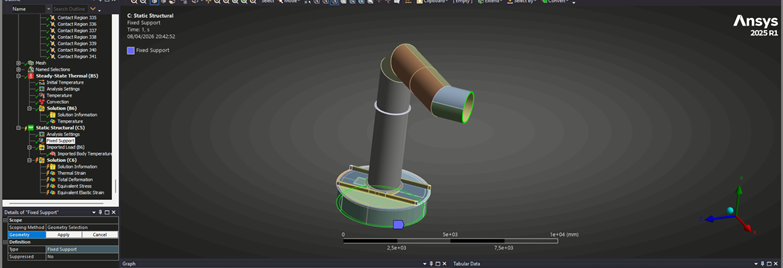
      Part of your structure is not connected in the Y direction. One diagnostic check to find the unconstrained part is to drop a Modal analysis on the Static Structural Model cell.  In Mechanical, drag the Fixed Support from the Static Structural branch and drop it on the Modal branch. Under Analysis Settings for Modal, request 12 modes instead of 6.  Solve the Modal and plot Deformations for all modes.  I expect you will see the frequency for mode 1 is nearly zero.  In the Details window for Deformation plot of mode one is the name of the part with the maximum deformation. You may see it float around in the animation of the Deformation for mode 1. That is the part you have to constrain.

      • marshal.andreas.pub
        Subscriber

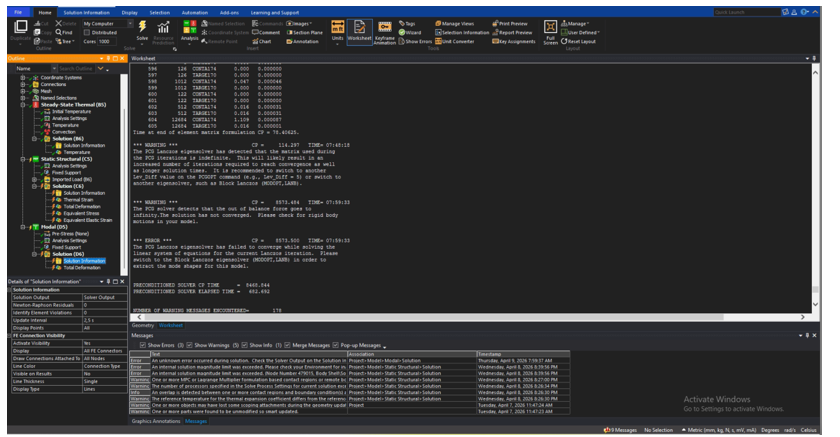
        I performed the modal analysis, yet it just cant get the result:

         *** WARNING ***                         CP =     114.297   TIME= 07:48:18
         The PCG Lanczos eigensolver has detected that the matrix used during    
         the PCG iterations is indefinite.  This will likely result in an        
         increased number of iterations required to reach convergence as well    
         as longer solution times.  It is recommended to switch to another       
         Lev_Diff value on the PCGOPT command (e.g., Lev_Diff = 5) or switch to  
         another eigensolver, such as Block Lanczos (MODOPT,LANB).               
                                                                                 
         
         *** WARNING ***                         CP =    8573.484   TIME= 07:59:33
         The PCG solver detects that the out of balance force goes to            
         infinity.The solution has not converged.  Please check for rigid body   
         motions in your model.                                                  
                                                                                 
         
         *** ERROR ***                           CP =    8573.500   TIME= 07:59:33
         The PCG Lanczos eigensolver has failed to converge while solving the    
         linear system of equations for the current Lanczos iteration.  Please   
         switch to the Block Lanczos eigensolver (MODOPT,LANB) in order to       
         extract the mode shapes for this model.                                 


    • peteroznewman
      Subscriber

      Under Analysis Settings, change the Solver to Direct.

      • marshal.andreas.pub
        Subscriber

        nope, doesnt work
         the messages as following:

         *** ERROR ***                           CP =     609.781   TIME= 09:07:17
         Size too large for a memory allocation.                                 
         
         *** ERROR ***                           CP =     609.781   TIME= 09:07:17
         Failure in BLOCK LANCZOS eigensolver.  Error code = -1.  Please send    
         the data leading to this operation to your technical support provider,  
         as this will allow ANSYS, Inc to improve the program.                   
         
         *** WARNING ***                         CP =     609.781   TIME= 09:07:17
         Fewer modes than the requested number of modes ( 12 ) were computed.    
         There are only 0 modes beyond the begin frequency of FREQB= 0.          
         
         
         NUMBER OF WARNING MESSAGES ENCOUNTERED=        176
         NUMBER OF ERROR   MESSAGES ENCOUNTERED=          2


      • marshal.andreas.pub
        Subscriber

        fyi, i do still use automatic connection and it works when i do steady state thermal analysis

      • marshal.andreas.pub
        Subscriber

        i deleted every contact and finally it works for the modal analysis( iuse nonconformal mesh for hexahedral meshing purpose)
        so i should constrain this floating part with fixed support or what???


      • marshal.andreas.pub
        Subscriber

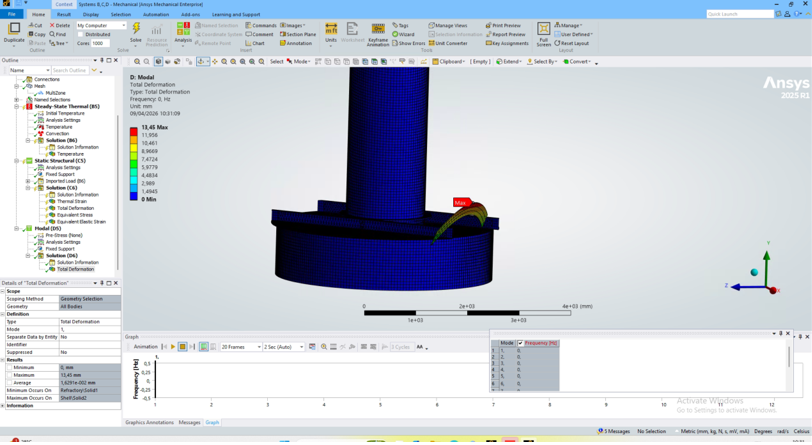
        this is the modal analysis with contact on :

    • peteroznewman
      Subscriber

      The small text in the screen snapshots is nearly illegible. The software you are using to take them is reducing the screen image resolution. Windows comes with Snipping Tool which does not reduce screen resolution at all. Try using that to paste images into your replies.

      If that last image is for Mode 1, the frequency is now non-zero which is required for Static Structural to solve without an error. When you animate that result, does the part with the Maximum deformation move in a way that shows it is connected to other parts in a sensible manner?  What do you mean by "with contact on"?

      In the second last image, the frequency is zero so that would mean Static Structural will give an error. The corrective action is to attach that part to whatever that part is supposed to be attached to. A part that floats that is meant to be fixed to ground should have a Fixed Support but if the part that floats is meant to be attached to other parts, then you need Bonded Contact to connect it to other parts so it doesnt float.

      • marshal.andreas.pub
        Subscriber

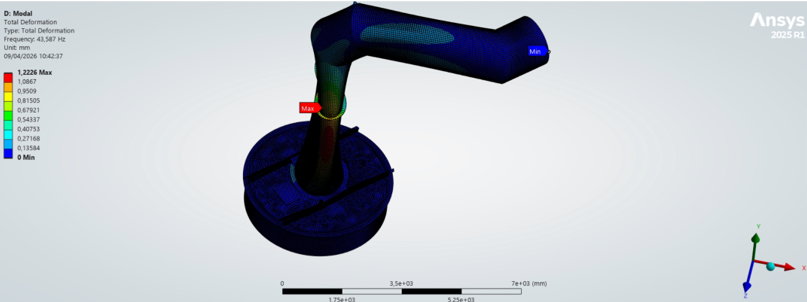
        Here is the modal analysis
        I don't use shared topology due to easier hexahedral meshing and I use automatic contacts (it works wonder for my steady state thermal)
        As u can see, there is no floating part and the part that have maximum deformation still moves in sensible manner
        The problem is when i only import the load temperature on static structural, but when i leave the static structural with gravity only, it works

    • peteroznewman
      Subscriber

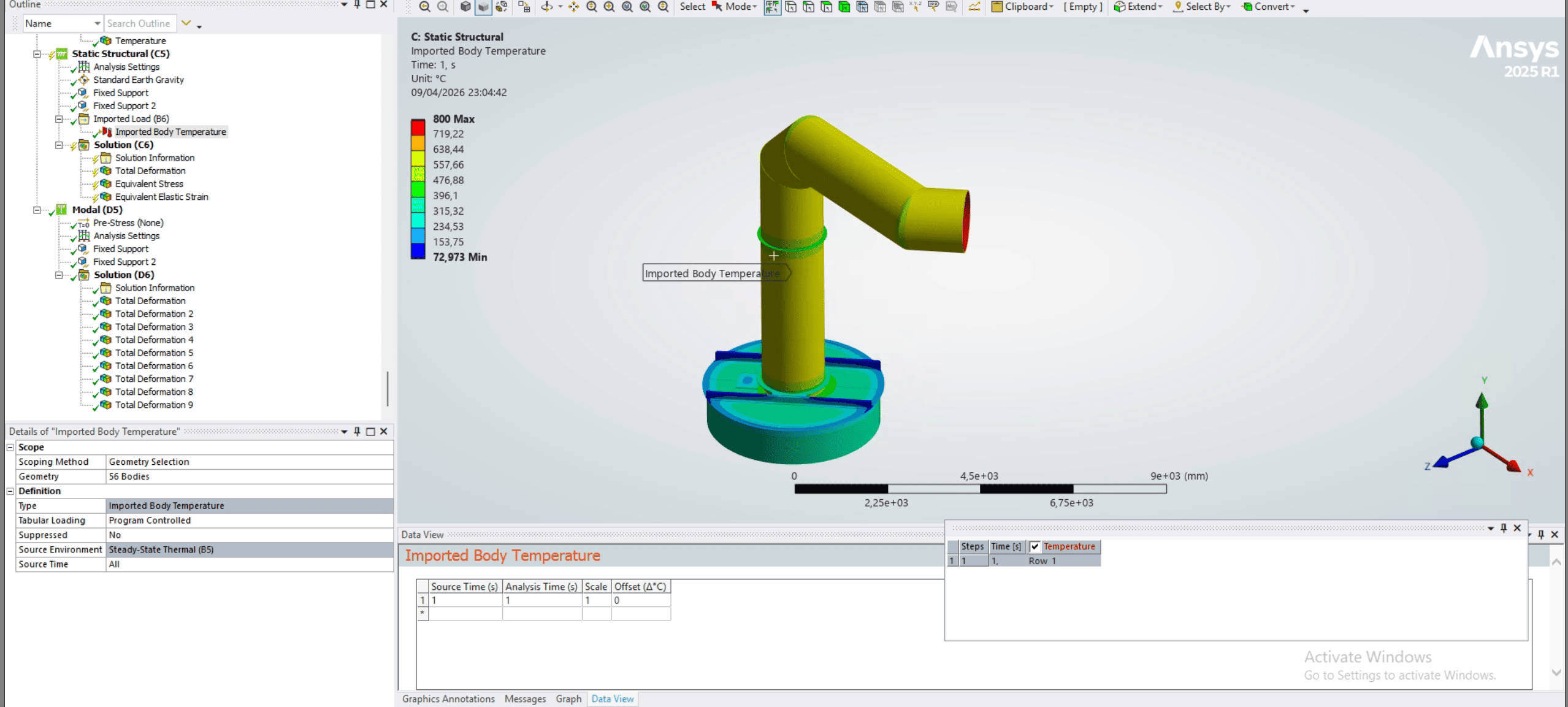
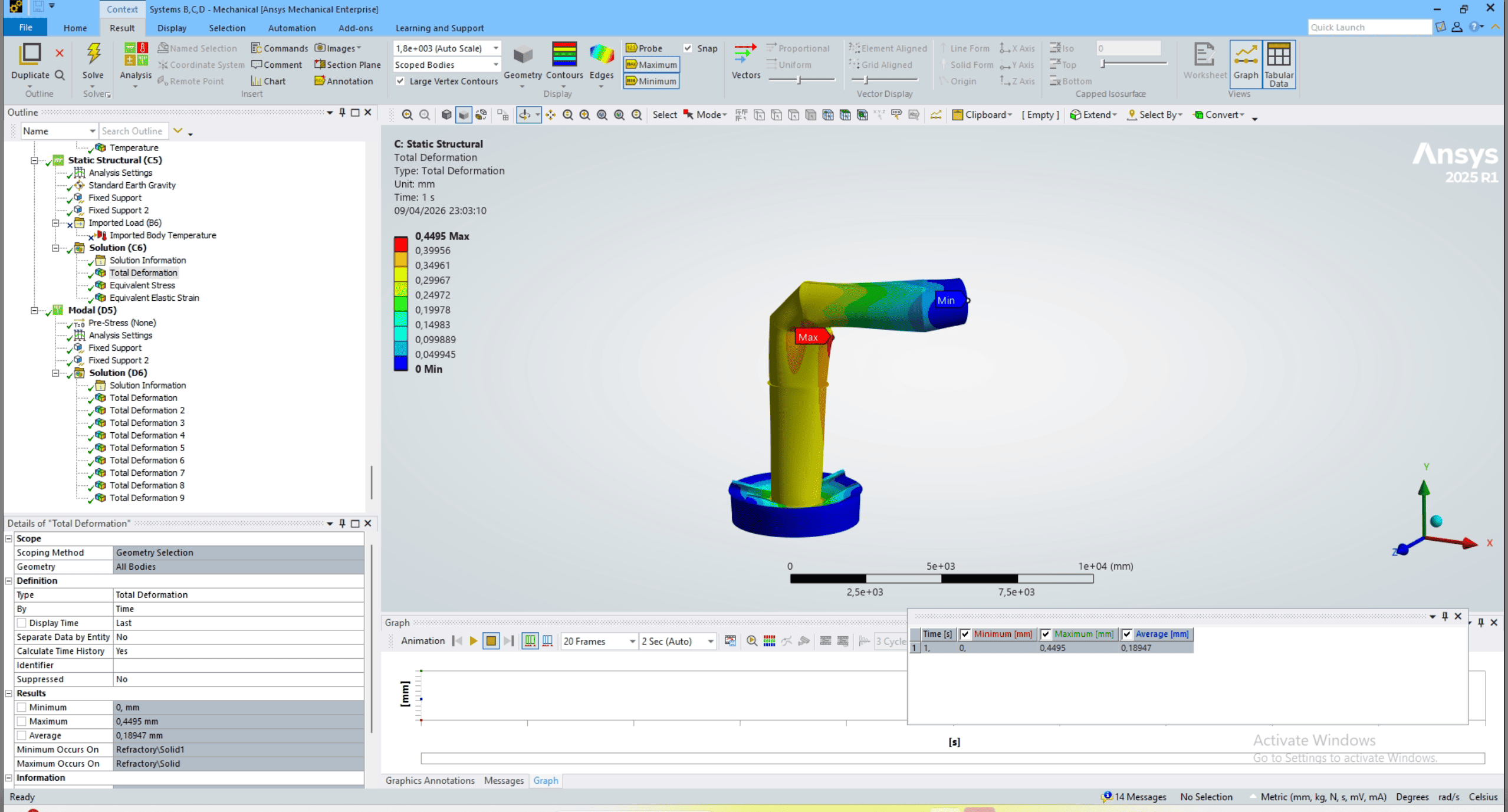
      Now that you have a Static Structural model that solves with a gravity load only, show that deformation result.

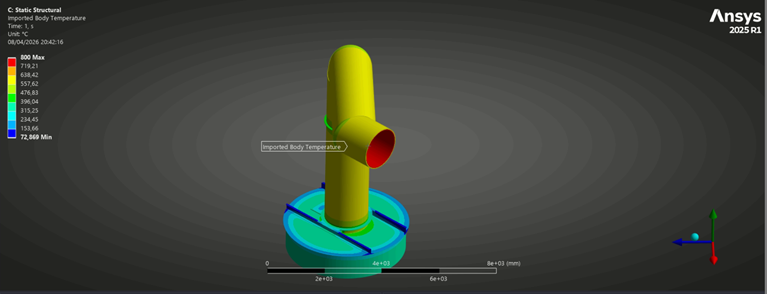
      When you add an Imported Temperature load you get an error, show that error, plot the Imported Load temperature and the Details window.

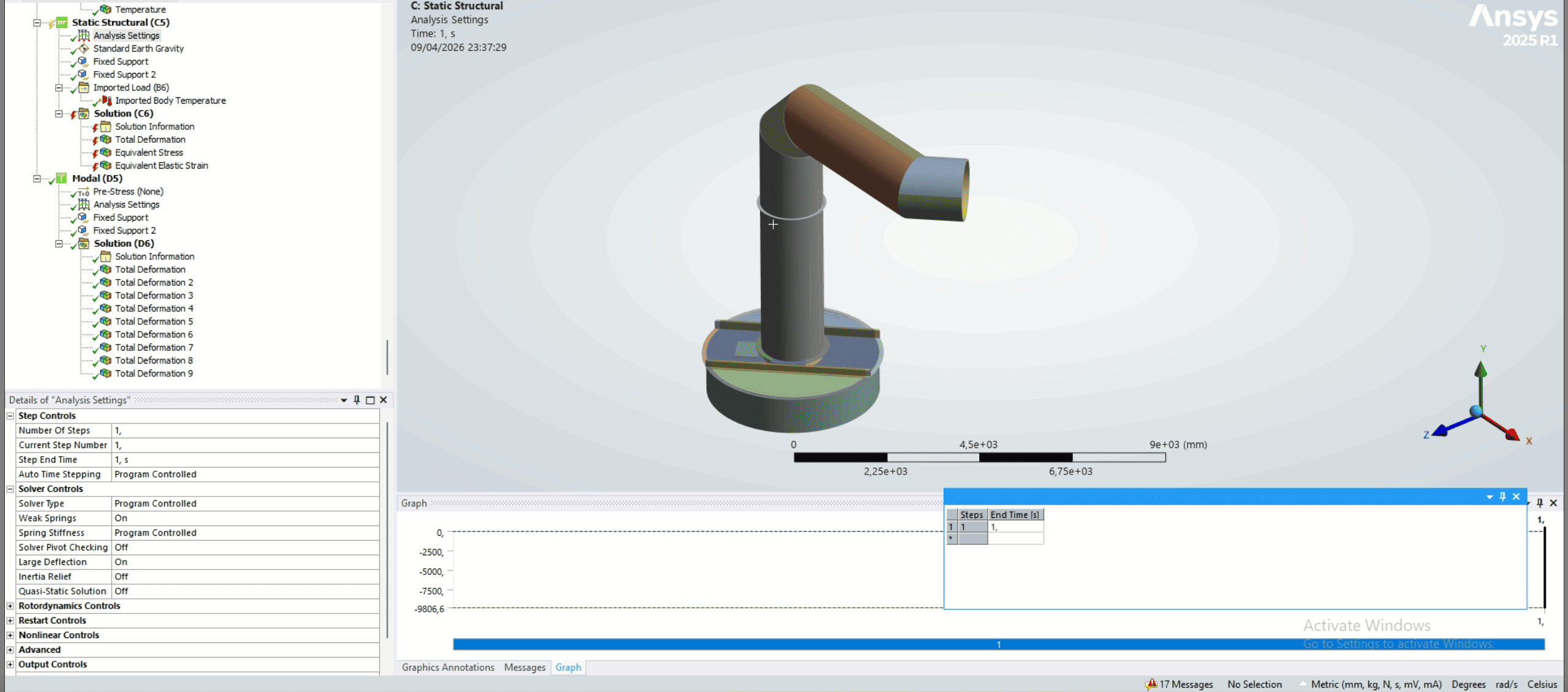
      Under Analysis Settings, try turning on Large Deflection, does that change the error?

      What is the Coefficient of Thermal Expansion value for each material used?

      • marshal.andreas.pub
        Subscriber

        No Large Deflection:
         *** NOTE ***                            CP =    4225.578   TIME= 23:11:31
         The Sparse Matrix Solver is currently running in the in-core memory     
         mode.  This memory mode uses the most amount of memory in order to      
         avoid using the hard drive as much as possible, which most often        
         results in the fastest solution time.  This mode is recommended if      
         enough physical memory is present to accommodate all of the solver      
         data.                                                                   
         Sparse solver maximum pivot= 2.911567527E+21 at node 129856 UY.         
         Sparse solver minimum pivot= -1.831809152E+21 at node 126907 UY.        
         Sparse solver minimum pivot in absolute value= 2485.20108 at node       
         231642 UY.                                                              
         
         *** ERROR ***                           CP =    4297.906   TIME= 23:12:05
         The value of UY at node 238523 is 287245902.  It is greater than the    
         current limit of 1000000 (which can be reset on the NCNV command).      
         This generally indicates rigid body motion as a result of an            
         unconstrained model.  Verify that your model is properly constrained.   
         
         *** ERROR ***                           CP =    4297.906   TIME= 23:12:05
         *** MESSAGE CONTINUATION ---- DIAGNOSTIC INFORMATION ***                
         If one or more parts of the model are held together only by contact     
         verify that the contact surfaces are closed.  Also make sure that       
         there are constraints (or friction) in the sliding direction even if    
         no load is applied in that direction.  You can use the CNCHECK command  
         to check the initial contact status in the SOLUTION module.            

        After Large Deflection:
         *** NOTE ***                            CP =    4196.156   TIME= 23:34:03
         The Sparse Matrix Solver is currently running in the in-core memory     
         mode.  This memory mode uses the most amount of memory in order to      
         avoid using the hard drive as much as possible, which most often        
         results in the fastest solution time.  This mode is recommended if      
         enough physical memory is present to accommodate all of the solver      
         data.                                                                   
         Sparse solver maximum pivot= 6.877451288E+21 at node 129856 UX.         
         Sparse solver minimum pivot= -2.370368105E+20 at node 243904 UZ.        
         Sparse solver minimum pivot in absolute value= 5926.59524 at node       
         231167 UY.                                                              
         
         *** ERROR ***                           CP =    4268.984   TIME= 23:34:39
         The value of UY at node 238523 is 287184481.  It is greater than the    
         current limit of 1000000 (which can be reset on the NCNV command).      
         This generally indicates rigid body motion as a result of an            
         unconstrained model.  Verify that your model is properly constrained.   
         
         *** ERROR ***                           CP =    4268.984   TIME= 23:34:39
         *** MESSAGE CONTINUATION ---- DIAGNOSTIC INFORMATION ***                
         If one or more parts of the model are held together only by contact     
         verify that the contact surfaces are closed.  Also make sure that       
         there are constraints (or friction) in the sliding direction even if    
         no load is applied in that direction.  You can use the CNCHECK command  
         to check the initial contact status in the SOLUTION module.   
Viewing 4 reply threads
  • You must be logged in to reply to this topic.
[bingo_chatbox]