Hi, @maja16 , @aarshad , can you please tell if you have fixed issue with design point?
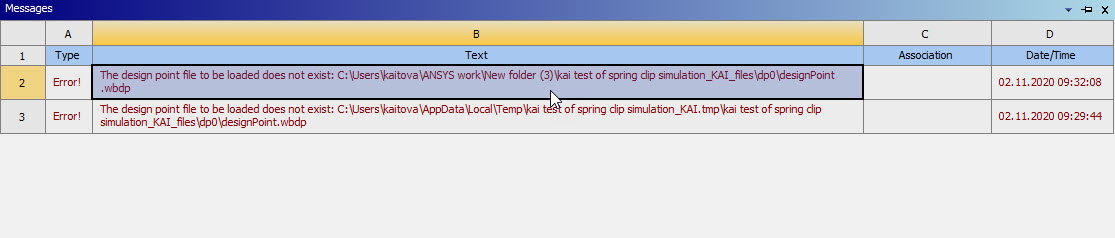
I have the same issue with design point, but just unpacking of the files and moving them to another folder doesnt work. Please, see my error message, I am actually not sure that this file with extension .wbdp anysis is looking for exist.
Thank you :)
 Gary_S
Ansys Employee
nHellonThe project has become corrupted in some manner. Here are two possible remedies:n=================n Make a backup of the current project.n Copy a designPoint.wbdp from another project into the location in your error message. n See if WB then opens the Project OK. n=================nSometimes re-importing the mechdb/mechdat can resolve these issues. nIn your project folder, there should be a SYS.mechdb file for each Analysis object that was on the schematic. n - Make a copy of SYS.mechdb to another folder,n - Rename the copy to SYS.mechdatnOnce you have copied these out, create a new Project..n From Windows Explorer, drag the .mechdat files into the Schematic project whitespacenSave the project to a new name when you are done. nLet me know if this gets you going.n=================n=================nOne more tip: Make periodic Project - Archives - .wbpz of your projects to prevent this from happening.nn
 user deleted
Subscriber
Thank you will tryn
- The topic ‘The design point file to be loaded does not exist?’ is closed to new replies.
















 You are navigating away from the AIS Discovery experience