TAGGED: #mechanical-#workbench, ansys-workbench
-
-
January 21, 2025 at 4:23 pm
joe.lindley
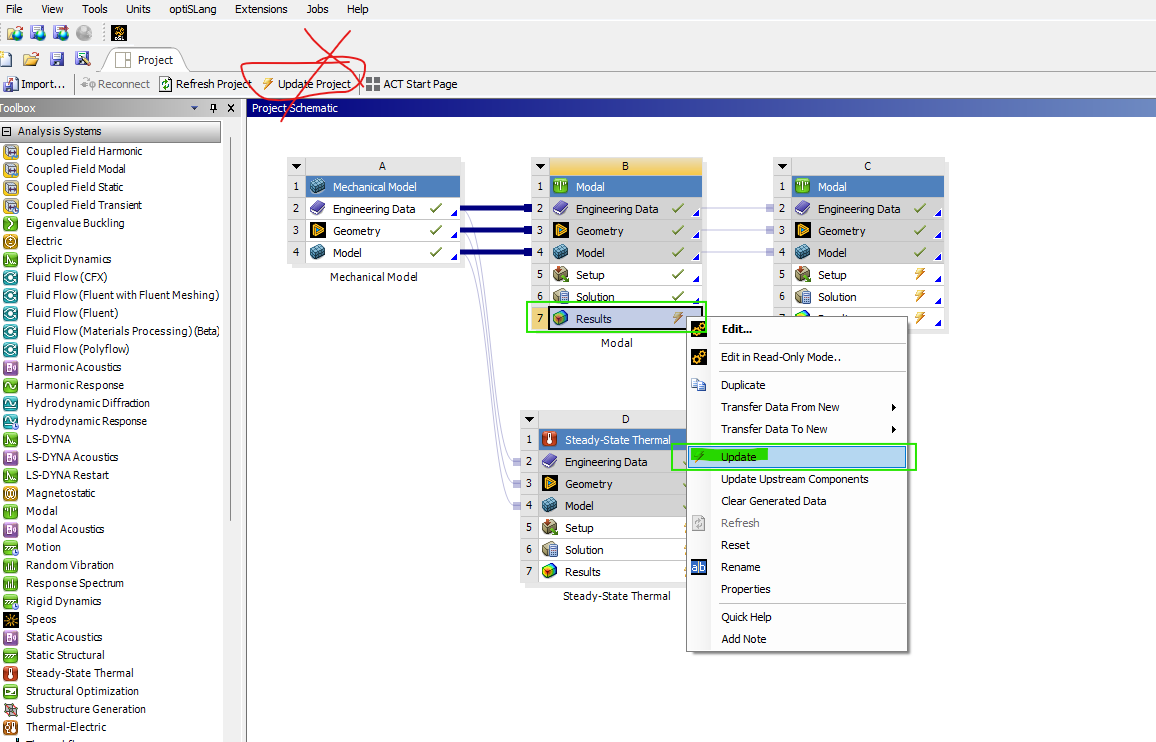
SubscriberI would like to update and solve a selection of modules within workbench, without solving all the modules.
I know that if I hit update it will solve them all, but sometimes this is not preferable, nor is saving a new workbench file and deleting the items not to be updated.
Is there a solution for this? -
January 21, 2025 at 6:18 pm
-
January 22, 2025 at 12:27 pm
joe.lindley
SubscriberThank you for your response, does this work for selecting multiple modules? can you select B & D in your example and solve them but not C?Â
-
January 22, 2025 at 1:34 pm
Deepak
Ansys EmployeeOnly one module can be solved.
-
January 22, 2025 at 1:36 pm
joe.lindley
Subscriberbut can i ask ansys to solve B, and then D, but not solve C. The solves would happen sequentially, not simultaneously.Â
-
January 22, 2025 at 1:51 pm
ErKo
Ansys EmployeeÂ
Not directly perhaps, but as one possible workaround with workbench (wb) scripting we can solve different systems .
Â
Scripts can be recorded (records actions we take on the wb project page). Go to: File -> Scripting -> Record Journal.
AlsoSee here for wb scripting:
Â
https://developer.ansys.com/blog/script-tip-friday-automate-imported-loads-set-wb-scripting
All the best
Erik
-
-
- You must be logged in to reply to this topic.
-
6495
-
1906
-
1458
-
1308
-
1022
© 2026 Copyright ANSYS, Inc. All rights reserved.