Ansys Assistant will be unavailable on the Learning Forum starting January 30. An upgraded version is coming soon. We apologize for any inconvenience and appreciate your patience. Stay tuned for updates.
General Mechanical

General Mechanical

Topics related to Mechanical Enterprise, Motion, Additive Print and more.

Python script for exporting Harmonic Response analysis results to .txt files

    • Tomasz Walkowiak
      Subscriber

      Hi all,

      I'm working on a Harmonic Response analysis.
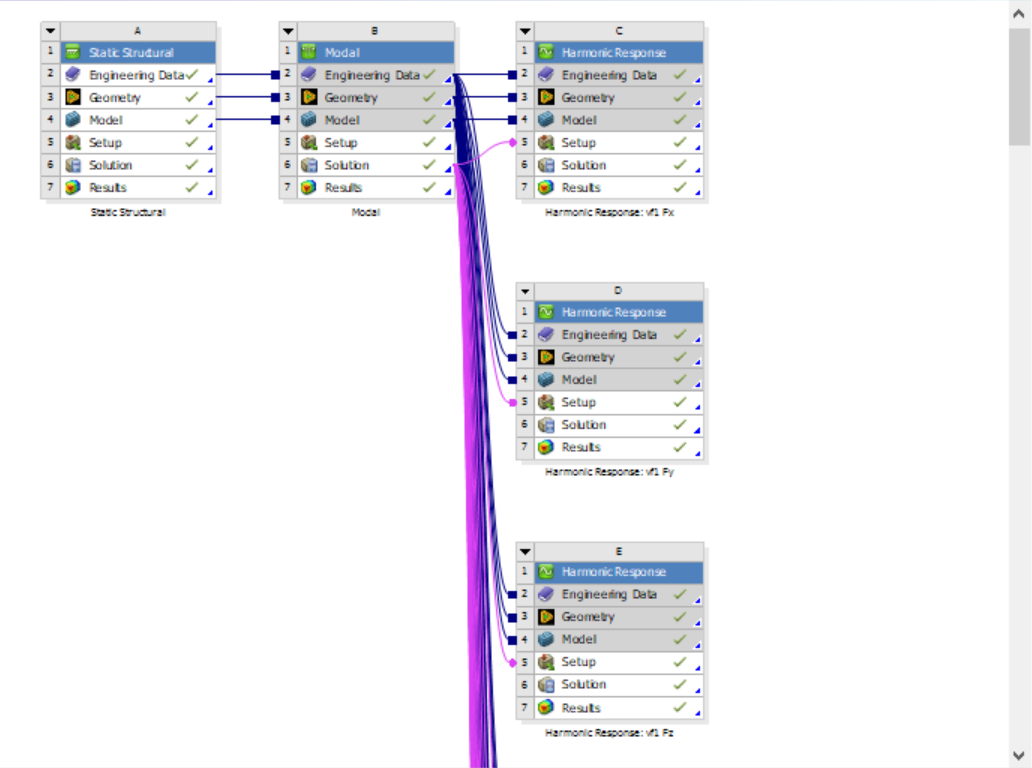
      My calculations are set up in a way that I have multiple analysis systems, like in the picture below:


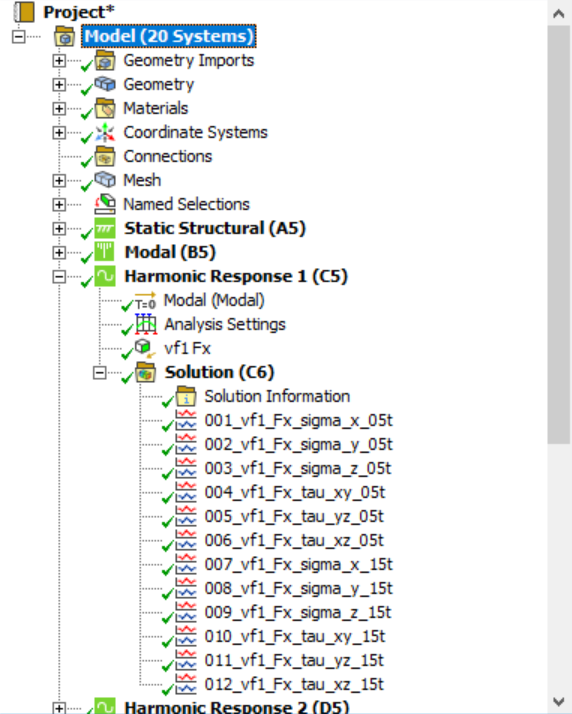
      Results I'm interested in are the frequency responses for the stresses at the specific nodes:

      In total I have 216 results which I would like to export to separate .txt files.

      I can do it manually for each result, but it takes a lot of time, so the best option is to write a Python script.

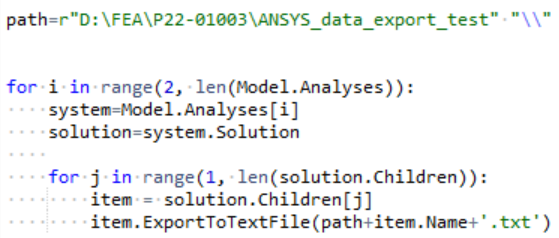
      The simple script I made looks like this:

       
      When I run the script I get the following error message:
       
      Is there any other way of exporting the frequency and amplitude data for the selected results?
    • Aniket Chavan
      Forum Moderator


      There does not seem a direct way to do this now, but in the InternalObject of the item there should be a call for it you can use as CreateTabbedFile(r”) to export the string which can be written to a file using python commands.

      -Aniket

      How to access Ansys help links

      Guidelines for Posting on Ansys Learning Forum


      • Tomasz Walkowiak
        Subscriber

        Hello Aniket,

        thank you for your response.

        I was able to write a Python script that works, based on the information I've found in the following post:
        /forum/forums/topic/tabular-data-extraction/

        My script goes through all results from the selected analysis systems
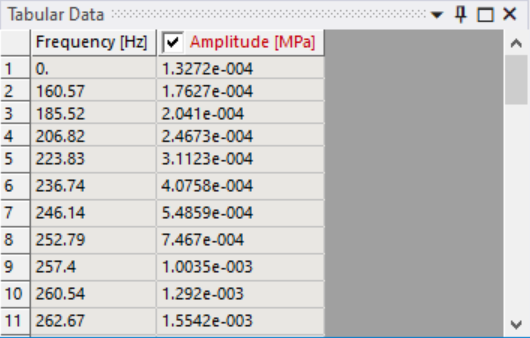
        and exports defined columns (in this case #2 and #3) from the Tabular Data panel to separate .csv files.

        Name of each file is the name of the given result (e.g., 001_vf1_Fx_sigma_x_05t, as shown in the 2nd picture in my original post above).
         

        import csv
         
        path=r"D:\FEA\P22-01003\ANSYS_data_export_test" "\\"
         
        for i in range(2, len(Model.Analyses)):
            system=Model.Analyses[i]
            solution=system.Solution
            
            for j in range(1, len(solution.Children)):
                item = solution.Children[j]
                item.Activate()
                
                pane = ExtAPI.UserInterface.GetPane(MechanicalPanelEnum.TabularData)
                table = pane.ControlUnknown
                
                frequency = []
                for row in range(2, table.RowsCount+1):
                    cellText = table.cell(row, 2).Text
                    frequency.append(float(cellText))
                    
                amplitude = []
                for row in range(2, table.RowsCount+1):
                    cellText = table.cell(row, 3).Text
                    amplitude.append(float(cellText))
                    
                with open(path+item.Name+".csv", 'wb') as f:
                    writer = csv.writer(f)
                    writer.writerows(zip(frequency, amplitude))
         
        print('done')
         
         
        I just wanted to share it in case someone else has a similar problem to solve.
         
        Take care and have a good one!

         
Viewing 1 reply thread
  • The topic ‘Python script for exporting Harmonic Response analysis results to .txt files’ is closed to new replies.
[bingo_chatbox]