-
-
November 22, 2022 at 2:43 am
ORHUN OKCU
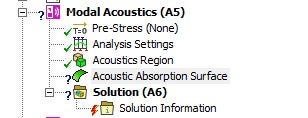
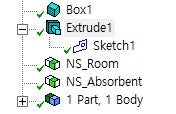
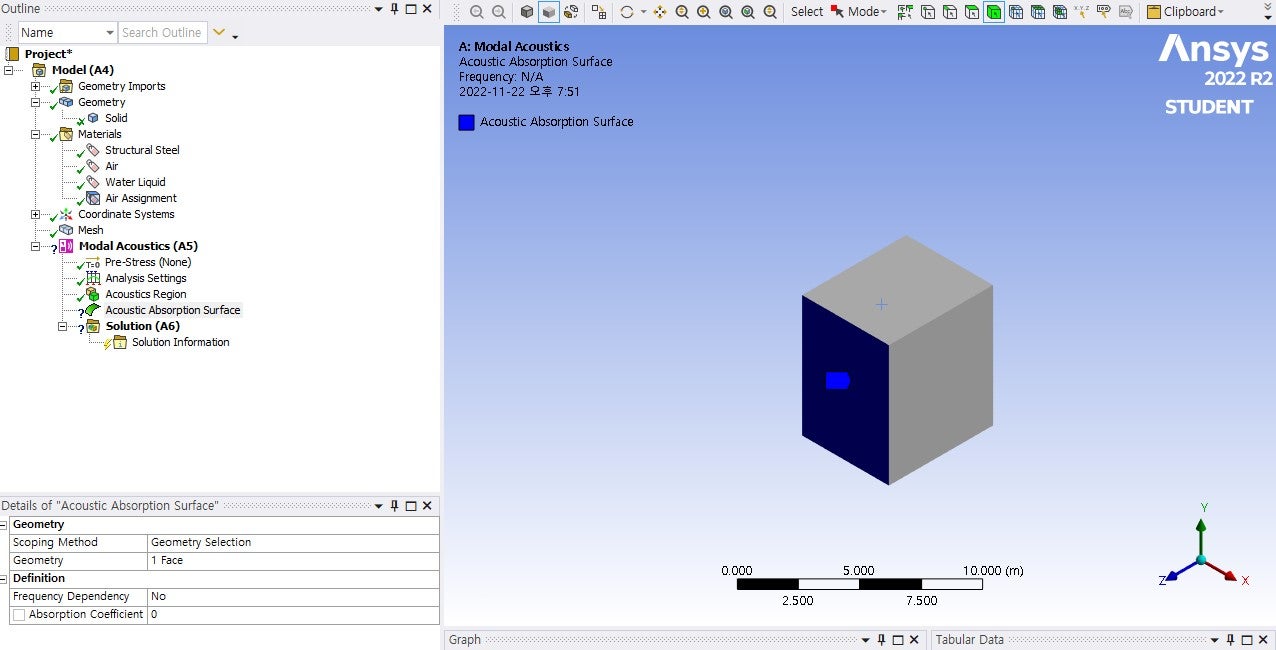
SubscriberHello, I have been trying to do acoustic modal analysis of the room with absorption surface at the bottom of the room. I could not add acoustic absorption surface into my modal. I created box and the imprint surface at the bottom by extrusion. (I followed the book named Acoustic Analyses Using MATLAB and ANSYS). When I select this surface, the question mark is appear. How can I solve this problem. By the way, I am using student lisence. Thank you in advance.
 -
November 22, 2022 at 8:27 am
ErKo
Ansys EmployeeÂ
Â
Â
Â
Hi
Â
That should work only on a single non shared face belonging to an acoustic region made of a 3D part/body.
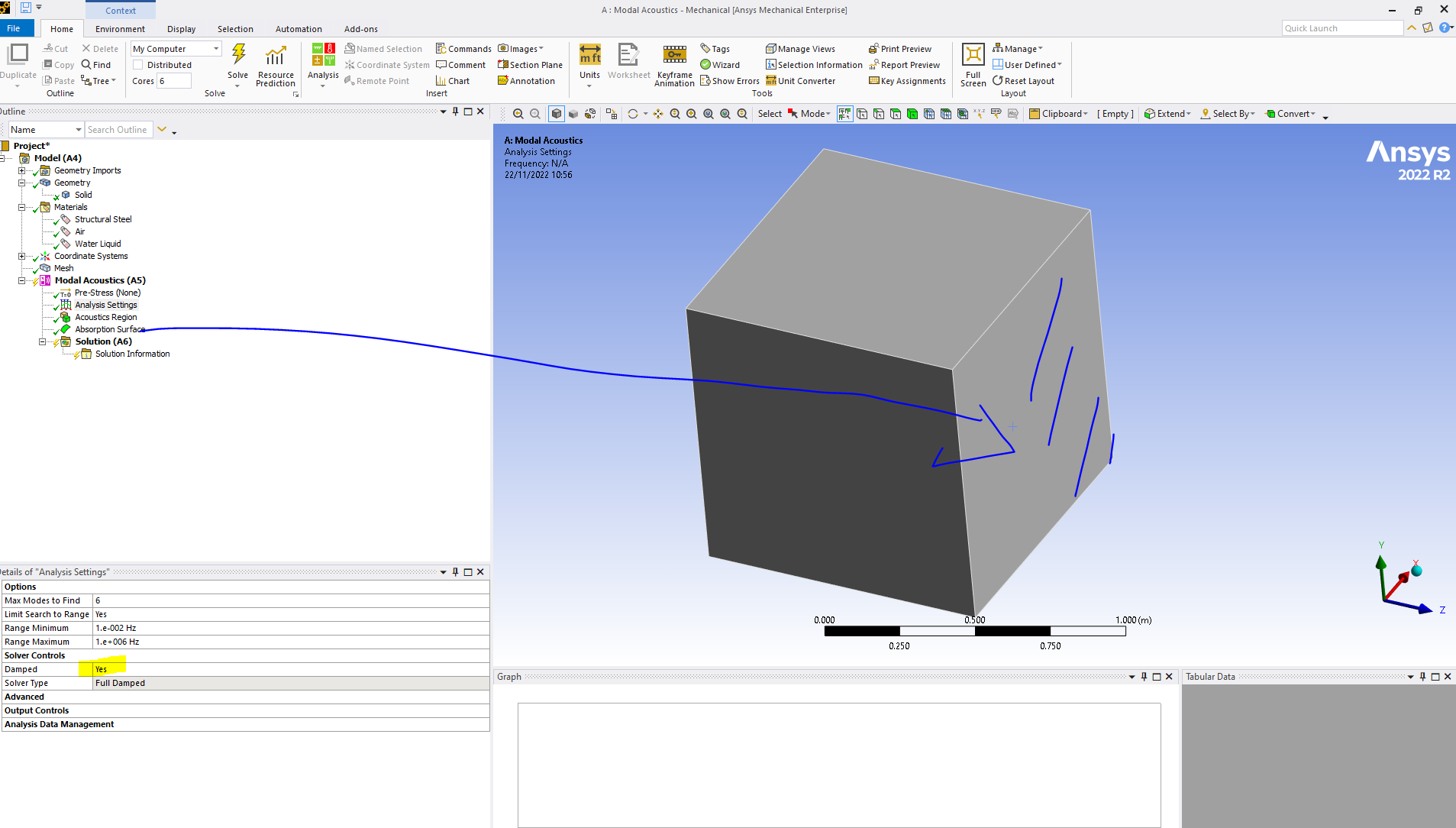
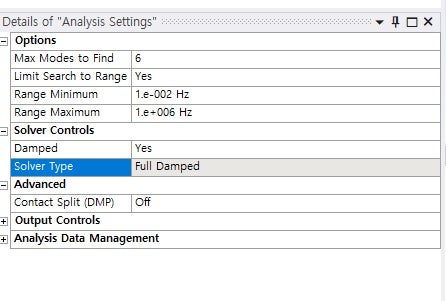
Also one needs to activate a damped solver since this adds damping – done under analysis settings.
One can see this error when trying to solve your system as it is – it will prompt the user to use the damped solver.
Thank you
Â
Â
Â
Â
-
November 22, 2022 at 9:03 am
-
November 22, 2022 at 9:48 am
ErKo
Ansys EmployeeÂ
Â
Â
Â
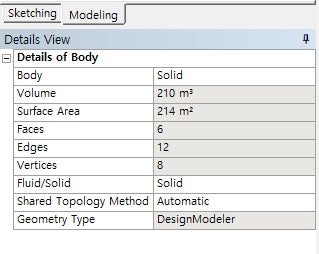
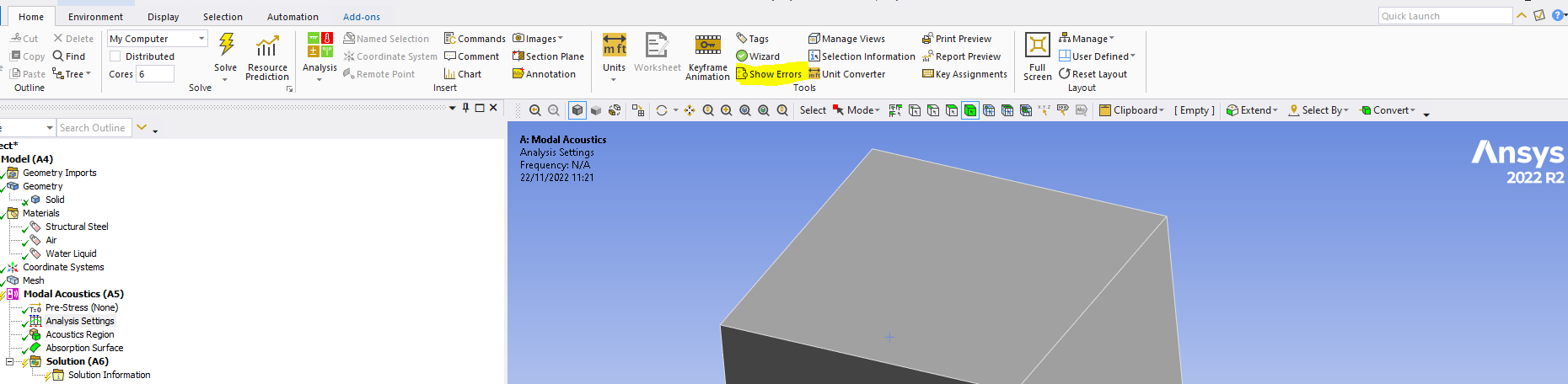
I meant face – so it can be scoped to a face belonging to a part/body. So for sure there is something going on with the geometry – can you show it please and the list of all parts involved (also it can not be an interior face).
So do a simple example - do a cube - and scope the absorption surface to one side/face - that should work.
Erik
Â
Â
Â
Â
-
November 22, 2022 at 10:00 am
ORHUN OKCU
SubscriberÂ
I scoped by the using both geometry selection and the named selection. I selected from the outside as well. But question mark still remains.
Â
-
November 22, 2022 at 10:27 am
-
November 22, 2022 at 10:57 am
-
November 22, 2022 at 10:59 am
ORHUN OKCU
SubscriberHow can I lift the question mark from the acoustic region without material assignment? Sorry for bothering. I am real beginner.
-
November 22, 2022 at 11:19 am
-
November 22, 2022 at 11:24 am
-
November 22, 2022 at 11:26 am
ORHUN OKCU
SubscriberThank you so much. Have a nice day
-
November 22, 2022 at 11:32 am
-
November 22, 2022 at 11:37 am
ORHUN OKCU
SubscriberIt worked. Thank you very much.
-
November 22, 2022 at 11:39 am
ErKo
Ansys EmployeeThat is great - can you share and say what you changed to get it to work please incase someone else has the same issue.
Please share below
-
November 22, 2022 at 11:51 am
ORHUN OKCU
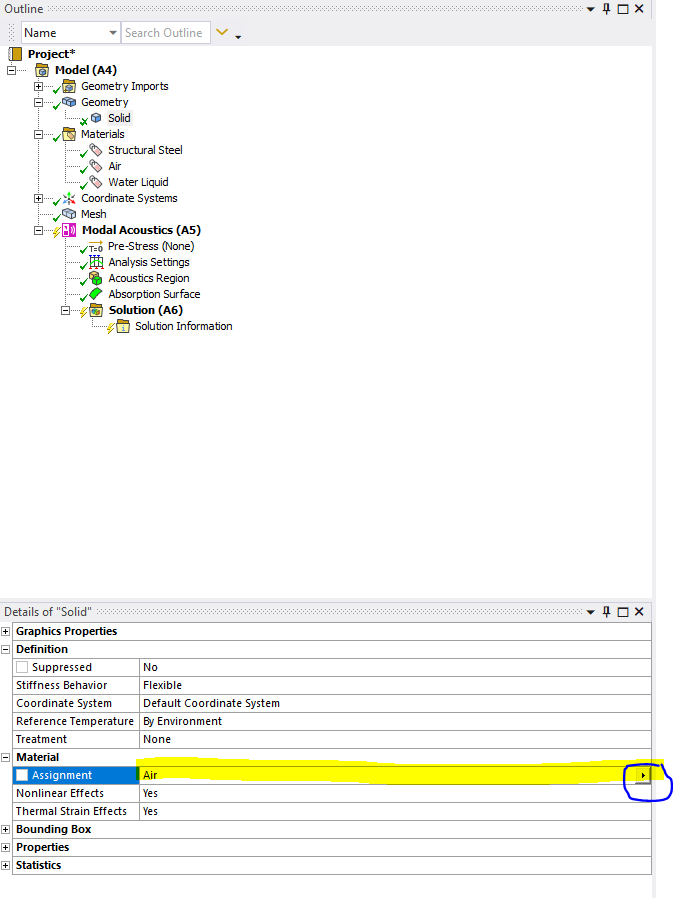
SubscriberI have assigned the air for the solid body from the body detail page. The question mark next to absorption surface turned to check. For those who encounter a problem about adding absorption surface make sure that your solid body material is air.
-
November 22, 2022 at 11:55 am
ErKo
Ansys EmployeeThank you - yes, we need to have acoustic properties/material for acoustic regions - so we need at least speed of sound and density for the material properties for acoustic regions.
-
- The topic ‘problem adding acoustic absorption surface’ is closed to new replies.
-
6495
-
1906
-
1458
-
1308
-
1022
© 2026 Copyright ANSYS, Inc. All rights reserved.