-
-
March 24, 2019 at 7:42 pm
jackansysjack
SubscriberHello,
Â
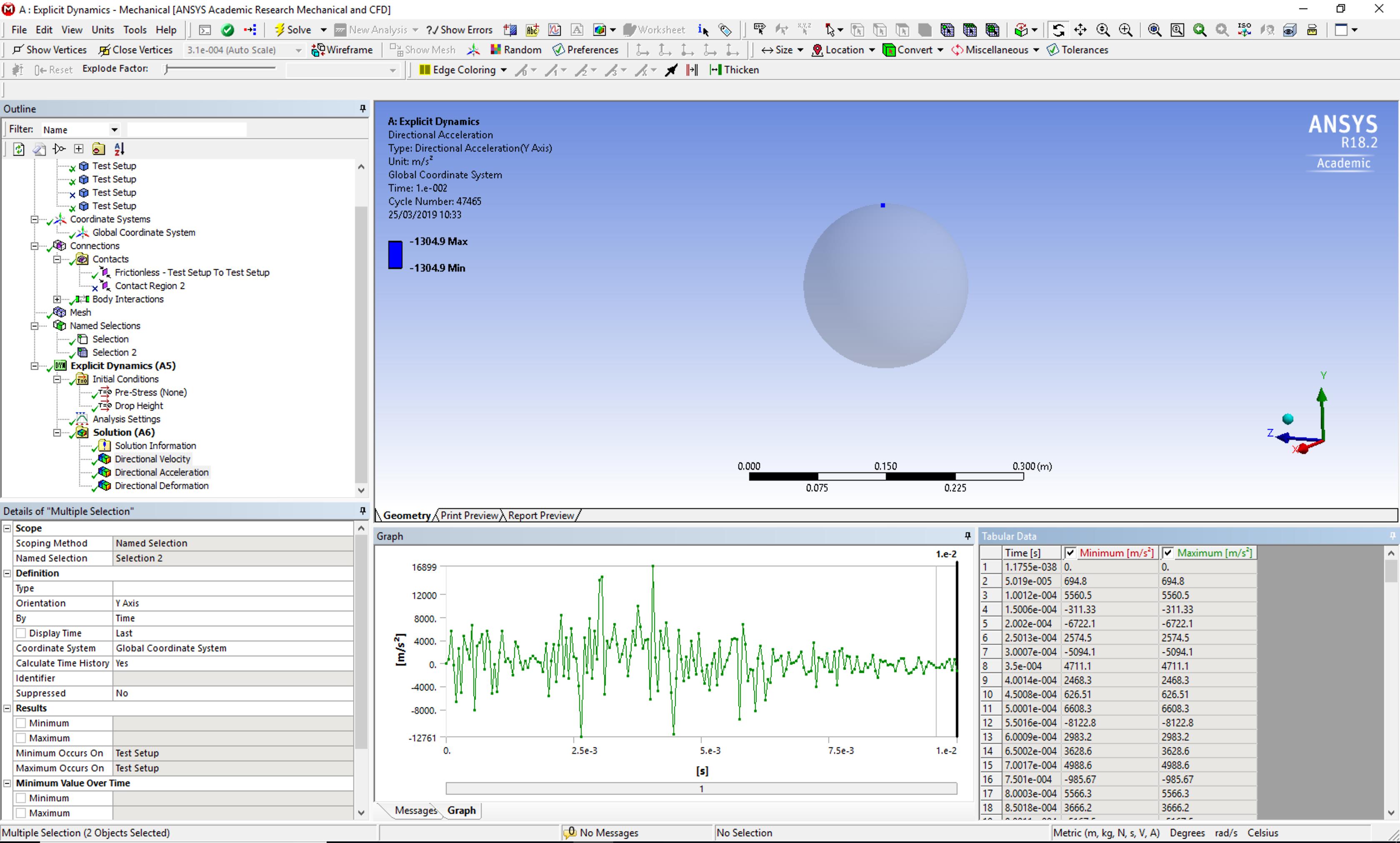
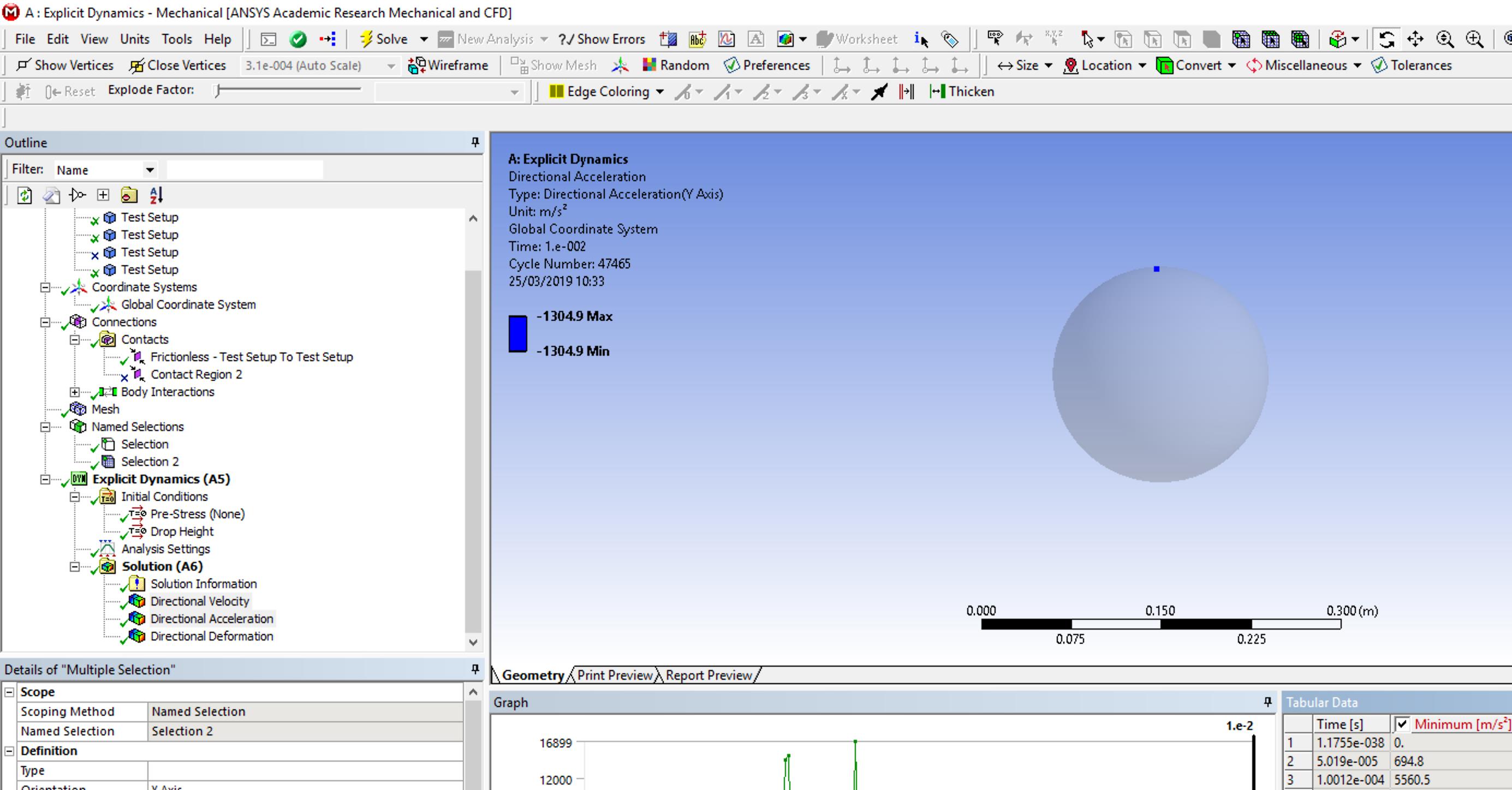
I am doing an impact test in explicit at a speed of 5 m/s but am getting very acceleration values from a placed probe. Can anyone point me in the right direction with were I am going wrong?
Â
I have attached an image to show my issue.
Â
Thanks in advanced,
JackÂ
-
March 25, 2019 at 12:06 am
peteroznewman
SubscriberHello Jack,
Plot a single node, for example, one near the top of the inner ball.
Plot the directional displacement of that node in the Y direction.
Plot the directional velocity of that node in the Y direction.
Plot the directional acceleration of that node in the Y direction.
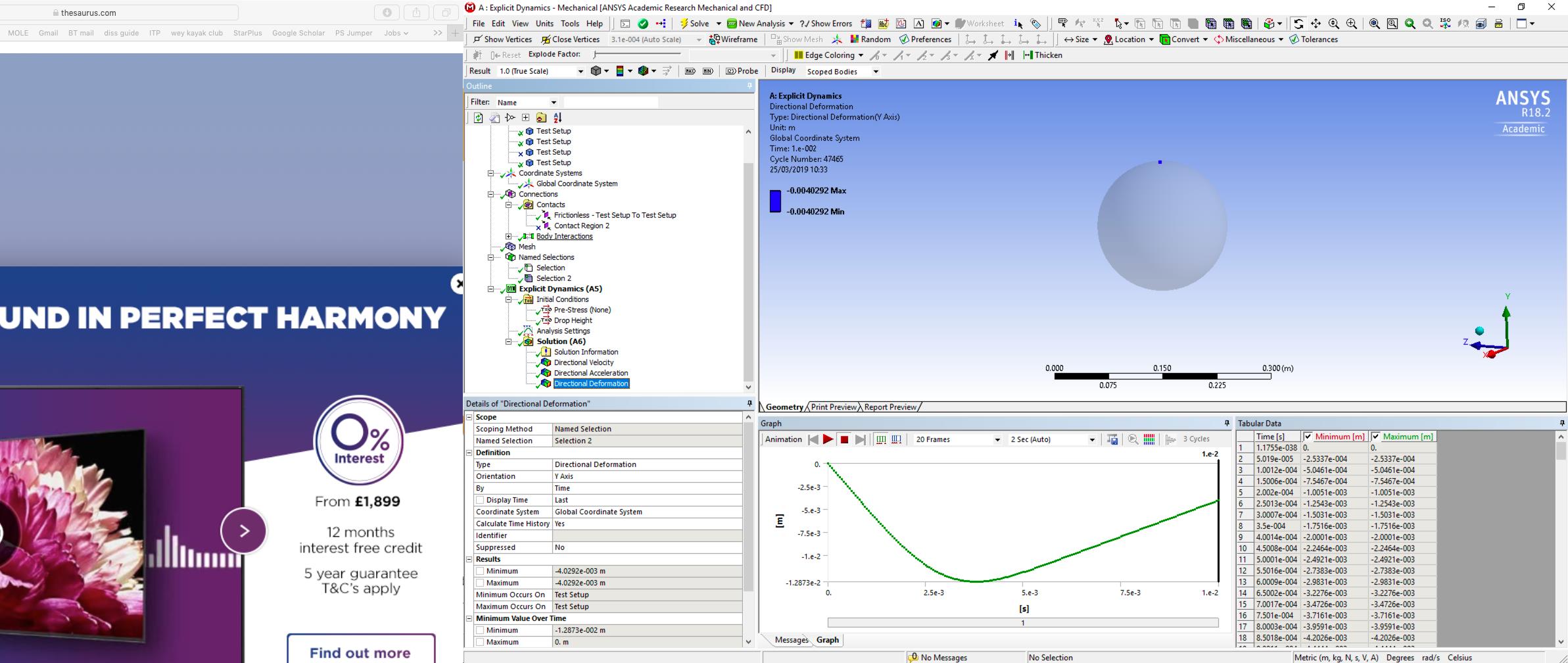
I expect the displacement to begin at zero, go negative, then positive as the ball rebounds.
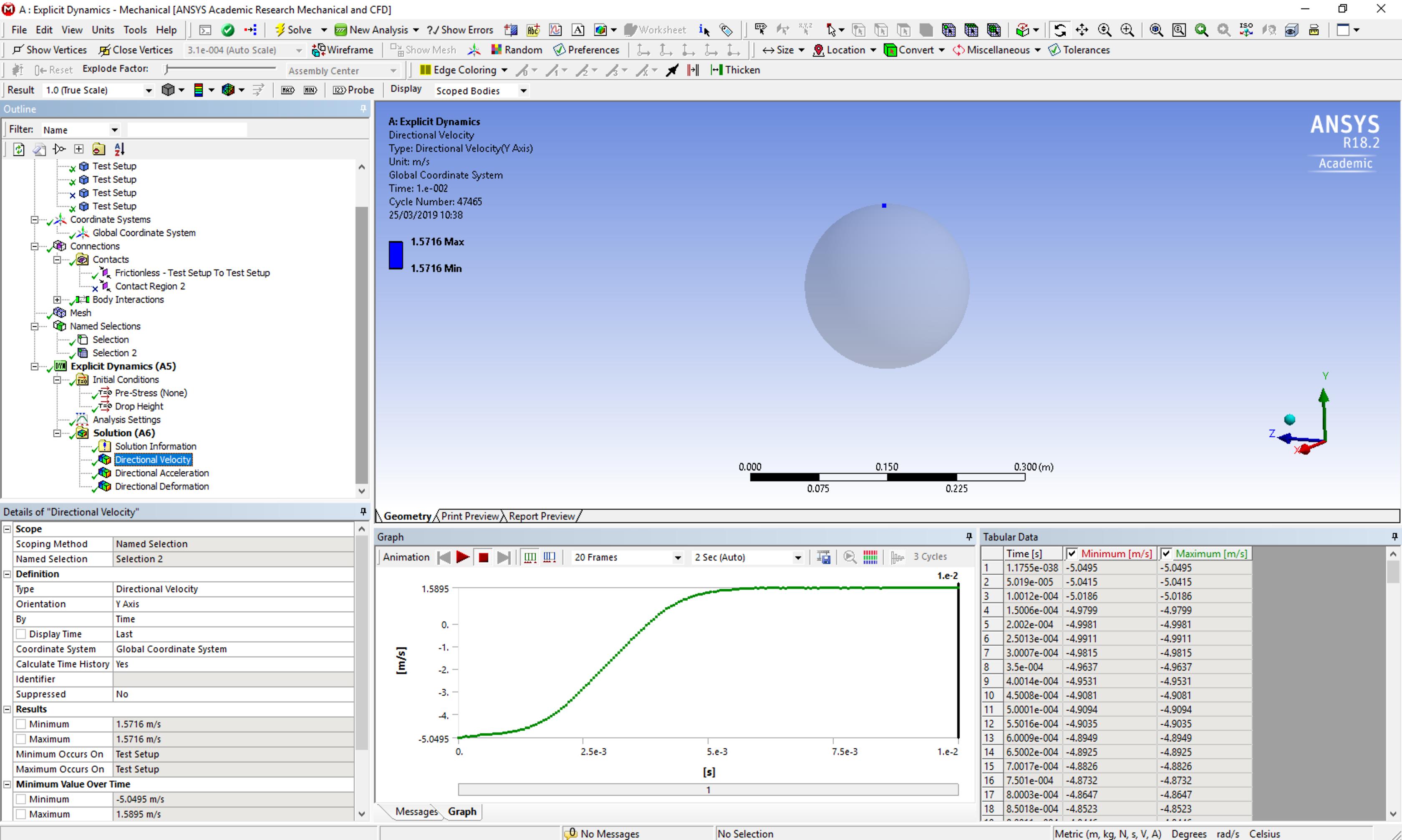
I expect the velocity to begin with a negative velocity, the impact velocity, and go toward zero then go positive as the ball rebounds.
If you see these things, then the simulation is doing what I expect and the directional acceleration plot would be accurate.
You should request a larger number of outputs than the default of 20, like 200 or more.

Â
-
March 25, 2019 at 12:09 am
peteroznewman
SubscriberAlso, insert the image directly into your post because the ANSYS employees are not allowed to open attachments.
Â
-
March 25, 2019 at 10:37 am
-
March 25, 2019 at 10:38 am
-
March 25, 2019 at 10:58 am
peteroznewman
SubscriberExplicit Dynamics acceleration results are often noisy so you need to filter the data. One way to filter is to integrate, which is why the velocity and displacement data look smooth. If you smooth the velocity data and then differentiate it, you will get a smooth acceleration curve. I use matlab to do those operations. Do you have matlab? I can show you what it will look like if you want to attach the velocity data.
Click on the blank square at the top left corner of the Tabular Data for the Directional Velocity, all the data will highlight. Ctrl-C to copy to clipboard, then open Notepad and click Ctrl-V to paste the data into Notepad. Save the Notepad file as velocity.txt then use the Attach button on your post above to attach the file.
-
March 25, 2019 at 11:21 am
jackansysjack
SubscriberI have attached the data file to the post above.
I will download Matlab now, would it be possible to post the Matlab code on here?
Thank you very much for helping me with this.
Â
-
March 25, 2019 at 2:05 pm
peteroznewman
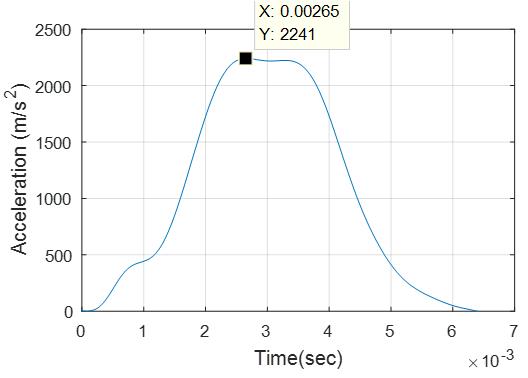
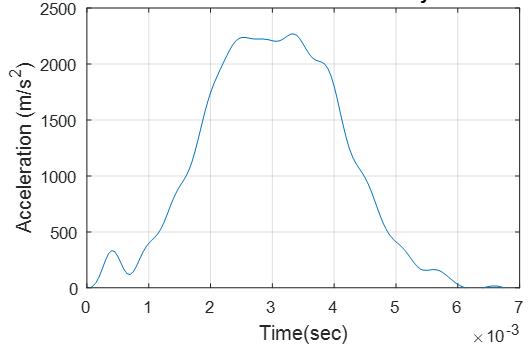
SubscriberAttached are the filtered velocity file that was differentiated to give the acceleration. I had to add 5 to the velocity so that the curve started at zero for the filter to work properly. I low pass filtered it at 1000 Hz. This caused an oscillation in the curve after 0.007s so that was discarded before the differentiation was done.
If you filter it at 2000 Hz, then more oscillation is represented.
If you filter at 5000 Hz, too much oscillation enters the result.
-
March 25, 2019 at 3:08 pm
peteroznewman
SubscriberI use a free GUI package called vibrationdata in matlab. Search for vibrationdata WordPress and you will find where to download it.
velos = [velocity(:,1),velocity(:,2)+ 5];
The only code I typed is shown above.
-
March 25, 2019 at 4:04 pm
jackansysjack
SubscriberNice, I will give that a go. Thank you so much for your help Peter!
-
March 26, 2019 at 11:52 am
jackansysjack
SubscriberI am having some difficulty understanding the vibrationaldata GUI would you mind pointing me in the right direction with what you did inside the GUI.
-
- The topic ‘Impact testing’ is closed to new replies.
-
6495
-
1906
-
1458
-
1308
-
1022
© 2026 Copyright ANSYS, Inc. All rights reserved.