

TAGGED: lumerical
-
-
June 5, 2021 at 6:51 pm
crossingsymmetry
SubscriberHi,
I am going through the 1x2 MMI example provided by Ansys. In order to calculate S-matrix for TE and TM polarizations, the example simply selects symmetric and anti-symmetric boundary conditions on z min bc. In the provided example, the waveguide is a strip waveguide and I sort of understand why this work. In my case, I am using a rib waveguide which is not symmetric across z-axis. How would I for the EME solver to select TE or TM modes separately in order to extract s-matrix from the parameter sweep?
MMI example.
June 7, 2021 at 7:38 pmKyle
Ansys Employee
If you would like to calculate the S matrix for both the fundamental TE and TM modes you can select the "fundamental TE and TM mode" mode selection option for the ports:
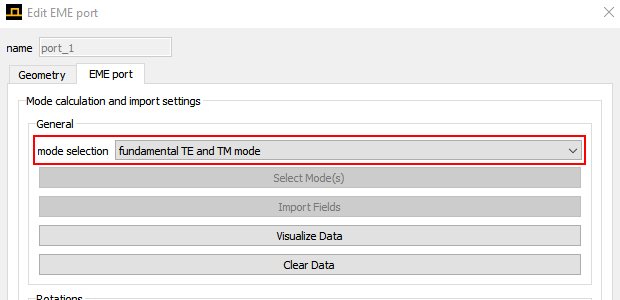
Don't use symmetry boundary conditions with this option so the solver can find both the fundamental TE and TM modes. For a 1x2 MMI this will calculate a 6x6 S matrix because there are 3 ports with two modes each.
June 7, 2021 at 7:51 pmSubscriberHi Thanks for your response. I realized I would get the same answer as your example by selecting the "user selected modes" and it worked beautifully.
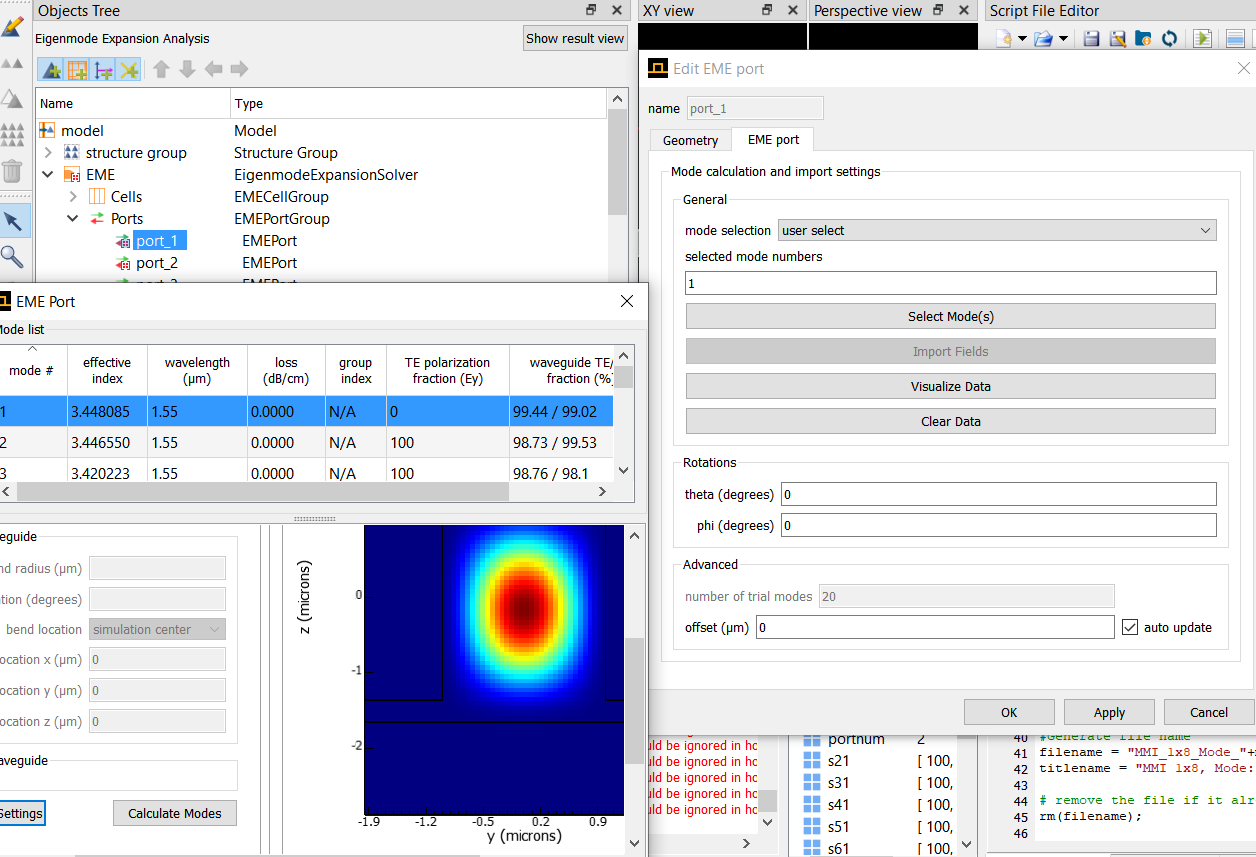
However, I run into new issues when I try to select modes for each port and run the simulation through ascript. Following is my script to sweep through TE and TM modes.
for (ii = 1:2){
switchtolayout;
# select modes
select("EME::Ports::port_1"); # select the port group
set("mode selection","user select");
set("selected mode numbers",ii); #mode 2 is TE
select("EME::Ports::port_2"); # select the port group
set("mode selection","user select");
set("selected mode numbers",ii); #mode 2 is
select("EME::Ports::port_3"); # select the port group
set("mode selection","user select");
set("selected mode numbers",ii); #mode 2 is TE
run;
}
However, when I run the simulation for both TE and TM, I get the following error.
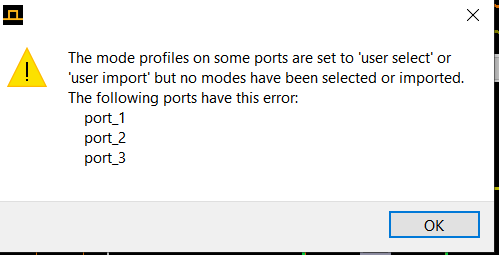 Note that I have selected 1 or 2 for ports. The solution seems to be that each time I select a new polarizaiton, I need to press "Select Mode(s)", calculate modes, and then select mode number. Is there a way to do this automatically?
Thanks
June 9, 2021 at 2:16 amAnsys Employee
You can use the "updateportmodes" command to change the selected port modes in a script instead of using the set command to change the "selected mode numbers" property. The syntax for the "updateportmodes" command is given on this page:
Please try that and let me know if it helps.
Viewing 3 reply threads- The topic ‘EME Solver Selecting TE vs TM modes for Rib Waveguide’ is closed to new replies.
Innovation Space Trending discussions
 Top Contributors
-
peteroznewman
 6495
6495 -
scabo
 1906
1906 -
Dennis Chen
 1458
1458 -
javat33489
 1308
1308 -
Shyam Prasad V Atri
1022
Top Rated Tags
© 2026 Copyright ANSYS, Inc. All rights reserved.
Ansys does not support the usage of unauthorized Ansys software. Please visit www.ansys.com to obtain an official distribution.
-


The Ansys Learning Forum is a public forum. You are prohibited from providing (i) information that is confidential to You, your employer, or any third party, (ii) Personal Data or individually identifiable health information, (iii) any information that is U.S. Government Classified, Controlled Unclassified Information, International Traffic in Arms Regulators (ITAR) or Export Administration Regulators (EAR) controlled or otherwise have been determined by the United States Government or by a foreign government to require protection against unauthorized disclosure for reasons of national security, or (iv) topics or information restricted by the People's Republic of China data protection and privacy laws.

 You are navigating away from the AIS Discovery experience