-
-
May 10, 2020 at 12:26 am
mmj97
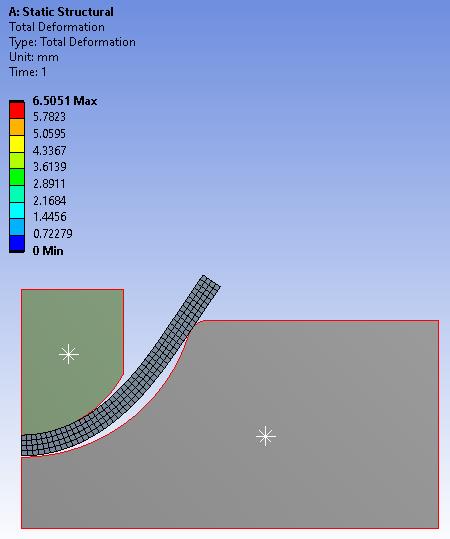
Subscriberhi my name is mohamed i have problem with simulation maybe contacts, it my first time with nonlinear analysis so i need help on it and give some advice so i can avoid this problem again
-
May 10, 2020 at 2:11 am
peteroznewman
SubscriberHi Mohamed,
Here is the geometry you created.
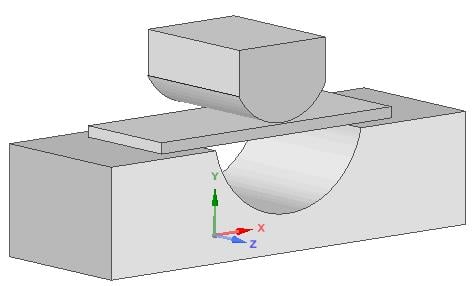
I recommend you convert this to a 2D model and use symmetry because it will be easier and faster.
Create a Plane in the XY plane and split each body with that plane. Delete the solids on the +Z side.
Select the three faces of the remaining solid and keyboard in Ctrl-C and Ctrl-V. Now you have 3 surfaces.
Delete the remaining solids.
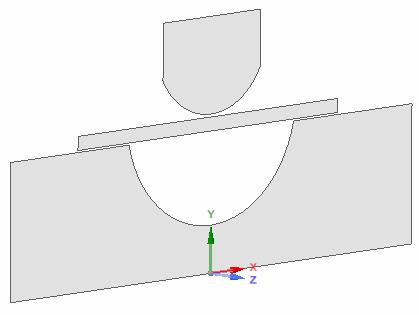
Now create a Plane using the X axis so it is in the YZ plane. Split the three bodies and discard the -X surfaces.
Notice that the parts don't touch each other. That is bad, you need the parts touching each other.
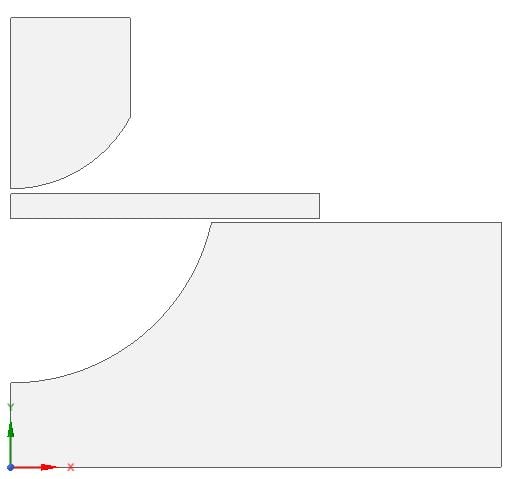
Use the Move Tool with the Up To button to move to bodies so they are touching and Save that file.
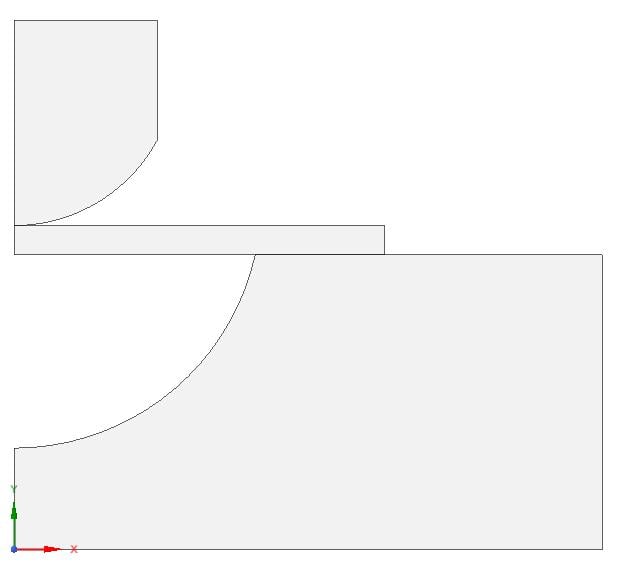
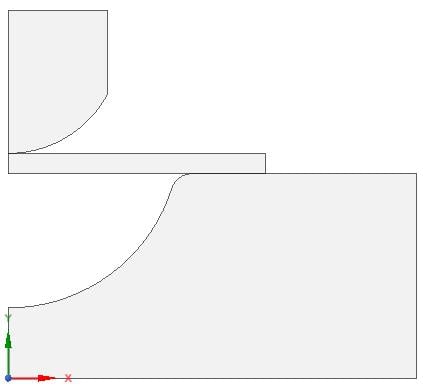
You don't want a sharp corner on the die, that will make the simulation have great difficulty and is not realistic. Pull a 1 mm radius blend on the sharp corner.
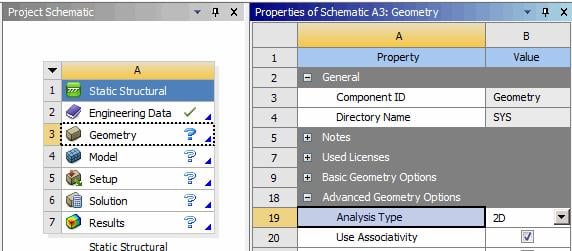
In Workbench, drag out a Static Structural model. Click on the Geometry cell and in the Properties set the Analysis Type to 2D.
Open the Model and in Mechanical, right click on Model and Insert Symmetry, then on Symmetry right click and Insert Symmetry Region. Using the Edge Geometry filter, select the three edges on the symmetry plane.
Create two Frictional Contacts. Create a Displacement of Y=-6.5 on the top of the Punch and a Displacement of Y=0 on the bottom of the DIe.
Set a Face Mesh Sizing on the workpiece of 0.25 mm element size, and set Edge Mesh sizing on the contacting edges to 0.25 mm.
Under Analysis Settings, turn on Auto Time Stepping and set the Initial and Minimum Substeps to 100, the Maximum Substeps to 1000. Set Large Deflection to On. Solve.
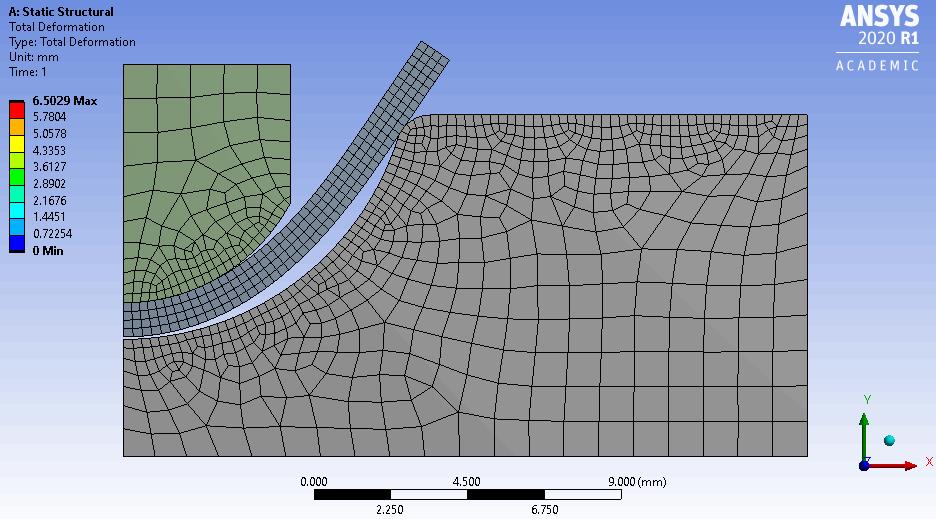
Note that this solution used Linear Elastic Materials, so if I add Step 2 and retract the punch to the original displacement, the workpiece would return to a straight flat piece. The next phase of this analysis is to add Plasticity to the material model. You can ask for help with that after you show that you have got this far.
Good luck!

-
May 14, 2020 at 3:40 pm
mmj97
Subscriberso it is impossible to do 3d analysis
-
May 15, 2020 at 12:30 am
mrife
Ansys Employeemmj97
That is an odd conclusion - how do you arrive at that? As Peter said a 2D model will solve faster, allowing you to cut down on the typical troubleshooting, trying things out (like different mesh controls), using different material models, getting the loads and boundary conditions just as you need them. Once done you can transition to a 3D model and implement what you learned doing the 2D model.
Â
-
May 15, 2020 at 2:46 am
mmj97
Subscriberi have two contacts which are friction both punch and hammer are rigid and may have issue for boundary conditions but i don't know how to solve this issue
Â
-
May 15, 2020 at 12:54 pm
mrife
Ansys Employeemmj97
Peter's post shows how to do this. What is the 'issue'? Bodies can be changed from flex to rigid in their Details (select a part in the model tree and see the Details section below the model tree). Perhaps you can post some images of what you are having an problem doing.
-
May 18, 2020 at 10:49 am
peteroznewman
Subscriber[UPDATE] For a 3D Model only...
You can't use a Fixed Support on a rigid body, replace that with a Fixed Joint to Ground.
You can't use a Displacement on a rigid body, replace that with a Translation Joint to Ground and use a Joint Load to move the punch down.
The contacts must have the Target side on the rigid body, the Contact side cannot be on the rigid body.
-
May 18, 2020 at 11:21 am
ltruong
Subscriberpeteroznewman - There's no option to add a joint for rigid bodies - only beams and springs. Or am I approaching this problem the wrong way? Because I have a similar problem posted on my account.
-
May 18, 2020 at 9:15 pm
-
May 23, 2020 at 6:05 am
Chinmay
SubscriberThank you,
I learned something new here. Now I can apply this in all my simulations.
-
- The topic ‘deep drawing’ is closed to new replies.
-
6495
-
1906
-
1458
-
1308
-
1022
© 2026 Copyright ANSYS, Inc. All rights reserved.